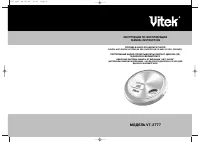
VITEK VT-3773 - User Manual
VITEK VT-3773 MP3 Player – User Manual, read for free online in PDF format. We hope this helps you resolve any issues you may have. If you have further questions, please contact us through the contact form.
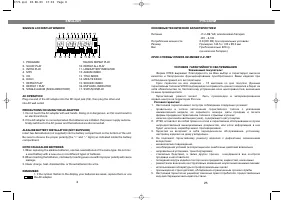

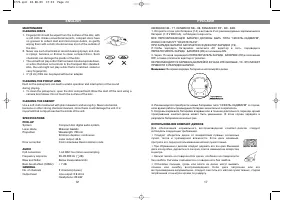
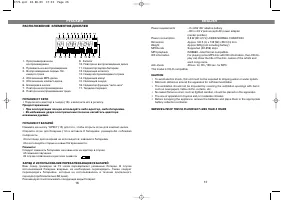
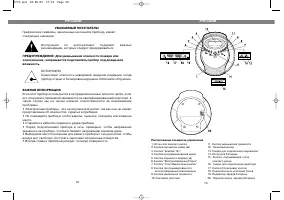
Table of Contents:
- Page 2 – SECURITY WARNINGS AND IMPORTANT NOTICES; ENGLISH; Гарантийный талон; Сведения о покупке; Название и адрес продающей организации; упон
- Page 3 – LOCATION OF CONTROLS; NAMES OF PARTS
- Page 4 – СРОК СЛУЖБЫ ПЛЕЕРА НЕ МЕНЕЕ 3Х ЛЕТ; РУССКИЙ
- Page 6 – DISC PLAYING; Listening at high power for a long moment could damage users`ears.; Для выбора 3*го трека воспользуйтесь кнопками SKIP/SEARCH; ВОСПРОИЗВЕДЕНИЕ ДОРОЖЕК В ПРОИЗВОЛЬНОМ ПОРЯДКЕ
- Page 7 – ПРОГРАММИРОВАННОЕ ВОСПРОИЗВЕДЕНИЕ
- Page 10 – PROGRAM PLAY (up to 60 tracks can be edited); ВОСПРОИЗВЕДЕНИЕ КОМПАКТДИСКА
- Page 11 – Для временной остановки музыки нажмите на
- Page 12 – ИСПОЛЬЗОВАНИЕ КОМПАКТДИСКОВ
- Page 13 – SERVICE LIFE OF THE CD PLAYER NOT LESS THAN 3 YEARS; ПИТАНИЕ ОТ БАТАРЕЙ; РАСПОЛОЖЕНИЕ ЭЛЕМЕНТОВ ДИСПЛЕЯ
- Page 14 – Расположение элементов управления; воспроизведения/эквалайзеры
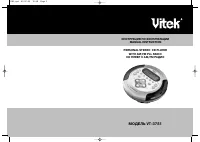
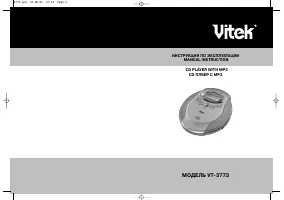
МОДЕЛЬ VT3773
ИНСТРУКЦИЯ ПО ЭКСПЛУАТАЦИИ
MANUAL INSTRUCTION
CD PLAYER WITH MP3
CD ПЛЕЕР С МР3
3773.qxd 10.06.03 17:33 Page 2
"Loading the manual" means you need to wait until the file loads and becomes available for online reading. Some manuals are very large, and the time they take to appear depends on your internet speed.
Summary
SECURITY WARNINGS AND IMPORTANT NOTICES The exclamation point within the triangle is a warning sign alerting the userof important instructions accompanying the product.WARNING: To reduce the risk of fire or electric shock, do not expose the appliance to rain or moisture. CAUTION: Invisible laser rad...
ENGLISH 3 26 LOCATION OF CONTROLS 1. CD DOOR2. SKIP/SEARCH BUTTON ( ! ) 3. ALBUM/10+ BUTTON 4. MODE BUTTON5. SKIP/SEARCH BUTTON ( " ) 6. PLAY/PAUSE BUTTON7. STOP/OFF BUTTON8. PROG/EQ BUTTON9. VOLUME DOWN BUTTON10. LCD (Liquid Crystal Display) 11. VOLUME UP BUTTON12. LINE OUT JACK13. PHONES JACK1...
SIGNS IN LCD DISPLAY WINDOW AC OPERATION Plug one end of the AC adapter into the DC input jack (16), then plug the other endinto AC wall outlet. PRECAUTIONS ON USING THE AC ADAPTER 1. Do not touch the AC adapter with wet hands. Doing so is dangerous, as this could result in an electrical shock. 2. I...