Page 3 - MP3 CD RADIO CASSETTE RECORDER; DANGEROUS VOLTAGE; WARNING; ENGLISH
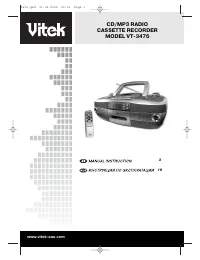
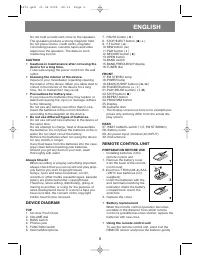
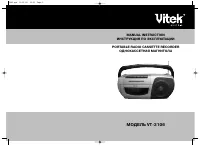
MP3 CD RADIO CASSETTE RECORDER MODEL VT-3476 Please read these instructions carefully beforeusing this product. After you have finished read-ing these instructions, store this device and thewarranty in an easy to access place. IMPORTANT NOTES Save these instructions for future use.Do not install the...
Page 6 - POWER SUPPLY AND CONNECTION
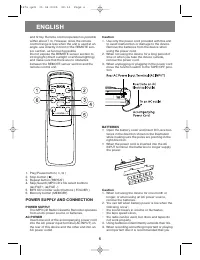
and firmly. Remote control operation is possiblewithin about 7 m. However, since the remotecontrol range is less when the unit is used at anangle, use directly in front of the REMOTE sen-sor section, as far much possible.Do not expose the REMOTE sensor section tostrong light (direct sunlight or arti...
Page 7 - GENERAL CONTROLS
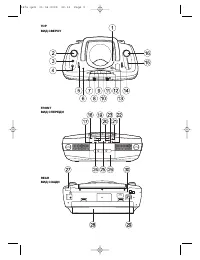
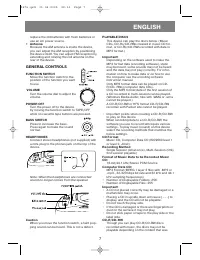
replace the old batteries with fresh batteries oruse an AC power source. • Antenna Because the AM antenna is inside the device,you can adjust the AM reception by positioningthe device itself. You can adjust FM reception byextending and rotating the rod antenna on therear of the device. GENERAL CONTR...
Page 8 - LISTENING TO CDS
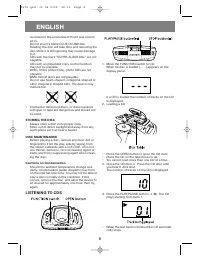
recorded or the environment that it was record-ed in.Do not insert a blank CD-R/CD-RW disc.Reading the disc will take time and removing thedisc while it is still spinning may cause damageto it.CDs with the mark "SUPER-AUDIO CDs" are notplayable. • CDs with an imbedded copy control function m...
Page 9 - LISTENING TO MP3S
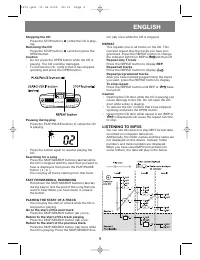
Stopping the CD Press the STOP button ( ) while the CD is play- ing. Removing the CD Press the STOP button ( ) and then press the OPEN button. Caution • Do not press the OPEN button while the CD is playing. The CD could be damaged. • To remove the CD, confirm that it has stopped spinning and press t...
Page 11 - PROGRAM PLAY
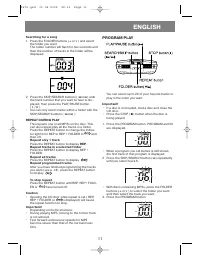
Searching for a song 1. Press the FOLDER buttons ( or ) and select the folder you want.The folder number will flash for two seconds andthen the number of tracks in the folder will bedisplayed. 2. Press the SKIP/SEARCH buttons ( or ) until the track number that you want to hear is dis-played, then pr...
Page 12 - LISTENING TO TAPES
4. Press the SKIP/SEARCH button ( ) repeatedly until you select track 2. 5. Press the PROGRAM button.• After you have programmed 20 tracks, [- -] or [- - -] will display as the track, and you will notbe able to add any more tracks. 6. Press the PLAY/PAUSE button ( / ). The program plays. PLAY THE SA...
Page 13 - LISTENING TO THE RADIO
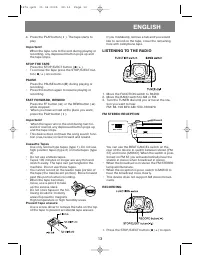
4. Press the PLAY button ( ). The tape starts to play Important! When the tape runs to the end during playing orrecording, any depressed button pops up andthe tape stops. STOP THE TAPE Press the STOP/EJECT button ( / ). • To remove the tape press the STOP/EJECT but- ton ( / ) once more. PAUSE Press ...
Page 14 - CARE AND MAINTENANCE
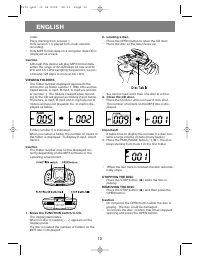
the cassette tape holder and insert a tape. • Load the tape with the side you want to record on facing you. 2. Close the cassette tape holder until you hear it click shut. • Stop the tape in the position where you will start recording. 3. Selecting the recording function (source). When recording a C...
Page 15 - SPECIFICATION
4 Press the PLAY/PAUSE button (14).5 Move the FUNCTION switch to CD.6 Wait one hour. The sound skips 1 The disc is severely damaged. 2 The device is being moved. 1 Change discs. 2 Stabilize the device. TAPE RECORDER Tape does not go in Tape holder does not shut The tape is upside down. Put the tape ...
Page 16 - ÐÓÑÑÊÈÉ
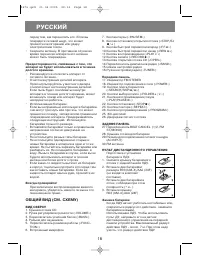
ÈÍÑÒÐÓÊÖÈß ÏÎ ÝÊÑÏËÓÀÒÀÖÈÈ 1-ÊÀÑÑÅÒÍÀß ÌÀÃÍÈÒÎËÀ Ñ CD/MP3 ÏËÅÅÐÎÌ ÌÎÄÅËÜ VT-3476 îæàëóéñòà, âíèìàòåëüíî ïðî÷òèòå ýòóèíñòðóêöèþ ïåðåä òåì, êàê íà÷àòüýêñïëóàòàöèþ äàííîãî àïïàðàòà. Ïîñëå òîãî,êàê âû îçíàêîìèòåñü ñ ýòîé èíñòðóêöèåé,ïîëîæèòå åå â äîñòóïíîå ìåñòî äëÿ òîãî,÷òîáû ýòîé èíñòðóêöèåé âû ìîãëè ...
Page 19 - ÏÎÄÊËÞ×ÅÍÈÅ Ê ÑÅÒÈ
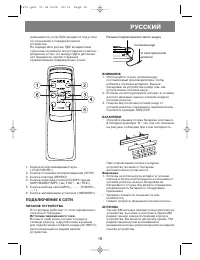
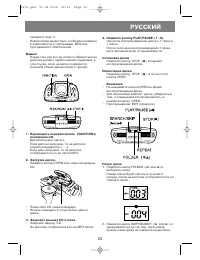
óìåíüøàåòñÿ, åñëè ÏÄÓ íàõîäèòñÿ ïîä óãëîìïî îòíîøåíèþ ê ïåðåäíåé ïàíåëèóñòðîéñòâà. Íå ïîäâåðãàéòå äàò÷èê ÏÄÓ âîçäåéñòâèþñîëíå÷íûõ ëó÷åé èëè èñêóññòâåííîãî ñâåòà èóáåäèòåñü â òîì, ÷òî ìåæäó ÏÄÓ è äàò÷èêîìíåò ïðåäìåòîâ, ïðåïÿòñòâóþùèõïðîíèêíîâåíèþ èíôðàêðàñíûõ ëó÷åé. 1. Êíîïêà âîñïðîèçâåäåíèå/ïàóçà («...
Page 21 - ÏÐÎÑËÓØÈÂÀÍÈÅ
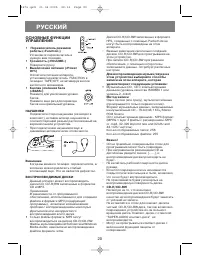
• Äèñêè DVD, VCD (âèäåî CD), ôîòî CD íå âîñïðîèçâîäÿòñÿ. • Äèñêè â ôîðìàòå WMA íå âîñïðîèçâîäÿòñÿ.• Íå èñïîëüçóéòå äèñêè íåñòàíäàðòíîé ôîðìû. Îíè ìîãóò íåïðàâèëüíî ðàáîòàòü. • Òðåñíóòûå è äåôîðìèðîâàííûå äèñêè, à òàêæå ñêëååííûå äèñêè îïàñíû äëÿèñïîëüçîâàíèÿ. Õðàíåíèå äèñêîâ • Âñåãäà õðàíèòå äèñê â ...
Page 22 - ÏÐÎÑËÓØÈÂÀÍÈÅ MP3 ÄÈÑÊÎÂ
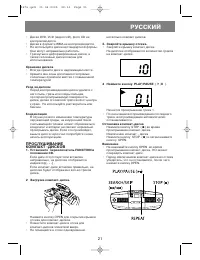
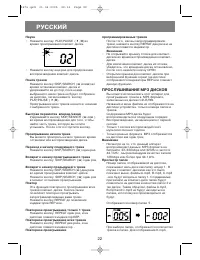
Ïàóçà • Íàæìèòå êíîïêó PLAY/PAUSE ( / II ) âî âðåìÿ ïðîèãðûâàíèÿ êîìïàêò-äèñêà. • Íàæìèòå êíîïêó åùå ðàç äëÿ ïðîäîëæåíèÿ âîñïðîèçâåäåíèÿ êîìïàêò-äèñêà. Ïîèñê òðåêîâ Íàæìèòå êíîïêó SKIP/SEARCH ( èëè ) âî âðåìÿ îñòàíîâêè êîìïàêò-äèñêà èóäåðæèâàéòå åå äî ïîð, ïîêà íîìåðâûáðàííîãî âàìè òðåêà íå áóäåò îò...
Page 25 - ÏÐÎÑËÓØÈÂÀÍÈÅ ÊÀÑÑÅÒÍÛÕ
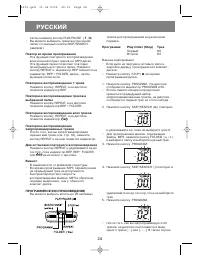
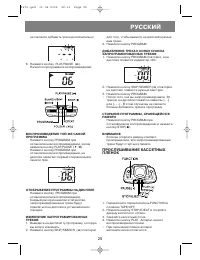
íå ñìîæåòå äîáàâèòü òðåêè äîïîëíèòåëüíî 6. Íàæìèòå êíîïêó PLAY/PAUSE ( ). Íà÷íåòñÿ ïðîãðàììíîå âîñïðîèçâåäåíèå. ÂÎÑÏÐÎÈÇÂÅÄÅÍÈÅ ÒÎÉ ÆÅ ÑÀÌÎÉÏÐÎÃÐÀÌÌÛ Íàæìèòå êíîïêó PROGRAM ïðèîñòàíîâëåííîì âîñïðîèçâåäåíèè, çàòåìíàæìèòå êíîïêó PLAY/PAUSE ( / II ). Íàæìèòå êíîïêó PROGRAM ïðèîñòàíîâëåííîì âîñïðîèçâåäå...
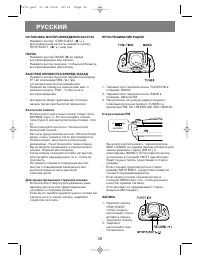
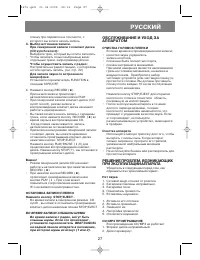
Page 27 - ÎÁÑËÓÆÈÂÀÍÈÅ È ÓÕÎÄ ÇÀ; ÐÅØÅÍÈÅ ÏÐÎÁËÅÌ, ÂÎÇÍÈÊÀÞÙÈÕ
ïëåíêó ïðè ïåðåìîòêå â òîì ìåñòå, ñêîòîðîãî âû õîòèòå íà÷àòü çàïèñü. 3. Âûáîð èñòî÷íèêà çàïèñè. Ïðè ñèíõðîííîé çàïèñè ñ êîìïàêò äèñêà(CD synch record): Âûáåðèòå òðåê, êîòîðûé âû õîòèòå çàïèñàòü. • ×òîáû çàïèñàòü òîëüêî âûáðàííûå âàìè îòäåëüíûå òðåêè, çàïðîãðàììèðóéòå èõ ×òîáû îñóùåñòâèòü çàïèñü ñ ðà...
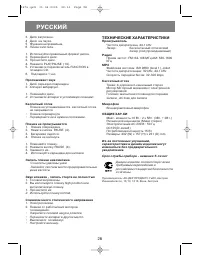
Page 28 - ÒÅÕÍÈ×ÅÑÊÈÅ ÕÀÐÀÊÒÅÐÈÑÒÈÊÈ
3. Äèñê çàãðÿçíåí. 4 Äèñê íà ïàóçå.5 Ôóíêöèÿ íåïðàâèëüíà. 6 Ëèíçà çàïîòåëà. 1. Èñïîëüçóéòå ïðàâèëüíûé ôîðìàò äèñêà.2. Ïåðåâåðíèòå äèñê. 3. Ïðî÷èñòèòå äèñê. 4. Íàæìèòå PLAY/PAUSE (14).5. Óñòàíîâèòå ïåðåêëþ÷àòåëü FUNCTION â ïîçèöèþ CD. 6. Ïîäîæäèòå 1 ÷àñ. Ïðîñêàêèâàåò çâóê 1. Äèñê ñåðüåçíî ïîâðåæäåí. ...
Page 29 - ÏÎËß ÄËß ÇÀÌÅÒÎÊ
29 ÏÎËß ÄËß ÇÀÌÅÒÎÊ 3476.qxd 01.04.2005 22:13 Page 29