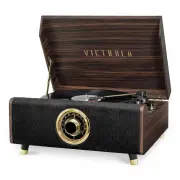
Victrola VTA-330B-ESP Player – User Manual, read for free online in PDF format. We hope this helps you resolve any issues you may have. If you have further questions, please contact us through the contact form.
1
2
3
4
5
6
7
8
9
10
11
12
13
Table of Contents:
Page 3 – Important Safety Instructions
Page 5 – Product Overview; Wood Legs
Page 6 – Rear View; FM wire antenna; Be sure to connect the white; Parts of the Turntable; Use this lever to lift the tone arm.
Page 7 – Stand Assembly Instructions; that they are tight and secured.; Setup / Basic Operation; indicated on the marking label.; Listening through RCA LINE OUT
Page 8 – The effective distanc; Listening to an External Audio Device (AUX Mode); All operations are only available on your external device.; Listening to a Vinyl Record; Note
Page 9 – Maintenance / Proper Handling; Handling Vinyl Records; Keep records in their protective sleeves when not in use.; General Care; Never pull the cord.; How to Replace the Turntable Stylus; Caution
Page 10 – Specifications
Page 11 – Troubleshooting Guide; Symptom
Page 13 – Returns without an RMA number on the
Loading the manual
MODEL: VTA-330B
HIGHLAND
4-IN-1 MUSIC CENTER
"Loading the manual" means you need to wait until the file loads and becomes available for online reading. Some manuals are very large, and the time they take to appear depends on your internet speed.
Summary
Page 3 - Important Safety Instructions
3 CAUTION: To reduce the risk of fire or electric shock, do not expose this appliance to rain or moisture. WARNING: To prevent electric shock, do not use this (polarized) plug with an extension cord, receptacle or other outlet unless the blades can be fully inserted to prevent blade exposure. Import...
Page 5 - Product Overview; Wood Legs
5 Product Overview Front/Top View 1. Wood Legs 2. LED DISPLAY: When unit is ON, the display is backlit. 3. RADIO TUNER KNOB: In FM mode, turn knob to tune to desired station. 4. BLUETOOTH INDICATOR: Indicator will illuminate in BT mode. 5. 3.5mm AUX-IN JACK: Connect your external source to the AUX-I...
Page 6 - Rear View; FM wire antenna; Be sure to connect the white; Parts of the Turntable; Use this lever to lift the tone arm.
6 Rear View 8. FM wire antenna While tuned to a station in FM mode, extend the wire and reposition to adjust for best reception. 9. LINE OUT jacks For amplifier device with RCA auxiliary input sockets, insert the white and red plugs on the RCA cable into the unit. Insert the opposite end into the am...
Page 7 - Stand Assembly Instructions; that they are tight and secured.; Setup / Basic Operation; indicated on the marking label.; Listening through RCA LINE OUT
7 Stand Assembly Instructions Setup 1. Turn the table upside down and lay it flat. Using all 4 legs, carefully screw in each piece clockwise so that they are tight and secured. Please Note: When legs/feet are installed properly, they should be at an angle, as shown. Setup / Basic Operation Setup 1. ...
Page 8 - The effective distanc; Listening to an External Audio Device (AUX Mode); All operations are only available on your external device.; Listening to a Vinyl Record; Note
8 Listening to the FM Radio 1. Rotate function knob to select “FM” function. 2 Tune to the desired station by using the Radio Tuner Knob. Listening to an External Audio Device (BT Mode) In BT (Bluetooth) mode, this unit can play music from an external device with the Bluetooth feature. GETTING CONNE...
Page 9 - Maintenance / Proper Handling; Handling Vinyl Records; Keep records in their protective sleeves when not in use.; General Care; Never pull the cord.; How to Replace the Turntable Stylus; Caution
9 Maintenance / Proper Handling Handling Vinyl Records • Do not touch the record’s grooves. Only handle records by the edges or the label with clean hands. Touching the record surface will cause your record’s quality to deteriorate. • To clean a record, use a soft anti-static cloth to gently wipe th...
Page 10 - Specifications
10 Specifications GENERAL Power Requirements AC 120 V~60 Hz Power Consumption 40W Dimensions (W x H x D) 16.14 in x 13.8 in x 7.87 in (approx.) 410mm x 350mm x 200mm (approx.) Weight 15.43 lbs. (approx.) 4.75 kg . (approx.) AMPLIFIER Output Power 5 W + 5 W Frequency Response 60 to 20,000 Hz SPEAKER ...
Page 11 - Troubleshooting Guide; Symptom
11 Troubleshooting Guide For further assistance with your product, call Victrola at TOLL FREE# 1-877-ITECH-97 (1-877-483-2497). Symptom Possible Cause Solution • Unit will not power on. • Unit is unplugged. • Connect the unit to the AC power supply. • No sound output from speakers. • The volume leve...
Page 13 - Returns without an RMA number on the
13 Victrola is a registered trademark of Innovative Technology Electronics LLC. Innovative Technology Electronics LLC. Limited Warranty: 90 Days Labor, One Year Parts Innovative Technology Electronics LLC. (IT) warrants the product to be free from “Defects” in materials under normal use for a period...