Tokk PDTC2PLUS - User Manual
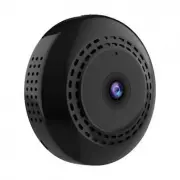
Tokk PDTC2PLUS Security Camera – User Manual, read for free online in PDF format. We hope this helps you resolve any issues you may have. If you have further questions, please contact us through the contact form.


CAM C2+
Quick set up guide:
To properly set up your new Camera, please use the below quick user guide, in addition, do not hesitate
to watch all our tutorial video on our website: www.tokktech.com.
If you encounter any issues setting up your new camera, call us and we will be very happy to help you.
Our customer service phone number is +1 858 999 2114 ext 1.
Thanks !
We hope you will enjoy your new TOKK CAM C2+ Camera.
Please refer to the user guide bellow.
QR Code for the App
1
2
3
4
5
6
7
1. Power Button
2. Micro-SD Slot
3. Reset
4. USB Port
5. Mic
6. Lens
7. Indicator
If you have a SD card, insert it in the Micro-SD Slot (you can still install and use the camera if you do not have one)
--> in motion detection mode you will receive a notification and the footage will be recorded on the SD card, if you do
not have an SD card you will receive a notification and will have to open the app and record manually, the footage or
picture will be stored on your smart device.
1- Plugg the Camera to charge (4) using the furnished micro USB cable, the camera automaticaly turns on.
2- Download the application called “Fowl” on your smart device (App available on the App Store for iOS and
Google play for Android, or use QR code (A).
3- Go to WIFI settings on your smart device.
4- Wait until your camera name appears “OK_XXX”, when it appears select it.
(disregard messages like “unsecured network, or”/no internet access...”) as long as
“OK_XXX”, is selected as your wifi network you can close the settings.
5- Open the “fowl” app, and Press Play to watch your camera video.
6- Configure your Wifi by pressing gearshift icon and set camera parameters.
7- Select Wifi Settings and enter your home Wifi and Password.
Now press the play button to view the live feed. Congrats you have set up your new TOKK™ CAM.
Check out all the fonctions of the camera and the App on our website in the support page.
A
"Loading the manual" means you need to wait until the file loads and becomes available for online reading. Some manuals are very large, and the time they take to appear depends on your internet speed.

