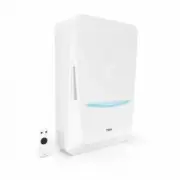
Page 2 - Дышите чистым воздухом; Уважаемый пользователь!; Тион Бризер Bio X
2 Дышите чистым воздухом Уважаемый пользователь! Благодарим за приобретение приточного очистителя воздуха Тион Бризер Bio X
Page 3 - Содержание
Содержание Общие сведения 4 Устройство и комплектация 6 Начало работы 7 Управление 11 Технические характеристики 17 Замена фильтра и обслуживание 19 Устранение проблем 24 Меры безопасности 25 Прочие требования 28 Гарантия 29 Контакты 31 Подтверждение соответствия 32 В тексте и цифровых обозначениях ...
Page 4 - Общие сведения
4 Устройство предназначено для эксплуатации в бытовых и аналогичных условиях: в жилых, офисных, складских и других помещениях, соответс- твующих условиям эксплуатации, изложенным в настоящем руководстве. Устройство не предназначено для обогрева помещений. Производитель не несет ответственности за ущ...
Page 6 - Устройство и комплектация
6 1а — Устройство; 1б — Модуль сенсоров; 1в — Нагреватель; 2 — Съёмная панель; 3 — Крышка блока фильтра ЕРА; 4 — Крышка блока фильтра G4; 5 — Фильтр антибактериальный EPA E11/EPA E11+AK * ; 6 — Фильтр первичной очистки G4; 7 — Корпус фильтра первичной очистки; 8 — Держатель префильтра 2 шт; 9 — Преф...
Page 7 - Начало работы; Распаковка
7 Начало работы Распаковка Электрическое подключение Извлеките устройство из упаковки, осмотрите и убедитесь в отсутствии повреждений. Перед началом монтажа необходимо определиться с местом размещением устройства: для этого обратитесь к инструкции на монтажном шаблоне. Выберите тип электрического по...
Page 10 - Включение
10 Включение После подключения к сети питания устройство издаст звуковой сигнал и перейдёт в режим «Ожидание». Нажмите на кнопку на панели управления и индикации. Устройство перейдёт в режим «Работа» и запустится на заводских настройках. Комплектация с модулем сенсоров Комплектация с модулем сенсоро...
Page 11 - Управление
11 Функции Пульт Панель управления и индикации Tion Smart Скорость работы вентилятора Управление + с шагом 1 – + с шагом 1 Отображение – + + Число скоростей 7 Подогрев приточного воздуха Управление + – + Отображение – + + Температура нагрева, О С до +30 – до +30 Режим забора воздуха Управление + – +...
Page 12 - Режимы
12 Функции Пульт Панель управления и индикации Tion Smart Сброс счётчика фильтров – – + Обратите внимание, что показание датчика температуры на выходе устройства может варьироваться в пределах ±3 °С от желаемой температуры подогрева воздуха в связи с климатическими условиями (влажность воздуха, атмо...
Page 13 - Панель управления и индикации
13 Панель управления и индикации Кнопка «Питание» Кнопка «Управление» Индикация «Блокировка панели управления» Индикация режима «Автоуправление» Индикация режима «Рециркуляция» Индикация «Замена фильтров» – до замены фильтров остается менее 30 дней – необходима замена фильтров Индикация «Предупрежде...
Page 17 - Технические характеристики
17 Технические характеристики Параметр * Тион Бризер Bio X Тион Бризер Bio X Eco Габаритные размеры (Д×Ш×В) 352×183×600 мм Масса нетто 7 кг Масса брутто 9 кг Максимальный эквивалентный шум 50 дБА Электропитание 230 В, 50 Гц Потребляемая мощность 1260 Вт 60 Вт Допустимые значения температуры приточно...
Page 19 - Замена фильтра и обслуживание; Сброс счётчика фильтров
19 Замена фильтра и обслуживание Установите счётчик замены фильтров в мобильном приложении. Индикатор «Замена фильтров» подскажет вам о необходимости провести обслуживание: Желтый свет индикатора — до замены фильтров остается менее 30 дней. Красный свет индикатора — необходима замена фильтров. Необх...
Page 21 - Фильтр первичной очистки G4
21 1 Переведите устройство в режим «Ожидание». Отключите устройство от сети питания. Снимите съёмную панель, потянув её на себя. 2 Поверните фиксаторы, чтобы снять крышку блока фильтра G4. 3 Извлеките корпус фильтра из устройства. Корпус фильтра состоит из двух половинок. Чтобы разобрать корпус филь...
Page 22 - Антибактериальный фильтр EPA E11 / EPA E11+AK
22 1 2 3 5 6 7 4 Фильтр антибактериальный EPA Е11 (далее – фильтр E11) очищает приточный воздух от атмосферных загрязнителей, таких как мельчайшая пыль, пыльца, аллергены. Фильтр антибактериальный EPA Е11+AK (далее – фильтр ЕРА+АК) очищает приточный воздух от атмосферных загрязнителей, таких как мел...
Page 23 - Калибровка датчика СО2
23 1 Переведите устройство в режим «Ожидание». Отключите устройство от сети питания. Снимите съёмную панель, потянув её на себя. 2-3 Поверните фиксаторы, чтобы снять крышку блока фильтра EPA. 4-5 Извлеките фильтр Е11/E11+АК из устройства. Утилизируйте фильтр с выработанным ресурсом. 6-10 Вытащите но...
Page 24 - Устранение проблем
24 Устройство не подключено к сети питания В сети питания отсутствует напряжение Устройство неисправно 1. Подключите устройство к розетке сети питания. 2. Убедитесь в наличии напряжения (подключите к розетке однозначно работающий прибор). Отключите устройство от сети питания и обратитесь в сервисную...
Page 25 - Меры безопасности
25 Меры безопасности Требования, несоблюдение которых может привести к серьёзной травме, летальному исходу или серьёзному повреждению устройства Устройство не предназначено для использования лицами (включая детей) с пониженными физическими, сенсорными или умственными способностями или при отсутствии...
Page 28 - Прочие требования; Хранение
28 Прочие требования До введения в эксплуатацию устройство и комплект поставки следует хранить и транспортировать в заводской упаковке. Помещение, в котором осуществляется хранение, должно соответствовать следующим требованиям: • температура воздуха от −50 до +40 °С; • относительная влажность воздух...
Page 29 - Гарантия; Условия предоставления гарантийного обслуживания
29 Гарантия АО «Тион Умный микроклимат» устанавливает гарантийный срок эксплуатации устрой-ства 2 года. Настоящий срок действителен при условии соблюдения правил установки и эксплуатации устройства. Гарантийное обслуживание предоставляется в соответствии с законодательством региона, в котором устрой...
Page 31 - Контакты
31 Контакты Контакты сервисной службы компании АО «Тион Умный микроклимат» 8 (800) 500-78-32 [email protected] https://tion.ru/service Производитель АО «Тион Умный микроклимат» Россия, 630090, г. Новосибирск, ул. Инженерная, 20, офис 112 Изготовитель Hanking Intelligent Industrial (Shenzhen) CO., Ltd....
Page 32 - Подтверждение соответствия
32 Подтверждение соответствия Сертификат и декларация о соответствии расположены для ознакомления в свободном доступе в сети Интернет на сайте tion.ru/about/doc Товар соответствует требованиям: • ТР ТС 004/2011 «О безопасности низковольтного оборудования»; • ТР ТС 020/2011 «Электромагнитная совмести...
Page 33 - Breathe clean air; Tion Smart microclimate JSC would like to thank you for; Tion Breezer Bio X
33 Breathe clean air Dear user, Tion Smart microclimate JSC would like to thank you for your choice. This document contains all the information you need to use the device. Tion Breezer Bio X
Page 34 - Table of contents
Table of contents General information 35 Device and package contents 37 Getting started 38 Controls 42 Specification 48 Filter maintenance and replacement 50 Troubleshooting 55 Safety 56 Other requirements 58 Warranty 59 Contacts 60 Confirmation of compliance 60 Typos may occur in the text and digit...
Page 35 - General information
35 The device is intended for use under domestic and similar conditions: in residential, office, warehouse and other premises that correspond to the operating conditions outlined in this manual. The device is not intended for heating premises. The manufacturer is not responsible for damage arising f...
Page 37 - Device and package contents
37 1а — Device; 1б — Sensory unit; 1в — Heater; 2 — Maintenance panel; 3 — EPA filter-unit cover; 4 — G4 filter-unit cover; 5 — Antibacterial filter EPA E11/EPA E11+AK*; 6 — Base filter G4; 7 — Base-filter casing; 8 — Prefilter-holder 2 pcs.; 9 — Prefilter 2 pcs.; 10 — Power cord; 11 — IR remote con...
Page 38 - Getting started; Unpacking
38 Getting started Unpacking Electrical Connection Take the device out of the packaging, inspect it, and make sure it is not damaged. You must choose a location for the device before mounting — please refer to the instructions on the mounting template. Select the type of electrical connection: open ...
Page 40 - Installation
40 1 Remove the maintenance panel by pulling it towards you. 2-3 Turn the latches to remove the filter-unit covers. 4 Take the packaged filters out of the device. 5-8 The G4 filter is located in a special plastic casing. Installation Getting started The device must be mounted by qualified profession...
Page 41 - Power on
41 Power on After connecting to a power supply, the device will emit a sound signal and enter Standby mode. Press on the control & display panel. The device will go into Operating mode and start up at factory settings. Set with the sensor module Set with the sensor module Set without the sensor ...
Page 42 - Control
42 Functions IR remote Control & display panel Tion Smart Fan speed Controls in increments of 1 – smooth regulation Display – + + Speed adjustment – Air-heating temperature Controls + – + Display – + + Target air temperature, О С up to +30 – up to +30 Air-heating temperature Controls + – + Displ...
Page 43 - Modes
43 Functions IR remote Control & display panel Tion Smart Resetting the filter counter – – + Please note that the readings of the temperature sensors at the device inlet and outlet may vary within ±3℃ due to climatic conditions (air humidity, atmospheric pressure), design features of buildings a...
Page 44 - Control panel and indicators
44 Control panel and indicators Power button Control button Control-Panel Locking indication Auto-mode indication Recirculation (air-intake mode) indication Filter-replacement indication – less than 30 days until filter replacement – filter replacement required Warning/Error indication – the device ...
Page 47 - IR control module
47 * TION Smart app - temporarily unavailable IR control module Tion Smart mobile app Press to switch between Operating and Standby Press to switch between indicators on the display panel Long press to switch off indication Air-intake mode selection Increase speed Decrease speed Decrease heating tem...
Page 48 - Specifications
48 Specifications Parameter * Tion Breezer Bio X Tion Breezer Bio X Eco Dimensions (H×W×D) 352×183×600 mm Net mass 7 кg Maximum noise level 50 dBA Power voltage 230 М, 50 Hz Nominal wattage 1260 Вт 60 Вт Acceptable intake temperature range -40…+50 °С 0…+50 °С Acceptable room temperature values +10…+...
Page 50 - Filter replacement and maintenance; Reset filter-replacement counter
50 Filter replacement and maintenance Set up a filter-replacement counter in your mobile app. Filter Change light will prompt you when maintenance is required: Yellow indicator light : less than 30 days left before filter replacement. Red indicator light : filter replacement is required. The need to...
Page 52 - Filter G4
52 1 Switch the device to Standby mode. Disconnect the device from the power supply. Remove the maintenance panel by pulling it towards you and then turn it over. 2 Turn the latches to remove the G4 filter-unit cover. 3 Remove the G4 filter housing from the device. The G4 filter housing consists of ...
Page 53 - EPA E11 / EPA E11+AK antibacterial filter
53 1 2 3 5 6 7 4 The EPA E11 antibacterial filter purifies the intake air of atmospheric pollutants, such as fine dust, pollen, and allergens. The EPA E11+AK antibacterial filter purifies the intake air of atmospheric pollutants, such as fine dust, pollen, and allergens, and also reduces concentrati...
Page 54 - Calibrate the СО
54 1 Switch the device to Standby mode. Disconnect the device from the power supply. Remove the maintenance panel by pulling it towards you and then turn it over. 2-3 Turn the latches to remove the Epa filter-unit cover. 4-5 Insert the E11/E11+AK filter into the device. Dispose of the filter with th...
Page 55 - Troubleshooting
55 The device is not connected to a power supply The socket is not providing power Power board malfunction 1. Connect the device to a power supply. 2. Make sure the power supply is working correctly (connect a device that you know is functional). Unplug the device and contact the Service Center. миг...
Page 56 - Safety
56 Safety Failure to comply with these requirements may result in device breakage and/or health and safety hazards. The device is not intended for use by people (including children) with reduced physical, sensory or mental capabilities or those lacking in life experience or knowledge unless supervis...
Page 58 - Other requirements; Storage
58 Other requirements The device and other package contents must be stored and transported in the original packaging prior to installation. The requirements for storage areas are as follows: • air temperature range of -50 to +40 °С; • relative humidity up to 80% at +25°С; • no exposure to direct sun...
Page 59 - Warranty; Warranty terms
59 EN Warranty Tion Smart microclimate JSC sets the warranty period of this product at 2 years. This period is effective provided that the device mounting and operating guidelines have been followed. Warranty services are provided in accordance with the applicable legislation in the region of purcha...
Page 60 - Contacts; Confirmation of compliance
60 Contacts Contacts of Tion Smart microclimate JSC Service Department 8 (800) 500-78-32 [email protected] https://tion.ru/service Manufacturer Tion Smart microclimate JSC Office 112, 20, Inzhenernaya St., Novosibirsk, Russia, 630090 Factory Hanking Intelligent Industrial (Shenzhen) CO., Ltd. No.16 Xi...