ThunderX3 XC3 - User Manual
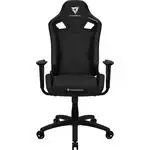
This manual provides all the information needed to assemble and use the ThunderX3 XC3 gaming chair.
It includes step-by-step assembly instructions, a complete parts list, safety warnings, warranty guidelines, and tips for proper use. Always wear protective gloves during assembly to avoid injury. The manual also covers proper chair usage to ensure safety and longevity.
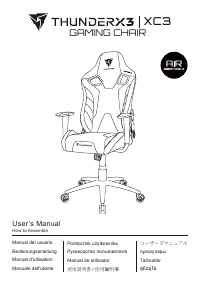
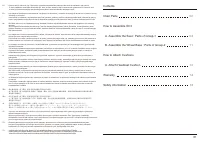
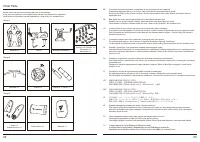
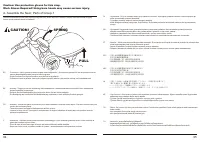
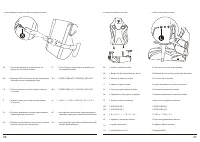
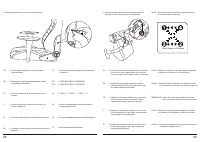
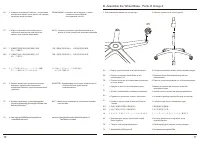
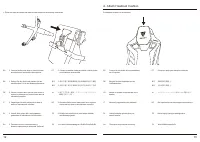
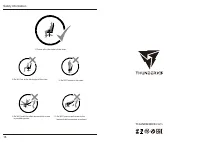
Table of Contents:
- Page 1 – Cover and Language List
- Page 2 – Table of Contents and Safety Warnings
- Page 3 – Parts List
- Page 4 – Assembly Step A – Seat Assembly Warning
- Page 5 – Assembly Steps 1–3: Armrests and Backrest
- Page 6 – Assembly Steps 4–5: Covers and Mechanism
- Page 7 – Assembly Step B: Wheel Base Assembly
- Page 8 – Attach Headrest Cushion
- Page 9 – Warranty Information
- Page 10 – User Guidelines and Safety
THUNDERX3 | XC3
GAMING CHAIR
AIR
BREATHABLE
User's Manual
How to Assemble
Manual del usuario
Podrecznik użytownika
Bedienungsanleitung
Руководство пользователя
Manuel d'utilisation
Manual de utilizador
ユーザーマニュアル
nyckayparbl
Talimatlar
Manuale dell'utente
使用說明書 / 使用说明书
ไฟล์ใช้งาน
"Loading the manual" means you need to wait until the file loads and becomes available for online reading. Some manuals are very large, and the time they take to appear depends on your internet speed.
Was this manual helpful?
About this manual
- Brand
- ThunderX3
- Model
- XC3
- Document type
- User Manual
- Category
- Gaming Chair
- Language(s)
- German, English, Spanish, French, Italian, Dutch, Polish, Russian, Swedish
- Pages
- 10
- File size
- 823.5 KB
- Format
Summary
The front page shows the chair model and lists all supported languages for the manual.
Contains a table of contents and multilingual warnings about grease residue and hand washing after assembly.
Lists all components grouped by assembly stage. Includes multilingual instructions to verify parts and contact support if any are missing.
Tips
- Always wear protective gloves when assembling to avoid injury from the spring-loaded bracket.
- Tighten screws in an X-pattern with the Allen key to ensure even pressure.
- When contacting support, have your invoice, a photo of the serial number, and photos or video of the problem ready.
- Do not stand on the chair or push it while someone is seated.
- Sit in the center of the chair and avoid reclining when others are nearby to prevent tipping.

