Page 2 - Contents
Contents 日本語 30-34 Italiano 24-29 Español 18-23 Français 12-17 Deutsch 06-11 English 01-05
Page 3 - Instruction of Buttons
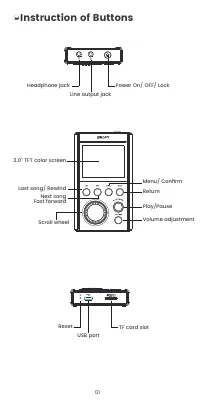
01 Instruction of Buttons 2.0" TFT color screen Last song/ Rewind Menu/ Confirm Return Play/Pause Volume adjustment Next song Fast forward Scroll wheel Headphone jack Power On/ OFF/ Lock Line output jack Reset TF card slot USB port
Page 4 - Quick Guide
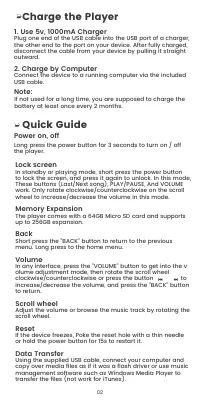
02 Lock screen In standby or playing mode, short press the power button to lock the screen, and press it again to unlock. In this mode, These buttons (Last/Next song), PLAY/PAUSE, And VOLUME work. Only rotate clockwise/counterclockwise on the scroll wheel to increase/decrease the volume in this mode...
Page 5 - Music; Folder View; Equalizer; Main Functions
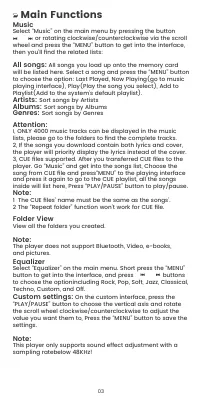
03 Select “Music” on the main menu by pressing the button or rotating clockwise/counterclockwise via the scroll wheel and press the “MENU” button to get into the interface, then you’ll find the related lists: All songs: All songs you load up onto the memory card will be listed here. Select a song and...
Page 6 - Support and Troubleshooting
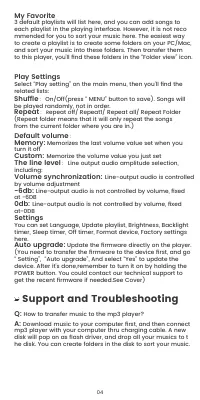
04 Shuffle : On/Off(press “ MENU” button to save). Songs will be played randomly, not in order. Repeat : R epeat off/ Repeat1/ Repeat all/ Repeat Folder (Repeat folder means that it will only repeat the songs from the current folder where you are in.) My Favorite 3 default playlists will list here, a...
Page 7 - Specifications
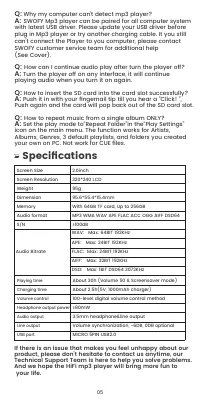
05 2.0inch 320*240 LCD 95g 95.6*55.4*15.4mmWith 64GB TF card, Up to 256GBMP3 WMA WAV APE FLAC ACC OGG AIFF DSD64≥100dB Screen Size Screen Resolution Weight Dimension Memory Audio format S/N Audio Bitrate WAV: Max: 64BIT 192KHzAPE: Max: 24BIT 192KHzFLAC: Max: 24BIT 192KHzAIFF: Max: 32BIT 192KHzDSD: M...
Page 8 - Anweisung der Tasten
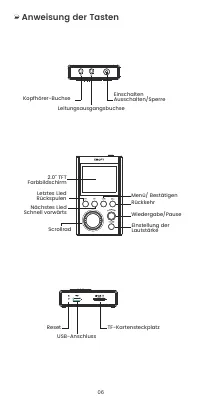
Anweisung der Tasten 06 2.0" TFT Farbbildschirm Nächstes Lied Schnell vorwärts Menü/ Bestätigen Rückkehr Wiedergabe/Pause Einstellung der Lautstärke Scrollrad Letztes Lied Rückspulen Kopfhörer-Buchse Einschalten Ausschalten/Sperre Leitungsausgangsbuchse Reset TF-Kartensteckplatz USB-Anschluss
Page 9 - geliefert und kann um bis zu 256 GB erweitert
07 Den Spieler aufladen 1. Verwenden Sie ein 5V, 1000mA Ladegerät Stecken Sie ein Ende des USB-Kabels in den USB-Anschluss eines Ladegeräts, das andere Ende in den Anschluss Ihres Geräts. Wenn das Gerät vollständig aufgeladen ist, trennen Sie das Kabel vom Gerät, indem Sie es gerade nach außen ziehen...
Page 10 - Hauptfunktionen; Musik
08 Zurücksetzen Wenn das Gerät einfriert, stechen Sie mit einer dünnen Nadel in das Rücksetzloch oder halten Sie den Netzschalter 15 Sekunden lang gedrückt, um es neu zu starten. Datenübertragung Schließen Sie das mitgelieferte USB-Kabel an Ihren Computer an und kopieren Sie die Mediendateien wie be...
Page 12 - Einstellungen; Automatische Aktualisierung:; Unterstützung und; Leitungspegel
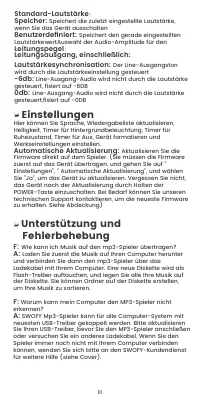
Einstellungen Hier können Sie Sprache, Wiedergabeliste aktualisieren, Helligkeit, Timer für Hintergrundbeleuchtung, Timer für Ruhezustand, Timer für Aus, Gerät formatieren und Werkseinstellungen einstellen. Automatische Aktualisierung: Aktualisieren Sie die Firmware direkt auf dem Spieler. (Sie müss...
Page 13 - Spezifikationen
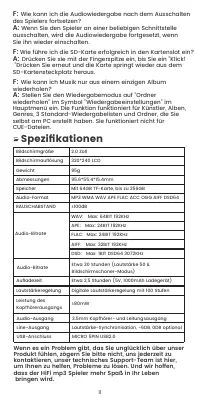
11 Audio-Bitrate Audio-Bitrate AufladezeitLautstärkeregelung Leistung des Kopfhörerausgangs Audio-AusgangLine-AusgangUSB-Anschluss 3.5mm Kopfhörer- und Leitungsausgang Lautstärke-Synchronisation, -6DB, 0DB optional MICRO 5PIN USB2.0 ≥80mW Etwa 2,5 Stunden (5V, 1000mAh Ladegerät)Digitale Lautstärkereg...
Page 14 - Instruction des boutons
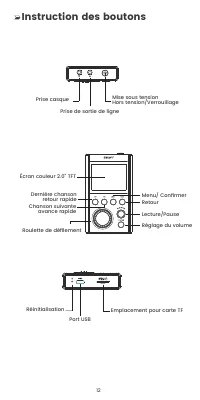
12 Instruction des boutons Écran couleur 2.0" TFT Chanson suivante avance rapide Menu/ Confirmer Retour Lecture/Pause Réglage du volume Roulette de défilement Dernière chanson retour rapide Prise casque Mise sous tension Hors tension/Verrouillage Prise de sortie de ligne Réinitialisation Emplaceme...
Page 16 - Fonctions principales; Musique; Transfert de données
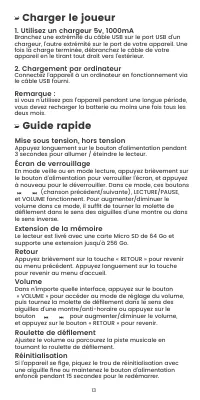
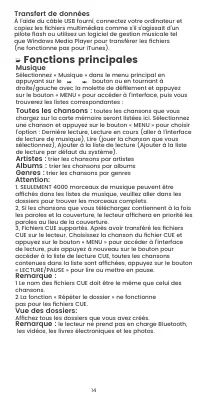
14 Fonctions principales Musique Sélectionnez « Musique » dans le menu principal en appuyant sur le bouton ou en tournant à droite/gauche avec la molette de défilement et appuyez sur le bouton « MENU » pour accéder à l'interface, puis vous trouverez les listes correspondantes : Toutes les chansons : ...
Page 18 - Assistance et dépannage; Paramètres; Mise à jour automatique :
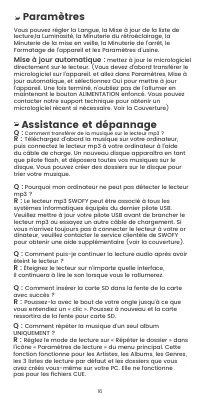
Q : Comment répéter la musique d'un seul album UNIQUEMENT ? R : Réglez le mode de lecture sur « Répéter le dossier » dans l'icône « Paramètres de lecture » du menu principal. Cette fonction fonctionne pour les Artistes, les Albums, les Genres, les 3 listes de lecture par défaut et les dossiers que v...
Page 19 - Spécifications
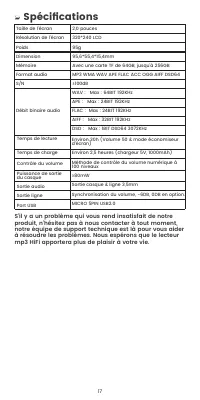
17 Taille de l'écranRésolution de l'écran Poids DimensionMémoireFormat audio S/N 2,0 pouces320*240 LCD 95g 95,6*55,4*15,4mmAvec une carte TF de 64GB, jusqu'à 256GBMP3 WMA WAV APE FLAC ACC OGG AIFF DSD64≥100dB Temps de lecture Temps de charge Contrôle du volume Puissance de sortie du casque Sortie au...
Page 20 - Instrucción de Botones
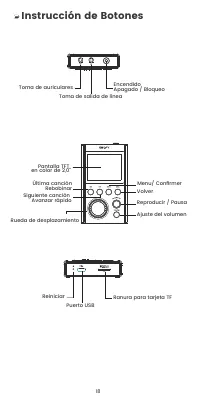
18 Instrucción de Botones Pantalla TFT en color de 2,0" Siguiente canción Avanzar rápido Menu/ Confirmer Volver Reproducir / Pausa Ajuste del volumen Rueda de desplazamiento Última canción Rebobinar Toma de auriculares Encendido Apagado / Bloqueo Toma de salida de línea Reiniciar Ranura para tarj...
Page 21 - Cargar al Reproductor; Guía Rápida
19 Cargar al Reproductor 1. Utilice el Cargador de 5v, 1000mA Enchufe un extremo del cable USB en el puerto USB de un cargador y el otro extremo en el puerto de su dispositivo. Cuando esté completamente cargado, desconecte el cable de su dispositivo tirando de él hacia fuera. 2. Carga por Ordenador ...
Page 22 - Funciones Principales; Música; Vista de Carpeta; Ecualizador
Funciones Principales Música Seleccione "Música" en el menú principal pulsando el botón , o gire ala derecha / izquierda mediante la rueda de desplazamiento y pulse el botón "MENÚ" para entrar en la interfaz, entonces encontrará las listas relacionadas: Todas las canciones: A quí apa...
Page 23 - Ajustes
21 Repetir : Repetir desactivado / Repetir 1 / Repetir todo / Repetir carpeta (Repetir carpeta significa que sólo repetirá las canciones de la carpeta actual en la que se encuentra). Volumen por defecto : Memoria: Memoriza el último valor de volumen establecido cuando lo apaga Personalizado: Memoriza...
Page 25 - Especificaciones
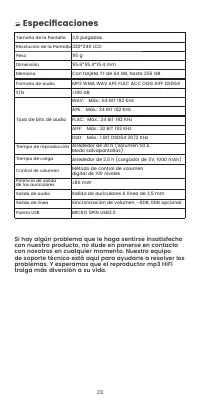
23 Tamaño de la Pantalla Resolución de la PantallaPeso DimensiónMemoriaFormato de audio S/N 2,0 pulgadas320*240 LCD 95 g 95.6*55.4*15.4 mmCon tarjeta TF de 64 GB, hasta 256 GBMP3 WMA WAV APE FLAC ACC OGG AIFF DSD64≥100 dB Tiempo de reproducción Tiempo de carga Control de volumen Potencia de salida d...
Page 26 - Istruzione dei Tasti
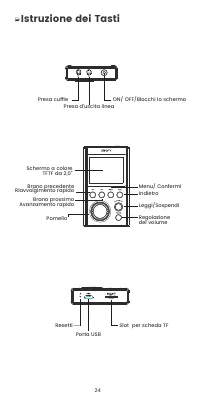
24 Istruzione dei Tasti Schermo a colore TFTF da 2,0" Brano prossimo Avanzamento rapido Menu/ Confermi Indietro Leggi/Sospendi Regolazione del volume Pomello Brano precedente Riavvolgimento rapido Presa cuffie ON/ OFF/Blocchi lo schermo Presa d’uscita linea Resetti Slot per scheda TF Porta USB
Page 27 - Ricaricare il Lettore; Guida Rapida
25 Ricaricare il Lettore 1. Usare il Caricabatterie da 5v, 1000mA Inserire una estremità del cavo USB nella porta USB di un caricabatterie, l’altra estremità alla porta sul Suo dispositivo. Dopo essere ricaricato appieno, sconnettere il cavo dal Suo dispositivo tirandolo addirittura verso l’esterno....
Page 28 - Funzioni principali; Musica; Filtrare i brani per genere; Visione della Cartella; Equalizzatore
26 Funzioni principali Musica Scegli “Musica” dal menu principale premendo sul tasto , o girando a destra/sinistra tramite il pomello e premere sul tasto “MENU” per accendere all’interfaccia, poi Lei troverà le liste relative. Tutti i brani: Tutti i brani caricati da Lei nella carta di memoria saran...
Page 29 - Sincronizzazione del volume:; Impostazioni; Impostazioni della riproduzione; Mio Preferito
27 Livello linea: selezione dell’ampiezza audio in uscita Sincronizzazione del volume: Audio in uscita della linea è controllato tramite la regolazione del volume -6db: Audio in uscita della linea non è controllato dal volume, ma fissato in -6DB 0db: Audio in uscita della linea non è controllato dal ...
Page 31 - Specifiche
29 Dimensione schermo Risoluzione dello Schermo Peso DimensioniMemoriaFormato d’Audio S/N 2,0inches320*240 LCD 95g 95,6*55,4*15,4mmCon carta TF da 64GB, fino a 256GBMP3 WMA WAV APE FLAC ACC OGG AIFF DSD64≥100dB Tempo di riproduzioneDurata di ricaricaControllo del volume Potenza in uscita delle cuffie ...
Page 32 - 各ボタンの機能
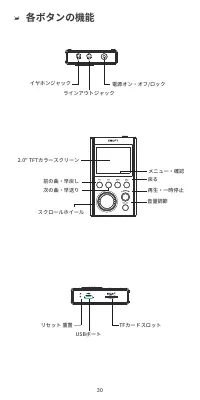
30 各ボタンの機能 2.0" TFTカラースクリーン 次の曲・早送り メニュー・確認 戻る 再生・一時停止 音量調節 スクロールホイール 前の曲・早戻し イヤホンジャック 電源オン・オフ/ロック ラインアウトジャック リセット 重置 TFカードスロット USBポート
Page 33 - 主な機能
31 充電について 1. 5v/1000mAのアダプターで充電する USBケーブルで本製品を5v/1000mAのアダプターに接続すれば、 充電できます。 2. パソコンで充電 USBケーブルで本製品をパソコンに接続すれば、充電できます。 ご注意: 長時間使用しない場合、2ヶ月おきに充電してください。 基本操作 電源オン/オフ 電源ボタンを3秒ほど長押すと、電源がオンになります。また 3秒 長押すと、電源がオフになります。 スクリーンロック 待機または再生中、電源ボタンを押すと、スクリーンをロックでき ます。また電源ボタンを押すと、ロック状態を解除できます。ロッ ク状態で、以下のボタンを利用でき...
Page 35 - 設定; 自動的にアップグレード:; カスタマー Q&A; カスタム:; 音量シンクロナイズ
Q: 曲を再生できない A: 曲のフォーマットをご確認ください。対応する音楽フォーマッ トはMP3、WMA、WAV、 APE、FLAC、ACC、OGG、AIFF、 DSD64です。 Q: SDカードを挿入できない A: SDカードをカードスロットに挿入して、また細い物でカードを 押すと、挿入できます。 Q: 1枚のアルバムの曲をリピートする方法は? A: 「再生方法の設定」画面に入り、「フォルダーリピート」を 設定します。フォルダーリピート機能はアーティスト、アルバム、 ジャンル、3つのデフォルトのプレイリストとPCで作成したフォル ダーに対応しますが、CUEファイルに非対応です。 設定 言語...
Page 36 - 製品仕様; ご使用の上何か問題がございましたら、いつでもご遠慮
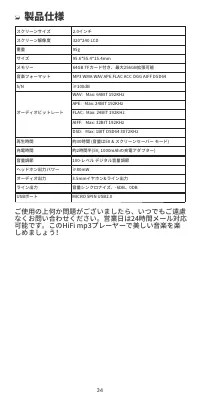
34 スクリーンサイズスクリーン解像度重量サイズメモリー音楽フォーマットS/N 2.0インチ320*240 LCD95g95.6*55.4*15.4mm64GB TFカード付き、最大256GB拡張可能MP3 WMA WAV APE FLAC ACC OGG AIFF DSD64≥100dB 再生時間充電時間音量調節ヘッドホン出力パワーオーディオ出力ライン出力USBポート 約30時間 (音量は50 & スクリーンセーバー モード)約2時間半(5V, 1000mAhの充電アダプター)100-レベル デジタル音量調節≥80mW3.5mmイヤホン&ライン出力 音量シンクロナイズ、-6D...