Page 2 - Contents
2 Contents Important Information ����������������������������������������������������������������������� 4 Warranty Information ������������������������������������������������������������������������� 5 Password Reset ���������������������������������������������������������������������������...
Page 4 - Important Information
4 Click for contents Important Information FCC Verification This equipment has been tested and found to comply with the limits for Class B digital device, pursuant to part 15 of the FCC Rules. These limits are de-signed to provide reasonable protection against harmful interference in a residential i...
Page 5 - Warranty Information
5 Click for contents Warranty Information USA Swann Communications USA Inc. 12636 Clark Street Santa Fe Springs CA 90670 USA Australia Swann Communications Suite 5B, 706 Lorimer Street Port Melbourne Vic 3207 Australia United Kingdom Swann Communications LTD. Stag Gates House 63/64 The Avenue SO171X...
Page 6 - Password Reset
6 Click for contents Password Reset Forgotten your password? Please do the following:1. Right-click the mouse on the Live View screen to display the Menu Bar, click the “Start” button (bottom left on the Menu Bar) then click “Setup”. 2. At the password login screen click “Forgot Password” then click...
Page 8 - Live View Mode
8 Click for contents Live View Mode Live View mode is the default display for your DVR. Each camera connected will be displayed (multiple view modes available). You can check the operation of your DVR by using the status icons on the Live View screen. The date and time as well as the name for each c...
Page 9 - Live View Controls
9 Click for contents Live View Controls Menu Bar 1. This is the Start button. Click to reveal additional functions available (see dialogue box below). 2. Four camera view. 3. Nine camera view (this will display eight cameras on the 8 channel model). 4. Click this to select from one of the multi-scre...
Page 10 - Live View Icons
10 Click for contents Live View Icons This icon indicates that the camera is being recorded (either manually or by motion). This icon indicates that an event has occurred via one of the analytic functions (the DVR isn’t recording). This icon indicates that your DVR is detecting motion from the camer...
Page 11 - Live View Digital Zoom Mode
11 Click for contents Channel 1 08/06/2022 12:30:15 PM Live View Digital Zoom Mode 1. To enter Zoom mode, left-click a camera in Live View mode then click the “Zoom” button on the Camera Toolbar (as shown on the left). 2. To zoom, move the mouse to the area or object that you want to zoom to then us...
Page 12 - Menu Layout
12 Click for contents Menu Layout The various functions and options available, are categorised on the left-hand side of the Menu. Clicking each category will reveal a number of tabs or sub-categories that can be changed from their default setting. To exit or access the previous menu, right-click the...
Page 13 - Camera Configuration
13 Click for contents Camera Configuration The camera configuration options are availa-ble in the Display, Record, Alarm and Device menus accessible from the Main Menu. You can change the resolution, bitrate, OSD (on-screen display) position and image settings for hue, brightness, contrast and satur...
Page 16 - Display: Privacy Zone
16 Click for contents Display: Privacy Zone Channel: Select a camera that you would like to edit. Mask Area: To create a mask, click the checkbox to enable. Area 1 to 4: Click the checkbox on the number of privacy masks that you want to enable. Up to four privacy masks can be enabled per camera.Depe...
Page 17 - Enabling a Privacy Mask
17 Click for contents Enabling a Privacy Mask 1. Depending on the number of masks that you want to enable, each mask will be numbered. To reposition the mask, click and hold the mask number then move the mask to the desired location. 2. To resize the mask, click and hold the bottom right corner of t...
Page 23 - Motion Detection Setup
23 Click for contents Motion Detection Setup 1. Click “Clear All” to delete the default motion detection area. 2. To create a new motion detection area, press and hold the left mouse button to select the cell or square that you want to start at, then click and drag to select the area that you want t...
Page 25 - Motion Detection Tips
25 Click for contents Motion Detection Tips Placement of the cameras1. Place cameras so they are facing areas where people have to walk through to approach your home regardless of where they are headed. Place a camera overlooking your front door to capture an image of anyone approaching for later re...
Page 26 - Thermal-Sensing Camera Tips
26 Click for contents Thermal-Sensing Camera Tips If thermal-sensing cameras have been included with your DVR or you have purchased them separately, the following tips will help you in getting the best results from your security system.Your cameras have a built-in PIR (passive infrared motion detect...
Page 28 - Deterrent Setup
28 Click for contents Deterrent Setup 1. Click “Clear All” to delete the default spotlight detection area. 2. To create a new spotlight detection area, press and hold the left mouse button to select the cell or square that you want to start at, then click and drag to select the area that you want to...
Page 29 - Deterrent Schedule
29 Click for contents Deterrent Schedule By default, the spotlight and siren will not trigger between 06:30 a.m. and 04:30 p.m., however you can change this according to your needs.Each square represents 30 minutes. Using the mouse, click on a particular square to change or click and drag the mouse ...
Page 31 - Controlling your PTZ Camera
31 Click for contents Controlling your PTZ Camera To control your PTZ camera, in Live View mode click on the channel the cam-era is connected to then click the “PTZ” button located on the camera tool-bar. The channel will go semi full-screen. Click the “PTZ” tab to access the controls (as shown on t...
Page 34 - Analytics; On certain DVR models, the analytic func-
34 Click for contents Analytics Analytics provides you with much greater control over how your DVR detects motion. By drawing a detection line, you can apply a rule on which direction your DVR detects motion. You can define specific areas that you want to monitor for motion and select which directio...
Page 36 - Drawing a Perimeter Intrusion Region
36 Click for contents Drawing a Perimeter Intrusion Region Rule Number: Click the drop-down menu to select the rule number that you want to create. Up to four perimeter intrusion regions can be drawn. Rule Switch: Leave this enabled. Rule Type: There are three rule types that can be selected. Select...
Page 39 - Drawing a Detection Line
39 Click for contents Drawing a Detection Line Rule Number: Click the drop-down menu to select the rule number that you want to create. Up to four detection lines can be drawn. Rule Switch: Leave this enabled. Rule Type: There are three rule types that can be selected. Select the appro- priate rule ...
Page 42 - Drawing an Object Detection Region
42 Click for contents Drawing an Object Detection Region IVA (Intelligent Video Analytics) Lines: When enabled, your DVR will deter- mine which direction a person has entered or exited an object detection re-gion. Rule Number: Click the drop-down menu to select the rule number that you want to creat...
Page 45 - Recording Configuration
45 Click for contents Recording Configuration The recording configuration options are avail-able in the Record and Capture menus ac-cessible from the Main Menu. From here, you can access and change the default recording schedule (presented as a 24 hour 7 days a week grid and is color-coded) for each...
Page 50 - Event Playback & Backup
50 Click for contents Event Playback & Backup Search allows you to play recorded videos and snapshots saved to your NVR’s hard drive. You can play video that matches your record-ing schedule, analytic events, and more. The Backup function allows you to save wanted events to a USB flash drive. Ch...
Page 57 - Playing a Slideshow
57 Click for contents Playing a Slideshow Select a snapshot then click this button to copy to a USB flash drive.Click this to go back to the previous screen.Click this to display the previous group of snapshots.Click this to pause or play a slideshow.Click this to display the next group of snapshots...
Page 62 - Search: External File
62 Click for contents Search: External File Use this function to play events that you have copied to a USB flash drive. If multiple USB flash drives are connected, click the drop-down menu to select the drive to read from. Click this button to refresh the USB flash drive. Double-click an event to pl...
Page 64 - Display: Display Configuration
64 Click for contents Display: Display Configuration Sequence Mode: Select how many video channels you would like to display when your DVR is in sequence mode. You can select from one, four or six cameras to display at a time. Sequence Dwell Time: Enter in seconds the maximum length of time you woul...
Page 68 - Using RTSP
68 Click for contents Using RTSP The following instructions are for the VLC media player software (you can download a free copy from www.videolan.org). After download, double click the file then follow the on-screen instructions for installation. 1. On your computer, load the VLC media player softwa...
Page 69 - Network: Email Configuration
69 Click for contents Network: Email Configuration Email: Click the checkbox to enable you to receive email alerts (you will still receive a password reset request if this is disabled). Setup: Leave this on the default setting when using a Gmail or Outlook email address or click the drop-down menu a...
Page 70 - Network: Email Schedule
70 Click for contents Network: Email Schedule Channel: Select a camera that you would like to edit. Detection: If email alerts have been enabled for motion detection, you can change the schedule on when your DVR can send those alerts. For example, you may only want to receive alerts during the day b...
Page 75 - Device: Cloud Storage
75 Click for contents Device: Cloud Storage Before activation, we recommend that you create a Dropbox account first. Go to www.dropbox.com, input your name, email address and password, agree to the terms & conditions then click or tap the sign up button. If you already have a Dropbox account you...
Page 77 - System: Date and Time
77 Click for contents System: Date and Time Date and Time If the date, time and time zone are incorrect, click the relevant dialogue boxes and drop-down menus to change. NTP Settings The NTP (Network Time Protocol) function gives your DVR the ability to au-tomatically sync its clock with a time serv...
Page 81 - Advanced: Auto Upgrade
81 Click for contents Advanced: Auto Upgrade Auto Upgrade: By default, your DVR will automatically download and install new firmware when available. Click the drop-down menu if you would like to disable this feature. Check for update from internet: By default, your DVR will automatical- ly check and...
Page 82 - Advanced: Remote Support
82 Click for contents Advanced: Remote Support When calling for assistance, the Remote Support function can be used by our Swann Helpdesk & Technical Support staff, to remotely connect to your DVR. This will assist them in diagnosing any issues that you may be having. This function is not used i...
Page 83 - System Status
83 Click for contents System Status The various status tabs give you an overview of the settings and options that have been se-lected for your DVR to function. Actions per-formed by your DVR and events detected are logged, which you can search and view. When calling our helpdesk for assistance, our ...
Page 85 - System: Channel Information & Record Info
85 Click for contents System: Channel Information & Record Info Displays the Mainstream, Substream and the recording settings used for each camera connected (for Record Info, the settings will only be shown when one or more cameras are recording). When calling our helpdesk for assistance, our st...
Page 86 - System: Network State
86 Click for contents System: Network State Displays the network settings used by your DVR.When calling our helpdesk for assistance, our staff may ask you to access this tab to assist them in solving any technical issues that you may be having.Right-click the mouse to exit.
Page 88 - Glossary
88 Click for contents Glossary 3D-Noise Filter: Is an enhanced form of digital noise reduction. The ad- vancement in technology enables noise to be filtered even more effectively from the image, even in low light conditions. 50Hz: Is the mains frequency used in the UK, Australia and most European co...
Page 93 - Swann Security Video Management Software
93 Click for contents Swann Security Video Management Software To view your cameras on your PC or Mac you can download and install the Swann Security Video Management Software (VMS).When using your DVR’s P2P ID, you can login either locally or remotely to view your cameras. The VMS interface has a l...
Page 94 - Installing an Internal Hard Drive
94 Click for contents Installing an Internal Hard Drive 2 3.5” 2.5” 1 3.5” 2.5” SATA Power 3 4 Your DVR supports recording to either a 3.5” SATA or a 2.5” SATA hard drive. The largest hard drive you can connect is 6TB (terabyte). We recommend that you purchase a drive that is surveillance rated, suc...
Page 95 - Frequently Asked Questions
95 Click for contents Frequently Asked Questions Can I play video(s) on my DVR that I have copied to a USB flash drive? Yes, you can use the Search: External File function (see page 62). What is the largest hard drive that I can install inside my DVR? The largest hard drive you can install is 6TB (t...
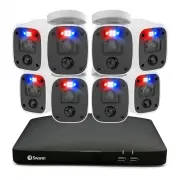


 Swann 4 CCTV Cameras Security Monitoring System Manual
 Swann 500 Manual
 Swann ADW-300/2 Manual
 Swann C-510R Manual
 Swann DVR4 Manual
 Swann DVR4-SecuraNet Manual
 Swann Home Security System Manual
 Swann Imitation Dome Camera Manual
 Swann Imitation Security Camera Manual
 Swann Imitation Security Device Manual
 Swann Max-IP-CAM Manual
 Swann Mouse Manual
 Swann PRO-670 Manual
 Swann Professional CCTV Camera Manual
 Swann Security Camera Manual
 Swann SW211-DTX Manual
 Swann SW211-STY Manual