SPT SR-34AC - User Manual
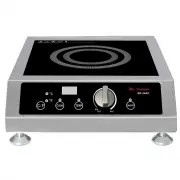
SPT SR-34AC Range – User Manual, read for free online in PDF format. We hope this helps you resolve any issues you may have. If you have further questions, please contact us through the contact form.

S R -65 A C
S R -18 A C / S R -18 B C / S R -18 C C
S R -34 A C / S R -34 B C / S R -34 C C
S R -34 AW C / S R -34 B W C
S R -18 A C / S R -18 B C / S R -18 C C (110-120 V/1800 W )
S R -34 A C / S R -34 B C / S R -34 C C (220 V-240 V/3400 W )
S R -65 A C (220 V-240 V/2600 W )
S R -34 AW C / S R -34 B W C (220 V-240 V 3400 W )
I N S T R U C T I O N M A N U A L
Your Guarantee
If this product is found to be faulty as a result of faulty materials or
workmanship within one year from date of purchase, it will be repaired
free of charge.
This guarantee is subject to the following terms:
l
Sunpentown must be no fied of the fault.
l
Proof of purchase must be presented to Sunpentown’s nominated representa ve
l
The warranty will be void if the product if modified, misused or repaired by an
unauthorized person.
l
The warranty a er repair will not be extended beyond the original one-year period.
l
All replacement parts will be new or recondi oned.
l
Parts, which are replaced, become the property of Sunpentown.
l
The warranty applies for the use of the product in the USA only.
What is N O T C O V E R E D :
l
Warranty does not include freight charges.
l
Incidental or consequen al damage caused by possible defects with this product.
l
Damage to product caused by improper power supply voltage, accident,fire,
floods or acts of nature.
l
Failure of product resul ng from unauthorized modifica ons to the product.
l
Improper installa on or failure to perform the necessary maintenance.
SUNPENTOWN INTERNATIONAL INC.
14625 Clark Ave. City of Industry, CA 91745
Tel: 800-330-0388
w w w.sunpentown.com
This GUARANTEE is in addi on to your Statutory Rights
Thank you for purchasing your SMARTSCAN induc on cooker by Sunpentown. Make full use of
your new induc on range. Please carefully read this manual and keep on hand for future
reference.
R
SMARTSCAN
R
COOK
TEMP
ON/OFF
4
A en on
l
Please plug this cooktop in the correct 20-amp outlet.
l
Do not share the outlet with other appliances and make sure
it is correctly plugged in.
l
Do not touch the ceramic plate immediately a er cooking,
the plate may remain hot due to heat transferred from the
cookware.
l
Do not insert any object in the inlet or outlet to prevent
electric shock.
l
Do not damage the ceramic plate.
l
If the ceramic plate is broken, please turn unit off and unplug from outlet
immediately.
I M P O R TA N T:
l
If the electric cord is damaged, please contact our ser vice technician for a
replacement.
l
This appliance is equipped with overheat protec on feature.
l
Those with a pacemaker should consult they physician before using this
item.
l
If the cooktop surface is broken or cracked, do not use the product as it may
cause electric shock.
E M E R G E N C Y P R O C E D U R E S
If the cooktop is not working properly, please contact our service technician for
assistance. Do not disassemble the unit by yourself.
LIST OF SUITABLE / UNSUITABLE COOKWARE
7
l
Do not drop the cookware on the top plate while cooking. The ceramic plate may
crack.
l
Please use suitable cookware, other wise abnormal cooking or damage may occur.
l
The self-protect circuit will protect appliance while power is unstable. The power
red light will be flashing and cooking will stop.
Do not place any other ar cles on the cooktop
plate except proper cookware.
Do not touch the ceramic plate a er cooking as
surface may retain heat from cookware.
Do not insert screwdriver or other metal parts
into vent hole.
Do not damage the ceramic plate. If the ceramic
plate is broken, please turn off the unit and unplug
the outlet immediately.
5
C O O K vs T E M P
The opera on of this induc on cooktop has two func ons: COOK and TEMP.
In < C OOK> Func on (COOK indicator is on):
l
L E D displays a one or two digit number, indica ng the power level (1-20)
l
Unit will con nuously cook un l: manually shut off.
In <TEMP> Func on (TEMP indicator is on):
l
LED displays a two or three digit number, indica ng cooking temperature.
(90°F/32°C, 110°F/43°C, 130°F/54°C, 150°F/65°C, 170°F/76°C, 180°F/82°C,
200°F/93°C, 220°F/104°C, 240°F/115°C, 260°F/126°C, 270°F/132°C, 290°F/143°C,
310°F/154°C, 330°F/165°C, 350°F/176°C, 360°F/182°C, 380°F/193°C, 400°F/204°C,
420°F/215°C, 440°F/226°C)
l
Unit will cook un l set temperature is reached and will keep warm.
l
When set temperature is reached, unit will stop hea ng. Unit starts hea ng again when
it senses temperature has dropped below se ng.
l
Temperature difference: when cooking a large pot of soup or other contents, please be
advised that the temperature inside the pot will vary from point to point. For example,
the bo om sec on (closest to cooktop) will be a bit ho er than the middle sec on. The
type and quality of cookware can affect temperature transfer.
H O W T O U S E
1.
Plug in power cord(208-240V/50Hz) - unit will beep once.
2.
Please use suitable cookware and add food contents.
3.
Press ON/OFF bu on (red indicator light will illuminate) AND turn knob clockwise
away from OFF posi on. (COOK mode by default)
4.
Press COOK/TEMP bu on to select se ng
l
COOK mode: LED displays power level: 1~20
l
TEMP mode: LED displays temperature: 90~440°F/32~226°C
5.Turn knob clockwise/counter-clockwise to set power level or temperature.
6.When cooking is done, turn unit off by pressing ON/OFF bu on or turn knob all the
way le to “OFF” posi on.
N O T E :
l
If unit is off and knob is turned to OFF posi on, you must press ON/OFF bu on AND turn
knob clockwise pass OFF posi on to turn on unit.
l
If unit is off and knob is not in the OFF posi on, simply press ON/OFF bu on to turn on
unit.
l
Safety feature: if no cookware is placed, unit will shut off a er 2 minutes.
l
To avoid temperature jump, please cook at least 1 quart of food/content.
l
Actual temperature (in TEMP mode) may vary slightly due to different variables,
such as:surrounding temperature, food content and volume, and if using a lid, etc.
l
When using cookware that is not flat or with an uneven bo om, the set temperature
will be VERY different from the actual temperature.
l
In order to reach lower power than induc on cooker can generate, Power level 1-5 are
simulated by heat-stop-heat-stop... pa ern.
KEY POINTS BEFORE USING THE COOKTOP
6
Do not place one cooktop on top of another while plug ged into power
source.
During Use:
Do not place a sealed can on the cooktop.
It may explode.
Do not put heated oil in the pan while
cooking.
Do not place paper or cloth in between the
cooktop and cookware to preventover hea ng.
If the cooking oil is not enough or an empty
pan is le on the cooktop for too long , it will
damage the cookware.
Before Use:
Keep away from water source;the cooktop
will not work if the air inlet and the air outlet
are wet.
Please do not use this cooktop near
credit card,disc,watch or radio.
Place cooktop on flat surface,but keep away from
the wall or other ar cles. for best results,leave
at least 4 inches from all sides.
When the air entrance or the air outlet is blocked,
the internal temperature of the cooktop rises and
may automa cally shut off during cooking.
Keep away from gas range or coal oil
stove. If the surrounding temperature is
high,cooker will stop hea ng.
8
Maintaining the product
l
Unplug the cord before any cleaning is done.
l
To clean the ceramic plate, use a so sponge with dish-washing liquid. Then
wipe clean with damp towel.
l
Clean fan intake with vacuum whenever necessary.
DO NOT IMMERSE THE COOKTOP IN WATER TO SOAK. THIS
WILL DAMAGE THE COOKTOP.
3
Control panel
NOTE
This equipment generates, uses and can radiate radio frequency energy and, if not
installed and used in accordance with the instruc ons, may cause harmful interference
to radio communica ons. However, there is no guarantee that interference will not
occur in a par cular installa on. If this equipment does cause harm to radio or television
recep on, which can be determined by turning the equipment off and on, the user is
encouraged to try to correct the interference by one or more of the following measures:
l
Reorient or relocate the receiving antenna.
l
Increase the separa on between the equipment and receiver.
l
Connect equipment to an outlet that ’s on a different circuit than the receiver.
l
Consult the dealer or an experienced radio/TV technician for help.
Changes or modifica ons not expressly approved by the party responsible for
compliance could void the user ’s authority to operate the equipment.
COOK
TEMP
ON/OFF
COOK
indicator
TEMP
indicator
Control knob
POWER
indicator
C o o k t o p u n i t s
S P E C I F I C AT I O N S
Warning: Changes or modifica ons to this unit not expressly approved by the party
responsible for compliance could void the user's authority to operate the equipment.
N OT E : This equipment has been tested and found to comply with the limits for a consumer
I S M equipment,
pursuant to Part 18 of the FCC Rules. These limits are designed to
provide reasonable protec on against harmful interference in a residen al installa on.
This equ ipment gen erates,u ses,and
can radiate radio freq uency energy and, if n o t
installed and used in accordance with the instruc ons, may cause harmful interference to
radio communica ons.However, there is no guarantee that interference will not occur
i n a p a r c u l a r i n s t a l l a o n . I f t h i s e q u i p m e n t d o e s c a u s e h a r m f u l i n t e r fe re n c e t o
radio or television recep on, which can be determined by turning the equipment off and on,
the user is encouraged to try to correct the interference by one or more of the following
measures:
l
Reorient or relocate the receiving antenna.
l
Increase the separa on between the equipment and receiver.
l
Connect the equipment into an outlet on a circuit different from that to which the
receiver is connected.
l
Consult the dealer or an experienced radio T V technician for help.
This device complies with part 18 of the FCC rules.
Opera on is subject to the following two condi ons:
1. This device may not cause harmful interference.
2. This device must accept any interference received, including interference that
may cause undesired opera on.
1 0
I M P O R TA N T S A F E G U A R D S
A. Read all instruc ons.
B. Do not touch hot surfaces. Use handles or knobs.
C. To protect against electrical shock, do not immerse cord or appliance in
water or other liquid.
D. Close supervision is necessary when any appliance is used by or near
children.
E. Unplug from outlet when not in use and before cleaning. Allow to cool
before pu ng on or taking off parts.
F. Do not operate any appliance with a damaged cord or plug or a er the
appliance malfunc ons or has been damaged in any manner. Return
appliance to the nearest authorized service facility for examina on, repair
or adjustment.
G. The use of accessory a achments not recommended by the appliance
manufacturer may cause injuries.
H. Do not use outdoors.
I. Do not let cord hang over edge of table or counter, or touch hot surfaces.
J. Do not place on or near a hot gas or electric burner, or in a heated oven.
K. Extreme cau on must be used when moving an appliance containing hot
oil or other hot liquids.
L. Always a ach plug to appliance first, then plug cord into the wall outlet. To
disconnect, turn any control to “off ”, then removed plug from wall outlet.
M. Do not use appliance for other than intended use.
N. Save these instruc ons.
NOTE: Do not use extension cord. If one must be used, use a cord with a
minimum of 14 gauge and no longer than 10 feet.
1
Cord Length
Protec on
Designs
5.1 feet
Overheat protec on. Automa c hazard detec on. Circuit protec on
sensor. High voltage. 20A fuse. Small object heat preven on. Thermostat.
Pan material detec on
Model
Voltage
S R -18 A C /
S R -18 B C /
S R -18 C C
S R -34 A C /
S R -34 B C /
S R -34 C C
220-240V
~60Hz
110-120V
~60Hz
220-240V
~60Hz
Consump on
Dimension
14.17W x 17.7D x 5.08H in.
Weight
15.65 LBS
Power Range
1100W~
2600W
430W~
1800W
S R -34 AW C /
S R -34 B W C
220-240V
~60Hz
2600W
1800W
3400W
3400W
1500W~
3400W
1500W~
3400W
SR-65AC
Current
12A
16A
15A
15A
14.8W x 19.7D x 7.3H in.
18.96 LBS
I N D E X
Page 1
–
Important Safeguards
Page 2
–
Index
Page 3
–
Control Panel
Page 4
–
A en on
Page 5
–
How to Use
Page 6
–
Key Points Before Using the Cooktop
Page 7
–
List of Suitable & Unsuitable Cookware
Page 9
–
Troubleshoo ng
Page 10
–
Specifica ons
2
T R O U B L E S H O O T I N G
9
If LED displays any of the following error codes, unit needs to be sent in for ser vice:
EC,E0,E1,E2,E3,E4,E7,E8,E9.
F a i l u r e A n a l y s i s
O N / O F F
F l i c k e r
I s t h e p a n b e p l a c e d o n t h e i n d u c t i o n
c o o k e r ? O r i s i t a n i n d u c t i o n c o m p a t i b l e
p a n ?
L o w Vo l t a g e P r o t e c t i o n
E 0
C h e c k i f t h e v o l t a g e i s l o w
H i g h Vo l t a g e P r o t e c t i o n
E 1
C h e c k i f t h e v o l t a g e i s h i g h
I G B T S e n s o r O p e n
C i r c u i t o r S h o r t C i r c u i t
E 7
C h e c k i f t h e I G B T s e n s o r o r r e l e v a n t c i r c u i t w a s
b r o k e n
I G B T O v e r h e a t
E 3
C i r c u i t b o a r d i n n e r f a n w a s b r o k e n o r
t h e a i r i n l e t i s b l o c k e d .
E r r o r C o d e
E m p t y P a n P r o t e c t i o n
C o i l S e n s o r O p e n
C i r c u i t o r S h o r t C i r c u i t
E 5
C h e c k i f t h e c o i l t e m p e r a t u r e s e n s o r c a b l e w a s
b r o k e n , o r t h e p l u g i s u n p l u g .
C i r c u i t f a i l u r e
E C
C h e c k t h e c i r c u i t b o a r d i f t h e c o m p o n e n t s
a r e d a m a g e .
E r r o r
COOKING BY POWER(WAT TAGE)
Induc on cooktop have 20 COOK levels (wa age): 100,200,300,400,500,650,800,950,
1100,1250,1400,1550,1650W (factory default is set at 800W)
Note: unit ’s lowest possible power is 650 wa s, thus the five low power se ngs
(100W, 200W, 300W,400W and 500W) cannot be actually achieved, but “simulated”:
o 100W = 650W intermi ently heat for 1 second and stop for 6 seconds.
o 200W = 650W intermi ently heat for 2 second and stop for 5 seconds.
o 300W = 650W intermi ently heat for 3 seconds and stop for 4 seconds.
o 400W = 650W intermi ently heat for 4 second and stop for 3 seconds.
o 500W = 650W intermi ently heat for 5 seconds and stop for 2 seconds.
"Loading the manual" means you need to wait until the file loads and becomes available for online reading. Some manuals are very large, and the time they take to appear depends on your internet speed.


