Spacetalk SPTKST2MN2 - User Manual
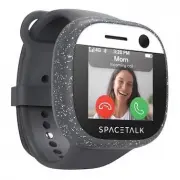
Spacetalk SPTKST2MN2 Fitness Tracker – User Manual, read for free online in PDF format. We hope this helps you resolve any issues you may have. If you have further questions, please contact us through the contact form.

What’s Included in the box:
1 x Charging Dock
Model: SP-CD3
1 x USB-A to
USB-C cable
1 x Quickstart Guide
1 x Warranty Card
Adventurer
Quickstart Guide
Model Number: ST2-4G-1
Adventurer
Before you start
Your Spacetalk Adventurer will require an
activated nano-SIM card from a provider
operating on a 3G/4G mobile network. For a list
of recommended SIM providers or support,
please visit our website.
A parent or guardian will be required to
download the Spacetalk app onto their iOS
®
or
Android
™
smartphone.
Charging
Connect the charging dock to a USB power
source (like a phone charger or computer) with
the USB cable provided. Ensure the LED on the
dock is glowing green before placing your
Spacetalk on the charging dock.
The LED on the dock will glow red and the screen
will illuminate to indicate your Spacetalk has
begun charging. While charging, it is normal for
the indicator light to flash momentarily from red
to green and then back to red. When the LED
changes to green, your watch is fully charged.
We recommend recharging your Spacetalk
Adventurer every night, just as you would
any smartphone.
Spacetalk
app
The Spacetalk app gives you control of your child’s
Spacetalk from your own smartphone (or other smart
device.) You manage their contacts, a GPS
tracker ensures you always know where they are
and an SOS button means you're in immediately
reach if they need help. And that’s just the start.
In the b
ox
Inser
t y
our SIM
Inser
t y
our SIM
G
et Supp
or
t
Setup
Setup
Me
et Sp
ac
et
alk
P
ower Butt
on
Charging
Fully Charged
Conditions of Use
Spacetalk smartwatches and the Spacetalk app must never be solely relied
upon to ensure the safety, whereabouts or location of the wearer of the device.
We make no guarantees, representations or warranties regarding the accuracy
or reliability of location data and notifications. The accuracy of location varies
from location to location and must never be solely relied upon to identify the
location of the wearer.
Spacetalk smartwatches and the Spacetalk app can be useful for identifying
where the wearer may be located, or where they were located, however a
condition of use of Spacetalk and the Spacetalk app is that you accept the
map locations and notifications presented may be significantly inaccurate. You
must never solely rely on the information given by our systems to form an
opinion about the wearer’s safety.
© 2021 Spacetalk Pty Ltd
Designed by Spacetalk in Australia and the U.K
Assembled in China
Apple and the Apple Logo are trademarks of Apple Inc, registered in the U.S
and other countries. App Store is a service mark of Apple Inc, registered in the U.S
and other countries.
Android
™
, Google Play
™
and the Google Play logo are trademarks of Google Inc.
iOS
®
is a trademark of registered trademark of Cisco in the U.S. and other
countries.
Customer Support
Need assistance? Our world class customer support
team are here to help.
Australia & New Zealand
Spacetalk Pty Ltd
Suite 13, 154 Fullarton Rd,
Rose Park SA 5067 Australia
AU : 1300 087 423
NZ : 0800 087 423
(Int) +61 (8) 8104 9588
www.spacetalkwatch.com/support
[email protected]
Europe
Spacetalk WATCH UK Ltd
Office 9, Business First, Burnbrae Rd,
Lindwood Industrial Estate, Paisley
PA3 3FP United Kingdom
+44 (0) 208 017 5868
www.spacetalkwatch.co.uk/support
[email protected]
!
!
!
Let’s get
started.
Insert your SIM
Turnover your watch
and locate the SIM
cover. Carefully lift the
cover up from the lip
located at the bottom
of the cover.
Insert your Nano-SIM
into the bottom of the
SIM cover, ensuring
the gold contacts
face upwards.
With the SIM firmly in
place, re-insert the SIM
Cover starting from the
top tab, followed by
clicking the side tabs
into place.
Tip:
To check if your Spacetalk is
connected to your service
provider’s network, check the
status bar located at the top of
the display. If you are not
receiving a signal or your
carrier isn’t appearing, you may
need to contact your service
provider.
For further support please visit:
spacetalkwatch.com/support
Tip:
Detaching the band straps
may provide easier access to
removing the SIM Cover.
!
!
Power button
The power button
(located on the rear of
the watch) can be held
down for approximately
3 seconds to power
Spacetalk.
Powering off
While powered on, hold down
the rear power button to
prompt the wearer with
options to turn off power or
restart.
Spacetalk will automatically dim the display when
not in use to optimize the battery life. Simply double
tap on the display to wake Spacetalk up.
!
2
WARNING:
Designed by
Spacetalk
in Australia
and the U.K.
Assembled
in China
Model: SP-CD3
Meet your Spacetalk
Let’s have a closer look
5MP Camera
Capture and
share memories
Heart Rate
Monitor
Accurately track
daily fitness
activity
IP67 Water
Resistant
Splash proof and
dust resistant
Microphone
Do not attempt to
insert objects or
obstruct this area
ST2-4G-1_QS1.4
Mum calling..
M
Carrier
WARNING:
CHOKING HAZARD - small parts.
Not for children under 3 years.
Detachable
Straps
Easily change-
able band straps
OLED Display
Bright, energy
efficient
display
!
Carrier
Power off
Restart
"Loading the manual" means you need to wait until the file loads and becomes available for online reading. Some manuals are very large, and the time they take to appear depends on your internet speed.