Sony ICD-UX512 - Manual

Sony ICD-UX512 Voice Recorder – Manual, read for free online in PDF format. We hope this helps you resolve any issues you may have. If you have further questions, please contact us through the contact form.


The ICD-UX512 is a 3-in-1 stereo recorder equipped for voice recording, music
playback and USB flash memory. Featuring MP3 and Linear PCM recording, direct
connect USB and enhanced recording features, the ICD-UX512 recorder is perfect
for capturing music and meeting notes alike. Even expand memory to your liking
with the MicroSD card slot for adding optional memory.
ICD-UX512
Digital Flash Voice Recorder
3-in-1 STEREO RECORDER
Voice recorder, music player & USB flash memory. Capture and playback voice or music notes, plus store
and transfer files via the direct connect USB.
INTELLIGENT NOISE CUT™ MODE
A unique and innovative technology from Sony, Intelligent Noise Cut significantly reduces ambient
noise during recording so that playback can be heard more clearly.
EXPANDABLE MEMORY
A Memory Card slot offers access to additional recording time using optional flash memory media that
can be removed and stored or used to transfer recordings to a computer.
MUSIC RECORDING & PLAYBACK
The UX512 provides flexibility in audio recording and playback. Music can be recorded in MP3 or linear
PCM. For playback, the UX512 supports MP3/WMA/AAC files.
1
USB DIRECT CONNECT
Transfer files quickly without searching for a USB connection cable. With direct connect, simply connect
the recorder to a PC or Mac® USB input.
2
SCENE SELECT
An easy to use system that allows the user to select pre-determined recording modes. The device
automatically adjusts the unit to the optimal recording settings: notes, lectures, music etc.
A-B REPEAT
Mark the beginning and ending of a particular recorded passage and the recording will be played over
and over again- great for language learning.
ADD RECORDING
Enables the user to press the RECORD button during playback and automatically add additional
recording at the end without affecting the original recording.
ALARM
Set a future date and time and the recording will automatically be played.
BACKLIT DISPLAY
Convenient when using the unit in a low light environment.
DICTATION CORRECTION
Enables the user to press the RECORD button during playback and overwrite the recording, correcting
the original recording.
DPC
Digital Pitch Control enables the recording to be played at a faster or slower rate without changing the
pitch.
DRAGON® COMPATIBLE / CERTIFIED
The recording quality of the unit has been optimized and validated by Nuance to work with the Voice to
Print Dragon NaturallySpeaking® software (sold sep.).
"Loading the manual" means you need to wait until the file loads and becomes available for online reading. Some manuals are very large, and the time they take to appear depends on your internet speed.
Was this manual helpful?
About this manual
- Brand
- Sony
- Model
- ICD-UX512
- Document type
- Manual
- Category
- Voice Recorder
- Language(s)
- English
- Pages
- 5
- File size
- 186.9 KB
- Format
Ask a question
Related manuals
Popular Sony Voice Recorders


More Sony Voice Recorders models
 Sony ICD-PX720 Manual
 Sony ICD-PX820 Manual
 Sony ICD-ST25 Manual
 Sony ICD-SX712 Manual
 Sony ICD-TX650 User Manual
 Sony ICD-UX200 Manual
 Sony ICD-UX533 Manual
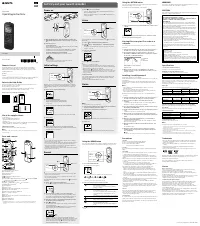 Sony ICDPX370 User Manual
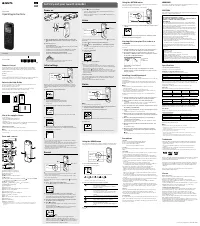 Sony ICDPX470 User Manual
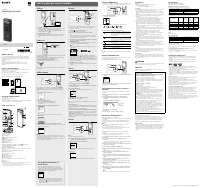 Sony ICDUX570BLK User Manual
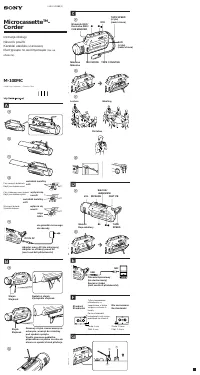 Sony M-100MC Manual
 Sony M-430 Manual
 Sony M-470 Manual
- Sony M-570V Manual
 Sony PCM-M10 Manual
 Sony TCM-16 Manual