Page 2 - CAUTION
2 GB Made in Thailand The nameplate indicating operating voltage, etc., is located on the bottom of the chassis. Hereby, Sony Corporation declares that this equipment is in compliance with Directive2014/53/EU.The full text of the EU declaration of conformity is available at the following internet ad...
Page 3 - Table of Contents
3 GB Table of Contents Guide to Parts and Controls . . . . . . . . . . . . . . . . . . 4 Getting Started Detaching the Front Panel . . . . . . . . . . . . . . . . . . . . 5Resetting the Unit . . . . . . . . . . . . . . . . . . . . . . . . . . 6Setting the Clock . . . . . . . . . . . . . . . . . . . ...
Page 4 - Guide to Parts and Controls; Main unit
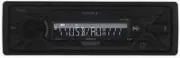
4 GB Guide to Parts and Controls Front panel release button SRC (source) Turn on the power.Change the source. OFF Press and hold for 1 second to turn the source off and display the clock.Press and hold for more than 2 seconds to turn off the power and the display. Control dial Rotate to adjust...
Page 5 - Detaching the Front Panel; Press and hold OFF; Caution alarm; Getting Started
5 GB (shuffle) (Not available when a USB device in Android mode is connected.) (play/pause) EXTRA BASS Reinforces bass sound in synchronization with the volume level. Press to change the EXTRA BASS setting: [1], [2], [OFF]. AUX input jack DSPL (display) Press to change display items. SCRL (s...
Page 6 - Resetting the Unit; Press DSPL and; Setting the area/region; Setting the Clock; To display the clock; Checking the Battery Voltage; Turn down the volume on the unit.
6 GB Resetting the Unit Before operating the unit for the first time, or after replacing the car battery or changing connections, you must reset the unit. 1 Press DSPL and (back)/MODE for more than 2 seconds. Note Resetting the unit will erase the clock setting and some stored contents. Setting the ...
Page 7 - Listening to the Radio
7 GB Connecting Other Portable Audio Device 1 Turn off the portable audio device. 2 Turn down the volume on the unit. 3 Connect the portable audio device to the AUX input jack (stereo mini jack) on the unit with a connecting cord (not supplied) * . * Be sure to use a straight type plug. 4 Press SRC ...
Page 8 - To receive emergency announcements; Press PTY during FM reception.; Type of programs; Receiving the stored stations
8 GB 1 Select the band, then press a number button (1 to 6). Using Radio Data System (RDS) AF continuously retunes the station to the strongest signal in a network, and TA provides current traffic information or traffic programs (TP) if received. 1 Press MENU, rotate the control dial to select [GENE...
Page 9 - Playing a USB Device; Adjust the volume on this unit.; To stop playback; To remove the device; Playback
9 GB The CT data from the RDS transmission sets the clock. 1 Set [SET CT] in [GENERAL] to [SET CT-ON] (page 12). Playing a USB Device AOA (Android Open Accessory) 2.0, MSC (Mass Storage Class) and MTP (Media Transfer Protocol) type USB devices* compliant with the USB standard can be used. Depending ...
Page 10 - Searching and Playing Tracks; To exit the Quick-BrowZer mode; Repeat play and shuffle play
10 GB Searching and Playing Tracks Not available when a USB device in Android mode is connected. 1 During playback, press (repeat) or (shuffle) repeatedly to select the desired play mode. Playback in the selected play mode may take time to start. Available play modes differ depending on the selected...
Page 11 - Canceling the DEMO Mode; Basic Setting Operation; To return to the previous display; Settings
11 GB Canceling the DEMO Mode You can cancel the demonstration display which appears when the source is off and the clock is displayed. 1 Press MENU, rotate the control dial to select [GENERAL], then press it. 2 Rotate the control dial to select [SET DEMO], then press it. 3 Rotate the control dial t...
Page 13 - Updating the Firmware; Precautions; To maintain high sound quality; Additional Information
13 GB FADER Adjusts the relative level: [FRONT-15] – [CENTER] – [REAR-15]. AUX VOL (AUX volume) Adjusts the volume level for each connected auxiliary device: [+18 dB] – [0 dB] – [-8 dB].This setting negates the need to adjust the volume level between sources.(Available only when the AUX is selected....
Page 14 - Maintenance; Cleaning the connectors; Specifications; Tuner section; USB Player section; Power amplifier section
14 GB Maintenance Cleaning the connectors The unit may not function properly if the connectors between the unit and the front panel are not clean. In order to prevent this, detach the front panel (page 5) and clean the connectors with a cotton swab. Do not apply too much force. Otherwise, the connec...
Page 15 - libFLAC; Copyrights
15 GB Power requirements: 12 V DC car battery (negative ground (earth)) Rated current consumption: 10 ADimensions: Approx. 178 mm × 50 mm × 119 mm (7 1 / 8 in × 2 in × 4 3 / 4 in) (w/h/d) Mounting dimensions: Approx. 182 mm × 53 mm × 102 mm (7 1 / 4 in × 2 1 / 8 in × 4 1 / 8 in) (w/h/d) Mass: Approx...
Page 16 - Troubleshooting; General
16 GB Troubleshooting The following checklist will help you remedy problems you may encounter with your unit.Before going through the checklist below, check the connection and operating procedures.For details on using the fuse and removing the unit from the dashboard, see “Connection/Installation” (...
Page 17 - USB device playback
17 GB PTY displays [- - - - - - - -]. The current station is not an RDS station. RDS data has not been received. The station does not specify the program type. Program service name flashes. There is no alternative frequency for the current station. Press / (SEEK –/+) while the program ...
Page 18 - Messages; For firmware update operation:
18 GB Messages The following messages may appear or flash during operation. HUB NO SUPRT: USB hubs are not supported. INVALID The selected operation could be invalid. NO AF: No alternative frequencies. Press / (SEEK –/+) while the program service name is flashing. The unit starts searching f...
Page 19 - Cautions; Mounting angle adjustment; Parts List for Installation; Connection/Installation
19 GB Cautions Run all ground (earth) leads to a common ground (earth) point. Do not get the leads trapped under a screw, or caught in moving parts (e.g., seat railing). Before making connections, turn the car ignition off to avoid short circuits. Connect the power supply lead to the unit ...
Page 20 - Connection
20 GB Connection *1 Not supplied*2 Speaker impedance: 4 Ω – 8 Ω × 4*3 RCA pin cord (not supplied) *4 Depending on the type of car, use an adaptor for a wired remote control (not supplied). For details on using the wired remote control, see “Using the wired remote control” (page 22). *5 Depending on ...
Page 21 - Subwoofer Easy Connection; Memory hold connection; Making connections
21 GB If you have a power antenna (aerial) without a relay box, connecting this unit with the supplied power supply lead may damage the antenna (aerial). To the car’s speaker connector To the car’s power connector Subwoofer Easy Connection You can use a subwoofer without a power amplifier when...
Page 22 - Installation; Pinch both edges of the protection collar; Power connection diagram; Using the wired remote control
22 GB Make sure your car’s auxiliary power connector, and match the connections of cords correctly depending on the car. Common connection When the positions of the red and yellow leads are inverted When the car without ACC position After matching the connections and switching power supply leads cor...
Page 23 - Position the bracket; Mounting the unit in the dashboard; Resetting the unit
23 GB Before installing, make sure the catches on both sides of the bracket are bent inwards 2 mm ( 3 / 32 in). 1 Position the bracket inside the dashboard, then bend the claws outward for a tight fit. 2 Mount the unit onto the bracket , then attach the protection collar . Notes If the cat...
Page 24 - ЦИФРОВОЙ РЕСИВЕР
2 RU Табличка с указанием рабочего напряжения и других характеристик находится на нижней панели корпуса. Дата изготовления указана на товаре, а также на упаковке в следующем формате: MM.YYYY, где MM – месяц и YYYY – год изготовления. Данный аппарат представляет из себя автомобильную аудиосистему, ко...
Page 25 - Содержание
3 RU Содержание Справочник по деталям и органам управления . . . . . . . . . . . . . . . . . . . . . . . . . . . . 4 Начало работы Снятие передней панели . . . . . . . . . . . . . . . . . . . 5Перезагрузка устройства . . . . . . . . . . . . . . . . . . . 6Установка часов . . . . . . . . . . . . . . ...
Page 26 - Справочник по деталям и органам управления; Основное устройство
4 RU Справочник по деталям и органам управления Кнопка снятия передней панели SRC (источник) Включение питания.Смена источника. OFF Нажмите и удерживайте в течение 1 секунды для выключения источника и отображения часов.Нажмите и удерживайте более 2 секунд для выключения питания и дисплея. Диск...
Page 27 - Снятие передней панели; Нажмите и удерживайте кнопку OFF; Предупредительный звуковой сигнал; Начало работы
5 RU Номерные кнопки (1–6) Прием сохраненных в памяти радиостанций. Нажмите и удерживайте для сохранения станций. ALBUM / Пропуск альбома для аудиоустройства. Нажмите и удерживайте для непрерывного пропуска альбомов.(Недоступно, если подключено устройство USB в режиме Android.) (повтор) (Недос...
Page 28 - Перезагрузка устройства; Установка страны/региона; Установка часов; Для отображения часов
6 RU Перезагрузка устройства Перед первым использованием устройства, после замены автомобильного аккумулятора или повторного подсоединения кабелей необходимо перезагрузить устройство. 1 Нажмите и удерживайте кнопки DSPL и (назад)/MODE более 2 секунд. Примечание Перезагрузка устройства приведет к уда...
Page 29 - Подключение устройства USB; Уменьшите громкость на аппарате.
7 RU Подключение устройства USB 1 Уменьшите громкость на аппарате. 2 Подключите устройство USB к аппарату. Подключение другого переносного аудиоустройства 1 Выключите переносное аудиоустройство. 2 Уменьшите громкость на аппарате. 3 Подключите переносное аудиоустройство ко входному гнезду AUX (мини-с...
Page 30 - Прослушивание радио
8 RU Прослушивание радио Для прослушивания радио нажмите кнопку SRC и выберите [TUNER]. 1 Нажимая кнопку MODE, измените диапазон (FM1, FM2, FM3, MW или LW). 2 Нажмите кнопку MENU, поверните дисковый регулятор для выбора [GENERAL], затем нажмите дисковый регулятор. 3 Поворачивая дисковый регулятор, в...
Page 32 - Для остановки воспроизведения; Воспроизведение
10 RU Воспроизведение устройства USB Могут использоваться устройства USB* типа AOA (Android Open Accessory) 2.0, MSC (запоминающее устройство большой емкости) и MTP (протокол передачи мультимедиа), совместимые со стандартом USB. В зависимости от типа используемого устройства USB на аппарате можно вы...
Page 33 - Для выхода из режима Quick-BrowZer; Нажмите кнопку
11 RU Недоступно, если подключено устройство USB в режиме Android. 1 В режиме воспроизведения USB нажмите (обзор)*, чтобы отобразить список категорий поиска. Когда появится список композиций, нажимайте кнопку (назад), пока не отобразится нужная категория поиска. * Во время воспроизведения с устройст...
Page 34 - Отмена режима DEMO; Дважды нажмите кнопку; Для возврата к предыдущему дисплею; Параметры
12 RU Отмена режима DEMO Можно выйти из демонстрационного режима, который запускается при отключении источника, и отображать часы. 1 Нажмите кнопку MENU, поверните дисковый регулятор для выбора [GENERAL], затем нажмите дисковый регулятор. 2 Поворачивая дисковый регулятор, выберите [SET DEMO], затем ...
Page 37 - Меры предосторожности; Уход за устройством; Чистка контактов; Дополнительная информация
15 RU Обновление микропрограммы Чтобы обновить микропрограмму, перейдите на веб-сайт технической поддержки, указанный на задней обложке, а затем следуйте указаниям в Интернете. Примечания Для обновления микропрограммы требуется устройство USB (не входит в комплект поставки). Сохраните программу об...
Page 38 - Технические характеристики; Тюнер; Проигрыватель USB
16 RU Технические характеристики Тюнер FM Диапазон настройки: Для параметра [AREA] задано значение [EUROPE]:87,5 МГц – 108,0 МГцДля параметра [AREA] задано значение [RUSSIA]:FM1/FM2: 87,5 МГц – 108,0 МГц (с шагом 50 кГц) FM3: 65 МГц – 74 МГц (с шагом 30 кГц) Антенное гнездо: Разъем внешней антенны П...
Page 39 - Авторские права
17 RU Комплект поставки: Основное устройство (1)Детали для установки и подключений (1 комплект) У вашего дилера может не быть в наличии некоторых из принадлежностей, перечисленных выше. Обратитесь к дилеру для получения подробной информации. Конструкция и характеристики могут изменяться без предвари...
Page 40 - Общая информация; Прием радиостанций
18 RU Поиск и устранение неисправностей Приводимый ниже проверочный перечень поможет устранить большинство проблем, которые могут возникнуть при эксплуатации устройства.Перед ознакомлением с нижеприведенной таблицей обратитесь к разделам по подключению и эксплуатации устройства.Для получения дополни...
Page 41 - RDS; Воспроизведение с устройства USB
19 RU В диапазоне FM3 не удастся настроить частоты 65 МГц – 74 МГц. Для [AREA] выбрано [EUROPE]. Установите для [AREA] значение [RUSSIA] (стр. 12). RDS Не удается принять услуги RDS (когда для параметра [AREA] задано значение [RUSSIA]). Выбран диапазон FM3. Выберите FM1 или FM2. Услуги RDS...
Page 42 - Сообщения
20 RU В режиме Android звук с аппарата не воспроизводится. Когда аппарат находится в режиме Android, звук воспроизводится только со смартфона с ОС Android. Проверьте состояние приложения для воспроизведения аудио на смартфоне с ОС Android. В зависимости от смартфона с ОС Android возможны пробл...
Page 44 - Регулировка угла установки; Установка/подключение
22 RU Внимание! Подведите все заземляющие провода к общей точке заземления. Не допускайте попадания проводов под винты или между подвижными деталями (например, между направляющими сидений). Во избежание короткого замыкания перед установкой соединений выключите зажигание автомобиля. Сначала п...
Page 45 - Подключение
23 RU Подключение *1 Не входит в комплект поставки.*2 Полное сопротивление громкоговорителей: 4 Ω – 8 Ω × 4 *3 Кабель с разъемами RCA (не входит в комплект поставки). *4 В зависимости от типа автомобиля, возможно, потребуется использовать адаптер для проводного пульта дистанционного управления (не в...
Page 46 - Простое подключение сабвуфера; Подключение громкоговорителей
24 RU Если используется внешняя антенна с электроприводом без релейного блока, подсоединение этого устройства с помощью прилагаемого провода питания может привести к повреждению антенны. К разъему громкоговорителя автомобиля К разъему электропитания автомобиля Простое подключение сабвуфера Саб...
Page 47 - Установка; Схема подключения питания
25 RU Проверьте разъем подключения вспомогательного питания автомобиля и правильно распределите соединения проводов (в зависимости от типа автомобиля). Общая схема подключения Если красный и желтый провода переставлены местами Если в автомобиле нет положения ACC После проверки соответствия соединени...
Page 48 - Установите кронштейн; Снятие и установка передней панели
26 RU 2 Вставьте оба ключа для демонтажа до щелчка, потяните кронштейн вниз, а затем потяните устройство вверх, чтобы отсоединить его. Перед установкой убедитесь, что фиксаторы с обеих сторон кронштейна согнуты вовнутрь на 2 мм. 1 Установите кронштейн в приборную панель, затем выгните выступ...
Page 52 - Printed in Thailand; Support site
http://www.sony.net/ ©2017 Sony Corporation Printed in Thailand http://www.sony.eu/support Support site If you have any questions or for the latest support information on this product, please visit the web site below: Сайт для получения поддержки В случае возникновения вопросов и для получения самых...



 Sony CDX-M9900 Manual
 Sony CDX-MP40 Manual
 Sony CDX-MP70 Manual
 Sony CDX-MP80 Manual
 Sony CDX-R3000 Manual
 Sony CDX-S2200 Manual
 Sony DSXGS80 User Manual
 Sony MEX-BT2500 Manual
 Sony MEX-BT2600 Manual
 Sony MEX-BT3600U Manual
 Sony MEX-BT3900U Manual
 Sony MEX-BT5000 Manual
 Sony MEX-DV1000 Manual
 Sony MEX-DV2000 Manual
 Sony MEX-GS820BT Manual
 Sony MEX-R1 Manual
 Sony MEX-XB100BT Manual