Page 2 - Contents; ENEN; Instructions
Contents 29 ENEN 1 Instructions 30 1.1 Introduction 30 1.2 This user manual 30 1.3 Intended use 30 1.4 General safety instructions 31 1.5 Manufacturer liability 33 1.6 Identification plate 33 1.7 Disposal 33 2 Description 34 2.1 Product description 34 2.2 Description of parts 35 2.3 Standard accesso...
Page 3 - Instructions; Instructions
Instructions 30 1 Instructions 1.1 Introduction Key information for the user: 1.2 This user manual This user manual is an integral part of the appliance and must therefore be kept in its entirety and within the user’s reach for the whole working life of the appliance. 1.3 Intended use • The applianc...
Page 5 - For this appliance
Instructions 32 For this appliance • Unplug the appliance from the power socket before changing the accessories or approaching moving parts. • Do not insert, remove or replace standard accessories with the safety lock disengaged (motor head lowered). • Do not touch moving parts while the appliance i...
Page 6 - Old appliances do not belong in
Instructions 33 ENEN 1.5 Manufacturer liability The manufacturer shall not be held responsible for personal injuries or property damage caused by:• Any use of the appliance other than the one it was designed for • Not having read the user manual• Tampering with any part of the appliance • Use of non...
Page 7 - Description; Product description
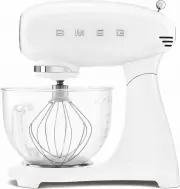
Description 34 2 Description 2.1 Product description Model SMF02 - SMF03 - SMF13 - Stand Mixer 1 Motor head 2 Body 3 Power and speed selector 4 Head raising/lowering release button 5 Lower attachment for standard accessories 6 Front attachment hub for optional accessories 7 Front hub cover 8 Bowl ba...
Page 9 - Standard accessories; Aluminium dough hook
Description 36 2.3 Standard accessories Aluminium dough hook For slowly combining, mixing and kneading leavened dough type mixtures including bread, pasta, pizza, etc. Aluminium flat beater For combining, mixing, and starting all mixing procedures. For preparing cake batters and pastries, biscuits, ...
Page 11 - Use; Using the stand mixer; Danger of electrocution
Use 38 3 Use 3.1 Before first use 1. Remove any protective films or other packaging from the outside or inside of the appliance, including standard accessories. 2. Remove any labels (apart from the technical data plate) from the appliance, its components and standard accessories. 3. Remove and wash ...
Page 12 - Moving parts
Use 39 ENEN 4. Insert the bowl ( 3 ) in its base ( 4 ). Grasp the bowl by its handle ( 5 ) and turn the bowl ( 3 ) clockwise until it locks into place. 5. Select the accessory required based on the type of mixing to be performed. 6. Insert the accessory ( 6 ) in the lower attachment ( 7 ) and push i...
Page 14 - When you have finished using the mixer:
Use 41 ENEN When you have finished using the mixer: 1. Position the speed selector ( 10 ) on ‘0’ (OFF) and remove the plug from the socket. 2. Remove the pouring shield, if it is on the bowl ( 9 ). 3. Press the release button ( 1 ) to raise the head ( 2 ). Moving parts Danger of personal injury and ...
Page 15 - Extract the accessory (
Use 42 4. Push the accessory ( 6 ) upwards slightly and turn it clockwise to unlock it from the pin ( 8 ). Extract the accessory ( 6 ) from the lower attachment ( 7 ). 5. Remove the bowl ( 3 ) from its base ( 4 ) by turning it anticlockwise to release it. 6 7 6 8 3 4 B A
Page 16 - Fit the pouring shield with the opening (
Use 43 ENEN 3.3 Using the pouring shield 1. Fit the pouring shield ( 1 ) to the upper lip of the stainless steel bowl* after inserting the bowl in its base and the accessory in the lower attachment and lowering the head into the operating position. 2. Fit the pouring shield with the opening ( 1 ) fa...
Page 17 - Safety lock system
Use 44 3.4 Functions Safety lock system The appliance has a safety system which automatically shuts off the appliance when the motor head is raised. Smooth Start Function The Smooth Start function starts the appliance up with a reduced initial speed, regardless of the speed set with the selector.The...
Page 18 - Speed setting
Use 45 ENEN 3.5 Speed setting suggestions The speed selector shows the most appropriate accessory to use with the selected speed.The speeds indicated in the table are approximate and can vary depending on the recipe and the interaction of the different ingredients used. Speed setting Function Access...
Page 20 - General advice
Use 47 ENEN General advice • Never exceed the maximum speed and capacity indicated in the table in order to prevent damage to the appliance. • Turn on the appliance at a low speed until all the ingredients are mixed, then increase the speed on the basis of the required operation. • When adding ingre...
Page 22 - Cleaning and care; Ordinary daily cleaning; Improper use
Cleaning and care 49 ENEN 4 Cleaning and care 4.1 Instructions 4.2 Ordinary daily cleaning To keep the surfaces of the appliance in good condition, clean them with a damp cloth after use.Wipe over thoroughly and dry with a soft cloth or microfibre cloth. The pouring shield* and the wire whisk can be...
Page 23 - Problem
Cleaning and care 50 4.3 What to do if... Problem Possible cause Solution The motor will not start The motor has overheated. Disconnect the mixer from the power and leave the motor to cool. The plug is not properly inserted in the power socket. Insert the plug into the power socket. Do not use adapt...
Page 24 - The mixer vibrates
Cleaning and care 51 ENEN The mixer vibrates The mixer is not resting on a stable surface. Place the mixer on a flat, stable surface. The anti-slip rubber feet are worn. Have them replaced at an Authorised Service Centre. The speed has been set too high or the load is excessive. Set a lower speed an...
Page 25 - The bowl is too full.
Cleaning and care 52 The accessory is struggling to turn inside the bowl The dough mixture is too thick and is stopping the accessory from turning. Add water or other liquid to loosen the dough mixture. The bowl is too full. Remove half the bowl’s contents and work it separately. Problem Possible ca...