Page 2 - CONTENTS; Subject to change without notice.; CUSTOMER CARE AND SERVICE
2 www.simpson.com.au CONTENTS 1.1 Conditions Of Use 1.2 Child Safety 1.3 General Safety 1.4 Installation 1.5 Use 1. SAFETY INFORMATION ........................................................................................................ 4 .............................................................
Page 5 - General Safety
5 ● ● ● Young children should be supervised to ensure that they do not play with the appliance.The packaging components (e.g. plastic film, polystyrene) can be dangerous to children - danger of suffocation! Keep them out of children’s reach. Make sure that children or pets do not climb into the drum...
Page 7 - PRODUCT DESCRIPTION; Parts
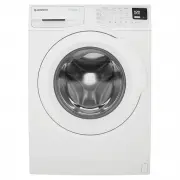
7 PRODUCT DESCRIPTION 2. 2.1 Parts 2.2 Accessories To connect the drain hose on the edge of a sink. To close the holes on the rear side of the cabinet after the removal of the transit bolts. Detergent/Softener Dispenser 2 1 Worktop 2 Control Panel 3 Door 4 Emergency Door Opening 5 Front Feet (Level ...
Page 8 - CONTROL PANEL; Control Panel Description; Woolmark Apparel Care
8 www.simpson.com.au CONTROL PANEL 3. On/Off Button 3.1 Control Panel Description 1 Program Touchpad *** Maximum spin speed depended on model. 2 Temp Touchpad 3 Delay End Touchpad 9 LED Digital Number, will tell you: 10 LED Icon Pause to add clothes status icon Door Lock status iconExtra Rinse statu...
Page 9 - Program Description; Maximum Load
9 3.2 Program Description Program Temperature can be selected Cold, 30, 40, 60 ,90°C - White cotton with heavy.level of soil To reset program/switching off the machine. Type of load and soil level Synthetic or mixed fabric items with normall level of soil 30°C Synthetic and mixed fabric items. Light...
Page 13 - Setting
13 3.6 Setting ● ● ● ● Extra Rinse Option ( ) This option is recommended for people who are allergic to detergents, and in areas where the water is very soft. Use this option to add two rinse phases to a program. To activate this option, press “Spin” and “Option” touchpads at the same time until the...
Page 14 - BEFORE FIRST USE
14 www.simpson.com.au BEFORE FIRST USE 4. Ensure that the electrical and water connections comply with the installation instructions.Put 2 litres of water in the detergent compartment for washing phase. This activates the drain system. 1. 2. 3. Select a Cottons cycle at 90 °C, without any laundry in...
Page 15 - DAILY USE; Loading The Laundry
15 5.2 Detergent Dispenser Drawer 1. Using Detergent And Additives IMPORTANT: Please read “Detergents Type and Quantity of Detergent”on page 20 before use. DAILY USE 5. Press the On/Off button to turn on the washing machine. The indicator of the “Start/Pause” touchpad flashes. 1.2. 5.1 Loading The L...
Page 16 - Options Setting
16 www.simpson.com.au Press the option touchpads, if you want your laundry to be washed with special functions. Different functions can be combined which is dependent on the program selected. If you want your laundry to be spun or use temperature different from the one proposed by the washing machin...
Page 18 - AUTO Standby Mode
When the program is completed and the door lock indicator “ ” goes off, you can open the door. 18 www.simpson.com.au 5.10 When The Washing Program Is Completed, But There Is Water In The Drum (Option “Rinse & Hold” is used) The drum turns regularly to prevent the creases in the laundry. You must...
Page 19 - WASHING HINTS; Sorting The Laundry; Removing Stains
19 WASHING HINTS 6. Follow the wash code symbols on each garment label and the manufacturer’s washing instructions. Sort the laundry as follows: whites, coloureds, synthetics, delicates, woollens. 6.1 Sorting The Laundry 6.2 Temperatures 90°C 60°C 40°C 30°C Cold For normally soiled, colourfast garme...
Page 21 - Descaling
21 INTERNATIONAL WASH CODE SYMBOLS 7. These symbols appear on fabric labels, in order to help you choose the best way to treat your laundry. Bleach in cold water DO NOT bleach Bleaching Hand wash Max. wash temperature 95 °C Hot iron max. 200 °C Dry cleaning in all solvents Dry cleaning in perchloret...
Page 22 - Maintenance Wash; Cleaning The Dispenser
22 www.simpson.com.au With the use of low temperature washes it is possible to get a build up of residues inside the drum.We recommend that a maintenance wash be performed on a regular basis. 8.4 Maintenance Wash The drum should be empty of laundry.Select the hottest cotton wash program.Use a normal...
Page 23 - Cleaning The Drawer Bottom
23 After washing cycle finish, residues of softener and water may remain in the softener dispenser. It is recommended to clean the bottom of softener dispenser regularly to remove any residue. 8.7 Cleaning The Drawer Bottom 1. After pulling out the drawer from its recess, turn the bottom side up. To...
Page 24 - Emergency Drain; Frost Precautions
24 www.simpson.com.au Remove the water inlet hose from the water tap. Clean the filter in the inlet hose with a stiff brush. If your water is very hard or contains traces of lime deposit, the water inlet filter may become clogged. It is therefore a good idea to clean it from time to time. 8.8 Cleani...
Page 25 - TROUBLESHOOTING; Possible Failures
25 TROUBLESHOOTING 9. 9.1 Possible Failures Certain problems are due to lack of simple maintenance or oversights, which can be solved easily without calling out an engineer. Before contacting your local Service Centre, please check possible cause of malfunction and solution listed below. Once the pr...
Page 27 - Emergency Door Opening
27 In case of power failure or appliance failure, the appliance door remains locked. The wash program continues when power is restored. If the door remains locked in case of failure, it is possible to open it using the emergency unlock feature. Before Opening The Door: 9.2 Emergency Door Opening Mak...
Page 28 - TECHNICAL DATA
28 www.simpson.com.au 3. Pull twice the emergency unlock trigger downward then open the appliance door. 4. Take out the laundry. 5. Re-assemble the cover door. TECHNICAL DATA 10. Dimensions (Height / Width / Depth) Maximum dry clothes capacity Spin speed (Maximum / Minimum) 850 X 600 X 652 mm Power ...
Page 29 - INSTALLATION; Unpacking
Remove the polystyrene packaging materials.Remove the plastic bag on top of the machine. Remove the cardboard top. 29 INSTALLATION 11. 4. 5. Remove the polystyrene base. 6. Put one of the polystyrene «A» packaging elements on the floor behind the appliance. Carefully put down the appliance with the ...
Page 30 - Positioning
30 www.simpson.com.au 7. Remove the power supply cable and the drain and inlet hoses from the hose holders «B» on the rear of the appliance. Loosen or tighten the feet to adjust the level. A correct adjustment of the appliance level prevents vibration, noise and the movement of the appliance when in...
Page 31 - Water Inlet; Water Drainage
31 Never place cardboard, wood or similar materials under the machine to compensate for any unevenness in the floor. Install the machine on a flat hard floor. Make sure that air circulation around the machine is not impeded by carpets, rugs etc. When the washing machine is levelled, try to rock it f...
Page 32 - Electrical Connection
32 www.simpson.com.au This machine is designed to operate on a 220-240 V, single-phase, 50 Hz supply. 11.5 Electrical Connection “An incorrect power supply may void your warranty.” Check that your domestic electrical installation can take the maximum load required (2.0 kW), also taking into account ...
Page 33 - ENVIRONMENT CONCERNS
33 When the appliance is installed, the power supply cable must be easily accessible. If this appliance is supplied from a cord extension set or electrical portable outlet device, the cord extension set or electrical portable device must be positioned so that it is not subject to splashing or ingres...
Page 34 - Warranty; Important Notice
This document sets out the terms and conditions of the product warranties for Simpson Appliances. It is an important document. Please keep it with your proof of purchase documents in a safe place for future reference should there be a manufacturing defect in your Appliance. This warranty is in addit...