Page 2 - NOTE; Please read before operating your new Air Purifi er
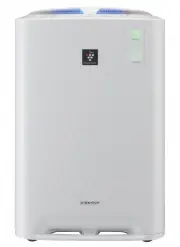
NOTE The air purifi er draws in room air from the air intake, passes the air through a Pre-Filter, a Washable Deodorizing Filter and a HEPA Filter inside of the unit, then discharges the air through the air outlet. The HEPA Filter can remove 99.97% of dust particles as small as 0.3 microns that pass...
Page 3 - ENGLISH; FEATURES
E-1 ENGLISH Thank you for purchasing this SHARP Air Purifi er. Please read this manual carefully before using the air purifi er.After reading, keep the manual in a convenient location for future reference. FEATURES CONTENTS IMPORTANT SAFETY INSTRUCTIONS ... E-2 • WARNING• CAUTIONS CONCERNING OPERATI...
Page 4 - IMPORTANT SAFETY INSTRUCTIONS; WARNING
E-2 IMPORTANT SAFETY INSTRUCTIONS When using electrical appliances, basic safety precautions should be followed, including the following: WARNING – To reduce the risk of electrical shock, fi re or injury to persons: • Read all instructions before using the unit. • Use only a 220~240 volt outlet. • D...
Page 5 - CAUTIONS CONCERNING OPERATION; INSTALLATION GUIDELINES; FILTER GUIDELINES
E-3 CAUTIONS CONCERNING OPERATION • Do not block the intake and/or air outlet. • Do not use the unit near or on hot objects, such as stoves or heaters, or where it may come into contact with steam. • Always operate the unit in an upright position. • Hold the unit by using the handles on both sides w...
Page 6 - PART NAMES; INCLUDED
E-4 PART NAMES FRONT / BACK 1 Main Unit Display (Ref.E-5) 2 Front Monitor 3 Main Unit 1 3 1 Air Outlet 6 Float 2 Handle (2 Locations) 7 Humidifying Tray 3 Sensor (Internal) •Dust Sensor•Temperture / Humidity Sensor•Odour Sensor 8 Caster (4 Locations) 9 HEPA Filter (white) 10 Deodorizing Filter (blac...
Page 8 - Remove the Back Panel.; FILTER INSTALLATION; Install the Back Panel.
1 2 E-6 1 Remove the Back Panel. PREPARATION FILTER INSTALLATION 2 Remove the Filters from the plastic bag. 3 Install the Filters in the correct order as shown. 4 Install the Back Panel. 5 Fill in the usage start date on the Date Label. HEPA fi lter (White) Deodorizing fi lter (Black) Be sure to rem...
Page 9 - Install the Water Tank.; REFILLING THE WATER TANK; Remove the Water Tank.; CAUTION
MAX 1 2 3 1 2 E-7 3 Install the Water Tank. CAUTION REFILLING THE WATER TANK 1 Remove the Water Tank. 2 Fill the Water Tank with tap Water. • Check to see that there is no water leaking.• Be sure to wipe off any excess water on the outside of the Water Tank. • When carrying the Water Tank, hold it w...
Page 10 - OPERATION; STOP; START
E-8 OPERATION STOP About Automatic Humidify Mode The Temperature/Humidity sensors automatically detect and adjust humidity according to changes in room temperature. Depending on the size and humidity of the room, humidity may not reach 55~65 %. In such cases, it is recommended that CLEAN AIR & H...
Page 12 - USEFUL FUNCTIONS
brighter darker turn off E-10 USEFUL FUNCTIONS High Standard Low LIGHT CONTROL Use this function to select the desired brightness. CHILD LOCK Operation of the unit display will be locked. It is the same method as starting operation. ON CANCELLATION SOUND INDICATOR SETTING The unit can be set to give...
Page 13 - CARE AND MAINTENANCE; CARE INDEX; FILTER INDICATOR
1 2 3 E-11 CARE AND MAINTENANCE CARE INDEX The Indicator Light will turn on after approximately 720 hours. (30days×24hours=720) Reminder to perform maintenance of parts below. After performing maintenance, reset the Filter Indicator. (Ref. E-12) Humidifying Filter (Ref. E-12) HumidifyingTray Cover (...
Page 14 - WATER TANK; HUMIDIFYING FILTER
E-12 CARE AND MAINTENANCE WATER TANK Rinse the inside with a small amount of water. • Do not shake the Water Tank with holding the carrying handle. CAUTION NOTE for stubborn dart... Tooth brushs Tank cap Clean inside of the water tank w i t h a s o f t s p o n g e a n d t h e tank cap with a cotton ...
Page 15 - HUMIDIFYING TRAY AND COVER
E-13 Back Panel HUMIDIFYING TRAY AND COVER CAUTION 1. Remove the Humidifying Tray Cover.2. Rinse the inside of the Humidifying Tray and the Humidifying Tray Cover with a tooth brush. Be sure to remove the power plug from the wall outlet. • Do not remove the Float and the Roller.• If the Float and / ...
Page 16 - DEODORIZIING FILTER
E-14 CARE AND MAINTENANCE CARE AND MAINTENANCE 4 Dry fi lter completely in a well ventilated area. When possible, dry outdoors. (about 6 hours to dry out) • Avoid drying filter outdoors during inclement weather (e.g. rain or cold temperatures). • Do not allow filter to freeze.• If filter is dried in...
Page 17 - Humidifying Filter; FILTER REPLACEMENT; HEPA fi lter; Disposal of Filters
Replacement Filter Model Please consult your dealer for purchase of replacement filter. •HEPA fi lter About 10 years after opening •Deodorizing fi lter* About 10 years after opening •Humidifying fi lter About 10 years after opening Use the date label as a reminder for next replacement. E-15 Replacem...
Page 18 - TROUBLESHOOTING
E-16 TROUBLESHOOTING SYMPTOM REMEDY (not a malfunction) Odours and smoke are not removed. • Clean or replace the fi lters if they appear to be heavily soiled. (Ref. E-11,E-12,E-14) The Front Monitor illuminates green even when the air is impure. • The air could be impure at the time the unit was plu...
Page 19 - AUTO RESTART; FLOAT; ON
E-17 SYMPTOM REMEDY (not a malfunction) When the Roller / Float was removed. • Install the Roller / Float in order below. AUTO RESTART After a power failure, automatically resume the operation when the power recovers. Auto Restart can be set. • Even when the plug is unplugged or the breaker i s t h ...
Page 20 - ERROR DISPLAY
E-18 TROUBLESHOOTING ERROR DISPLAY If error occurs again, contact the Sharp Service Centre. DIGITAL INDICATION LAMP INDICATION ERROR DETAILS REMEDY Flashing of the Clean Air & Humidify Indicator Light. Abnormal humidity fi lter. Verify if the Humidifying Filter, Humidifying Tray and Water Tank a...
Page 21 - FOR CUSTOMER ASSISTANCE; Congratulations on Your Purchase!; WARRANTY; Consumer Electronic Products
E-19 FOR CUSTOMER ASSISTANCE Congratulations on Your Purchase! This Sharp product is warranted against faults in material and manufacture for theperiod as stated in the table below. If service is required during the warranty period, please contact your nearest SharpApproved Service Centre. These rep...
Page 22 - NEW ZEALAND; SHARP CUSTOMER SERVICES; AUSTRALIA; SHARP APPROVED SERVICE CENTRE; SHARP
E-20 FOR CUSTOMER ASSISTANCE FOR LOCATION ENQUIRIES WITHIN NEW ZEALAND REGARDING YOUR LOCAL SHARP CORPORATION OF NEW ZEALAND LIMITED VISIT OUR WEBSITE AT SHARP CUSTOMER SERVICES TELEPHONE: 09 573 0111 FACSIMILE: 09 573 0113 FOR LOCATION ENQUIRIES WITHIN AUSTRALIA REGARDING YOUR LOCAL SHARP APPROVED ...
Page 23 - SPECIFICATIONS
E-21 SPECIFICATIONS Model KC-A60J KC-A50J Power supply 220 ~ 240 V 50 Hz Fan Speed Adjustment MAX MED LOW MAX MED LOW CLEAN AIR Fan Speed (m 3 /hour) 396 270 84 306 216 60 Rated Power (W) 60 22 5.3 42 18 4.3 Noise Level (dBA) 49 40 19 49 41 16 CLEAN AIR & HUMIDIFY Fan Speed (m 3 /hour) 366 270 1...
Page 24 - SHARP CORPORATION OFNEW ZEALAND LIMITED; 9 HUGO JOHNSTON DRIVE PENROSE, AUCKLAND
Printed in ChinaTINS-A621KKRZ 13A- CN 1 SHARP CORPORATION OF AUSTRALIA PTY.LTD. A. B. N. 40 003 039 405 1 HUNTINGWOOD DRIVE, HUNTINGWOOD, N.S.W. 2148 P.O.BOX 6827, BLACKTOWN. N.S.W. 2148 SHARP CORPORATION OFNEW ZEALAND LIMITED 59 HUGO JOHNSTON DRIVE PENROSE, AUCKLAND OM_KC-A60J_EN.indd Sec1:22 OM_KC...