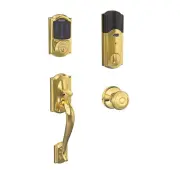
Page 2 - ENGLISH; PACKAGE CONTENTS; Century Style
2 ENGLISH PACKAGE CONTENTS Touchscreen Assembly Set Screw Battery Cover Reinforcement Plate Reinforcement Screws (2) Strike Bolt/Strike Screws (4) Bolt Backup Key Alarm Assembly Support Plate Alarm Assembly Screw Support Plate Screws (2) Century Style Camelot Style Shown Throughout Guide
Page 3 - You will definitely need this tool:; STEPS AT A GLANCE
3 ENGLISH LET’S GET STARTED! Once you have all your tools together, please follow each step carefully and in order. Because this is an electronic lock, the order of steps is very important. If you skip a step, you may have to perform a factory default reset and start over. You will definitely need t...
Page 4 - Remove the current deadbolt from the door.; Touchscreen Deadbolt with Alarm.
4 ENGLISH 1 Check current door/frame alignment. Because the bolt on this lock is extended automatically, it is important that the door and frame are aligned. Use this checklist to determine if your current alignment will work without any adjustment. I can lock the door without pushing, pulling or ...
Page 5 - Locate Programming and User Codes.
5 ENGLISH 4 Check door/frame dimensions. • Measure the dimensions shown. If your door dimensions do not match, you will need to change your door preparation. Go to answers.schlage.com for drilling instructions. L If your door is thicker than 1 C\v ”, you will need a thick door kit. Please call Custo...
Page 6 - Install bolt and strike.; If the backset (see step 4 on page 5) of your door was 2; Mortise
6 ENGLISH 6 Install bolt and strike. 6a Adjust bolt length, if necessary. • If the backset (see step 4 on page 5) of your door was 2 C\, ” (60 mm), you do not need to do anything. Proceed to step step 6b. • If the backset (see step 4 on page 5) of your door was 2 C\v ” (70 mm), you need to adjust yo...
Page 8 - e Test bolt alignment.; Proper Alignment of; Install the Touchscreen Assembly.; backset
8 ENGLISH 6e Test bolt alignment. 1. Close the door. 2. Insert a flathead screwdriver into the slot in the bolt, as shown. 3. Rotate the screwdriver toward the door edge to extend the bolt into the hole in the frame. This operation should be smooth. You should be able to rotate the screwdriver 90˚, ...
Page 9 - b Install the Support Plate on the inside of the door.; Install the Alarm Assembly.; ELECTROSTATIC DISCHARGE
9 ENGLISH 7b Install the Support Plate on the inside of the door. L Make sure the Touchscreen and Support Plate are straight on the door before tightening the screws. Tighten screws fully to prevent the lock from moving over time. TOP Make sure the indented circle is facing the door. Have someone ho...
Page 10 - b Connect the cable to the Alarm Assembly.; c Install the Alarm Assembly.
10 ENGLISH 8b Connect the cable to the Alarm Assembly. L Locate the screws in step 8d before beginning this step so they will be handy when you need them. The connector fits only one way. Match the dot on the connector with the dot on the circuit board. 8c Install the Alarm Assembly. 1. Align the ta...
Page 11 - d Secure the Alarm Assembly to the Support Plate.; NOTE; Install the Batteries.; Carefully
11 ENGLISH 8d Secure the Alarm Assembly to the Support Plate. Actual Size 8-32 x 1 Z\, ” Actual Size 8-32 x .187 UP FHMS Install the lower screw first. NOTE Please do not rotate the thumbturn at this time. It may not rotate easily. Setup will be performed after installation is complete. 9 Install th...
Page 12 - b Install the battery cover.; CAUTION
12 ENGLISH 9b Install the battery cover. Speaker Hole DO NOT install screw! 10 Set up the Lock. 1. Open the door if it is not already open. 2. Press the Outside Schlage Button. 3. Enter one of the Default User Codes into the lock (see step 5 on page 5) . 4. The lock will perform a setup routine. Wai...
Page 13 - Take the key and the Default User codes with you!; 1d If the lock failed to lock or unlock:
13 ENGLISH 11b Extend the bolt (lock) using the Touchscreen. 1. Unlock the door using the thumbturn if you have not already. 2. Take the key and the Default User codes with you! Go outside and close the door. 3. Press the Outside Schlage Button. 4. The bolt should extend. Alignment is correct. You n...
Page 14 - Continue to the User’s Guide.; User’s Guide
14 ENGLISH 12 Continue to the User’s Guide. Your lock is installed and functional. Continue to the User’s Guide for complete information about how to configure and operate the lock and alarm.
Page 15 - SPACER REMOVAL; crossbore; Crossbore
15 ENGLISH SPACER REMOVAL (OPTION FOR SMALL CROSSBORES ONLY) ONLY if your door has less than a 2 Z\, " (54 mm) crossbore , remove the spacer as shown. 1. Remove screw. 2. Rotate and remove spacer. 3. Replace screw. Less than 2 Z\, " (54 mm) Crossbore NEED HELP? Please call customer support b...
Page 17 - Cerrojo de pantalla táctil con alarma; Guía de instalación
SCHLAGE CONNECT™ Cerrojo de pantalla táctil con alarma Guía de instalación
Page 18 - CONTENIDO DEL PAQUETE; Estilo Century
18 ESPAÑOL CONTENIDO DEL PAQUETE Unidad de la pantalla táctil Tornillo de ajuste Cubierta de la batería Placa de refuerzo Tornillos de refuerzo (2) Cerradura Tornillos del perno/ cerradura (4) Perno Clave de respaldo Unidad de la alarma Placa de soporte Tornillo de la unidad de la alarma Tornillos d...
Page 19 - Definitivamente necesitará esta herramienta:; BREVE DESCRIPCIÓN DE LOS PASOS
19 ESP AÑOL ¡COMENCEMOS! Una vez que haya reunido todas sus herramientas, siga cada paso con atención y en orden. Como se trata de una cerradura electrónica, el orden de los pasos es muy importante. Si omite un paso, es posible que deba restablecer la configuración predeterminada de fábrica y volver...
Page 20 - Compruebe la alineación actual de la puerta/marco.; Retire el cerrojo actual de la puerta.; Touchscreen Deadbolt with Alarm (Cerrojo de
20 ESPAÑOL 1 Compruebe la alineación actual de la puerta/marco. Como el perno en esta cerradura se extiende automáticamente, es importante que la puerta y el marco estén alineados. Use esta lista de verificación para determinar si su alineación actual funcionará sin ajustes. Puedo bloquear la puer...
Page 21 - Consulte las dimensiones de la puerta/marco.; Entrada; Ubique los códigos de programación y de usuario.
21 ESP AÑOL 4 Consulte las dimensiones de la puerta/marco. • Mida las dimensiones que se muestran. Si las dimensiones de su puerta no coinciden, deberá cambiar la preparación de su puerta. Visite answers.schlage.com para ver instrucciones sobre la perforación. L Si el espesor de su puerta es mayor a...
Page 22 - Si la entrada (ver el paso 4 en la página 21) de su puerta era de 2; b Cambie la placa delantera si fuera necesario.; Sin mortaja
22 ESPAÑOL 6 Instale el perno y la cerradura. 6a Ajuste la longitud del perno, de ser necesario. • Si la entrada (ver el paso 4 en la página 21) de su puerta era de 2 C\, ” (60 mm), no necesita realizar otra acción. Avance al paso 6b. • Si la entrada (ver el paso 4 en la página 21) de su puerta era ...
Page 23 - c Instale el perno en la puerta.; Figura B: Sin mortaja; d Instale la cerradura en el marco.
23 ESP AÑOL 6c Instale el perno en la puerta. Seleccione la imagen que coincida con su puerta. Figura A: Mortaja Figura B: Sin mortaja Use un bloque de madera y un martillo (no incluido) para golpear y colocar el perno en su lugar. No necesita usar los tornillos. Tamaño real (2) O Asegúrese de que l...
Page 24 - Extracción del espaciador en la página 31
24 ESPAÑOL 6e Prueba la alineación del perno. 1. Cierre la puerta. 2. Inserte un destornillador de cabeza plana en la ranura del perno, como se indica. 3. Gire el destornillador hacia el borde de la puerta para extender el perno en el orificio del marco. Esta operación debe ejecutarse sin complicaci...
Page 25 - b Instale la placa de soporte en la parte interna de la puerta.; Instale la unidad de la alarma.; DESCARGA ELECTROSTÁTICA
25 ESP AÑOL 7b Instale la placa de soporte en la parte interna de la puerta. L Asegúrese de que la pantalla táctil y la placa de soporte están derechas en la puerta antes de ajustar los tornillos. Ajuste los tornillos firmemente para impedir que la cerradura se mueva con el tiempo. TOP Asegúrese de ...
Page 27 - d Sujete la unidad de la alarma a la placa de soporte.; Tamaño real; NOTA; Instale las baterías.
27 ESP AÑOL 8d Sujete la unidad de la alarma a la placa de soporte. Tamaño real 8-32 x 1 Z\, ” Tamaño real 8-32 x .187 UP FHMS Instale primero el tornillo inferior. NOTA No gire el pestillo en este momento. Es posible que no gire fácilmente. La configuración se realizará después de que finalice la i...
Page 28 - b Instale la cubierta de las baterías.; Configure la cerradura.
28 ESPAÑOL 9b Instale la cubierta de las baterías. Orificio del altavoz ¡NO coloque un tornillo! 10 Configure la cerradura. 1. Abra la puerta si ya no está abierta. 2. Presione el botón Schlage exterior. 3. Introduzca uno de los códigos de usuario predeterminados en la cerradura (ver el paso 5 en la...
Page 29 - ¡No olvide llevar la clave y códigos de usuario; 1c Retraiga el perno (desbloqueo) usando la pantalla táctil.
29 ESP AÑOL 11b Extienda el perno (bloqueo) usando la pantalla táctil. 1. Desbloquee la puerta usando el pestillo giratorio si aún no lo hizo. 2. ¡No olvide llevar la clave y códigos de usuario predeterminados! Salga y cierre la puerta. 3. Presione el botón Schlage exterior. 4. El perno debería exte...
Page 30 - Continúe con la Guía del usuario.
30 ESPAÑOL 12 Continúe con la Guía del usuario. Su cerradura está instalada y en funcionamiento. Continúe con la Guía del usuario para obtener información completa sobre cómo configurar y operar la cerradura y la alarma.
Page 31 - EXTRACCIÓN DEL ESPACIADOR; (OPCIÓN PARA ORIFICIOS TRANSVERSALES PEQUEÑOS ÚNICAMENTE); orificio transversal; Orificio transversal
31 ESP AÑOL EXTRACCIÓN DEL ESPACIADOR (OPCIÓN PARA ORIFICIOS TRANSVERSALES PEQUEÑOS ÚNICAMENTE) SOLO si su puerta tiene un orificio transversal de 2 Z\, ” (54 mm), retire el espaciador como se muestra. 1. Quite el tornillo. 2. Gire y extraiga el espaciador. 3. Cambie el tornillo. Menos de 2 Z\, ” (5...
Page 33 - Pêne dormant avec écran tactile; Guide d’installation; muni d’une alarme
SCHLAGE CONNECT™ Pêne dormant avec écran tactile Guide d’installation muni d’une alarme
Page 34 - AIS; CONTENU DE L’EMBALLAGE; Modèle Century
34 FRANÇ AIS CONTENU DE L’EMBALLAGE Boîtier de l’écran tactile Ensemble de vis Couvercle des piles Plaque de renfort Vis de renforcement (2) Gâche Vis pour le pêne et la gâche (4) Pêne Clé de secours Boîtier de l’alarme Plaque de fixation Vis du boîtier de l’alarme Vis de la plaque de fixation (2) M...
Page 35 - POUR DÉBUTER; Vous aurez absolument besoin de cet outil :; REMARQUES CONCERNANT L’INSTALLATION,; APERÇU DES ÉTAPES À SUIVRE
35 FR ANÇ AIS POUR DÉBUTER Une fois que vous avez réuni tous vos outils, respectez rigoureusement les étapes, dans l’ordre. Étant donné qu’il s’agit d’une serrure électronique, l’ordre des étapes est très important. Si vous manquez une étape, vous risquez de devoir rétablir les paramètres d’usine et...
Page 36 - Vérifiez l’alignement de la porte avec le cadre.; Retirez le pêne dormant de la porte.; Visionnez la vidéo en ligne.; Touchscreen Deadbolt with Alarm
36 FRANÇ AIS 1 Vérifiez l’alignement de la porte avec le cadre. Étant donné que le pêne de cette serrure sort automatiquement, il est particulièrement important que la porte et le cadre soient alignés. Utilisez cette liste de vérification pour savoir si l’alignement doit être ajusté. Je peux verro...
Page 37 - Vérifiez les dimensions de la porte et du cadre.; distance d’entrée; Repérez les codes de programmation et d’utilisateur.
37 FR ANÇ AIS 4 Vérifiez les dimensions de la porte et du cadre. • Mesurez les dimensions illustrées. Si les dimensions de la porte ne correspondent pas, vous devrez apporter des modifications à la préparation. Pour les instructions de perçage, consultez answers.schlage.com . L Si l’épaisseur de vot...
Page 38 - Installez le pêne et la gâche.; b Changez la plaque au besoin.; Pas de mortaise
38 FRANÇ AIS 6 Installez le pêne et la gâche. 6a Au besoin, réglez la longueur du pêne. • Si la distance d’entrée (voir l’étape 4, page 37) de votre porte est de 60 mm (2 C\, po), vous n’avez rien à faire d’autre. Passez à l’étape l’étape 6b. • Si la distance d’entrée (voir l’étape 4, page 37) de vo...
Page 39 - c Installez le pêne dans la porte.; Figure B: Pas de mortaise; d Installez la gâche dans le cadre.
39 FR ANÇ AIS 6c Installez le pêne dans la porte. Choisissez ci-dessous l’illustration qui correspond à votre porte. FIgure A: Mortaise Figure B: Pas de mortaise Servez-vous d’un bloc de bois et d’un marteau (non inclus) pour enfoncer le pêne à sa place. Il est inutile d’utiliser les vis. Taille rée...
Page 40 - e Évaluer l’alignement du pêne.; ATTENTION; Installez le boîtier de l’écran tactile.; Retrait
40 FRANÇ AIS 6e Évaluer l’alignement du pêne. 1. Fermez la porte. 2. Insérez un tournevis à tête plate dans la fente du pêne, comme illustré. 3. Faites-le tourner vers le rebord de la porte pour faire sortir le pêne dans le trou du cadre. Cette opération doit s’effectuer sans difficulté. Vous devrie...
Page 41 - b Installez la plaque de fixation sur l’intérieur de la porte.; Installez le boîtier de l’alarme.; DANGER DE DÉCHARGE
41 FR ANÇ AIS 7b Installez la plaque de fixation sur l’intérieur de la porte. L Vérifiez que l’écran tactile et la plaque de fixation sont bien droits sur la porte avant de serrer les vis. Serrez complètement les vis pour éviter que la serrure ne se déplace. TOP Vérifiez que le cercle dentelé est or...
Page 42 - b Branchez le câble au boîtier de l’alarme.; l’étape 8d; c Installez le boîtier de l’alarme.
42 FRANÇ AIS 8b Branchez le câble au boîtier de l’alarme. L Repérez les vis de l’étape 8d avant de commencer, afin de les avoir à portée de main lorsque vous en aurez besoin. Il n’y a qu’une façon de brancher le connecteur. Faites correspondre le point blanc du connecteur au point blanc du circuit i...
Page 43 - d Montez le boîtier de l’alarme sur la plaque de fixation.; REMARQUE; a Installez les piles dans le support de piles.; DANGER DE
43 FR ANÇ AIS 8d Montez le boîtier de l’alarme sur la plaque de fixation. Taille réelle 8-32 x 1 Z\, ” Taille réelle 8-32 x .187 UP FHMS Vissez d’abord la vis du bas. REMARQUE Veuillez ne pas tourner la barrette tournante pour le moment. Il est possible qu’elle ne tourne pas facilement. Le réglage s...
Page 44 - b Installez le couvercle des piles.; 1a Sortez le pêne (verrouillage) à l’aide de la barrette
44 FRANÇ AIS 9b Installez le couvercle des piles. Trou du haut-parleur N’INSTALLEZ PAS la vis! 10 Installez la serrure. 1. Ouvrez la porte, si ce n’est pas déjà fait. 2. Appuyez sur le bouton Schlage extérieur. 3. Entrez l’un des codes d’utilisateur par défaut (voir l’étape 5, page 37) . 4. La serru...
Page 45 - 1b Sortez le pêne (verrouillez) par le biais de l’écran; Prenez avec vous la clé et les codes d’utilisateur; Chaque essai ressemble; 1c Rentrez le pêne (déverrouillez) par le biais de; 1d Si la serrure ne se verrouille pas ni ne se
45 FR ANÇ AIS 11b Sortez le pêne (verrouillez) par le biais de l’écran tactile. 1. Déverrouillez la porte en tournant la barrette tournante, si ce n’est pas déjà fait. 2. Prenez avec vous la clé et les codes d’utilisateur par défaut! Sortez et fermez la porte. 3. Appuyez sur le bouton Schlage extéri...
Page 46 - Poursuivez la lecture du guide d’utilisation.
46 FRANÇ AIS 12 Poursuivez la lecture du guide d’utilisation. Votre serrure est installée, et elle fonctionne. Poursuivez la lecture du guide d’utilisation pour savoir comment configurer et utiliser la serrure et l’alarme.
Page 47 - RETRAIT DE L’ENTRETOISE; (OPTION POUR LES PETITS LOGEMENTS DU CORPS SEULEMENT)
47 FR ANÇ AIS RETRAIT DE L’ENTRETOISE (OPTION POUR LES PETITS LOGEMENTS DU CORPS SEULEMENT) SEULEMENT dans le cas où le logement du corps de la porte est inférieur à 2 Z\, po (54 mm), retirez l’entretoise comme l’illustration le montre. 1. Retirez la vis. 2. Faites tourner l’entretoise pour la retir...