Sani-T SAN-385 - User Manual
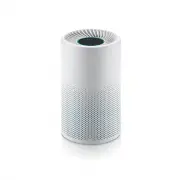
Sani-T SAN-385 Air Purifier – User Manual, read for free online in PDF format. We hope this helps you resolve any issues you may have. If you have further questions, please contact us through the contact form.


Table of Contents:
- Page 2 – PRODUCT SPECIFICATIONS
- Page 4 – PRODUCT OVERVIEW; GREEN
- Page 6 – FIRST USE
- Page 8 – CLEANING & MAINTENANCE; IMPORTANT! Always unplug the purifier from the; the windows and doors are open. Once closed, resume use of unit.; FILTER LIFE BUTTON
- Page 9 – Filter is OK
- Page 10 – AQI; Air quality is good for everyone
- Page 11 – Product Name
- Page 12 – Sani-T is a Smar t Living Home & Garden brand; For assistance with this product,
PLEASE READ INSTRUCTIONS BEFORE USING
AND SAVE FOR FUTURE REFERENCE
SAN-385
Sani-T Compact
Air Purifier
"Loading the manual" means you need to wait until the file loads and becomes available for online reading. Some manuals are very large, and the time they take to appear depends on your internet speed.
Summary
2 Model No. SAN-385 Power Rating 30 W Voltage Rating 24 V DC Noise (Max) 53 dB(A) CADR (Clean Air Delivery Rate) 114 CFM (Cubic Feet/Minute) Room Size 230-260 Sq. Ft. Sensors 1 x Infrared Sensor Display Indicators 5 x Touch Buttons for Functions (Fan Speed, On/Off/Auto, Light Mode, Filter, Timer), 1...
4 PRODUCT OVERVIEW Air outlet Light Ring Control Panel Interface The SAN-385 Compact Air Purifier uses and infrared sensor to monitor the air quality in the surrounding area. Based on the reading by the infrared sensor, the SAN-385 will illuminate the Air Quality Indicator Light to the color specifi...
6 FIRST USE When you plug the unit into the electrical outlet, it will beep once to alert you that it is receiving power. Press the Power button and the unit will beep again confirming it is now turned on; the Control Panel will illuminate. Once turned on the infrared sensor will analyze the surroun...