Samsung WAM1501 - User Manual
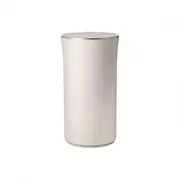
Samsung WAM1501 Speaker – User Manual, read for free online in PDF format. We hope this helps you resolve any issues you may have. If you have further questions, please contact us through the contact form.


Table of Contents:
- Page 2 – Safety Information; Regulatory Compliance Statements; Warning; CAUTION
- Page 3 – Wiring the Main Power Supply Plug (UK Only); IMPORTANT NOTICE; Important Safety Instructions
- Page 4 – Safety precautions; Power Supply Precautions
- Page 6 – Contents; SAFETY INFORMATION; Connecting to TV via bluetooth (TV; APPENDIX
- Page 7 – Getting Started; Speaker Top; Operation Terminology; Accessories
- Page 9 – OLED Display and LED Indicator Descriptions
- Page 10 – a b; c e
- Page 11 – Connecting the Power Cord
- Page 12 – Installing on a wall; Considerations for purchasing
- Page 13 – Connecting to a Wi-Fi network; Connecting to Bluetooth Devices
- Page 15 – Connecting TV to the speaker; Connecting to TV via bluetooth (TV SoundConnect)
- Page 16 – Appendix; Troubleshooting
- Page 19 – Additional Information; About the Network Connection; Copyright
- Page 21 – Contact SAMSUNG WORLD WIDE
- Page 24 – Correct Disposal of This Product
Wireless Audio - 360
R5/R3/R1
WAM5500/WAM3500/WAM3501/WAM1500/WAM1501
User Manual
imagine
the possibilities
Thank you for purchasing this Samsung product.
To receive more complete service,
please register your product at
www.samsung.com/register
"Loading the manual" means you need to wait until the file loads and becomes available for online reading. Some manuals are very large, and the time they take to appear depends on your internet speed.
Was this manual helpful?
Helpful for 3 of 3 readers
About this manual
- Brand
- Samsung
- Model
- WAM1501
- Document type
- User Manual
- Category
- Speaker
- Language(s)
- English
- Pages
- 24
- File size
- 3.5 MB
- Format
Other Manuals for Samsung WAM1501
Summary
Safety Information A Regulatory Compliance Statements CAUTION RISK OF ELECTRIC SHOCK DO NOT OPEN The lighting flash and arrowhead within the triangle is a warning sign alerting you to dangerous voltage inside the product. CAUTION : TO REDUCE THE RISK OF ELECTRIC SHOCK, DO NOT REMOVE THE COVER (OR BA...
❚ Wiring the Main Power Supply Plug (UK Only) IMPORTANT NOTICE The mains lead on this equipment is supplied with a moulded plug incorporating a fuse. The value of the fuse is indicated on the pin face of the plug and if it requires replacing, a fuse approved to BS1362 of the same rating must be used...
10 Protect the power cord from being walked on or pinched particularly at plugs, convenience receptacles, and the point where it exits the apparatus. 11 Only use attachments/accessories specified by the manufacturer. 12 Use only with the cart, stand, tripod, bracket, or table specified by the manufa...
Ask a question
Related manuals
Popular Samsung Speakers


More Samsung Speakers models
 Samsung WAM550 User Manual
- Samsung WAM551 User Manual
 Samsung WAM750 User Manual
- Samsung WAM751 User Manual
 Samsung WAM1500 User Manual
 Samsung WAM5500 User Manual
 Samsung WAM6500 User Manual
 Samsung MX-T40 User Manual
 Samsung MX-T70 User Manual
 Samsung SWA-8000S User Manual
 Samsung SWA-8500S User Manual
 Samsung SWA-9100S User Manual
 Samsung SWA-9200S User Manual