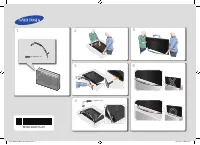
Page 2 - Warning! Important Safety Instructions
English - 2 Warning! Important Safety Instructions (Please read the appropriate section that corresponds to the marking on your Samsung product before attempting to install the product.) CAUTION RISK OF ELECTRIC SHOCK DO NOT OPEN CAUTION: TO REDUCE THE RISK OF ELECTRIC SHOCK, DO NOT REMOVE COVER (OR...
Page 4 - Attaching the TV to the Stand; Installing the Wall Mount Kit; 2 Assembling the TV
English - 4 Attaching the TV to the Stand Make sure you have all the accessories shown, and that you assemble the stand following the provided assembly instructions. Mounting the TV on the Wall Using the Wall Mount Kit (Optional) If you mount this product on a wall, it should be mounted only as reco...
Page 5 - Providing Proper Ventilation for Your TV; Other Cautions
English - 5 English - For wall mounts that do not comply with the VESA standard screw specifications, the length of the screws may differ depending on the wall mount specifications. - Do not fasten the screws that are too strongly; this may damage the product or cause the product to fall, leading to...
Page 6 - Securing the TV to the Wall; To Avoid the TV from Falling; Arrange the cables using the Cable Holder
English - 6 Securing the TV to the Wall Caution: Pulling, pushing, or climbing on the TV may cause the TV to fall. In particular, ensure that your children do not hang on to or destabilize the TV. Doing so may cause the TV to tip over, resulting in serious injuries or death. Follow all safety precau...
Page 7 - Connecting devices to your TV; Attaching the CI Card Adapter; 3 Connections
English - 7 English Connecting devices to your TV You can connect various external devices using the connectors located at the back of the product. Check the connectors and then refer to the assembly instructions provided for more information on supported external devices. Connecting to a COMMON INT...
Page 8 - Using the “CI or CI+ CARD”; Connecting to a Network; Network Connection - Wireless
English - 8 Using the “CI or CI+ CARD” To watch paid channels, the “CI or CI+ CARD” must be inserted. - If you don’t insert the “CI or CI+ CARD”, some channels will display the “Scrambled Signal” message. - The pairing information containing a telephone number, the “CI or CI+ CARD” ID, the Host ID, ...
Page 9 - Network Connection - Wired
English - 9 English Network Connection - Wired There are three main ways to connect your TV to your network using cable, depending on your network setup. They are illustrated starting below: Modem Cable (Not Supplied) LAN Cable (Not Supplied) TV Rear Panel External Modem (ADSL / VDSL / Cable TV) The...
Page 10 - Remote Control
English - 10 Remote Control Learn where the function buttons are on your remote, such as: SOURCE , MUTE , Y , < P > , MENU , TOOLS , E , INFO , CH LIST , RETURN , GUIDE and EXIT . - This remote control has Braille points on the Power , Channel , and Volume buttons and can be used by visually i...
Page 11 - Turning on the TV
English - 11 English Installing the batteries (Battery size: AAA) Match the polarities of the batteries to the symbols in the battery compartment. 1 3 2 1. Use the remote control within 7m of the TV. 2. Bright lights may affect the performance of the remote control. Avoid using the remote control ne...
Page 12 - Initial setup; Password Change; Changing the TV’s password.; Selecting the video source; Button
English - 12 Initial setup The initial setup dialogue box appears when the TV is first activated. Follow the on-screen instructions to finish the initial setup process, including the selecting the menu language, scanning channels, connecting to the network, and more. During each step, either make a ...
Page 13 - Universal Remote Setup; Setting Up the Universal Remote Control
English - 13 English Controlling External Devices with the TV Remote ( Universal Remote Setup ) System > Universal Remote Setup - Availability depends on the specific model and area. The universal remote control feature lets you control cable boxes, Blu-ray players, home theatres, and other exter...
Page 14 - Viewing more TV features; Launching the e-Manual; Additional e-Manual Features; Loading Pages using Keywords
English - 14 Viewing more TV features The e-Manual contains more detailed information on the TV features. Refer to the embedded e-Manual ( Support > e-Manual ). Launching the e-Manual The embedded e-Manual contains information. - You can also download a copy of the e-Manual from Samsung's website...
Page 15 - Loading Pages from the Index Page; Updating the e-Manual to the Latest Version
English - 15 English Loading Pages from the Index Page Select Index from the side of the screen to bring up the index screen. Select a keyword from the list to navigate to the relevant page. Using the History to Load Previously Read Pages Select Opened page from the side of the screen. A list of pre...
Page 16 - Troubleshooting
English - 16 Troubleshooting If you have any questions about the TV, first refer to the Troubleshooting list below. If none of these troubleshooting tips apply, please visit “www.samsung.com” and click on Support, or contact the call centre listed on the back cover of this manual. Issues Solutions a...
Page 18 - 0 Specifications and other information
English - 18 What is Remote Support? Samsung's Remote Support service offers you one-on-one support with a Samsung Technician who can remotely: • Diagnose your TV • Adjust your TV settings • Perform a factory reset for your TV • Install recommended firmware updates How Does it Work? Having a Samsung...
Page 19 - TV Specifications; Standby mode
English - 19 English 10 Specifications and other information TV Specifications Display Resolution 1920 x 1080 Environmental ConsiderationsOperating TemperatureOperating HumidityStorage TemperatureStorage Humidity 50°F to 104°F (10°C to 40°C) 10% to 80%, non-condensing -4°F to 113°F (-20°C to 45°C) 5...
Page 20 - Licences; Still image warning; Recommendation - EU Only
English - 20 Licences The terms HDMI and HDMI High-Definition Multimedia Interface, and the HDMI Logo are trademarks or registered trademarks of HDMI Licensing LLC in the United States and other countries. Still image warning Avoid displaying still images (such as jpeg picture files), still image el...
Page 21 - This page is intentionally
This page is intentionally left blank. [UH6240-XN-ZF]BN68-06327B-00L04.indb 21 2014-05-14 5:23:40
Page 22 - Avertissement ! Consignes de sécurité importantes
Français - 2 Avertissement ! Consignes de sécurité importantes (Avant toute installation de votre produit Samsung, veuillez lire les sections correspondant aux inscriptions qui figurent sur ce dernier.) ATTENTION RISQUE D'ELECTROCUTION - NE PAS OUVRIR ATTENTION : POUR REDUIRE LES RISQUES D'ELECTROCU...
Page 23 - Accessories
Français - 3 Français Accessories Télécommande et piles (AAA x 2) Guide réglementaire Manuel de l'utilisateur Cordon d'alimentation Carte de garantie (non disponible dans tous les pays) Adaptateur de carte CI Câble d'extension IR Porte-câble - Vérifiez que les éléments suivants sont inclus avec votr...
Page 24 - Fixation du téléviseur sur le socle; Installation du kit de montage mural; Caractéristiques du kit de montage mural (VESA)
Français - 4 Fixation du téléviseur sur le socle Vérifiez que vous disposez de tous les accessoires illustrés, et veillez à monter le socle en respectant les instructions de montage fournies. Montage mural du téléviseur à l'aide du kit de montage mural (facultatif) Si vous fixez ce produit sur un mu...
Page 25 - Ventilation adaptée de votre téléviseur; Autres avertissements
Français - 5 Français - Pour les fixations murales non conformes aux caractéristiques des vis VESA standard, la longueur des vis peut varier, selon les caractéristiques de la fixation murale. - Ne serrez pas trop les vis : cela pourrait endommager le produit ou provoquer sa chute, entraînant des ble...
Page 26 - Fixation du téléviseur au mur; Pour éviter toute chute du téléviseur
Français - 6 Fixation du téléviseur au mur Attention : si vous tirez ou poussez le téléviseur ou si vous grimpez dessus, il risque de tomber. Veillez notamment à ce que vos enfants ne se suspendent pas au téléviseur ni ne le déséquilibrent. Cela pourrait faire basculer le téléviseur et occasionner d...
Page 27 - Connexion de périphériques au téléviseur; Connexion de l'adaptateur de carte CI
Français - 7 Français Connexion de périphériques au téléviseur Les connecteurs situés à l'arrière de l'appareil vous permettent de connecter divers périphériques externes. Vérifiez les connecteurs, puis consultez les instructions de montage fournies pour en savoir plus sur les périphériques externes...
Page 28 - Connexion à un réseau; Connexion réseau - Sans fil
Français - 8 Utilisation de la carte d'interface commune "CI ou CI+" Pour regarder les chaînes payantes, la carte CI ou CI+ doit être insérée. - Si vous ne l'insérez pas, certaines chaînes affichent le message "Signal brouillé". - Les informations de pairage contenant un numéro de té...
Page 29 - Connexion réseau - Câble
Français - 9 Français Connexion réseau - Câble Il existe trois façons principales de connecter le téléviseur à un réseau à l'aide d'un câble, en fonction de votre configuration réseau. De la manière illustrée ci-dessous: Câble modem (non fourni) Câble LAN (non fourni) Panneau arrière du téléviseur M...
Page 30 - Télécommande
Français - 10 Télécommande Repérez où se trouvent les boutons des fonctions sur votre télécommande, par exemple: SOURCE , MUTE , Y , < P > , MENU , TOOLS , E , INFO , CH LIST , RETURN , GUIDE et EXIT . - Les boutons Power , Channel , et Volume de la télécommande étant annotés en braille, celle...
Page 31 - Mise sous tension du téléviseur
Français - 11 Français Installation des piles (type de pile: AAA) Respectez les polarités indiquées par des symboles dans le logement des piles. 1 3 2 1. Utilisez la télécommande à une distance maximale de 7 mètres du téléviseur. 2. Une lumière intense peut affecter le bon fonctionnement de la téléc...
Page 32 - Configuration initiale; Modification du mot de passe; Sélection de la source du signal vidéo; Bouton
Français - 12 Configuration initiale La boîte de dialogue de configuration initiale s'affiche lors de la première activation du téléviseur. Suivez les instructions à l'écran pour terminer le processus de configuration initiale, y compris la sélection de la langue de menu, la recherche de chaînes, la...
Page 33 - Configuration de la télécommande universelle
Français - 13 Français Commande des périphériques externes à l'aide de la télécommande du téléviseur (Config. télécommande universelle) Système > Config. télécommande universelle - La disponibilité dépend du modèle et de la région concernés. La fonction de télécommande universelle vous permet de ...
Page 34 - Voir d'autres fonctions du téléviseur; Lancement du e-Manual; Fonctionnalités supplémentaires du e-Manual; Chargement de pages à l'aide de mots-clés
Français - 14 Voir d'autres fonctions du téléviseur Le e-Manual contient des informations plus détaillées concernant les fonctions du téléviseur. Reportez-vous à l' e-Manual intégré ( Assistance > e-Manual ). Lancement du e-Manual Le e-Manual intégré contient diverses informations. - Vous pouvez ...
Page 35 - Chargement de pages à partir de la page d'index; Mise à jour du e-Manual vers la dernière version
Français - 15 Français Chargement de pages à partir de la page d'index Sélectionnez Index sur le côté de l'écran pour afficher l'écran d'index. Sélectionnez un mot-clé dans la liste pour accéder à la page appropriée. Utilisation de l'Historique pour charger les pages consultées précédemment. Sélecti...
Page 36 - Résolution des problèmes
Français - 16 Résolution des problèmes Si vous avez des questions sur le téléviseur, commencez par consulter la liste de résolution des problèmes ci-dessous. Si aucune de ces solutions de dépannage ne s'applique à votre problème, rendez-vous sur le site "www.samsung.com/fr" et cliquez sur As...
Page 38 - Stockage et entretien
Français - 18 Qu'est que l'assistance à distance ? Le service d'assistance à distance de Samsung vous permet de bénéficier de l'aide personnalisée d'un technicien de Samsung en mesure d'effectuer à distance les actions suivantes: • Diagnostic de votre téléviseur • Réglage de vos paramètres télévisue...
Page 39 - Spécifications du téléviseur; Mode Veille
Français - 19 Français Spécifications du téléviseur Résolution de l'affichage 1920 x 1080 Conditions ambiantesTempérature de fonctionnementHumidité en fonctionnementTempérature de stockageHumidité sur le lieu de stockage De 10°C à 40°C (De 50°F à 104°F) 10 à 80 %, sans condensation De -20°C à 45°C (...
Page 40 - Avertissement relatif aux images fixes; Recommandation - UE uniquement
Français - 20 Licences The terms HDMI and HDMI High-Definition Multimedia Interface, and the HDMI Logo are trademarks or registered trademarks of HDMI Licensing LLC in the United States and other countries. Avertissement relatif aux images fixes Evitez d'afficher à l'écran des images fixes (par ex. ...
Page 42 - Achtung! Wichtige Sicherheitshinweise
Deutsch - 2 Achtung! Wichtige Sicherheitshinweise (Bitte lesen Sie den Abschnitt zu Ihrem Samsung-Gerät, ehe Sie es installieren.) ACHTUNG STROMSCHLAGGEFAHR NICHT ÖFFNEN ACHTUNG: UM DIE GEFAHR EINES ELEKTRISCHEN SCHLAGES ZU VERRINGERN, ENTFERNEN SIE NICHT DIE ABDECKUNG (ODER RÜCKSEITE). IM GERÄTEINN...
Page 43 - Inhalt der Verpackung?
Deutsch - 3 Deutsch Inhalt der Verpackung? Fernbedienung 2 Batterien (Typ AAA) Vorschriftenhandbuch Benutzerhandbuch Netzkabel Garantiekarte (nicht überall verfügbar) CI-Kartenadapter IR-Verlängerungskabel Kabelhalter - Vergewissern Sie sich, dass im Lieferumfang des Fernsehgeräts folgende Komponent...
Page 44 - Befestigen des Fernsehgeräts am Standfuß; Anbringen der Wandhalterung
Deutsch - 4 Befestigen des Fernsehgeräts am Standfuß Stellen Sie sicher, dass alle dargestellten Zubehörteile vorhanden sind, und montieren Sie den Standfuß entsprechend der zur Verfügung gestellten Montageanleitung. Wandmontage des Fernsehgeräts mit Hilfe der Wandhalterung (optional) Wenn Sie diese...
Page 45 - Ausreichende Belüftung Ihres Fernsehgeräts; Weitere Vorsichtsmaßnahmen
Deutsch - 5 Deutsch - Bei Wandhalterungen, die nicht der VESA-Standardspezifikation für Schrauben entsprechen, hängt die Länge der Schrauben von der Spezifikation der Wandhalterung ab. - Ziehen Sie die Schrauben nicht zu fest an, weil Sie auf diese Weise das Gerät beschädigen könnten oder weil das G...
Page 46 - Befestigen des Fernsehgeräts an der Wand; So verhindern Sie, dass das Fernsehgerät herunterfällt; Ordnen Sie die Kabel mit Hilfe des Kabelhalters
Deutsch - 6 Befestigen des Fernsehgeräts an der Wand Achtung: Das Fernsehgerät kann hinfallen, wenn Sie daran ziehen, es schieben oder darauf klettern. Stellen Sie insbesondere sicher, dass sich keine Kinder an das Fernsehgerät hängen oder es in sonstiger Weise destabilisieren. Andernfalls kann das ...
Page 47 - Anschließen von Geräten an Ihren Fernseher; Befestigen des CI-Kartenadapters
Deutsch - 7 Deutsch Anschließen von Geräten an Ihren Fernseher Mit den Buchsen auf der Rückseite des Geräts können Sie verschiedene externe Geräte anschließen. Überprüfen Sie die Anschlüsse und schlagen Sie dann in den Montageanweisungen nach. wenn Sie weitere Informationen über die unterstützten ex...
Page 48 - Verbinden mit einem Netzwerk; Netzwerkverbindung - Drahtlos
Deutsch - 8 Verwenden der „CI“- oder „CI+“-Karte Um Bezahlsender zu sehen, müssen Sie eine „CI“- oder „CI+“-Karte einsetzen. - Wenn Sie keine „CI“- oder „CI+“-Karte einsetzen, wird bei einigen Sendern die Meldung „Gestörtes Signal“ angezeigt. - Die Pairing-Informationen mit Telefonnummer, Kennung de...
Page 49 - Netzwerkverbindung – Kabel
Deutsch - 9 Deutsch Netzwerkverbindung – Kabel Je nach Konfiguration Ihres Netzwerks können Sie Ihr Fernsehgerät auf drei Arten über ein Kabel mit Ihrem Netzwerk verbinden. Diese sind im Folgenden abgebildet: Modemkabel (nicht im Lieferumfang enthalten) LAN-Kabel (nicht im Lieferumfang enthalten) Rü...
Page 50 - Fernbedienung
Deutsch - 10 Ein- und Ausschalten des Receivers. Hiermit können Sie die verfügbaren Videosignalquellen anzeigen und auswählen. Fernbedienung Im Folgenden erfahren Sie mehr über die Funktionen, die mit den Tasten Ihrer Fernbedienung aufgerufen werden können. Beispiel: SOURCE , MUTE , Y , < P > ...
Page 51 - Einschalten des Fernsehgeräts
Deutsch - 11 Deutsch Einsetzen von Batterien (Batteriegröße: AAA) Setzen Sie die Batterien entsprechend den Symbolen im Batteriefach mit der richtigen Polung ein. 1 3 2 1. Setzen Sie die Fernbedienung bis zu einer Entfernung von maximal 7 m zum Fernsehgerät ein. 2. Helles Licht kann die Leistung der...
Page 52 - Anfangseinstellung; Ändern des Kennworts; Hiermit wählen Sie die Videosignalquelle aus.; Taste
Deutsch - 12 Anfangseinstellung Wenn Sie das Gerät erstmals einschalten, wird das Dialogfenster für die Anfangseinstellungen geöffnet. Befolgen Sie die Anweisungen auf dem Bildschirm, um die Anfangseinstellung mit der Auswahl der Menüsprache, dem Sendersuchlauf, der Verbindung zum Netzwerk und ander...
Page 53 - Setup der; Einrichten der Universalfernbedienung
Deutsch - 13 Deutsch Bedienen externer Geräte mit der Fernbedienung des Fernsehgeräts ( Setup der Universalfernbedienung ) System > Setup der Universalfernbedienung - Verfügbar je nach Modell und Region. Mit der Universalfernbedienung können Sie die an Ihr Fernsehgerät angeschlossenen Kabelreceiv...
Page 54 - Anzeigen weiterer Fernsehfunktionen; Starten des e-Manual; Weitere Funktionen im e-Manual; Laden von Seiten mit Hilfe von Stichwörtern
Deutsch - 14 Anzeigen weiterer Fernsehfunktionen Dieses e-Manual enthält detailliertere Informationen zu den Funktionen des Fernsehgeräts. Schlagen Sie im integrierten e-Manual ( Unterstützung > e-Manual ). Starten des e-Manual Das integrierte e-Manual enthält Informationen. - Sie können ein Exem...
Page 55 - Laden von Seiten aus dem Index heraus; Aktualisieren des e-Manual auf die neuste Version
Deutsch - 15 Deutsch Laden von Seiten aus dem Index heraus Wählen Sie am Rand des Fensters Index , um das Indexfenster zu öffnen. Wählen Sie ein Stichwort aus der Liste, um zur entsprechenden Seite zu navigieren. Verwenden von Verlauf, um zuvor geladene Seiten anzuzeigen Wählen Sie am Rand des Fenst...
Page 56 - Fehlerbehebung
Deutsch - 16 Fehlerbehebung Bei Fragen zum Fernsehgerät schauen Sie zuerst in der Fehlerbehebungsliste nach. Wenn keiner dieser Tipps zur Fehlerbehebung weiterhilft, wechseln Sie zur Website „www.samsung.com“, und klicken Sie dort auf „Support“ oder wenden Sie sich an das in der Liste auf der letzte...
Page 58 - Was ist Fernunterstützung?; Wie funktioniert das?; Lagerung und Wartung
Deutsch - 18 Was ist Fernunterstützung? Der Samsung Remote Support-Service bietet Ihnen individuelle Unterstützung durch einen Samsung-Techniker, der (aus der Ferne): • Diagnosen Ihres Fernsehgeräts durchführt • Passen Sie Ihre Fernseheinstellungen an • Ihr Fernsehgerät auf die Standardwerte zurücks...
Page 59 - Technische Daten des Fernsehgeräts
Deutsch - 19 Deutsch Technische Daten des Fernsehgeräts Anzeigeauflösung 1920 x 1080 UmgebungsbedingungenBetriebstemperaturLuftfeuchtigkeit (bei Betrieb)Temperatur (Lagerung)Luftfeuchtigkeit (Lagerung) 10° C bis 40° C (50°F bis 104°F) 10% bis 80%, nicht kondensierend -20° C bis 45° C (-4 °F bis 113 ...
Page 60 - Lizenzen; Warnung bei Standbildern
Deutsch - 20 Lizenzen The terms HDMI and HDMI High-Definition Multimedia Interface, and the HDMI Logo are trademarks or registered trademarks of HDMI Licensing LLC in the United States and other countries. Warnung bei Standbildern Vermeiden Sie die Anzeige von Standbildern (wie z. B. JPEG-Bilddateie...
Page 62 - Waarschuwing! Belangrijke veiligheidsvoorschriften
Nederlands - 2 Waarschuwing! Belangrijke veiligheidsvoorschriften (Lees het gedeelte dat overeenkomt met de markering op uw Samsung-product alvorens het product te installeren.) LET OP NIET OPENEN, KANS OP ELEKTRISCHE SCHOKKEN LET OP: VERWIJDER DE BEHUIZING (OF ACHTERZIJDE) NIET. DIT OM ELEKTRISCHE ...
Page 63 - Inhoud van de verpakking
Nederlands - 3 Nederlands Inhoud van de verpakking Afstandsbediening & batterijen (AAA x 2) Handleiding inzake voorschriften Gebruiksaanwijzing Netsnoer Garantiekaart (niet op alle locaties beschikbaar) CI-kaartadapter IR-verlengkabel Kabelhouder - Controleer of de bovenstaande onderdelen bij uw...
Page 64 - De televisie op de voet bevestigen; De wandmontageset installeren; Specificaties voor de wandmontageset (VESA)
Nederlands - 4 De televisie op de voet bevestigen Controleer of alle weergegeven accessoires aanwezig zijn en monteer de voet volgens de meegeleverde montage-instructies. De televisie aan de wand monteren met de wandmontageset (optioneel) Als u dit product aan de wand monteert, mag dit uitsluitend g...
Page 65 - Zorgen voor geschikte ventilatie voor uw tv; Andere zaken om in gedachten te houden
Nederlands - 5 Nederlands - Voor wandmontagesets die niet voldoen aan de standaardspecificaties voor VESA-schroeven, kan de lengte van de schroeven afwijken, afhankelijk van de specificaties voor wandmontage. - Draai de schroeven niet te vast. Hierdoor kan het product beschadigd raken of vallen, wat...
Page 66 - De tv vastzetten aan de wand; Voorkomen dat de tv valt; Berg de kabels op met behulp van de kabelhouder
Nederlands - 6 De tv vastzetten aan de wand Voorzichtig: door duwen en trekken aan de televisie en erop klimmen kan het apparaat omvallen. Zorg er vooral voor dat uw kinderen niet aan de televisie gaan hangen of de balans van het apparaat verstoren. Als de televisie omvalt, kan dit tot ernstig letse...
Page 67 - Apparaten op de tv aansluiten; De CI-kaartadapter bevestigen
Nederlands - 7 Nederlands Apparaten op de tv aansluiten U kunt diverse externe apparaten aansluiten met de connectors aan de achterkant van het product. Bekijk de connectors en raadpleeg de meegeleverde montage-instructies voor meer informatie over ondersteunde externe apparaten. CI-KAART AANSLUITEN...
Page 68 - Verbinden met een netwerk; Netwerkverbinding - Draadloos
Nederlands - 8 De CI- of CI+-kaart gebruiken Voor betaalde kanalen moet een CI- of CI+-kaart zijn geplaatst. - Als u de CI- of CI+-kaart niet plaatst, wordt bij sommige kanalen de melding 'Gecodeerd signaal' weergegeven om aan te geven dat het signaal is gecodeerd. - De koppelingsgegevens met een te...
Page 69 - Netwerkverbinding - Bekabeld
Nederlands - 9 Nederlands Netwerkverbinding - Bekabeld Er zijn drie manieren om uw televisie via een kabel op het netwerk aan te sluiten, afhankelijk van uw netwerkinstellingen. Zie de afbeeldingen hieronder: Modemkabel (niet meegeleverd) LAN-kabel (niet meegeleverd) Achterpaneel van de tv Externe m...
Page 70 - Afstandsbediening
Nederlands - 10 Afstandsbediening Hier leest u waar de functietoetsen te vinden zijn op de afstandsbediening, zoals: SOURCE , MUTE , Y , < P > , MENU , TOOLS , E , INFO , CH LIST , RETURN , GUIDE en EXIT . - Deze afstandsbediening beschikt over braillepunten op de toetsen Power , Channel , en ...
Page 71 - De televisie inschakelen
Nederlands - 11 Nederlands Batterijen plaatsen (batterijformaat: AAA) Zorg dat de polariteit van de batterijen overeenkomt met de symbolen in het batterijvak. 1 3 2 1. Gebruik de afstandsbediening binnen een afstand van 7 meter van de televisie. 2. Fel licht kan de werking van de afstandsbediening b...
Page 72 - Eerste instelling; Toegangscode wijzigen; De videobron selecteren
Nederlands - 12 Eerste instelling Wanneer de televisie voor het eerst wordt aangezet, wordt het dialoogvenster voor de eerste instelling weergegeven. Volg de instructies op het scherm om het eerste instellingsproces te voltooien. Dit omvat onder meer het kiezen van de menutaal, het zoeken van kanale...
Page 73 - De universele afstandsbediening instellen
Nederlands - 13 Nederlands Externe apparaten bedienen met de afstandsbediening van de tv (Inst. univ. afstandsbed.) Systeem > Inst. univ. afstandsbed. - Beschikbaarheid verschilt per model en regio. Met de universele afstandsbediening kunt u kabeldecoders, Blu-ray-spelers, thuisbioscopen en ander...
Page 74 - Meer tv-functies bekijken; Aanvullende functies van het e-Manual; Pagina's openen met trefwoorden
Nederlands - 14 Meer tv-functies bekijken Het e-Manual bevat gedetailleerdere informatie over de functies van de televisie. Raadpleeg het ingebouwde e-Manual ( Ondersteuning > e-Manual ). Het e-Manual openen In het ingebouwde e-Manual treft u informatie aan. - U kunt ook een exemplaar van het e-M...
Page 75 - Pagina's openen vanuit de indexpagina; Het e-Manual bijwerken naar de nieuwste versie
Nederlands - 15 Nederlands Pagina's openen vanuit de indexpagina Selecteer Index aan de zijkant van het scherm om het indexscherm weer te geven. Selecteer een trefwoord in de lijst om naar de relevante pagina te gaan. Met Historie eerder weergegeven pagina's laden Selecteer Geopende pagina aan de zi...
Page 76 - Problemen oplossen
Nederlands - 16 Problemen oplossen Als u vragen over deze tv hebt, kunt u eerst deze lijst met problemen en oplossingen raadplegen. Als geen van de tips in deze lijst van toepassing zijn, gaat u naar 'www.samsung.com' en klikt u daar op Support, of neemt u contact op met een van de Samsung servicece...
Page 79 - Specificaties van de televisie
Nederlands - 19 Nederlands Specificaties van de televisie Beeldresolutie 1920 x 1080 OmgevingsvereistenOmgevingstemperatuur bij gebruikLuchtvochtigheid bij gebruikOmgevingstemperatuur bij opslagLuchtvochtigheid bij opslag 10°C tot 40°C (50°F tot 104°F) 10% tot 80%, niet-condenserend -20°C tot 45°C (...
Page 80 - Licenties; Waarschuwing over stilstaand beeld; Aanbeveling - alleen EU
Nederlands - 20 Licenties The terms HDMI and HDMI High-Definition Multimedia Interface, and the HDMI Logo are trademarks or registered trademarks of HDMI Licensing LLC in the United States and other countries. Waarschuwing over stilstaand beeld Vermijd de weergave van stilstaande beelden (zoals JPEG...