Page 2 - Warning! Important Safety Instructions
English - 2 Warning! Important Safety Instructions (Please read the appropriate section that corresponds to the marking on your Samsung product before attempting to install the product.) CAUTION RISK OF ELECTRIC SHOCK DO NOT OPEN CAUTION: TO REDUCE THE RISK OF ELECTRIC SHOCK, DO NOT REMOVE COVER (OR...
Page 3 - Features of your new TV; Important Warranty Information Regarding
English - 3 Features of your new TV Media Play Allows you to play music files, pictures, and movies saved on a USB device. e-Manual Provides a detailed, on-screen user manual built into your TV.Important Warranty Information Regarding Television Format Viewing Important Warranty Information Regardin...
Page 4 - Contents; 2 Assembling the TV
English - 4 Contents 01 What's in the Box? 02 Assembling the TV 7 Attaching the TV to the Stand7 Mounting the TV on the Wall Using the Wall Mount Kit (Optional)9 Providing Proper Ventilation for Your TV10 Securing the TV to the Wall11 Anti-theft Kensington Lock 03 Connections and Remote Control 12 C...
Page 5 - 7 Troubleshooting and Maintenance
English - 5 05 Selecting the Video source 06 Getting more details. 20 How to use the e-Manual 07 Troubleshooting and Maintenance 22 Troubleshooting26 What is Remote Support?27 Storage and Maintenance 08 Specifications and other information 28 TV Specifications29 Supported Video Formats31 Licences33 ...
Page 7 - 2 Assembling the TV; Attaching the TV to the Stand; Installing the Wall Mount Kit
English - 7 02 Assembling the TV Attaching the TV to the Stand 50” : M4 X L14 (8EA) 55” : M4 X L12 (8EA) 60” : M4 X L10 (8EA) Make sure you have all the accessories shown, and that you assemble the stand following the provided assembly instructions. Mounting the TV on the Wall Using the Wall Mount K...
Page 9 - Providing Proper Ventilation for Your TV; Other Cautions
English - 9 Providing Proper Ventilation for Your TV When you install your TV, maintain a distance of at least 10 cm between the TV and other objects (walls, cabinet sides, etc.) to ensure proper ventilation. Failing to maintain proper ventilation may result in a fire or a problem with the product c...
Page 10 - Securing the TV to the Wall; To Avoid the TV from Falling
English - 10 Securing the TV to the Wall Caution: Pulling, pushing, or climbing on the TV may cause the TV to fall. In particular, ensure that your children do not hang on to or destabilize the TV. Doing so may cause the TV to tip over, resulting in serious injuries or death. Follow all safety preca...
Page 11 - Anti-theft Kensington Lock
English - 11 Anti-theft Kensington Lock The Kensington Lock is not supplied by Samsung. It is a device used to physically fix the system when using it in a public place. The appearance and locking method may differ from the illustration depending on the manufacturer. Refer to the manual provided wit...
Page 12 - Connecting devices to your TV
English - 12 03 Connections and Remote Control Connecting devices to your TV You can connect various external devices using the connectors located at the back of the product. Check the connectors and then refer to the Quick Guide for more instructions on supported external devices.Make sure you have...
Page 13 - Connecting to a COMMON INTERFACE slot; Using the “CI or CI+ CARD”; NOTE
English - 13 Connecting to a COMMON INTERFACE slot (Your TV viewing Card Slot) - Turn the TV off to connect or disconnect a CI card or CI card adapter. Using the “CI or CI+ CARD” To watch paid channels, the “CI or CI+ CARD” must be inserted. - If you don’t insert the “CI or CI+ CARD”, some channels ...
Page 14 - Remote Control
English - 14 Remote Control Learn where the function buttons are on your remote, such as: SOURCE , MUTE , Y , < P > , MENU , TOOLS , E , INFO , CH LIST , RETURN , GUIDE and EXIT . - This remote control has Braille points on the Power , Channel , Volume , and Enter buttons and can be used by vi...
Page 15 - Teletext Feature; The Teletext pages are organized according to six categories
English - 15 Teletext Feature The index page of the Teletext service gives you information on how to use the service. For Teletext information to be displayed correctly, channel reception must be stable. Otherwise, information may be missing or some pages may not be displayed. - You can change Telet...
Page 16 - 4 Performing the initial setup
English - 16 04 Performing the initial setup - The initial setup differs from model to model. Using the TV’s Controller (Panel Key) The TV's Controller, a small joy stick like button on the rear left side of the TV, lets you control the TV without the remote control. - Some functions which require a...
Page 17 - Initial setup; Setting up a password; Changing the TV’s password.
English - 17 Initial setup The initial setup dialogue box appears when the TV is first activated. Follow the on-screen instructions to finish the initial setup process, including the selecting the menu language, scanning channels, and more. During each step, either make a choice or skip the step. Yo...
Page 18 - Network Connection (depending on the; Wireless Network Precautions
English - 18 Network Connection (depending on the model) Connect the TV to the Internet using a standard router or modem. To connect wirelessly, you must first attach a “Samsung Wireless LAN Adapter” (WIS09ABGNX or WIS12ABGNX - sold separately) to either the USB port on your TV. See the illustration...
Page 19 - 5 Selecting the Video source; TOOLS Button; Edit Name
English - 19 05 Selecting the Video source You can select a connected external device using the SOURCE button. For example, to switch to a gaming console connected to the second HDMI connector, press SOURCE . From the Source list, select HDMI2 to change the input signal to HDMI mode. Connector names...
Page 20 - 6 Getting more details.; How to use the e-Manual; Screen Display
English - 20 06 Getting more details. - For more information about the Samsung TV, refer to the e-Manual . How to use the e-Manual You can find instructions about your TV’s features in the e-Manual in your TV. To use, press the E-MANUAL button on your remote. Move the cursor using the up/ down/right...
Page 21 - How to search for a topic on the index page
English - 21 How to toggle between an e-Manual topic and the corresponding OSD menu(s). - This function is not enabled in some menus. - You cannot use the Try now function if the menu is not activated. Method 1 Method 2 1. If you want to use the menu that corresponds to an e-Manual topic, press the ...
Page 22 - Troubleshooting
English - 22 07 Troubleshooting and Maintenance Troubleshooting (Depending on the country and model)If the TV seems to have a problem, first try this list of possible problems and solutions. If none of these troubleshooting tips apply, visit “www.samsung.com”, then click on Support, or call Samsung ...
Page 26 - What is Remote Support?
English - 26 What is Remote Support? Samsung's Remote Support service offers you one-on-one support with a Samsung Technician who can remotely: • Diagnose your TV • Adjust your TV settings • Perform a factory reset for your TV • Install recommended firmware updates How Does it Work? Having a Samsung...
Page 27 - Storage and Maintenance
English - 27 Storage and Maintenance - If a sticker was attached to the TV screen, some debris may remain after you remove the sticker. Please clean the debris off before watching TV. - The exterior and screen of the product can get scratched while cleaning it. Be sure to wipe the exterior and scree...
Page 28 - TV Specifications; Standby mode
English - 28 08 Specifications and other information TV Specifications Environmental ConsiderationsOperating TemperatureOperating HumidityStorage TemperatureStorage Humidity 10°C to 40°C (50°F to 104°F) 10% to 80%, non-condensing -20°C to 45°C (-4°F to 113°F) 5% to 95%, non-condensing Sound (Output)...
Page 29 - Supported Video Formats; Supported Subtitle Formats
English - 29 Supported Video Formats File Extention Container Video Codec Resolution Frame rate (fps) Bit rate (Mbps) Audio Codec *.avi / *.mkv *.asf / *.wmv *.mp4 / *.3gp *.vro / *.mpg *.mpeg / *.ts *.tp / *.trp *.mov / *.flv *.vob / *.svi *.divx AVI MKV ASF MP4 3GP VROVOB PSTS DivX 3.11 / 4 / 5 / ...
Page 31 - Licences; Still image warning
English - 31 Licences The terms HDMI and HDMI High-Definition Multimedia Interface, and the HDMI Logo are trademarks or registered trademarks of HDMI Licensing LLC in the United States and other countries. Still image warning Avoid displaying still images (such as jpeg picture files), still image el...
Page 32 - Recommendation - EU Only
English - 32 Recommendation - EU Only Hereby, Samsung Electronics, declares that this TV is in compliance with the essential requirements and other relevant provisions of Directive 1999/5/EC.The official Declaration of Conformity may be found at http://www.samsung.com, go to Support > Search Prod...
Page 33 - Warranty Card; WARRANTY CONDITIONS
Warranty Card United Kingdom Republic of Ireland (EIRE) This Samsung product is warranted for a period of twelve (12) months from the original date of purchase, against defective materials and workmanship. In the event that warranty service is required, you should return the product to the retailer ...
Page 34 - Wiring the Mains Power Supply Plug (UK Only)
Wiring the Mains Power Supply Plug (UK Only) IMPORTANT NOTICEThe mains lead on this equipment is supplied with a molded plug incorporating a fuse. The value of the fuse is indicated on the pin face of the plug, and if it requires replacing, a fuse approved to BSI1362 of the same rating must be used....
Page 35 - Adaptor information
Adaptor information Use following adapter to avoid hazard Manufacturer: SAMSUNG Adaptor model: A5919_FSM To reduce the risk of fire or electric shock, do not expose this apparatus to rain or moisture. Apparatus shall not be exposed to dripping or splashing and no objects filled with liquids, such as...
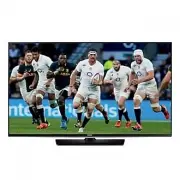


 Samsung UE50J5100AW User Manual
 Samsung UE50J5105AK User Manual
 Samsung UE50J5150AS User Manual
 Samsung UE50J5500AK Quick Guide
 Samsung UE50J5505AK User Manual
 Samsung UE50J5550SU Quick Guide
 Samsung UE50J6150AS Quick Guide