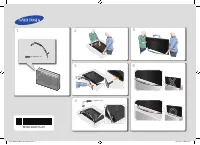
Page 2 - Warning! Important Safety Instructions
Warning! Important Safety Instructions (Please read the Safety Instructions before using your TV.) CAUTION RISK OF ELECTRIC SHOCK DO NOT OPEN CAUTION: TO REDUCE THE RISK OF ELECTRIC SHOCK, DO NOT REMOVE COVER (OR BACK). THERE ARE NO USER SERVICEABLE PARTS INSIDE. REFER ALL SERVICING TO QUALIFIED PER...
Page 3 - Using the TV Controller
What's in the Box? Samsung Smart Control & Batteries (AA x 2) Regulatory Guide Remote Control & Batteries (AAA x 2) Power Cord User Manual Warranty Card (Not available in some locations) CI Card Adapter Wall mount Adapter - Make sure that the following items are included with your TV. If the...
Page 4 - The Standard Remote Control; Installing batteries into the remote control
The Standard Remote Control - The button names above may be differ from the actual names. E ( Enter ): Selects or runs a focused item. - Press and hold to display the Guide . Displays and selects available video sources. Turns the sound on/off. Launches Smart Hub applications. Refer to the e-Manual ...
Page 5 - The Samsung Smart Control; Installing batteries into the Samsung Smart Control
The Samsung Smart Control : Press this button to mute the sound temporarily. - AD : Press and hold this button to bring up Accessibility Shortcuts that enables or disables Accessibility menus. MIC : Use the microphone with the Voice Control and Voice functions. : Turns the TV on and off. SOURCE : Di...
Page 6 - Pairing the TV to the Samsung Smart Control; TV Camera Connection; Network Connection - Wireless
Pairing the TV to the Samsung Smart Control If your Samsung Smart Control is not paired to your TV, press and hold the buttons labelled ① and ② simultaneously for 3 seconds or more to pair the Samsung Smart Control to the TV. - The Samsung Smart Control can only be paired to one TV at a time. TV Cam...
Page 7 - Using the buttons available on the main screen of the e-Manual; Accessing the associated menu screen from an e-Manual topic page; Accessing the associated e-Manual topic from a menu screen; Initial setup
The e-Manual The embedded e-Manual contains information about the key features of your TV. - You can download and view a printable version of the e-Manual on the Samsung website. Displaying the e-Manual: • On the Samsung Smart Control, press the MENU/123 button, and then select e-Manual on the On-Sc...
Page 8 - Troubleshooting and Maintenance; Troubleshooting
Troubleshooting and Maintenance Troubleshooting If the TV seems to have a problem, first review this list of possible problems and solutions. Alternatively, review the Troubleshooting Section in the e-Manual. If none of these troubleshooting tips apply, please visit “www.samsung.com” and click on Su...
Page 9 - Eco Sensor and screen brightness; Still image warning; Caring for the TV
Eco Sensor and screen brightness Eco Sensor adjusts the brightness of the TV automatically. This feature measures the light in your room and optimises the brightness of the TV automatically to reduce power consumption. If you want to turn this off, go to MENU > System > Eco Solution > Eco S...
Page 10 - TV Installation; Mounting the TV on a wall; Installing the wall mount kit; VESA wall mount kit notes and specifications
TV Installation Mounting the TV on a wall If you mount this product on a wall, follow the instructions exactly as recommended by the manufacturer. Unless it is correctly mounted, the product may slide or fall, thus causing serious injury to a child or adult and serious damage to the product. Install...
Page 11 - Arranging the cables with the Cable guide
Do not install your wall mount kit while your TV is turned on. This may result in personal injury from electric shock.Do not use screws that are longer than the standard length or do not comply with VESA standard screw specifications. Screws that are too long may cause damage to the inside of the TV...
Page 12 - Preventing the TV from falling
Attaching the TV to the Stand Make sure you have all the accessories shown, and that you assemble the stand following the provided assembly instructions. Safety Precaution: Securing the TV to the wall Caution: Pulling, pushing, or climbing on the TV may cause the TV to fall. In particular, ensure yo...
Page 13 - Specifications and Other Information; Specifications
Specifications and Other Information Specifications Display Resolution 3840 x 2160 Environmental ConsiderationsOperating TemperatureOperating HumidityStorage TemperatureStorage Humidity 10°C to 40°C (50°F to 104°F) 10% to 80%, non-condensing -20°C to 45°C (-4°F to 113°F) 5% to 95%, non-condensing St...
Page 14 - Decreasing power consumption
Display Resolution 3840 x 2160 Environmental ConsiderationsOperating TemperatureOperating HumidityStorage TemperatureStorage Humidity 10°C to 40°C (50°F to 104°F) 10% to 80%, non-condensing -20°C to 45°C (-4°F to 113°F) 5% to 95%, non-condensing Stand Swivel (Left / Right) 0˚ Model Name UE40JU6580 U...
Page 15 - Licences; Recommendation - EU Only
Licences The terms HDMI and HDMI High-Definition Multimedia Interface, and the HDMI Logo are trademarks or registered trademarks of HDMI Licensing LLC in the United States and other countries. Recommendation - EU Only Hereby, Samsung Electronics, declares that this TV is in compliance with the essen...
Page 16 - Achtung! Wichtige Sicherheitshinweise
Achtung! Wichtige Sicherheitshinweise (Lesen Sie sorgfältig die Sicherheitshinweise, bevor Sie das Fernsehgerät verwenden.) ACHTUNG STROMSCHLAGGEFAHR – NICHT ÖFFNEN ACHTUNG: ENTFERNEN SIE NIEMALS DIE ABDECKUNG (ODER RÜCKWAND) DES GERÄTS. ANDERNFALLS BESTEHT STROMSCHLAGGEFAHR. IM GERÄTEINNEREN BEFIND...
Page 17 - Lieferumfang; Verwenden des TV-Controllers
Lieferumfang Samsung Smart Control & 2 Batterien (Typ AA) Vorschriftenhandbuch Fernbedienung & 2 Batterien (Typ AAA) Netzkabel Benutzerhandbuch Garantiekarte (nicht überall verfügbar) CI-Kartenadapter Adapter für die Wandhalterung - Vergewissern Sie sich, dass die aufgeführten Teile im Liefe...
Page 18 - Die Standardfernbedienung; Einsetzen der Batterien in die Fernbedienung
Die Standardfernbedienung - Die obigen Tastennamen können von den tatsächlichen Bezeichnungen abweichen. E (Eingabe): Wählt oder führt ein markiertes Element aus. - Halten Sie diese Taste gedrückt, um die TV-Programm anzuzeigen. Hiermit können Sie die verfügbaren Videosignalquellen anzeigen und ausw...
Page 19 - Die Samsung Smart Control; Einsetzen der Batterien in die Samsung Smart Control
Die Samsung Smart Control : Drücken Sie diese Taste, um den Ton vorübergehend stummzuschalten. - AD : Halten Sie diese Taste gedrückt, um die Schnelltasten für Barrierefreiheit anzuzeigen, mit deren Hilfe Sie die Menüs für Barrierefreiheit aktivieren oder deaktivieren können. MIC : Mit dem Mikrofon ...
Page 20 - Koppeln des Fernsehgeräts mit der Smart Touch Control; Anschließen der TV-Kamera; Netzwerkverbindung – Drahtlos
Koppeln des Fernsehgeräts mit der Smart Touch Control Wenn Ihre Samsung Smart Control nicht mit Ihrem Fernseher gekoppelt ist, drücken und halten Sie die Tasten mit der Beschriftung ① und ② gleichzeitig mindestens 3 Sekunden lang, um die Samsung Smart Control mit dem Fernseher zu koppeln. - Die Sams...
Page 21 - Verwenden der Schaltflächen auf der Startseite des e-Manual; Zugreifen auf ein Menüfenster von einer Themenseite im e-Manual; Anfangseinstellung
Das e-Manual Das integrierte e-Manual enthält Informationen über die wichtigsten Funktionen Ihres Fernsehgeräts. - Eine druckbare Version des e-Manual können Sie auf der Website von Samsung herunterladen und anzeigen. Anzeigen des e-Manual: • Drücken Sie auf der Samsung Smart Control die Taste MENU/...
Page 22 - Fehlerbehebung und Wartung; Fehlerbehebung
Fehlerbehebung und Wartung Fehlerbehebung Wenn das Fernsehgerät scheinbar ein Problem aufweist, schlagen Sie zunächst in dieser Liste der möglichen Probleme und Lösungen nach. Schlagen Sie alternativ im e-Manual unter „Fehlerbehebung“ nach. Wenn keiner dieser Tipps zur Fehlerbehebung weiterhilft, ru...
Page 23 - Öko-Sensor und Bildschirmhelligkeit; Warnung bei Standbildern
Öko-Sensor und Bildschirmhelligkeit Mit Hilfe der Öko-Sensor-Funktion kann die Helligkeit des Fernsehgeräts automatisch eingestellt werden. Mit dieser Funktion werden die Lichtverhältnisse im Zimmer automatisch gemessen, und die Helligkeit des Bildschirms wird optimiert, um den Energieverbrauch zu s...
Page 24 - Installation des Fernsehgeräts; Montieren des Geräts an der Wand; Anbringen der Wandhalterung; Hinweise und Spezifikationen zur VESA-Wandhalterung
Installation des Fernsehgeräts Montieren des Geräts an der Wand Wenn das Gerät an einer Wand montiert werden soll, müssen die Anweisungen des Herstellers unbedingt eingehalten werden. Wenn das Gerät nicht ordnungsgemäß montiert ist, könnte es herunterfallen, ein Kind oder einen Erwachsenen ernsthaft...
Page 25 - Ordnen der Kabel mit Hilfe des Kabelhalters
Befestigen Sie die Wandhalterung nicht, während das Fernsehgerät eingeschaltet ist. Sie könnten dabei einen Stromschlag erhalten und sich verletzen.Verwenden Sie keine Schrauben, die länger sind als in der VESA-Standardspezifikation für Schrauben angegeben. Zu lange Schrauben können Schäden an den i...
Page 26 - Verwenden des Kippschutzes
Befestigen des Fernsehgeräts am Standfuß Vergewissern Sie sich, dass Ihnen alle abgebildeten Zubehörteile zur Verfügung stehen, und montieren Sie den Standfuß gemäß den Anweisungen in der mitgelieferten Montageanleitung. Sicherheitshinweis: Befestigen des Geräts an der Wand Achtung: Das Fernsehgerät...
Page 27 - Technische Daten und weitere Informationen; Technische Daten
Technische Daten und weitere Informationen Technische Daten Bildschirmauflösung 3840 x 2160 UmgebungsbedingungenTemperatur (im Betrieb)Luftfeuchtigkeit (im Betrieb)Temperatur (bei Lagerung)Luftfeuchtigkeit (bei Lagerung) 10 °C bis 40 °C (50 °F bis 104 °F) 10 % bis 80 %, nicht kondensierend -20 °C bi...
Page 28 - Verringern des Stromverbrauchs
Bildschirmauflösung 3840 x 2160 UmgebungsbedingungenTemperatur (im Betrieb)Luftfeuchtigkeit (im Betrieb)Temperatur (bei Lagerung)Luftfeuchtigkeit (bei Lagerung) 10 °C bis 40 °C (50 °F bis 104 °F) 10 % bis 80 %, nicht kondensierend -20 °C bis 45 °C (-4 °F bis 113 °F) 5 % bis 95 %, nicht kondensierend...
Page 29 - Lizenzen
Lizenzen The terms HDMI and HDMI High-Definition Multimedia Interface, and the HDMI Logo are trademarks or registered trademarks of HDMI Licensing LLC in the United States and other countries. Empfehlung - Nur EU Hiermit erklärt Samsung Electronics, dass dieses Fernsehgerät mit allen wesentlichen An...
Page 30 - Avertissement ! Consignes de sécurité importantes
Avertissement ! Consignes de sécurité importantes (Veuillez lire les consignes de sécurité avant d'utiliser le téléviseur.) ATTENTION RISQUE D'ELECTROCUTION - NE PAS OUVRIR ATTENTION : POUR REDUIRE LE RISQUE D'ELECTROCUTION, NE RETIREZ PAS LE COUVERCLE (NI LE PANNEAU ARRIERE). AUCUNE DES PIECES SITU...
Page 31 - Contenu de la boîte; Utilisation du contrôleur du téléviseur
Contenu de la boîte Samsung Smart Control & Piles (AA x 2) Guide réglementaire Télécommande et piles (AAA x 2) Cordon d'alimentation Guide d'utilisation Carte de garantie (non disponible dans tous les pays) Adaptateur de carte CI Adaptateur pour support mural - Vérifiez que les éléments suivants...
Page 32 - Télécommande standard; Mise en place des piles dans la télécommande
Télécommande standard - Les noms des boutons qui figurent au-dessus peuvent être différents. E (Entrée) : permet de sélectionner ou d'exécuter l'option sélectionnée. - Appuyez longuement pour afficher la Guide . Permet d'afficher et de sélectionner les sources vidéo disponibles. Permet d'activer et ...
Page 33 - Samsung Smart Control; Mise en place des piles dans le Samsung Smart Control
Samsung Smart Control : appuyez sur ce bouton pour couper temporairement le son. - AD : maintenez ce bouton enfoncé pour afficher les Raccourcis d'accessibilité qui activent ou désactivent les menus d'accessibilité. MIC : utilisez le microphone avec les fonctions de commande vocale. : permet d'a...
Page 34 - Pairage du téléviseur et du Samsung Smart Control; Connexion de la caméra TV; Connexion réseau - Sans fil
Pairage du téléviseur et du Samsung Smart Control Si le pairage n'est pas établi entre votre Samsung Smart Control et le téléviseur, maintenez les touches ① et ② enfoncées simultanément pendant 3 secondes minimum. - Le Samsung Smart Control ne peut être pairé qu'à un seul téléviseur à la fois. Conne...
Page 35 - Accès à l'écran de menu associé depuis une page de l'e-Manual; Configuration initiale
e-Manual L'e-Manual intégré contient des informations sur les principales fonctionnalités de votre téléviseur. - Vous pouvez télécharger et consulter une version imprimable de l'e-Manual sur le site Web de Samsung. Affichage de l'e-Manual : • Sur le Samsung Smart Control, appuyez sur le bouton MENU...
Page 36 - Résolution des problèmes et entretien; Résolution des problèmes
Résolution des problèmes et entretien Résolution des problèmes En cas de problème, commencez par consulter la liste des problèmes potentiels et de leurs solutions. Vous pouvez également vous référer à la section Résolution des problèmes du manuel électronique. Si aucune de ces solutions de dépannage...
Page 37 - Capteur Eco et luminosité de l'écran; Avertissement relatif aux images fixes
Capteur Eco et luminosité de l'écran La fonction Capteur Eco règle automatiquement la luminosité de l'écran du téléviseur. Cette fonction mesure la luminosité de votre pièce et optimise automatiquement celle de votre téléviseur afin de réduire la consommation d'énergie. Si vous souhaitez la désactiv...
Page 38 - Installation du téléviseur; Fixation du téléviseur à un mur; Installation du kit de montage mural; Kit de montage mural VESA - Remarques et spécifications
Installation du téléviseur Fixation du téléviseur à un mur Si vous fixez ce produit à un mur, suivez à la lettre les instructions fournies par le fabricant. S'il n'est pas fixé correctement, le produit peut glisser ou tomber, infligeant des blessures graves à des enfants ou des adultes ainsi que des...
Page 39 - Fixation des câbles à l'aide du guide de câblage
N'installez pas le kit de montage mural lorsque le téléviseur est allumé. Vous risqueriez de vous électrocuter.N'utilisez pas de vis plus longues que la longueur standard ou non conformes aux caractéristiques des vis VESA standard. Des vis trop longues pourraient endommager l'intérieur du téléviseur...
Page 40 - Conseils pour éviter toute chute du téléviseur
Fixation du téléviseur sur le socle Vérifiez que vous disposez de tous les accessoires illustrés et veillez à monter le socle en respectant les instructions de montage fournies. Précautions de sécurité : fixation du téléviseur au mur Attention : si vous tirez ou poussez le téléviseur ou si vous grim...
Page 41 - Spécifications et informations supplémentaires; Spécifications
Spécifications et informations supplémentaires Spécifications Résolution de l'affichage 3840 x 2160 Conditions ambiantesTempérature de fonctionnementHumidité de fonctionnementTempérature de stockageHumidité de stockage 10°C à 40°C (50°F à 104°F) 10 à 80 %, sans condensation -20°C à 45°C (-4°F à 113°...
Page 42 - Réduction de la consommation d'énergie
Résolution de l'affichage 3840 x 2160 Conditions ambiantesTempérature de fonctionnementHumidité de fonctionnementTempérature de stockageHumidité de stockage 10°C à 40°C (50°F à 104°F) 10 à 80 %, sans condensation -20°C à 45°C (-4°F à 113°F) 5 à 95 %, sans condensation Socle pivotant (gauche/droite) ...
Page 43 - Recommandation - UE uniquement
Licences The terms HDMI and HDMI High-Definition Multimedia Interface, and the HDMI Logo are trademarks or registered trademarks of HDMI Licensing LLC in the United States and other countries. Recommandation - UE uniquement Par la présente, Samsung Electronics déclare que ce téléviseur satisfait aux...
Page 44 - Attenzione! Istruzioni importanti di sicurezza
Attenzione! Istruzioni importanti di sicurezza (Leggere le Istruzioni di sicurezza prima di usare il televisore.) ATTENZIONE RISCHIO DI SCARICHE ELETTRICHE, NON APRIRE ATTENZIONE: PER RIDURRE IL RISCHIO DI SCARICHE ELETTRICHE, NON RIMUOVERE IL COPERCHIO (O IL PANNELLO POSTERIORE). NON CONTIENE PARTI...
Page 45 - Contenuto della confezione; Uso del Controller TV.
Contenuto della confezione Samsung Smart Control & Batterie (2 tipo AA) Guida alle normative Telecomando & batterie (2 tipo AAA) Cavo di alimentazione Manuale dell'utente Scheda di garanzia (non disponibile in alcuni paesi) Adattatore scheda CI Adattatore supporto a parete - Controllare che ...
Page 46 - Telecomando standard; Installazione delle batterie nel telecomando
Telecomando standard - I nomi dei tasti sopra indicati possono differire dai nomi attuali. E (Conferma): Seleziona o esegue un elemento evidenziato. - Tenere premuto per visualizzare Guida . Visualizza e seleziona le sorgenti video disponibili. Attiva/Disattiva l'audio. Avvia le applicazioni Smart H...
Page 47 - Installazione delle batterie nel telecomando Samsung Smart
Samsung Smart Control : Premere questo tasto per escludere temporaneamente l'audio. - AD : Tenere premuto questo tasto per richiamare l'opzione Collegamenti di accessibilità che attiva e disattiva i menu di Accessibilità . MIC : Usare il microfono con le funzioni Controllo vocale e Voce. : accende e...
Page 48 - Connessione della videocamera TV; Connessione di rete - Wireless
Abbinamento del telecomando Samsung Smart Control al televisore Se il telecomando Samsung Smart Control non è abbinato al televisore, tenere premuti i tasti ① e ② contemporaneamente per almeno 3 secondi per eseguire l'abbinamento dei due dispositivi. - Il telecomando Samsung Smart Control può essere...
Page 49 - Impostazione iniziale
e-Manual Il manuale elettronico integrato nel televisore contiene informazioni sulle principali funzioni TV. - È possibile scaricare e stampare una versione cartacea del manuale elettronico dal sito Samsung. Visualizzazione del manuale elettronico: • Sul telecomando Samsung Smart Control, premere il...
Page 50 - Risoluzione dei problemi e manutenzione; Risoluzione dei problemi
Risoluzione dei problemi e manutenzione Risoluzione dei problemi Se il televisore funziona in modo anomalo, controllare per prima cosa l'elenco dei possibili problemi e soluzioni. In alternativa, consultare la sezione Risoluzione dei problemi nell'e-Manual. Se nessuna delle soluzioni fornite si dimo...
Page 51 - Sensore Eco e luminosità dello schermo; Avvertenza per la visualizzazione di immagini fisse
Sensore Eco e luminosità dello schermo La funzione Sensore Eco regola la luminosità del televisore in modo automatico. Questa funzione misura la luce ambientale ottimizzando automaticamente la luminosità del televisore allo scopo di ridurre il consumo energetico. Per disattivare questa funzione, acc...
Page 52 - Installazione TV; Montaggio del televisore a parete; Installazione del kit di montaggio a parete; Note e specifiche del kit di montaggio a parete VESA
Installazione TV Montaggio del televisore a parete Il montaggio a parete di questo prodotto deve seguire le specifiche raccomandate dal produttore. In caso di installazione non corretta, il prodotto potrebbe scivolare dalla struttura o cadere, causando lesioni anche gravi a bambini e adulti presenti...
Page 54 - Prevenire la caduta del televisore
Montaggio del televisore sul piedistallo Verificare di disporre di tutti gli accessori mostrati quindi montare il piedistallo seguendo le istruzioni fornite. Precauzioni di sicurezza: Fissaggio del televisore alla parete Attenzione: Tirare, spingere o arrampicarsi sul televisore sono azioni che poss...
Page 55 - Specifiche e altre informazioni; Specifiche
Specifiche e altre informazioni Specifiche Risoluzione del display 3840 x 2160 Caratteristiche ambientaliTemperatura di esercizioUmidità di esercizioTemperatura di stoccaggioUmidità di stoccaggio Da 10 a 40°C (Da 50 a 104 °F) Dal 10% all'80%, senza condensa Da -20 a 45°C (Da -4 a 113 °F) Dal 5% al 9...
Page 56 - Riduzione del consumo energetico
Risoluzione del display 3840 x 2160 Caratteristiche ambientaliTemperatura di esercizioUmidità di esercizioTemperatura di stoccaggioUmidità di stoccaggio Da 10 a 40°C (Da 50 a 104 °F) Dal 10% all'80%, senza condensa Da -20 a 45°C (Da -4 a 113 °F) Dal 5% al 95%, senza condensa Piedistallo ruotabile (S...
Page 57 - Licenze; Raccomandazioni - Solo UE
Licenze The terms HDMI and HDMI High-Definition Multimedia Interface, and the HDMI Logo are trademarks or registered trademarks of HDMI Licensing LLC in the United States and other countries. Raccomandazioni - Solo UE Con la presente, Samsung Electronics dichiara che questo TV è conforme ai requisit...
Page 58 - This page is intentionally
This page is intentionally left blank. [JU6550-ZG]BN68-07200B-00L04.indb 16 2015-02-12 오후 3:54:46