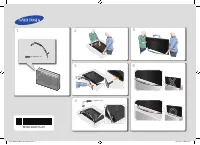
Page 2 - Warning! Important Safety Instructions
Warning! Important Safety Instructions (Please read the Safety Instructions before using your TV.) CAUTION RISK OF ELECTRIC SHOCK DO NOT OPEN CAUTION: TO REDUCE THE RISK OF ELECTRIC SHOCK, DO NOT REMOVE COVER (OR BACK). THERE ARE NO USER SERVICEABLE PARTS INSIDE. REFER ALL SERVICING TO QUALIFIED PER...
Page 3 - Using the TV Controller
What's in the Box? Samsung Smart Control & Batteries (AA x 2) Regulatory Guide Remote Control & Batteries (AAA x 2) Power Cord User Manual Warranty Card (Not available in some locations) CI Card Adapter Wall mount Adapter - Make sure that the following items are included with your TV. If the...
Page 4 - The Standard Remote Control; The button names above may be differ from the actual names.; Installing batteries into the remote control
The Standard Remote Control E ( Enter ): Selects or runs a focused item. - Press and hold to display the Guide . Displays and selects available video sources. Turns the sound on/off. Launches Smart Hub applications. Refer to the e-Manual chapter, Smart Features > Smart Hub . Changes the current c...
Page 5 - The Samsung Smart Control; Installing batteries into the Samsung Smart Control
The Samsung Smart Control : Press this button to mute the sound temporarily. - AD : Press and hold this button to bring up Accessibility Shortcuts that enables or disables Accessibility menus. MIC : Use the microphone with the Voice Control and Voice functions. : Turns the TV on and off. SOURCE : Di...
Page 6 - Pairing the TV to the Samsung Smart Control; TV Camera Connection; Network Connection - Wireless
Pairing the TV to the Samsung Smart Control If your Samsung Smart Control is not paired to your TV, press and hold the buttons labelled ① and ② simultaneously for 3 seconds or more to pair the Samsung Smart Control to the TV. - The Samsung Smart Control can only be paired to one TV at a time. TV Cam...
Page 7 - Using the buttons available on the main screen of the e-Manual; Accessing the associated menu screen from an e-Manual topic page; Accessing the associated e-Manual topic from a menu screen; Initial setup
The e-Manual The embedded e-Manual contains information about the key features of your TV. - You can download and view a printable version of the e-Manual on the Samsung website. Displaying the e-Manual: • On the Samsung Smart Control, press the MENU/123 button, and then select e-Manual on the On-Sc...
Page 8 - Troubleshooting and Maintenance; Troubleshooting
Troubleshooting and Maintenance Troubleshooting If the TV seems to have a problem, first review this list of possible problems and solutions. Alternatively, review the Troubleshooting Section in the e-Manual. If none of these troubleshooting tips apply, please visit “www.samsung.com” and click on Su...
Page 9 - Eco Sensor and screen brightness; Still image warning; Caring for the TV
Eco Sensor and screen brightness Eco Sensor adjusts the brightness of the TV automatically. This feature measures the light in your room and optimises the brightness of the TV automatically to reduce power consumption. If you want to turn this off, go to MENU > System > Eco Solution > Eco S...
Page 10 - TV Installation; Mounting the TV on a wall; Installing the wall mount kit; VESA wall mount kit notes and specifications
TV Installation Mounting the TV on a wall If you mount this product on a wall, follow the instructions exactly as recommended by the manufacturer. Unless it is correctly mounted, the product may slide or fall, thus causing serious injury to a child or adult and serious damage to the product. Install...
Page 11 - Arranging the cables with the Cable guide
Do not install your wall mount kit while your TV is turned on. This may result in personal injury from electric shock. Do not use screws that are longer than the standard length or do not comply with VESA standard screw specifications. Screws that are too long may cause damage to the inside of the T...
Page 12 - Preventing the TV from falling
Attaching the TV to the Stand Make sure you have all the accessories shown, and that you assemble the stand following the provided assembly instructions. Safety Precaution: Securing the TV to the wall Caution: Pulling, pushing, or climbing on the TV may cause the TV to fall. In particular, ensure yo...
Page 13 - Specifications and Other Information; Specifications
Specifications and Other Information Specifications Display Resolution 3840 x 2160 Environmental ConsiderationsOperating TemperatureOperating HumidityStorage TemperatureStorage Humidity 10°C to 40°C (50°F to 104°F) 10% to 80%, non-condensing -20°C to 45°C (-4°F to 113°F) 5% to 95%, non-condensing St...
Page 14 - Decreasing power consumption
Display Resolution 3840 x 2160 Environmental ConsiderationsOperating TemperatureOperating HumidityStorage TemperatureStorage Humidity 10°C to 40°C (50°F to 104°F) 10% to 80%, non-condensing -20°C to 45°C (-4°F to 113°F) 5% to 95%, non-condensing Stand Swivel (Left / Right) 0 ˚ Model Name UE40JU6515 ...
Page 15 - Licences; Recommendation - EU Only
Licences The terms HDMI and HDMI High-Definition Multimedia Interface, and the HDMI Logo are trademarks or registered trademarks of HDMI Licensing LLC in the United States and other countries. Recommendation - EU Only Hereby, Samsung Electronics, declares that this TV is in compliance with the essen...
Page 16 - Varning! Viktiga säkerhetsanvisningar
Varning! Viktiga säkerhetsanvisningar (Läs igenom säkerhetsanvisningarna innan du använder TV:n.) VAR FÖRSIKTIG! RISK FÖR ELSTÖT, ÖPPNA INTE VARNING! FÖR ATT UNDVIKA RISK FÖR ELSTÖTAR SKALL DU INTE TA BORT (ELLER DRA TILLBAKA) SKYDDET. DET FINNS INGA DELAR DU KAN BYTA INUTI. ÖVERLÅT ALLA REPARATIONE...
Page 17 - Vad finns i förpackningen?; Använda TV-kontrollen
Vad finns i förpackningen? Samsung Smart Control & Batterier (AA x 2) Regelguide Fjärrkontroll & batterier (AAA x 2) Strömsladd Användarhandbok Garantibevis (inte tillgängligt på alla platser) CI-kortadapter Väggmonteringsadapter - Försäkra dig om att följande delar följer med din TV. Kontak...
Page 18 - Standardfjärrkontrollen; Knappnamnen ovan kan skilja sig från de verkliga namnen.; Sätta i batterier i fjärrkontrollen
Standardfjärrkontrollen E ( Ange ): Väljer eller kör ett fokuserat objektet. - Tryck på och håll nedtryckt för att visa Guide . Visar och väljer tillgängliga videokällor. Slår på/stänger av ljudet. Startar Smart Hub -program. Se e-Manual, kapitlet Smarta funktioner > Smart Hub . Byter den aktuell...
Page 19 - Samsung Smart Control; Sätta i batterier i Samsung Smart Control
Samsung Smart Control : Tryck på den här knappen för att tillfälligt stänga av ljudet. - AD : Tryck på och håll ned den här knappen för att öppna Hjälpmedelsgenvägar som aktiverar eller inaktiverar menyerna Tillgänglighet. MIC : Använd mikrofonen med funktionerna Röststyrning och Röst. : Slår på och...
Page 20 - Para ihop tv:n med Samsung Smart Control; Ansluta till ett nätverk; Nätverksanslutning – Trådlös
Para ihop tv:n med Samsung Smart Control Om din Samsung Smart Control inte paras ihop med tv:n ska du trycka på och hålla in knapparna som är märkta med ① och ② samtidigt i 3 sekunder eller längre för att para ihop Samsung Smart Control med tv:n. - Samsung Smart Control kan endast paras ihop med en ...
Page 21 - Använda de tillgängliga knapparna på huvudskärmen för e-Manual; Öppna den tillhörande menyskärmen för en ämnessida i e-Manual; Öppna det tillhörande ämnet i e-Manual från en menyskärm; Initial konfigurering
e-Manual Den inbäddade e-Manual innehåller information om nyckelfunktionerna i TV:n. - Du kan ladda ner och visa en utskriftsvänlig version av e-Manual på Samsungs webbplats. Visa e-Manual: • På Samsung Smart Control trycker du på knappen MENU/123 och väljer sedan e-Manual på fjärrkontrollen på skär...
Page 22 - Felsökning och underhåll; Felsökning
Felsökning och underhåll Felsökning Om TV:n verkar ha problem ska du först kontrollera listan över möjliga problem och lösningar. Alternativt ska du se felsökningsavsnittet i e-Manual. Om ingen av de här felsökningstipsen stämmer ska du besöka webbsidan ”www.samsung.com” och klicka på Support eller ...
Page 23 - Ekosensor och skärmljusstyrka; Stillbildsvarning
Ekosensor och skärmljusstyrka Ekosensorn justerar ljusstyrkan på TV:n automatiskt. Den här funktionen mäter ljuset i rummet och optimerar ljusstyrkan för TV:n automatiskt för att minska strömförbrukningen. Om du vill inaktivera den går du till MENU > System > Ekolösning > Ekosensor . - Om d...
Page 24 - Montera TV:n på en vägg; Installera väggmonteringssatsen; Anmärkningar och specifikationer för VESA-väggmonteringssats
TV-installation Montera TV:n på en vägg Om du monterar produkten på en vägg ska den monteras exakt enligt tillverkarens rekommendationer. Om produkten inte är korrekt monterad kan den glida eller ramla ner, vilket kan orsaka allvarliga skador på barn och vuxna samt allvarliga skador på produkten. In...
Page 25 - Ordna kablarna med kabelguiden.
Installera inte väggmonteringssatsen med TV:n påslagen. Det kan leda till personskada från elstötar. Använd inte skruvar som är längre än standardmåtten eller inte uppfyller VESA-standardskruvspecifikationer. Skruvar som är för långa kan skada TV:ns insida. • För väggmonteringar som inte efterlever ...
Page 26 - Hindra TV:n från att falla
Montera TV:n på stativet Se till att du har alla tillbehör som visas och att du monterar stativet enligt medföljande monteringsanvisningar. Säkerhetsföreskrifter: Fästa TV:n på väggen Var försiktig! Om du drar i, trycker på eller klättrar på TV:n kan det göra att den faller ned. I synnerhet är det v...
Page 27 - Specifikationer och annan information; Specifikationer
Specifikationer och annan information Specifikationer Skärmupplösning 3840 x 2160 MiljöfaktorerTemperatur vid driftLuftfuktighet vid driftTemperatur vid förvaringLuftfuktighet vid förvaring 10°C till 40°C (50°F till 104°F) 10% till 80%, icke-kondenserande -20°C till 45°C (-4°F till 113°F) 5% till 95...
Page 28 - Minska strömförbrukningen
Skärmupplösning 3840 x 2160 MiljöfaktorerTemperatur vid driftLuftfuktighet vid driftTemperatur vid förvaringLuftfuktighet vid förvaring 10°C till 40°C (50°F till 104°F) 10% till 80%, icke-kondenserande -20°C till 45°C (-4°F till 113°F) 5% till 95%, icke-kondenserande Vridbart stativ (vänster/höger) ...
Page 29 - Licenser; Rekommendation – Endast EU
Licenser The terms HDMI and HDMI High-Definition Multimedia Interface, and the HDMI Logo are trademarks or registered trademarks of HDMI Licensing LLC in the United States and other countries. Rekommendation – Endast EU Härmed deklarerar Samsung Electronics att den här TV:n efterlever de grundläggan...
Page 30 - Advarsel! Vigtige sikkerhedsinstruktioner
Advarsel! Vigtige sikkerhedsinstruktioner (Læs sikkerhedsinstruktionerne, inden du anvender dit tv.) FORSIGTIG FARE FOR ELEKTRISK STØD. MÅ IKKE ÅBNES PAS PÅ: DÆKSLET ELLER BAGPANELET MÅ IKKE FJERNES, DA DER ER RISIKO FOR ELEKTRISK STØD. DER ER INGEN INDVENDIGE DELE, DER KAN REPARERES AF BRUGEREN. AL...
Page 31 - Hvad er der i kassen?; Brug af tv-controlleren
Hvad er der i kassen? Samsung Smart Control & Batterier (2 x AA) Lovgivningsmæssig vejledning Fjernbetjening og batterier (2 x AAA) Strømkabel Brugervejledning Garantibevis (ikke tilgængelig alle steder) CI Card-adapter Adapter til vægbeslag - Kontrollér, at følgende dele leveres sammen med dit ...
Page 32 - Standardfjernbetjeningen; Knapnavnene herover kan være anderledes end de virkelige navne.; Installation af batterier i fjernbetjeningen
Standardfjernbetjeningen E ( Indtast ): Vælger eller kører et element med fokus. - Tryk og hold for at vise Vejledning . Viser og vælger tilgængelige videokilder. Tænder/slukker for lyden. Starter programmerne i Smart Hub . Se e-Manual, kapitlet Smartfunktioner > Smart Hub . Skifter den aktuelle ...
Page 33 - Installere batterier i din Samsung Smart Control
Samsung Smart Control : Tryk på denne knap for at slå lyden fra midlertidigt. - AD : Tryk på denne knap og hold den inde for at vise Tilgængelighedsgenveje , som aktiverer eller deaktiverer tilgængelighedsmenuerne. MIC : Brug mikrofonen med stemmekontrol- og stemmefunktionerne. : Tænder og slukker f...
Page 34 - Parring af tv'et og din Samsung Smart Control; Tilslutning af tv-kamera; Netværksforbindelse - trådløs
Parring af tv'et og din Samsung Smart Control Hvis din Samsung Smart Control ikke er blevet parret med dit tv, skal du trykke og holde nede på knapperne med ① og ② på samme tid i mindst 3 sekunder for at parre din Samsung Smart Control og tv'et. - Din Samsung Smart Control kan kun parres med ét tv a...
Page 35 - Bruge de tilgængelige knapper på hovedskærmen i e-Manualen; Gå til den tilhørende menuskærm fra en emneside i e-Manualen; Gå til det tilhørende emne i e-Manualen fra en menuskærm; Første indstilling
e-Manualen Den integrerede e-Manual indeholder informationer om dit tv's vigtigste funktioner. - Du kan downloade og vise en printbar version af e-Manualen fra Samsungs websted. Visning af e-Manualen: • Tryk på din Samsung Smart Control på knappen MENU/123 , og vælg derefter e-Manual på skærmfjernbe...
Page 36 - Problemløsning og vedligeholdelse; Problemløsning
Problemløsning og vedligeholdelse Problemløsning Hvis det virker, som om der er problemer med tv'et, skal du først gennemgå listen over mulige problemer og løsninger. Du kan også gennemlæse afsnittet Problemløsning i e-Manualen. Hvis ingen af disse problemløsningstip hjælper, besøg da "www.samsu...
Page 37 - Økosensor og skærmens lysstyrke; Advarsel om stillbilleder
Økosensor og skærmens lysstyrke Økosensoren justerer automatisk tv'ets lysstyrke. Denne funktion måler lyset i rummet og optimerer automatisk tv'ets lysstyrke for at reducere strømforbruget. Hvis du vil slukke for det, skal du gå til MENU > System > Økoløsning > Økosensor . - Hvis skærmen e...
Page 38 - Montering af tv'et på en væg; Montering af vægbeslaget; Bemærkninger til og specifikationer for VESA-vægbeslagkit
Tv-installation Montering af tv'et på en væg Hvis du monterer dette produkt på en væg, så følg instruktionerne nøjagtigt, som anbefalet af producenten. Hvis produktet ikke er monteret korrekt, kan produktet glide eller falde og medføre alvorlige skader på børn og voksne og på produktet. Montering af...
Page 39 - Placering af kablerne med kabelholderen
Installér ikke dit vægmonteringskit, mens dit tv er tændt. Dette kan medføre personskade pga. elektrisk stød. Brug ikke skruer, der er længere end standardlængden, eller der ikke svarer til VESA-standardskruespecifikationerne. Skruer, der er for lange, kan medføre skade inde i tv-apparatet. • For væ...
Page 40 - Undgå at tv'et vælter
Montering af tv'et på en sokkel Sørg for, at du har alt det viste tilbehør, og at du samler soklen ved at følge den medfølgende samlevejledning. Sikkerhedsforanstaltninger: Fastgørelse af tv’et til væggen Forsigtig: Hvis du trækker, skubber eller klatrer på tv'et, kan det falde ned. I særdeleshed sk...
Page 41 - Specifikationer og andre oplysninger
Specifikationer og andre oplysninger Specifikationer Skærmopløsning 3840 x 2160 Miljømæssige betragtningerDriftstemperaturDriftsfugtighedOpbevaringstemperaturOpbevaringsfugtighed 10°C til 40°C (50°F til 104°F) 10% til 80%, ikke-kondenserende -20°C til 45°C (-4°F til 113°F) 5% til 95%, ikke-kondenser...
Page 42 - Nedsættelse af strømforbruget
Skærmopløsning 3840 x 2160 Miljømæssige betragtningerDriftstemperaturDriftsfugtighedOpbevaringstemperaturOpbevaringsfugtighed 10°C til 40°C (50°F til 104°F) 10% til 80%, ikke-kondenserende -20°C til 45°C (-4°F til 113°F) 5% til 95%, ikke-kondenserende Drejesokkel (venstre/højre) 0 ˚ Modelnavn UE40JU...
Page 43 - Anbefaling – kun EU
Licenser The terms HDMI and HDMI High-Definition Multimedia Interface, and the HDMI Logo are trademarks or registered trademarks of HDMI Licensing LLC in the United States and other countries. Anbefaling – kun EU Samsung Electronics erklærer herved, at dette tv overholder de grundlæggende krav og an...
Page 44 - Advarsel! Viktige sikkerhetsinstruksjoner
Advarsel! Viktige sikkerhetsinstruksjoner (Vennligst les sikkerhetsinstruksjonene før du bruker TV-en.) FORSIKTIG FARE FOR ELEKTRISK STØT – MÅ IKKE ÅPNES FORSIKTIG: FOR Å REDUSERE RISIKOEN FOR ELEKTRISK STØT MÅ DU IKKE FJERNE DEKSELET (ELLER BAKSIDEN). INGEN AV DE INNVENDIGE DELENE KAN SKIFTES UT AV...
Page 46 - Standardfjernkontrollen; Sette i batterier i fjernkontrollen
Standardfjernkontrollen E ( Oppgi ): Velger eller aktiverer et uthevet element. - Trykk på og hold for å vise Veiledning . Viser og velger tilgjengelige videokilder. Slår lyden på/av. Starter Smart Hub -applikasjoner. Se e-Manual-kapittelet Smartfunksjoner > Smart Hub . Endrer gjeldende kanal. Lu...
Page 47 - Sette i batterier i Samsung Smart Control
Samsung Smart Control : Trykk på denne knappen for å dempe lyden midlertidig. - AD : Trykk på og hold inne denne knappen for å åpne Tilgjengelighetssnarveier som aktiverer eller deaktiverer tilgjengelighetsmenyene. MIC : Bruk mikrofonen sammen med talekontroll og talefunksjoner. : Slår TV-en på og a...
Page 48 - Pare TV-en med Samsung Smart Control; Tilkobling for TV-kamera; Nettverkstilkobling – Trådløs; Nettverkstilkobling – Kablet
Pare TV-en med Samsung Smart Control Hvis Samsung Smart Control-enheten ikke er paret med TV-en, må du trykke og holde knappene som er merket med ① og ② , samtidig i 3 sekunder eller mer for å pare Samsung Smart Control-enheten med TV-en. - Samsung Smart Control kan bare pares med én TV av gangen. T...
Page 49 - Få tilgang til det tilknyttede e-Manual-emnet fra en menyskjerm; Første oppsett
e-Manual Den integrerte e-Manual inneholder informasjon om nøkkelfunksjonene til TV-en. - Du kan laste ned og vise en utskrivbar versjon av e-Manual på Samsungs nettside. Vise e-Manual: • På Samsung Smart Control trykker du på MENU/123 -knappen, og velg deretter e-Manual på fjernkontrollen på skjerm...
Page 50 - Feilsøking og vedlikehold; Feilsøking
Feilsøking og vedlikehold Feilsøking Hvis det ser ut til å være et problem med TV-en, bør du først gå gjennom denne listen over mulige problemer og løsninger. Alternativt kan du gå gjennom feilsøkingsdelen i e-Manual. Hvis ingen av disse feilsøkingstipsene hjelper, kan du gå til www.samsung.com og k...
Page 51 - Økosensoren og lysstyrken til skjermen; Stillbildevarsel
Økosensoren og lysstyrken til skjermen Økosensoren justerer automatisk lysstyrken til TV-en. Denne funksjonen måler lyset i rommet og optimerer lysstyrken til TV-en automatisk for å redusere strømforbruket. Hvis du vil slå av dette, kan du gå til MENU > System > Økoløsning > Økosensor . - H...
Page 52 - Feste TV-en på en vegg; Montere veggfestesettet; Merknader og spesifikasjoner for VESA-veggfestesett
TV-installasjon Feste TV-en på en vegg Hvis du monterer dette produktet på en vegg, må du følge instruksjonene nøyaktig slik produsenten anbefaler. Med mindre det blir riktig montert, kan produktet skli eller falle ned slik at det fører til alvorlige skader på barn eller voksne og alvorlige skader p...
Page 53 - Organisere kablene med kabelføreren
Ikke monter veggfestesettet mens TV-en er slått på. Dette kan føre til personskade på grunn av elektrisk støt. Du må ikke bruke skruer som er lengre enn standardlengden, eller som ikke er i samsvar med VESA-spesifikasjonen for standardskruer. Skruer som er for lange, kan skade TV-en innvendig. • For...
Page 54 - Forhindre at TV-en faller
Feste TV-en til foten Kontroller at du har alle delene som vises, og at du monterer foten i henhold til monteringsinstruksjonene. Sikkerhetsforholdsregler: Feste TV-en til veggen Forsiktig: Hvis du drar i, dytter på eller klatrer på TV-en, kan den falle ned. Pass spesielt på at ikke barn henger på e...
Page 55 - Spesifikasjoner og annen informasjon; Spesifikasjoner
Spesifikasjoner og annen informasjon Spesifikasjoner Skjermoppløsning 3840 x 2160 MiljøhensynBrukstemperaturLuftfuktighet ved brukLagringstemperaturLuftfuktighet ved lagring 10°C til 40°C (50°F til 104°F) 10% til 80%, ikke-kondenserende -20°C til 45°C (-4°F til 113°F) 5% til 95%, ikke-kondenserende ...
Page 56 - Redusert strømforbruk
Skjermoppløsning 3840 x 2160 MiljøhensynBrukstemperaturLuftfuktighet ved brukLagringstemperaturLuftfuktighet ved lagring 10 °C til 40 °C (50°F til 104°F) 10 % til 80 %, ikke-kondenserende -20 til +45 °C (-4 til +113°F) 5 % til 95 %, ikke-kondenserende Dreibar sokkel (venstre/høyre) 0 ˚ Modellnavn UE...
Page 57 - Lisenser; Anbefaling – Bare EU
Lisenser The terms HDMI and HDMI High-Definition Multimedia Interface, and the HDMI Logo are trademarks or registered trademarks of HDMI Licensing LLC in the United States and other countries. Anbefaling – Bare EU Herved erklærer Samsung Electronics at denne TV-en er i samsvar med kravene og andre r...
Page 58 - Vaara Tärkeitä turvallisuusohjeita
Vaara Tärkeitä turvallisuusohjeita (Lue turvallisuusohjeet ennen television käyttöä.) HUOMIO SÄHKÖISKUN VAARA. ÄLÄ AVAA. HUOMIO: ÄLÄ POISTA LAITTEEN SUOJUSTA (ÄLÄKÄ TAKAOSAA), JOTTA VOISIT VÄLTTYÄ SÄHKÖISKUILTA. LAITTEEN SISÄLLÄ EI OLE SELLAISIA OSIA, JOITA KÄYTTÄJÄ VOISI ITSE HUOLTAA. ANNA KAIKKI H...
Page 59 - Pakkauksen sisältö; Television ohjaimen käyttäminen
Pakkauksen sisältö Samsung Smart Control & Paristot (AA x 2) Säädösopas Kaukosäädin ja paristot (AAA, 2 kpl) Virtajohto Käyttöopas Takuukortti (ei saatavilla kaikilla alueilla) CI-kortinlukija Seinätelineen sovitin - Varmista, että television mukana toimitetaan alla mainitut osat. Jos osia puutt...
Page 60 - Tavallinen kaukosäädin; Kaukosäätimen paristojen asentaminen
Tavallinen kaukosäädin E ( Hyväksy ): Valitsee tai käynnistää korostetun kohteen. - Näytä Opas pitämällä tätä painettuna. Näyttää ja valitsee käytettävissä olevat kuvalähteet. Ottaa äänen käyttöön tai pois käytöstä. Käynnistää Smart Hub -sovellukset. Tutustu e-Manual-oppaan lukuun Smart- toiminnot &...
Page 61 - Samsung Smart Controlin paristojen asentaminen
Samsung Smart Control : Mykistä ääni väliaikaisesti painamalla tätä painiketta. - AD : Tuo Helppokäyttötoimintojen pikanäppäimet näkyviin pitämällä tätä painiketta painettuna. Tämä ottaa helppokäyttövalikot käyttöön tai pois käytöstä. MIC : Käytä mikrofonia puheohjaukseen ja muihin puhetoimintoihin....
Page 62 - Television ja Samsung Smart Controlin parikytkentä; Television kameran kytkeminen; Verkkoyhteys – langaton
Television ja Samsung Smart Controlin parikytkentä Jos Samsung Smart Controlin ja television välille ei ole tehty parikytkentää, tee parikytkentä pitämällä ① - ja ② -painikkeita painettuna samanaikaisesti vähintään 3 sekuntia. - Samsung Smart Control voidaan kytkeä pariksi vain yhden television kans...
Page 63 - E-Manualin pääikkunassa olevien painikkeiden käyttäminen; E-Manualin aihesivua vastaavaan valikkoon siirtyminen; Käyttöönotto
E-Manual Television sisäisessä e-Manualissa on tietoja sen tärkeimmistä toiminnoista. - Voit ladata e-Manualin tulostettavan version Samsungin sivustolta. E-Manualin näyttäminen: • Paina Samsung Smart Controlin MENU/123 -painiketta ja valitse näyttösäätimestä e-Manual . Paina tavallisen kaukosäätime...
Page 64 - Vianmääritys ja huolto; Vianmääritys
Vianmääritys ja huolto Vianmääritys Jos television käytön aikana esiintyy ongelmia, kokeile ensin tässä luettelossa annettuja ratkaisuja. Voit halutessasi myös tutustua e-Manualin vianmääritysosioon. Jos mikään näistä vianetsinnän vinkeistä ei auta, käy osoitteessa www.samsung.com, napsauta tukivali...
Page 65 - Ekotunnistin ja kuvaruudun kirkkaus; Pysäytettyjä kuvia koskeva varoitus; Television huoltaminen
Ekotunnistin ja kuvaruudun kirkkaus Ekotunnistin säätää television kuvaruudun kirkkauden automaattisesti. Ekotunnistin mittaa huoneen valaistuksen ja optimoi television kirkkauden automaattisesti virran säästämiseksi. Jos haluat ottaa tämän toiminnon pois käytöstä, siirry kohtaan MENU > Järjestel...
Page 66 - Television asentaminen; Television asentaminen seinälle; Seinätelineen asentaminen; VESA-seinätelineitä koskevia huomautuksia ja tietoja
Television asentaminen Television asentaminen seinälle Jos asennat laitteen seinälle, noudata valmistajan antamia ohjeita tarkasti. Jollei laitetta asenneta oikein, se saattaa liukua tai pudota pois paikoiltaan, vaurioitua pahoin ja aiheuttaa vakavia vammoja joko lapsille tai aikuisille. Seinäteline...
Page 67 - Johtojen järjestäminen johtopidikkeellä
Älä asenna seinätelinettä, kun televisioon on kytketty virta. Tämä voi aiheuttaa sähköiskun ja henkilövahinkoja. Älä käytä vakioruuveja pidempiä ruuveja äläkä sellaisia ruuveja, jotka eivät täytä VESA-ruuvistandardeja. Liian pitkät ruuvit saattavat vaurioittaa television sisäosia. • Jos asennettavas...
Page 68 - Television putoamisen estäminen
Television kiinnittäminen jalustaan Varmista, että kaikki näytetyt lisätarvikkeet ovat käytettävissäsi ja että olet koonnut jalustan sen mukana toimitettujen ohjeiden mukaisesti. Varotoimenpide: Television kiinnittäminen seinään Huomio: Television vetäminen, työntäminen tai siinä kiipeily saattavat ...
Page 69 - Tekniset tiedot ja muita tietoja; Tekniset tiedot
Tekniset tiedot ja muita tietoja Tekniset tiedot Kuvan resoluutio 3840 x 2160 Käyttö- ja säilytysympäristöKäyttölämpötilaKäyttötilan ilmankosteusSäilytyslämpötilaSäilytystilan ilmankosteus 10 – 40 °C (50–104 °F) 10 – 80 %, tiivistymätön -20 – 45 °C (-4 – 113 °F) 5 – 95 %, tiivistymätön Käännettävä j...
Page 70 - Virrankulutuksen vähentäminen
Kuvan resoluutio 3840 x 2160 Käyttö- ja säilytysympäristöKäyttölämpötilaKäyttötilan ilmankosteusSäilytyslämpötilaSäilytystilan ilmankosteus 10 – 40 °C (50 – 104 °F) 10 – 80 %, tiivistymätön -20 – 45 °C (-4 – 113 °F) 5 – 95 %, tiivistymätön Käännettävä jalusta (vasen/oikea) 0 ˚ Mallin nimi UE40JU6515...
Page 71 - Käyttöoikeudet; Suositus – vain EU:ssa
Käyttöoikeudet The terms HDMI and HDMI High-Definition Multimedia Interface, and the HDMI Logo are trademarks or registered trademarks of HDMI Licensing LLC in the United States and other countries. Suositus – vain EU:ssa Samsung Electronics vakuuttaa, että tämä televisio täyttää direktiivin 1999/5/...