Page 2 - SAFETY INFORMATION; Safety information
English - 2 SAFETY INFORMATION • Before operating the appliance, please read this manual thoroughly and retain it in a safe place near the appliance for your future reference. • Use this appliance only for its intended purpose as described in this instruction manual. This appliance is not intended f...
Page 3 - Important safety symbols
English - 3 SAFET Y INFORMA TION • Warnings and Important Safety Instructions in this manual do not cover all possible conditions and situations that may occur. It is your responsibility to use common sense, caution, and care when installing, maintaining, and operating your appliance. • Because thes...
Page 4 - CE Notice; SEVERE WARNING
English - 4 CE Notice This product has been determined to be in compliance with the Low Voltage Directive (2006/95/ EC), the Electromagnetic Compatibility Directive (2004/108/EC), RoHS Directive (2011/65/EU), Commission Delegated Regulation (EU) No 1060/2010 and the Eco- Design Directive(2009/125/ E...
Page 7 - CAUTION SIGNS FOR
English - 7 SAFET Y INFORMA TION company. - Failing to do so may result in an electric shock or personal injury. CAUTION SIGNS FOR INSTALLATION • Keep ventilation opening in the appliance enclosure or mounting structure clear of obstruction. • Allow the appliance to stand for 2 hours after installat...
Page 13 - Foam blown additive:
English - 13 SAFET Y INFORMA TION openings while the power is off. - Should the power failure last more than 24 hours, remove all frozen food. • If keys are provided with the refrigerator, the keys should be kept out of the reach of children and not be in the vicinity of the appliance. • The applian...
Page 15 - GETTING READY TO INSTALL THE; Selecting the best location for the; Setting up your refrigerator
English - 15 SETTING UP GETTING READY TO INSTALL THE REFRIGERATOR Congratulations on your purchase of the Samsung refrigerator. We hope you enjoy the state-of-art features and efficiencies that this new appliance offers. Selecting the best location for the Refrigerator • Select a location with easy ...
Page 16 - When moving your refrigerator; Flooring; SETTING UP THE REFRIGERATOR
English - 16 When moving your refrigerator To prevent floor damage, be sure the front leveling legs are in the up position (above the floor).Refer to “How to level the refrigerator” in the manual on page 21. Screw Driver Leg Flooring For proper installation, you must place this refrigerator on a lev...
Page 17 - Separating the water supply line from the; Reattaching the Water Supply Line; DISASSEMBLE THE FREEZER
English - 17 SETTING UP SETTING UP THE REFRIGERATOR DOORS If your entrance won’t allow the refrigerator to pass easily through it, you can remove the doors. Separating the water supply line from the refrigerator 1. Pull the two water lines (which are in the Fixer) out to the front. 2. Remove two wat...
Page 18 - RE-ATTACHING THE FREEZER; How to Assemble Door
English - 18 2. Remove the hinge cover and then disconnect the electrical wire connector. 3. Flip the clamp ( A ) up in direction ( 1 ) and then pull it off in direction ( 2 ). ( A ) ( 1 ) ( A ) ( 2 ) 4. Remove the hinge ( B ). ( B ) 5. Lift up the door and detach it from the refrigerator. •...
Page 19 - DISASSEMBLE THE
English - 19 SETTING UP 4. Hook up the electrical wire connector. 5. Insert 2 front parts of the cover first, push down on both side parts of the cover, and then secure the cover in place using a Phillips screwdriver. • The doors can be assembled in the reverse order of their disassembly. • The disp...
Page 20 - RE-ATTACHING REFRIGERATOR
English - 20 DISASSEMBLE THE REFRIGERATOR DOORS 1. Disconnect the power cord, and Remove 3 cover screws using a Phillips screwdriver ( 1 ). Then open the refrigerator door and pull the hooks on the sides to loosen the cover ( 2 ). Lift up the cover and towards you to detach it ( 3 ). - Detach the ...
Page 21 - LEVELING THE REFRIGERATOR; How to level the refrigerator
English - 21 SETTING UP LEVELING THE REFRIGERATOR AND ADJUSTING HEIGHT AND GAP OF THE DOORS How to level the refrigerator To avoid a hazard due to instability of the refrigerator, please place the refrigerator on a horizontal support and levelled in accordance with the following instruction for inst...
Page 22 - HOW TO ADJUST THE DOOR; If refrigerator door is lower than the other:
English - 22 If the freezer side is lower: • Insert a flathead screwdriver into the height leveler located at the bottom back of the freezer door and turn it in the direction of the arrow until it is level. If the refrigerator side is lower: • Insert a flathead screwdriver into the height leveler lo...
Page 23 - HOW TO ADJUST THE DOOR GAP
English - 23 SETTING UP 1. Adjust the height of the door by turning the adjustment nut ( B ) in the counterclockwise direction ( ) with a spanner. (Turn it in the counterclockwise direction ( ) to increase the height of the door and in the clockwise direction ( ) to decrease it.) - Open the ...
Page 24 - CHECKING THE WATER
English - 24 HOW TO ADJUST THE REFRIGERATOR DOOR GAP (BACK) If the gap between the refrigerator door and the refrigerator is uneven: • Use the adjustors located at the top edge inside each door. 1. Open the door where the gap with the refrigerator is narrower and then turn the adjustor in the counte...
Page 25 - Connecting to the water supply line; Connecting the water line to the
English - 25 SETTING UP Connecting to the water supply line 1. First, shut off the main water supply line. 2. Locate the nearest cold, drinking water line. 3. Follow the Water Line Installation Instructions in the installation kit. CAUTION The water line must be connected to the cold water pipe. If ...
Page 26 - BEFORE USING ICEMAKER; Remove; Install
English - 26 No Leak 1. Slip the compression nut ( A ) through the supplied plastic tubing ( A ). 2. Tighten the compression nut ( A ) onto the 1/4” compression fitting. - If you are using copper tubing, slip the compression nut ( B ) (not included) and ferrule (not included) on copper tubin...
Page 27 - Before calling service; Removing residual matter inside the water
English - 27 SETTING UP Before calling service - Any sounds you hear when the ice maker dumps ice into the bucket are part of normal operation. - If you don’t dispense ice for a long period of time, the ice may form clumps in the ice bucket. If ice clumps form, remove the remaining ice and empty the...
Page 28 - Check the amount of water supplied to
English - 28 Check the amount of water supplied to the ice tray. 1. Lift up the icemaker cover and gently pull it out. 2. When you press the Test button for 3 seconds, the ice cube container is filled with water from the water supply tap. Check to make sure the amount of water is correct (see the il...
Page 29 - USING THE CONTROL PANEL
English - 29 OPERA TING Operating your Samsung refrigerator USING THE CONTROL PANEL DISPENSER MODEL (1) (2) (3) (7) (4) (5) (6) (8) (9) (10) NORMAL MODEL (1) (4) (10) (1) (4) (10) (3) ( 1 ) Freezer / Power Freeze (3 sec) The Freezer button serves two purposes: - To set the Freezer to your desired te...
Page 33 - PARTS AND FEATURES
English - 33 OPERA TING PARTS AND FEATURES Use this page to become more familiar with the parts and features of the Refrigerator. (This image may different depends on the model.) DISPENSER MODEL (2) (3) (4) (13)Deodorizer Foldable Shelf (Optional) Water filter (1) (15)(14) (5) (6) (7) (8)(9) (10) (1...
Page 35 - CONTROLLING THE; Basic temperature of Freezer and; Controlling the Fridge temperature
English - 35 OPERA TING CONTROLLING THE TEMPERATURE Basic temperature of Freezer and Refrigerator Compartments The basic and recommended temperatures of the Freezer and Fridge compartments are -2 °F and 37 °F (or -19 °C and 3 °C) respectively. If the temperature of the Freezer or Refrigerator Compar...
Page 36 - Push the appropriate ice type button; Using the Ice & Water Dispenser together
English - 36 USING THE COLD WATER DISPENSER Push the appropriate ice type button to select what you want dispensed. NO ICE Select this if you want to turn ice maker off Using the ice lever ( 1 ) Push the Ice lever dispenser ( 1 ) gently with your glass. Ice will be released from the dispenser. You c...
Page 37 - Using the ice Dispenser
English - 37 OPERA TING After you dump the ice from the ice bucket, you should press the dispenser lever once with the ‘ICE CUBED’ or ‘CRUSHED’ function ON. The ice maker will make new ice faster after you return the ice bucket to the refrigerator. • Do not put your fingers, hands, or any unsuitable...
Page 38 - SMART ECO FEATURES; Smart Eco System
English - 38 For more space, you can store food with Guard FRE-UPP instead of the ice bucket, and remove the COVER-ICE MAKER and Snack Bin. If you remove the ice bucket, ICE OFF will blink on the display panel. Furthermore, you can remove the freezer Upper drawer. Since it does not affect thermal an...
Page 39 - FRIDGE MULTI-PURPOSE DOOR; Food products can be stored by items.
English - 39 OPERA TING FRIDGE MULTI-PURPOSE DOOR BIN A detachable divider makes it convenient to store food. Food products can be stored by items. • Put the divider in place when storing slim-size condiment bottles and canned drinks together. • Take out the divider when storing carton-size milks or...
Page 41 - CLEANING THE REFRIGERATOR; Freezer / Fridge LED Lamp
English - 41 OPERA TING 6. Ice Bucket (Freezer) • Remove the Icemaker Bucket by lifting it up and pulling it out slowly. • Grip the handle as shown in the figure.• Remove the Ice Bucket slowly to prevent damage. Do not use excessive force when removing the drawer cover. You can break the cover and c...
Page 42 - CHANGING THE WATER FILTER
English - 42 TO IMPROVE THE COOLING PERFORMANCE If the cold air outlet is blocked by food items, the cold air cannot penetrate the entire compartment and will be unable to freeze the food efficiently which results in a degraded cooling performance. Cold air outlet CHANGING THE WATER FILTER To reduce...
Page 43 - Reverse Osmosis Water Supply
English - 43 OPERA TING 4. Turn the new water filter 90˚ clockwise. 5. Press the “Lighting / °C ↔ °F (3 sec)” button ( ) for about 3 seconds to reset the water filter. The color of indicator changes from red to light off. A newly installed water filter cartridge may cause water to briefly spurt fr...
Page 44 - USING THE ICE MAKER
English - 44 USING THE ICE MAKER (OPTIONAL) • To Remove the Ice Bucket. - Hold the handle as shown in figure1. - Lift up and pull the Bucket out slowly. - Take out Ice Bucket out slowly to prevent damage. - When you reinstall the ice bucket, press and hold the ICE button for 6 seconds. • Normal Oper...
Page 45 - Troubleshooting
English - 45 TROUBLESHOO TING Troubleshooting PROBLEM SOLUTION The refrigerator does not work at all or it does not chill sufficiently. • Check that the power plug is properly connected. • Is the temperature control on the display panel set to the correct temperature? Try setting it to a lower tempe...
Page 47 - Memo
Memo DA68-03015B (EN)-02.indd 47 14. 5. 14. �� 5:29
Page 48 - Ambient Room Temperature Limits; English; Correct Disposal of This Product; Contact SAMSUNG WORLD WIDE
Ambient Room Temperature Limits This refrigerator is designed to operate in ambient temperatures specified by its temperature class marked on the rating plate. Class Symbol Ambient Temperature range (°C) IEC 62552 (ISO 15502) ISO 8561 Extended Temperate SN +10 to +32 +10 to +32 Temperate N +16 to +3...
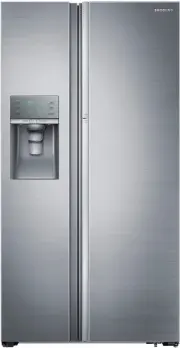




 Samsung SRP406RS User Manual
 Samsung SRS580DHLS User Manual
 Samsung SRS583NLS User Manual
 Samsung SRS606DHLS User Manual
 Samsung SRS611DLS User Manual
 Samsung SRS620MDMB User Manual
 Samsung SRS656MBFH4 User Manual
 Samsung SRS673DMB User Manual
 Samsung SRS675DLS User Manual
 Samsung SRT3100B User Manual
 Samsung SRT3300B User Manual
 Samsung SRT4200S User Manual