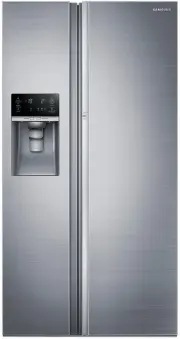
Page 2 - SAFETY INFORMATION; Safety information
English - 2 SAFETY INFORMATION • Before operating the appliance, please read this manual thoroughly and retain it in a safe place near the appliance for your future reference. • Use this appliance only for its intended purpose as described in this instruction manual. This appliance is not intended f...
Page 3 - Important safety symbols; severe personal; minor personal
English - 3 SAFET Y INFORMA TION • Warnings and Important Safety Instructions in this manual do not cover all possible conditions and situations that may occur. It is your responsibility to use common sense, caution, and care when installing, maintaining, and operating your appliance. • Because thes...
Page 4 - CE Notice; SEVERE WARNING
English - 4 These warning signs are here to prevent injury to you and others. Please follow them carefully. After reading this section, keep it in a safe place for future reference. CE Notice This product has been determined to be in compliance with the Low Voltage Directive (2006/95/ EC), the Elect...
Page 7 - CAUTION SIGNS FOR
English - 7 SAFET Y INFORMA TION refrigerator to prevent any power leakages or electric shocks caused by current leakage from the refrigerator. • Never use gas pipes, telephone lines or other potential lightening rods as ground. - Improper use of the ground plug can result in an electric shock. • If...
Page 15 - Saving Energy Tips
English - 15 SAFET Y INFORMA TION you don’t need it and return the freezer to your original temperature setting. If you need to freeze large amount of food stuff, activate Power Freeze function at least 24 hours before. Saving Energy Tips - Install the appliance in a cool, dry room with adequate ven...
Page 17 - GETTING READY TO INSTALL THE; Selecting the best location for the; Setting up your refrigerator
English - 17 SETTING UP GETTING READY TO INSTALL THE REFRIGERATOR Congratulations on your purchase of the Samsung refrigerator. We hope you enjoy the state-of-art features and efficiencies that this new appliance offers. Selecting the best location for the Refrigerator • Select a location with easy ...
Page 18 - When moving your refrigerator; Flooring; SETTING UP THE REFRIGERATOR
English - 18 When moving your refrigerator To prevent floor damage, be sure the front leveling legs are in the up position (above the floor).Refer to “How to level the refrigerator” in the manual on page 24. Screw Driver Leg Flooring For proper installation, you must place this refrigerator on a lev...
Page 19 - Separating the water supply line from the; Reattaching the Water Supply Line
English - 19 SETTING UP SETTING UP THE REFRIGERATOR DOORS If your entrance won’t allow the refrigerator to pass easily through it, you can remove the doors. Separating the water supply line from the refrigerator 1. Pull the two water lines (which are in the Fixer) out to the front. 2. Remove two wat...
Page 21 - RE-ATTACHING THE FREEZER
English - 21 SETTING UP RE-ATTACHING THE FREEZER DOOR • Be sure to re-attach the Freezer Door before re-attaching the Fridge Door. • Before re-attaching, make sure that all the wire connectors at the bottom of the Freezer Door are connected. 1. Attach the doors to the hinges at the bottom of the ref...
Page 23 - DISASSEMBLE THE FRIDGE; RE-ATTACHING FRIDGE DOOR
English - 23 SETTING UP DISASSEMBLE THE FRIDGE DOOR 1. Push the fixer hinge up, and pull it forward to remove it. 2. Disassemble the top hinge from the front of the door. 3. Disassemble the Fridge Door. Fix the wire on the Hinge Hook to prevent the damage on the wire when reassembling. CAUTION RE-AT...
Page 24 - How to level the refrigerator; If the freezer side is lower:
English - 24 LEVELING THE REFRIGERATOR AND ADJUSTING HEIGHT AND GAP OF THE DOORS How to level the refrigerator To ensure your refrigerator is stable, install it on a flat, level surface and level it according to the instructions in this section. Failure to level the refrigerator may result in the re...
Page 25 - HOW TO ADJUST THE DOOR; If refrigerator door is lower than the other:
English - 25 SETTING UP HOW TO ADJUST THE DOOR HEIGHT If refrigerator door is lower than the other: • The door height levels can be adjusted using the adjustment nut located at the bottom of refrigerator door. • Raising the door too high can cause the door to interfere with the hinge cover when it i...
Page 26 - HOW TO ADJUST THE DOOR GAP; HOW TO ADJUST THE
English - 26 HOW TO ADJUST THE DOOR GAP If the gap between the refrigerator door and the freezer door is uneven: • Use the gap adjustor located at the top of the refrigerator door (right side). • Excessive force can cause the adjustor bolt to break. 1. Remove the refrigerator door’s hinge cover. - D...
Page 27 - CHECKING THE WATER; Remove; Install
English - 27 SETTING UP CHECKING THE WATER DISPENSER LINE A water dispenser is one of the helpful features on your new Samsung Refrigerator. To help promote better health, the Samsung water filter removes unwanted particles from your water. However, it does not sterilize or destroy microorganisms. Y...
Page 28 - Before calling service; Check the amount of water supplied to
English - 28 Before calling service - Any sounds you hear when the ice maker dumps ice into the bucket are part of normal operation. - If you don’t dispense ice for a long period of time, the ice may form clumps in the ice bucket. If ice clumps form, remove the remaining ice and empty the bucket. - ...
Page 29 - USING WATER DISPENSER
English - 29 SETTING UP USING WATER DISPENSER (OPTIONAL) With the water dispenser, you can obtain chilled water easily without opening the refrigerator door. If you push continually the dispenser lever for about 1 minute, the dispenser will stop to work. To get more water, push the lever again. The ...
Page 31 - USING THE CONTROL PANEL
English - 31 OPERA TING Operating your Samsung refrigerator USING THE CONTROL PANEL DISPENSER MODEL (1) (2) (3) (7) (4) (5) (6) (8) (9) ( 1 ) Freezer / Power Freeze (3 sec) The Freezer button serves two purposes: - To set the Freezer to your desired temperature. - To turn the Power Freeze function o...
Page 34 - PARTS AND FEATURES
English - 34 PARTS AND FEATURES Use this page to become more familiar with the parts and features of the Refrigerator. (This image may different depends on the model.) DISPENSER MODEL (2) (3) (4) (13) Foldable Shelf (Optional) (1) (15)(14) (5) (6) (7) (8) (12) (9) (10) (11) The temperature of two st...
Page 36 - CONTROLLING THE; Basic temperature of Freezer and
English - 36 ( 14 ) Ice Maker Bucket (Only dispenser model) Designed to store lots of ice easily. • Do not put your fingers, hands or any other objects in the ice chute or the ice maker bucket. Doing so can cause personal injury or material damage. ( 15 ) Snack Bin (Optional) This is used for storin...
Page 37 - Controlling the Fridge temperature; USING THE COLD WATER; Push the appropriate ice type button
English - 37 OPERA TING Controlling the Fridge temperature Recommend Temp (Fridge) : 37 °F (or 3 °C ) The fridge temperature can be set between 34 °F and 44 °F (or between 1 °C and 7 °C) to suit your particular needs. Press the Fridge button repeatedly until the desired temperature is shown in the t...
Page 38 - Using the Ice & Water Dispenser together
English - 38 Using the Ice & Water Dispenser together To get Ice and water, push the Ice lever ( 1 ) first for ice, then move your glass down and press the water dispenser lever ( 2 ) for water. Please wait 2 seconds before removing the glass under the dispenser to prevent spills. If the Refrige...
Page 39 - Using the ice Dispenser
English - 39 OPERA TING Using the ice Dispenser Press the Ice button to select the type of ice you want. Place your cup under the ice outlet, and then push gently against the dispenser pad. Make sure the glass is in line with the dispenser to prevent the ice from bouncing out. If you select Cubed Ic...
Page 40 - SMART ECO FEATURES; Smart Eco System; FRIDGE MULTI-PURPOSE DOOR; Food products can be stored by items.
English - 40 SMART ECO FEATURES Smart Eco System Keep freshness of food using 4 sensors according to the operating environment, usage pattern and the refrigerator operating status while saving electricity costs. Outside Humidity Sensor Outside Temperature Sensor Internal Temperature Sensors FRIDGE M...
Page 41 - How to use the multi supporter; REMOVING THE REFRIGERATOR
English - 41 OPERA TING How to use the multi supporter 1. When not in use, leave the Multi Supporter flipped over as shown in the diagram. 2. Flip the Multi Supporter to position 1 to prevent items from falling out and over. 1 3. Flip the Multi Supporter to position 2 to use it as a divider. 2 REMOV...
Page 43 - CLEANING THE REFRIGERATOR; Freezer / Fridge LED Lamp; TO IMPROVE THE COOLING
English - 43 OPERA TING CLEANING THE REFRIGERATOR • Do not use benzene, thinner, Clorox, or car detergent to clean the refrigerator. They can damage the surface of the appliance and may cause a fire. • Do not spray the refrigerator with water while it is plugged in. This can cause an electric shock....
Page 44 - USING THE ICE MAKER
English - 44 USING THE ICE MAKER (OPTIONAL) • To Remove the Ice Bucket. - Hold the handle as shown in figure1. - Lift up and pull the Bucket out slowly. - Take out Ice Bucket out slowly to prevent damage. - When you reinstall the ice bucket, press and hold the ICE button for 6 seconds. • Normal Oper...
Page 45 - Troubleshooting
English - 45 TROUBLESHOO TING Troubleshooting PROBLEM SOLUTION The refrigerator does not work at all or it does not chill sufficiently. • Check that the power plug is properly connected.• Is the temperature control on the display panel set to the correct temperature? Try setting it to a lower temper...
Page 47 - Memo
Memo DA68-03281D (EN)-00.indd 47 15. 1. 19. �� 5:13
Page 48 - Ambient Room Temperature Limits; English; Correct Disposal of This Product; Contact SAMSUNG WORLD WIDE
Ambient Room Temperature Limits This refrigerator is designed to operate in ambient temperatures specified by its temperature class marked on the rating plate. Class Symbol Ambient Temperature range (°C) IEC 62552 (ISO 15502) ISO 8561 Extended Temperate SN +10 to +32 +10 to +32 Temperate N +16 to +3...