Page 2 - Contents; Safety information
English 2 C ontents Contents Safety information 3 What you need to know about the safety instructions 3 Important safety symbols and precautions: 5 Important safety precautions 6 Severe warning signs for transportation and site 10 Critical installation warnings 10 Installation cautions 14 Critical u...
Page 3 - • Warnings and Important Safety Instructions in this manual
English 3 Safety information Before using your new Samsung Refrigerator, please read this manual thoroughly to ensure that you know how to operate the features and functions that your new appliance offers safely and efficiently. What you need to know about the safety instructions • Warnings and Impo...
Page 5 - - If the refrigerating appliance is left empty for long; Important safety symbols and precautions:; CAUTION; Hazards or unsafe practices that may result in; NOTE
English 5 Safety inf ormation - If the refrigerating appliance is left empty for long periods, switch off, defrost, clean, dry, and leave the door open to prevent mould developing within the appliance. • It is hazardous for anyone other than an Authorized Service Person to service this appliance. In...
Page 6 - Important safety precautions; Warning Risk of fire / flammable materials; WARNING; • When positioning the appliance, ensure the supply cord is
Safety information English 6 Safety inf ormation Please follow them carefully.After reading this section, keep it in a safe place for future reference. Important safety precautions Warning; Risk of fire / flammable materials WARNING • When positioning the appliance, ensure the supply cord is not tra...
Page 8 - How to minimize the energy consumption
Safety information English 8 Safety inf ormation • New hose-sets supplied with the appliance are to be used and old hose-sets should not be reused. • Have the refrigerator’s water supply connected only to a potable water supply. To operate the ice maker properly, water pressure of 30-125 psi (206-86...
Page 10 - Severe warning signs for transportation and site
Safety information English 10 Safety inf ormation Severe warning signs for transportation and site WARNING • When transporting and installing the appliance, care should be taken to ensure that no parts of the refrigerating circuit are damaged.- Refrigerant leaking from the pipe work could ignite or ...
Page 14 - Installation cautions
Safety information English 14 Safety inf ormation • The fuse on the refrigerator must be changed by a qualified technician or service company.- Failing to do so may result in an electric shock or personal injury. Installation cautions CAUTION • Allow sufficient space around the refrigerator and inst...
Page 19 - Usage cautions
English 19 Safety inf ormation • Pull the power plug out of the socket before changing the interior lamps of the refrigerator.- Otherwise, there is a risk of electric shock. • If you experience difficulty changing a non-LED light, contact a Samsung service center. • Plug the power plug into the wall...
Page 22 - Cleaning cautions
Safety information English 22 Safety inf ormation • Do not keep vegetable oil in your refrigerator’s door bins. The oil can solidify, making it foul-tasting and difficult to use. In addition, the open container can leak and the leaked oil can cause the door bin to crack. After opening an oil contain...
Page 24 - Critical disposal warnings
Safety information English 24 Safety inf ormation Critical disposal warnings WARNING • Please dispose of the packaging material from this product in an environmentally friendly manner. • Ensure that none of the pipes on the back of the refrigerator are damaged prior to disposal. • R-600a or R-134a i...
Page 25 - Additional tips for proper usage
English 25 Safety inf ormation Additional tips for proper usage • In the event of a power failure, call the local office of your electric company and ask how long the failure is going to last.- Most power failures that are corrected in an hour or two will not affect your refrigerator temperatures. H...
Page 26 - • The temperature of two star section (sections) or; Instructions about the WEEE
Safety information English 26 Safety inf ormation • The temperature of two star section (sections) or compartment (compartments) which have two star symbol ( ) is slightly higher than other freezer compartment (compartments).The two star section (sections) or compartment (compartments) is (are) base...
Page 27 - Installation; Refrigerator at a glance
English 27 Installation Follow these instructions carefully to ensure a proper installation of this refrigerator and to prevent accidents before using it. WARNING • Use the refrigerator only for its intended purpose as described in this manual.• Any servicing must be performed by a qualified technic...
Page 29 - Door bins
English 29 Installation Door bins Your refrigerator ships with door bins of different types and sizes. If the door bins for your refrigerator were packaged separately, use the figure below to help you position the bins properly. NOTE The actual refrigerator and provided component parts of your refri...
Page 30 - STEP 1; Select a site
Installation English 30 Installation Step-by-step installation STEP 1 Select a site The site must: • Have a solid level surface without carpeting or flooring that may obstruct ventilation• Be out of direct sunlight• Have adequate room for opening and closing the door• Be away from any heat source• P...
Page 32 - STEP 2; Flooring; STEP 3; Door removal for entrance
Installation English 32 Installation STEP 2 Flooring If the refrigerator cannot pass through the entrance due to its size, see Door removal for entrance . NOTE To prevent floor damage, make sure the front leveling legs are in the upright position.• The surface you install the refrigerator on must su...
Page 40 - STEP 4; Leveling the refrigerator
Installation English 40 Installation STEP 4 Leveling the refrigerator CAUTION • When installed, the refrigerator must be leveled on a flat, solid floor. Not leveling the refrigerator can cause damage to the refrigerator or physical injury. • Leveling must be performed with the refrigerator empty. Ma...
Page 41 - STEP 5; Adjust the door height
English 41 Installation STEP 5 Adjust the door height Adjusting the height with the height lever (applicable models only) • Before aligning the door height, make sure the refrigerator is level. Use the leveling legs for this purpose. • You can use the height lever at the bottom of the right-side doo...
Page 45 - STEP 6; Connect to a water source (applicable models only)
English 45 Installation STEP 6 Connect to a water source (applicable models only) CAUTION • The new hose-sets supplied with the appliance are to be used and that old hose-sets should not be reused. • The water line must be connected by a qualified technician.• The warranty for your refrigerator does...
Page 47 - STEP 7; Initial settings; STEP 8; Final check
English 47 Installation STEP 7 Initial settings By completing the following steps, the refrigerator should be fully functioning. 1. Plug the power cord into the wall socket to turn the refrigerator on. 2. Open the door, and check if the interior light lights up. 3. Set the temperature to the coldest...
Page 48 - Operations; User interface
English 48 Operations User interface NOTE • For more information about other menus and apps available on the Refrigerator app, see the Online manual of your refrigerator. • The content of apps and widgets, or their design is subject to change or support may be discontinued without notice, depending ...
Page 51 - SmartThings
English 51 Oper ations SmartThings Installation Visit the Google Play Store, Galaxy Apps, or Apple App Store and search for “SmartThings”. Download and install the SmartThings app provided by Samsung Electronics to your smart device. NOTE • The SmartThings app is designed for Android 8.0 or later, i...
Page 52 - Refrigerator app
Operations English 52 Oper ations Samsung account You are required to register your Samsung account to use the app. If you don’t have a Samsung account, follow the app’s onscreen instructions to create a free Samsung account. Getting started Turn on the device you want to connect, open the SmartThin...
Page 53 - Recommendations for voice recognition
English 53 Oper ations Category Item Description Alarms Abnormally high temperature This alarm is triggered when the fridge or the freezer has abnormally high temperatures. Door opening This alarm is triggered if the fridge door or the freezer drawer is open for a specific time. Autofill Pitcher ove...
Page 54 - Special features
Operations English 54 Oper ations Special features The refrigerator has features convenient for you. Water pitcher (AutoFill Pitcher) (applicable models only) Cold, purified water is always ready in the AutoFill Pitcher. You can put tea or fruits in the infuser to enjoy the various infused water you...
Page 57 - Water clouding
English 57 Oper ations Water dispenser (applicable models only) To dispense chilled water, open the Beverage Center and press the dispenser lever. NOTE • The dispenser will stop dispensing if you keep pushing the dispenser lever for about 1 minute. To dispense more water, release and push the lever ...
Page 60 - Maintenance; Handling and care; Autofill pitcher (applicable models only)
English 60 Maintenance Handling and care Ice bucket (applicable models only) If you do not dispense ice for an extended period, ice may form clumps inside the bucket. If this happens, remove and empty the ice bucket. CAUTION • To prevent injury, make sure to clean up any ice or water that has fallen...
Page 62 - Fridge shelves
Maintenance English 62 Maint enanc e Fridge shelves The appearance of the shelves differs by model. • To remove a shelf, fully open the corresponding door. Hold the front of the shelf, and then gently lift up and pull out. NOTE Do not lift up the shelf fully when removing or reinserting the shelf. T...
Page 63 - Fridge drawers
English 63 Maint enanc e Door bins • To remove the door bin , hold the front sides of the bin, and then gently lift up to remove. • To reinsert, insert the door bin slightly above its final location making sure that the back of the bin is against the door. Hold the rear of the door bin with both han...
Page 64 - Cleaning; Interior and exterior
Maintenance English 64 Maint enanc e Cleaning Interior and exterior WARNING • Do not use benzene, thinner, or home/car detergent such as Clorox™ for cleaning purposes. They may damage the surface of the refrigerator and cause a fire. • Do not spray water onto the refrigerator. This may cause electri...
Page 65 - Rubber seals
English 65 Maint enanc e Dispenser valve (applicable models only) A 1. Hold the end of the dispenser valve (A) . 2. While turning the dispenser valve (A) left, pull it down to remove it from the dispenser. 3. Clean the dispenser valve thoroughly, and then assemble it back. CAUTION • Fully insert the...
Page 66 - Replacement
Maintenance English 66 Maint enanc e Replacement Water filter (applicable models only) WARNING • Do not use third-party water filters. Use only Samsung-provided or -approved filters.• Unapproved filters may leak and damage the refrigerator, causing electric shock. Samsung is not responsible for any ...
Page 67 - LED Lamps
English 67 Maint enanc e 6. Turn the cartridge knob clockwise to lock into place. 7. Close the filter cartridge cover. 8. On the Home screen, tap Fridge Manager > Fridge Settings > Water Filter , and then select Reset . NOTE • A newly installed filter may cause the water dispenser to spurt wat...
Page 68 - Troubleshooting; General; Temperature
English 68 Troubleshooting If you encounter an abnormal situation with the refrigerator, first check the table below and try the suggestions. General Temperature Symptom Possible causes Solution Fridge/freezer does not operate.Fridge/freezer temperature is warm. • Power cord is not plugged in proper...
Page 69 - Odors
English 69 Tr ouble shoo ting Odors Symptom Possible causes Solution Refrigerator has odors. • Spoiled food. • Clean the refrigerator and remove any spoiled food. • Food with strong odors. • Make sure strong smelling food is wrapped airtight. Frost Symptom Possible causes Solution Frost around the v...
Page 72 - Do you hear abnormal sounds from the refrigerator?; These sounds are normal.
Troubleshooting English 72 Tr ouble shoo ting Do you hear abnormal sounds from the refrigerator? Before calling for service, review the checkpoints below. Any service calls related to normal sounds will be charged to the user. These sounds are normal. • When starting or ending an operation, the refr...
Page 75 - LCD
English 75 Tr ouble shoo ting LCD Symptom Action Cannot connect to my TV. • This refrigerator can connect only with Samsung Smart TV 6400 series or higher models released since 2015. Please check the model name of your TV first. • Network connections may suffer temporary interruptions. Turn your TV ...
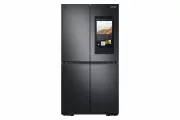




 Samsung SRF5500S User Manual
 Samsung SRF5700SD User Manual
 Samsung SRF7300BA User Manual
 Samsung SRF7300SA User Manual
 Samsung SRF7500BB User Manual
 Samsung SRF7500SB User Manual
 Samsung SRL304NW User Manual
 Samsung SRL334NMB User Manual
 Samsung SRL349MW User Manual
 Samsung SRL446DLS User Manual
 Samsung SRL449EW User Manual
 Samsung SRL454DSP User Manual