Samsung SPF-87H - User Manual
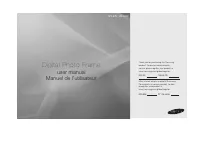
A user manual for the Samsung Digital Photo Frame covers essential topics like setup, remote control functionality, photo and slideshow modes, troubleshooting common issues such as USB connectivity or display failures, and critical safety guidelines–including electrical precautions, regulatory compliance, and proper handling of the device’s components. The document also highlights technical specifications, including screen size, supported media formats, power requirements, and physical dimensions for models SPF-87H and SPF-107H.
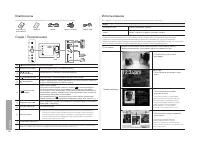
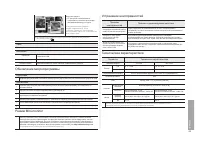
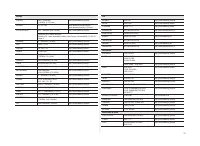

Table of Contents:
- Page 1 – Product Identification and Registration
- Page 2 – Device Components and Display Modes
- Page 3 – Troubleshooting and Technical Specifications
- Page 4 – Electrical Safety Precautions
- Page 5 – Regulatory Compliance and Power Requirements
- Page 6 – Power Supply Wiring and Service Information
- Page 7 – Customer Support Directory
D i g i t a l P h o t o F r a m e
user manual
Manuel de l’utilisateur
SPF-87H SPF-107H
Thank you for purchasing this Samsung
product. To receive more complete
service, please register your product at
www.samsung.com/global/register
Model Serial No.
Modèle N° de série
Merci d’avoir acheté un produit Samsung.
Pour obtenir un service complet, veuillez
enregistrer votre produit à:
www.samsung.com/global/register
2009-04-27 7:50:34
"Loading the manual" means you need to wait until the file loads and becomes available for online reading. Some manuals are very large, and the time they take to appear depends on your internet speed.
Was this manual helpful?
About this manual
- Brand
- Samsung
- Model
- SPF-87H
- Document type
- User Manual
- Category
- Digital Photo Frame
- Language(s)
- German, English, Spanish, French, Italian, Dutch, Polish, Russian, Swedish
- Pages
- 8
- File size
- 1.5 MB
- Format
Other Manuals for Samsung SPF-87H
Summary
Cover page identifying models SPF-87H and SPF-107H, along with instructions for device registration including model and serial number entry.
Details on included items, remote control usage for navigation and slideshows, and options for viewing photos, calendars, and time displays.
Information regarding troubleshooting device malfunctions, updating the microprogram, handling specific errors like USB recognition issues, and a table of technical specifications.
Ask a question
Related manuals
More Samsung Digital Photo Frames models
Other Samsung appliances
 Samsung 2 Manual
- Samsung 3 Manual
 Samsung 3.5" hard disk drives Manual
 Samsung 4 Manual
 Samsung 4 CHANNEL DVR Manual
- Samsung 4g Manual
- Samsung 4G LTE SMARTPHONE Manual
 Samsung 5 Manual
- Samsung 8.9 Manual
- Samsung 10.1 Manual
 Samsung 14F2, 14F3, 14H4, 14H5, 14S1, 14S4, 14V5, 3366, 15K2, 15K5, 15K8, 15K9, 20F3, 20H4, 20H5, 20S1, 20S4, 20S5, 20V5, 5038, 21A3, 21A6, 21A7, 21A8, 21B6, 21D8, 21F3, 21F5, 21H4, 21H5, 21K2, 21K3, 21K5, 21K9, 21S1, 21S4, 21V5 Manual
 Samsung 14F2, 14F3, 14H4, 14H5, 14S1, 14V5, 3366, 15K2, 15K5, 15K8, 15K9, 15K10, 15M16, 17A11, 17K10, 20F3, 20H4, 20H5, 20S1, 20S4, 20S5, 20V5, 5038, 21A3, 21A6, 21A7, 21A8, 21B6, 21D8, 21F3, 21F5, 21H4, 21H5, 21K2, 21K3, 21K5, 21K9, 21K10, 21M16, 21S1, 21S4, 21V Manual
 Samsung 21-1840 Manual
- Samsung 21S Manual
 Samsung 21Z50 Manual
 Samsung 25A6, 29A5, 29A6, 29A7, 29K3, 29K5, 29K10, 29M6, 29U2, 29Z4, 34A7, 34Z4 Manual
 Samsung 25A6, 29A5, 29A6, 29A7, 29K3, 29K5, 29M6, 29U2, 34A7 Manual
 Samsung 31 Manual
 Samsung 34A20 Manual