Page 2 - Table of Contents; Basics; Apps and features
2 Table of Contents Basics 4 Read me first 6 Device overheating situations and solutions 9 Device layout and functions 13 Battery15 SIM or USIM card (nano-SIM card) (SM-T515, SM-T517) 16 Memory card (microSD card)19 Turning the device on and off20 Initial setup21 Samsung account22 Transferring data ...
Page 3 - Appendix
Table of Contents 3 115 Google116 Advanced features 117 Motions and gestures 117 Digital Wellbeing and parental controls118 Digital Wellbeing 119 Device care 119 Optimising your device120 Battery121 Storage121 Memory121 Security 122 Apps122 General management123 Accessibility124 Software update125 A...
Page 5 - Instructional icons
Basics 5 • Depending on the region or service provider, a screen protector is attached for protection during production and distribution. Damage to the attached screen protector is not covered by the warranty. • You can see the touchscreen clearly even in strong outdoor sunlight by automatically adj...
Page 6 - Device overheating situations and solutions; When the device heats up while charging the battery; Do the following when the device heats up:; When the device heats up during use
Basics 6 Device overheating situations and solutions When the device heats up while charging the battery While charging, the device and the charger may become hot. During wireless charging or fast charging, the device may feel hotter to the touch. This does not affect the device’s lifespan or perfor...
Page 8 - Precautions for device overheating
Basics 8 Precautions for device overheating If you begin to feel uncomfortable due to the device overheating, stop using the device.When the device heats up, the features and performance may be limited or the device may turn off to cool down. The feature is only available on supported models. • If t...
Page 9 - Device layout and functions; Package contents
Basics 9 Device layout and functions Package contents Refer to the quick start guide for package contents. • The items supplied with the device and any available accessories may vary depending on the region or service provider. • The supplied items are designed only for this device and may not be co...
Page 10 - Device layout
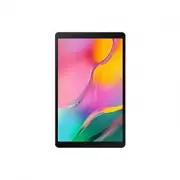
Basics 10 Device layout Front camera Power keyVolume key Touchscreen ► SM-T515, SM-T517: SIM card / Memory card tray ► SM-T510: Memory card tray Microphone Earphone jack Multipurpose jack (USB Type-C) Rear camera Main antenna (SM-T515, SM-T517) GPS antenna Speaker Speaker
Page 12 - Hard keys; Soft buttons
Basics 12 Hard keys Volume key Power key Key Function Power key • Press and hold to turn the device on or off. • Press to turn on or lock the screen. Volume key • Press to adjust the device volume. Soft buttons Back button Home button Recents button When you turn on the screen, the soft buttons will...
Page 13 - Battery; Charging the battery
Basics 13 Battery Charging the battery Charge the battery before using it for the first time or when it has been unused for extended periods. Use only Samsung-approved battery, charger, and cable specifically designed for your device. Incompatible battery, charger, and cable can cause serious injuri...
Page 14 - Reducing the battery consumption
Basics 14 Reducing the battery consumption Your device provides various options that help you conserve battery power. • Optimise the device using the device care feature. • When you are not using the device, turn off the screen by pressing the Power key. • Activate power saving mode. • Close unneces...
Page 15 - Installing the SIM or USIM card
Basics 15 SIM or USIM card (nano-SIM card) (SM-T515, SM-T517) Installing the SIM or USIM card Insert the SIM or USIM card provided by the mobile telephone service provider. • Use only a nano-SIM card. • Use caution not to lose or let others use the SIM or USIM card. Samsung is not responsible for an...
Page 16 - Installing a memory card
Basics 16 3 Place the SIM or USIM card on the tray with the gold-coloured contacts facing downwards. 4 Gently press the SIM or USIM card into the tray to secure it. If the card is not fixed firmly into the tray, the SIM card may leave or fall out of the tray. 5 Insert the tray back into the tray slo...
Page 18 - Removing the memory card; Formatting the memory card
Basics 18 2 Pull out the tray gently from the tray slot. When you remove the tray from the device, the mobile data connection will be disabled. (SM-T515, SM-T517) 3 Place a memory card on the tray with the gold-coloured contacts facing downwards. 4 Gently press the memory card into the tray to secur...
Page 19 - Turning the device on and off; Turning the device on; Forcing restart
Basics 19 Turning the device on and off Follow all posted warnings and directions from authorised personnel in areas where the use of wireless devices is restricted, such as aeroplanes and hospitals. Turning the device on Press and hold the Power key for a few seconds to turn on the device.When you ...
Page 20 - Initial setup
Basics 20 Initial setup When you turn on your device for the first time or after performing a data reset, follow the on-screen instructions to set up your device. 1 Press and hold the Power key for a few seconds to turn on the device. 2 Select your preferred device language and select . Select a lan...
Page 21 - Samsung account; Creating a Samsung account
Basics 21 Samsung account Your Samsung account is an integrated account service that allows you to use a variety of Samsung services provided by mobile devices, TVs, and the Samsung website.To check the list of services that can be used with your Samsung account, visit account.samsung.com . For more...
Page 22 - Finding your ID and resetting your password; Transferring data from your previous device; Transferring data wirelessly
Basics 22 Finding your ID and resetting your password If you forget your Samsung account ID or password, tap Find ID or Reset password on the Samsung account sign-in screen. You can find your ID or reset your password after you enter the required information. Removing your Samsung account When you r...
Page 23 - Backing up and restoring data using external storage
Basics 23 3 Place the devices near each other. 4 On the previous device, tap Send data → Wireless . 5 On your device, select an item to bring and tap Transfer . 6 Follow the on-screen instructions to transfer data from your previous device.After the data is done transferring, you can view a list of ...
Page 24 - Understanding the screen; Controlling the touchscreen; Tapping
Basics 24 3 Connect your previous device to the computer using the device’s USB cable. 4 On the computer, follow the on-screen instructions to back up data from the device.Then, disconnect your previous device from the computer. 5 Connect your device to the computer using the USB cable. 6 On the com...
Page 25 - Dragging
Basics 25 Dragging Tap and hold an item and drag it to the target position. Double-tapping Double-tap the screen. Swiping Swipe upwards, downwards, to the left, or to the right. Spreading and pinching Spread two fingers apart or pinch on the screen.
Page 27 - Hiding the navigation bar
Basics 27 Hiding the navigation bar View files or use apps on a wider screen by hiding the navigation bar.Launch the Settings app, tap Display → Navigation bar , and then tap Full screen gestures under Navigation type . The navigation bar will be hidden and the gesture hints will appear. Tap More op...
Page 28 - Home screen and Apps screen
Basics 28 Home screen and Apps screen The Home screen is the starting point for accessing all of the device’s features. It displays widgets, shortcuts to apps, and more.The Apps screen displays icons for all apps, including newly installed apps. The screen may appear differently depending on the reg...
Page 29 - Switching between Home and Apps screens
Basics 29 Switching between Home and Apps screens On the Home screen, swipe upwards or downwards to open the Apps screen.To return to the Home screen, swipe upwards or downwards on the Apps screen. Alternatively, tap the Home button or the Back button. Home screen Apps screen If you add the Apps but...
Page 30 - Displaying the screen in landscape mode
Basics 30 Displaying the screen in landscape mode Rotate the device until it is horizontal to view the screen in landscape mode. Moving items Tap and hold an item, and then drag it to a new location. To move the item to another panel, drag it to the side of the screen.To add a shortcut to an app on ...
Page 31 - Creating folders
Basics 31 Creating folders Create folders and gather similar apps to quickly access and launch apps.On the Home screen or the Apps screen, tap and hold an app, and then drag it over another app.A new folder containing the selected apps will be created. Tap Folder name and enter a folder name. • Addi...
Page 32 - Editing the Home screen; Displaying all apps on the Home screen
Basics 32 Editing the Home screen On the Home screen, tap and hold an empty area, or pinch your fingers together to access the editing options. You can set the wallpaper, add widgets, and more. You can also add, delete, or rearrange Home screen panels. • Adding panels: Swipe to the left, and then ta...
Page 33 - Indicator icons
Basics 33 Indicator icons Indicator icons appear on the status bar at the top of the screen. The icons listed in the table below are most common. • The status bar may not appear at the top of the screen in some apps. To display the status bar, drag down from the top of the screen. • Some indicator i...
Page 34 - Lock screen
Basics 34 Lock screen Pressing the Power key turns off the screen and locks it. Also, the screen turns off and automatically locks if the device is not used for a specified period.To unlock the screen, swipe in any direction when the screen turns on.If the screen is off, press the Power key to turn ...
Page 35 - Changing the screen lock method; Screen capture
Basics 35 Changing the screen lock method To change the screen lock method, launch the Settings app, tap Lock screen → Screen lock type , and then select a method. When you set a pattern, PIN, or password for the screen lock method, you can protect your personal information by preventing others from...
Page 36 - Notification panel
Basics 36 Notification panel When you receive new notifications, indicator icons appear on the status bar. To see more information about the icons, open the notification panel and view the details.To open the notification panel, drag the status bar downwards. To close the notification panel, swipe u...
Page 37 - Using quick setting buttons; Controlling media playback
Basics 37 Using quick setting buttons Tap quick setting buttons to activate certain features. Swipe downwards on the notification panel to view more buttons. To change feature settings, tap the text under each button. To view more detailed settings, tap and hold a button.To rearrange buttons, tap → ...
Page 38 - Entering text; Keyboard layout; Changing the input language
Basics 38 Entering text Keyboard layout A keyboard appears automatically when you enter text to send emails, create notes, and more. Text entry is not supported in some languages. To enter text, you must change the input language to one of the supported languages. Break to the next line. Delete a pr...
Page 39 - Additional keyboard functions
Basics 39 Additional keyboard functions Some features may not be available depending on the region or service provider. • : Enter emoticons. • : Enter stickers. • : Attach animated GIFs. (SM-T517) • : Enter kaomojis. • → CANGJIE QWERTY KEYBOARD : Switch to qwerty keyboard. • → PINYIN QWERTY KEYBOARD...
Page 40 - Copying and pasting
Basics 40 Copying and pasting 1 Tap and hold over text. 2 Drag or to select the desired text, or tap Select all to select all text. 3 Tap Copy or Cut . The selected text is copied to the clipboard. 4 Tap and hold where the text is to be inserted and tap Paste . To paste text that you have previously...
Page 41 - Installing or uninstalling apps; Installing apps
41 Apps and features Installing or uninstalling apps Galaxy Store Purchase and download apps. You can download apps that are specialised for Samsung Galaxy devices.Launch the Galaxy Store app. This app may not be available depending on the region or service provider. Installing apps Browse apps by c...
Page 42 - Play Store; Managing apps; Uninstalling or disabling apps; Enabling apps
Apps and features 42 Play Store Purchase and download apps.Launch the Play Store app. Installing apps Browse apps by category or search for apps by keyword.Select an app to view information about it. To download free apps, tap Install . To purchase and download apps where charges apply, tap the pric...
Page 43 - Setting app permissions; Finder
Apps and features 43 Setting app permissions For some apps to operate properly, they may need permission to access or use information on your device.To view your app permission settings, launch the Settings app and tap Apps . Select an app and tap Permissions . You can view the app’s permissions lis...
Page 44 - Introduction
Apps and features 44 Phone (SM-T515) Introduction Make or answer voice and video calls. Making calls 1 Launch the Phone app and tap Keypad . 2 Enter a phone number. 3 Tap to make a voice call, or tap to make a video call. Preview the phone number. Delete a preceding character. Access additional opti...
Page 45 - Making calls from call logs or contacts list
Apps and features 45 Making calls from call logs or contacts list Launch the Phone app, tap Recents or Contacts , and then swipe to the right on a contact or a phone number to make a call.If this feature is deactivated, launch the Settings app, tap Advanced features → Motions and gestures , and then...
Page 46 - Receiving calls; Answering a call; Blocking phone numbers
Apps and features 46 Receiving calls Answering a call When a call comes in, drag outside the large circle. Rejecting a call When a call comes in, drag outside the large circle.To send a message when rejecting an incoming call, drag the Send message bar upwards and select a message to send.If the Add...
Page 47 - Options during calls; During a voice call
Apps and features 47 Options during calls During a voice call The following actions are available: • : Access additional options. • Add call : Dial a second call. The first call will be put on hold. When you end the second call, the first call will be resumed. • Message : Send a message to the calle...
Page 48 - Adding a phone number to Contacts; Adding a phone number to Contacts from the keypad; Adding a tag to a phone number
Apps and features 48 Adding a phone number to Contacts Adding a phone number to Contacts from the keypad 1 Launch the Phone app and tap Keypad . 2 Enter the number. 3 Tap Add to Contacts . 4 Tap Create new contact to create a new contact, or tap Update existing contact to add the number to an existi...
Page 49 - Adding contacts; Creating a new contact
Apps and features 49 Contacts Introduction Create new contacts or manage contacts on the device. Adding contacts Creating a new contact 1 Launch the Contacts app and tap . 2 Select a storage location. 3 Enter contact information. Select a storage location. Add an image. Open more information fields....
Page 50 - Importing contacts; Searching for contacts
Apps and features 50 Importing contacts Add contacts by importing them from other storages to your device. 1 Launch the Contacts app and tap → Manage contacts → Import or export contacts → Import . 2 Select a storage location to import contacts from. 3 Tick VCF files or contacts to import and tap Do...
Page 51 - Sharing contacts
Apps and features 51 Tap the contact. Then take one of the following actions: • : Add to favourite contacts. • / : Make a voice or video call. (SM-T515) • : Compose a message. (SM-T515, SM-T517) • : Compose an email. Sharing contacts You can share contacts with others by using various sharing option...
Page 52 - Creating groups
Apps and features 52 Creating groups You can add groups, such as family or friends, and manage contacts by group. 1 Launch the Contacts app and tap → Groups → Create group . 2 Enter a group name.To set a group ringtone, tap Group ringtone and select a ringtone. (SM-T515) 3 Tap Add member , select co...
Page 53 - Sending messages
Apps and features 53 Messages (SM-T515, SM-T517) Introduction Send and view messages by conversation. Sending messages You may incur additional charges for sending messages when you are roaming. 1 Launch the Messages app and tap . 2 Add recipients and enter a message.To record and send a voice messa...
Page 54 - Viewing messages
Apps and features 54 Viewing messages Messages are grouped into message threads by contact. You may incur additional charges for receiving messages when you are roaming. 1 Launch the Messages app. 2 On the messages list, select a contact or a phone number. • To reply to the message, tap the message ...
Page 55 - Setting the message notification; Setting a message reminder; Deleting messages
Apps and features 55 Setting the message notification You can change notification sound, display options, and more. 1 Launch the Messages app, tap at the top of the messages list, tap Settings → Notifications , and then tap the switch to activate it. 2 Change the notification settings. Setting a mes...
Page 57 - Using secret mode; Activating secret mode; Changing security settings
Apps and features 57 Using secret mode In secret mode, you can separately manage open tabs, bookmarks, and saved pages. You can lock secret mode using a password. Activating secret mode Tap → Turn on Secret mode . If you are using this feature for the first time, set whether to use a password for se...
Page 58 - Email; Setting up email accounts
Apps and features 58 Email Setting up email accounts Set up an email account when opening Email for the first time. 1 Launch the Email app. 2 On the list, select an email service or tap Other . 3 Follow the on-screen instructions to complete the setup. To set up another email account, tap → → Add ac...
Page 59 - Launching Camera
Apps and features 59 Camera Introduction Take photos and record videos using various modes and settings. Camera etiquette • Do not take photos or record videos of other people without their permission. • Do not take photos or record videos where legally prohibited. • Do not take photos or record vid...
Page 60 - Taking photos
Apps and features 60 Taking photos 1 Tap the image on the preview screen where the camera should focus. • Spread two fingers apart on the screen to zoom in, and pinch to zoom out. Alternatively, drag the lens selection icon to the left or right. Zooming features are available only when using the rea...
Page 61 - Selecting a lens for shooting
Apps and features 61 Selecting a lens for shooting On the preview screen, select the lens you want and take a photo or record a video. This feature is only available in some shooting modes. • : The wide-angle lens lets you take basic photos or record normal videos. • : The telephoto lens (2x optical...
Page 62 - Using shooting modes; Scene optimiser
Apps and features 62 Using shooting modes To change the shooting mode, drag the shooting modes list to the left or right, or swipe to the left or right on the preview screen.Select a shooting mode you want. Shooting modes list Photo mode (Intelligent camera) The camera adjusts the shooting options a...
Page 63 - Taking selfies
Apps and features 63 • If this feature is not activated, tap on the preview screen and tap the Scene optimiser switch to activate it. • If you do not want to use this feature, tap the scene optimiser button on the preview screen. Taking selfies You can take self-portraits with the front camera. 1 On...
Page 64 - Applying filter and beauty effects; Video mode
Apps and features 64 Applying filter and beauty effects You can select a filter effect and modify facial features, such as your skin tone or face shape, before taking a photo. 1 On the preview screen, tap . 2 Select a filter effect or beauty effects and take a photo. Locking the focus (AF) and expos...
Page 65 - Pro mode; Available options; Separating the focus area and the exposure area
Apps and features 65 Pro mode Capture photos while manually adjusting various shooting options, such as exposure value and ISO value.On the shooting modes list, tap MORE → PRO . Select options and customise the settings, and then tap to take a photo. Available options • : Select an ISO value. This c...
Page 66 - Panorama mode; Customising camera settings; Options for current shooting mode
Apps and features 66 Panorama mode Using panorama mode, take a series of photos and then stitch them together to create a wide scene. To get the best shots using panorama mode, follow these tips: • Move the camera slowly in one direction. • Keep the image within the frame on the camera’s viewfinder....
Page 67 - Camera settings
Apps and features 67 Camera settings On the preview screen, tap . Some options may not be available depending on the shooting mode. Intelligent features • Scene optimiser : Set the device to adjust the colour settings and apply the optimised effect automatically depending on the subject or scene. Pi...
Page 68 - Gallery
Apps and features 68 Useful features • Auto HDR : Take photos with rich colours and reproduce details even in bright and dark areas. • Pictures as previewed : Set the device to save photos as they appear on the preview screen when taken with the front camera without flipping them. • Grid lines : Dis...
Page 69 - Viewing images; Searching for images
Apps and features 69 Viewing images 1 Launch the Gallery app and tap Pictures . 2 Select an image. Access additional options. Delete the image. Share the image with others. Add the image to favourites. Modify the image. Image and video thumbnail You can create an animated GIF or collage from multipl...
Page 70 - Viewing videos
Apps and features 70 Viewing videos 1 Launch the Gallery app and tap Pictures . 2 Select a video to play. 3 Tap Play video to play the video. Lock the playback screen. Skip to the previous video. Tap and hold to rewind. Switch to the pop-up video player. Capture the current screen. Rewind or fast-fo...
Page 71 - Viewing albums; Hiding albums; Viewing stories; Creating stories
Apps and features 71 Viewing albums You can view your images and videos sorted by folders or albums.Launch the Gallery app, tap Albums , and then select an album. Hiding albums You can hide albums. You cannot hide albums created by default, such as the Camera and Screenshots albums. 1 Launch the Gal...
Page 72 - Deleting stories; Syncing images and videos; Using the recycle bin feature
Apps and features 72 Deleting stories 1 Launch the Gallery app and tap Stories . 2 Tap and hold a story to delete, and tap Delete . Syncing images and videos When you sync your Gallery app with the cloud, photos and videos you take will also be saved in the cloud. You can view images and videos save...
Page 73 - Multi window
Apps and features 73 Multi window Introduction Multi window lets you run two apps at the same time in the split screen view. You can also run multiple apps at the same time in the pop-up view. Some apps may not support this feature. Split screen view Pop-up view
Page 74 - Adjusting the window size
Apps and features 74 Split screen view 1 Tap the Recents button to open the list of recently used apps. 2 Swipe to the left or right, tap an app’s icon, and then tap Open in split screen view . The selected app will launch in the upper window. 3 On the lower window, swipe left or right to select ano...
Page 75 - Moving pop-up windows
Apps and features 75 Pop-up view 1 Tap the Recents button to open the list of recently used apps. 2 Swipe to the left or right, tap an app’s icon, and then tap Open in pop-up view . The app screen will appear in the pop-up view. Minimise the window. Close the app. Maximise the window. Adjust the tra...
Page 76 - Samsung Members; Samsung Notes; Creating notes; Deleting notes
Apps and features 76 Samsung Members Samsung Members offers support services to customers, such as device problem diagnosis, and lets users submit questions and error reports. You can also share information with others in the Galaxy users’ community or view the latest Galaxy news and tips. Samsung M...
Page 77 - Creating events; Creating reminders
Apps and features 77 Calendar Manage your schedule by entering upcoming events or reminders in your planner. Creating events 1 Launch the Calendar app and tap or double-tap a date. 2 Enter event details. Select a calendar to save the event to. Enter the location. Set an alarm. Enter a title. Set the...
Page 78 - Syncing events with your accounts; Starting Reminder
Apps and features 78 Syncing events with your accounts 1 Launch the Settings app, tap Accounts and backup → Accounts , and then select the account to sync with. 2 Tap Sync account and tap the Calendar switch to activate it. For the Samsung account, tap → Sync settings and tap the Calendar switch to ...
Page 79 - Restoring reminders; Deleting reminders
Apps and features 79 Creating reminders Create reminders with various methods. Reminder will alert you if you create a reminder with a specified time or location setting. You can also save various content, such as a single memo or webpage address, and view it later.For example, create a reminder to ...
Page 80 - Setting alarms; Deleting alarms
Apps and features 80 My Files Access and manage various files stored in the device or in other locations, such as cloud storage services.Launch the My Files app. View files that are stored in each storage.To check for unnecessary data and free up the device’s storage, tap Analyse storage . To search...
Page 81 - World Clock; Creating clocks; Stopwatch
Apps and features 81 World Clock Launch the Clock app and tap World Clock . Creating clocks Tap , enter a city name or select a city from the map, and then tap Add . To use the time zone converter, tap → Time zone converter . Deleting clocks Tap and hold a clock, tick clocks to delete, and then tap ...
Page 82 - Samsung Kids
Apps and features 82 Calculator Perform simple or complex calculations.Launch the Calculator app. To clear the history, tap Clear history . To use the unit conversion tool, tap . You can convert various values, such as area, length, or temperature, into other units. Samsung Kids Introduction You can...
Page 83 - Using parental control features
Apps and features 83 Using parental control features You can configure the settings for Samsung Kids and view the usage history.On the Samsung Kids screen, tap → Parental control and enter your unlock code. • Kid’s name : Manage your child’s profile. • Set daily playtime : Restrict the usage time fo...
Page 84 - Sharing content
Apps and features 84 Sharing content Share content by using various sharing options. The following actions are an example of sharing images. You may incur additional charges when sharing files via the mobile network. (SM-T515, SM-T517) 1 Launch the Gallery app and select an image. 2 Tap and select a...
Page 85 - Using additional features; Daily Board
Apps and features 85 Using additional features • Quick Share : Share content with nearby devices via Wi-Fi Direct or Bluetooth, or with SmartThings supported devices. • Smart View : View your device’s displayed content on a large screen by connecting your device to a screen mirroring-enabled TV or m...
Page 86 - Launching Daily Board; Setting the information view mode of the Daily Board main screen; Using Daily Board; Playing the slide show
Apps and features 86 Launching Daily Board 1 Charge the device with a USB cable or charging dock. To connect the device to a charging dock, slide the device into the charging dock to bring the device’s connectors and charging dock’s charging terminals into contact with each other. 2 Open the notific...
Page 87 - Making a note on Daily Board; Configuring settings for Daily Board
Apps and features 87 Making a note on Daily Board You can use your device as a bulletin board to make a note on Daily Board. 1 Swipe to the left on the Daily board main screen and tap . 2 Select a pen and write or draw on the screen. 3 Tap Done . The note you make will be pinned to Daily Board. Cont...
Page 88 - Closing Daily Board; Google apps; Chrome; Gmail; Maps
Apps and features 88 Closing Daily Board To close Daily Board, tap the Home button or the Back button. Google apps Google provides entertainment, social network, and business apps. You may require a Google account to access some apps.To view more app information, access each app’s help menu. Some ap...
Page 89 - Drive; Photos; Duo
Apps and features 89 Drive Store your content on the cloud, access it from anywhere, and share it with others. YouTube Watch or create videos and share them with others. Photos Search for, manage, and edit all your photos and videos from various sources in one place. Google Search quickly for items ...
Page 90 - Options
90 Settings Introduction Customise device settings. You can make your device more personalised by configuring various setting options.Launch the Settings app. To search for settings by entering keywords, tap . Connections Options Change settings for various connections, such as the Wi-Fi feature and...
Page 91 - Connecting to a Wi-Fi network
Settings 91 • Data usage ► SM-T515 , SM-T517 : Keep track of your data usage amount and customise the settings for the limitation. Set the device to automatically disable the mobile data connection when the amount of mobile data you have used reaches your specified limit.You can also activate the da...
Page 92 - Sending and receiving data; Ending the device connection
Settings 92 Wi-Fi Direct Wi-Fi Direct connects devices directly via a Wi-Fi network without requiring an access point. 1 On the Settings screen, tap Connections → Wi-Fi and tap the switch to activate it. 2 Tap → Wi-Fi Direct . The detected devices are listed.If the device you want to connect to is n...
Page 93 - Pairing with other Bluetooth devices
Settings 93 Bluetooth Use Bluetooth to exchange data or media files with other Bluetooth-enabled devices. • Samsung is not responsible for the loss, interception, or misuse of data sent or received via Bluetooth. • Always ensure that you share and receive data with devices that are trusted and prope...
Page 94 - Unpairing Bluetooth devices
Settings 94 Sending and receiving data Many apps support data transfer via Bluetooth. You can share data, such as contacts or media files, with other Bluetooth devices. The following actions are an example of sending an image to another device. 1 Launch the Gallery app and select an image. 2 Tap → B...
Page 96 - Using the mobile hotspot
Settings 96 Mobile Hotspot and Tethering (SM-T515, SM-T517) Use the device as a mobile hotspot to share the device’s mobile data connection with other devices when the network connection is not available. Connections can be made via Wi-Fi, USB, or Bluetooth.On the Settings screen, tap Connections → ...
Page 97 - Auto Hotspot; More connection settings
Settings 97 3 On the other device’s screen, search for and select your device from the Wi-Fi networks list.To connect without entering the password, tap and scan the QR code with the other device. If the mobile hotspot is not found, on your device, set Band to 2.4 GHz , tap → Configure Mobile Hotspo...
Page 98 - Adding printer plug-ins
Settings 98 Printing Configure settings for printer plug-ins installed on the device. You can connect the device to a printer via Wi-Fi or Wi-Fi Direct, and print images or documents. Some printers may not be compatible with the device. Adding printer plug-ins Add printer plug-ins for printers you w...
Page 99 - Sound
Settings 99 Sound Options Change settings for various sounds on the device.On the Settings screen, tap Sound . • Sound mode : Set the device to use sound mode or silent mode. • Temporary mute : Set the device to use silent mode for a certain period. • Ringtone : Change the call ringtone. (SM-T515) •...
Page 100 - Separate app sound; Notifications
Settings 100 Separate app sound Set the device to play media sound from a specific app on the connected Bluetooth speaker or headset separate from the sound of other apps.For example, you can listen to the Navigation app through your device’s speaker while listening to playback from the Music app th...
Page 101 - Display
Settings 101 Display Options Change the display and the Home screen settings.On the Settings screen, tap Display . • Light / Dark : Activate or deactivate dark mode. • Dark mode settings : Reduce eye strain by applying the dark theme when using the device at night or in a dark place. Refer to Dark m...
Page 103 - Wallpaper
Settings 103 Wallpaper Change the wallpaper settings for the Home screen and the locked screen.On the Settings screen, tap Wallpaper . Lock screen Options Change the settings for the locked screen.On the Settings screen, tap Lock screen . The available options may vary depending on the screen lock m...
Page 104 - Security
Settings 104 Smart Lock You can set the device to unlock itself and remain unlocked when trusted locations or devices are detected.For example, if you have set your home as a trusted location, when you get home your device will detect the location and automatically unlock itself. • This feature will...
Page 106 - Setting up Secure Folder
Settings 106 Setting up Secure Folder 1 Launch the Settings app and tap Security → Secure Folder . 2 Agree to the terms and conditions of Secure Folder. 3 Enter your Samsung account ID and password and tap Sign in . 4 Select a lock method to use for Secure Folder and follow the on-screen instruction...
Page 107 - Moving content to Secure Folder
Settings 107 Moving content to Secure Folder Move content, such as photos and videos, to Secure Folder. The following actions are an example of moving an image from the default storage to Secure Folder. 1 Launch the Secure Folder app and tap Add files . 2 Tap Images , tick images to move, and then t...
Page 108 - Adding apps; Removing apps from Secure Folder; Adding accounts
Settings 108 Adding apps Add an app to use in Secure Folder. 1 Launch the Secure Folder app and tap Add apps . 2 Tick one or more apps installed on the device and tap Add . To install apps from Play Store or Galaxy Store , tap Download from Play Store or Download from Galaxy Store . Removing apps fr...
Page 109 - Backing up data; Uninstalling Secure Folder
Settings 109 Backing up data 1 Launch the Secure Folder app and tap → Settings → Backup and restore . 2 Tap Add account and follow the on-screen instructions to complete signing in to your Samsung account. 3 Tap Back up Secure Folder data . 4 Tick items you want to back up and tap Back up . Data wil...
Page 110 - Privacy
Settings 110 Privacy Change the settings for privacy.On the Settings screen, tap Privacy . • Permission manager : View the list of features and apps that have permission to use them. You can also edit the permission settings. • Send diagnostic data : Set the device to automatically send the device’s...
Page 111 - Accounts and backup
Settings 111 Accounts and backup Options Sync, back up, or restore your device’s data using Samsung Cloud. You can also sign in to accounts, such as your Samsung account or Google account, or transfer data to or from other devices via Smart Switch.On the Settings screen, tap Accounts and backup . • ...
Page 112 - Adding users
Settings 112 Users Set up additional user accounts for other users to use the device with personalised settings, such as email accounts, wallpaper preferences, and more. This feature may not be available depending on the region or service provider. Following types of user accounts are available: • A...
Page 113 - Switching users
Settings 113 Adding restricted profiles (SM-T510, SM-T517) 1 On the Settings screen, tap Accounts and backup → Users . 2 Tap Add user or profile → User (restricted profile) . If you are not using a secure screen lock method with the administrator account, follow the on-screen instructions to set one...
Page 114 - Managing users; Samsung Cloud; Syncing data
Settings 114 Managing users When using the administrator account, you can delete accounts or change account settings.On the Settings screen, tap Accounts and backup → Users . ► SM-T515 : To delete a user account, tap next to the account and then tap Delete user . To change an account’s settings, tap...
Page 115 - Google
Settings 115 Backing up data You can back up your device’s data to Samsung Cloud. 1 On the Settings screen, tap Accounts and backup → Samsung Cloud → Back up this tablet . 2 Tick items you want to back up and tap Back up . 3 Tap Done . • Some data will not be backed up. To check which data will be b...
Page 117 - Digital Wellbeing and parental controls
Settings 117 Motions and gestures Activate the motion feature and configure settings.On the Settings screen, tap Advanced features → Motions and gestures . • Double tap to wake : Set the device to turn on the screen by double-tapping anywhere on the screen while the screen is turned off. • Smart sta...
Page 118 - Setting timers for apps
Settings 118 Digital Wellbeing View the daily usage history of your device. You can also limit usage time or change the notification settings for each app.On the Settings screen, tap Digital Wellbeing and parental controls → Digital Wellbeing . App timers Number of notifications Activate wind down m...
Page 119 - Using focus mode; Device care
Settings 119 Using focus mode You can activate focus mode to avoid distractions from your device and stay focused on what you want. While focus mode is on, you can only use default apps and the apps you allowed exceptions for.On the Settings screen, tap Digital Wellbeing and parental controls . Then...
Page 120 - Using the auto optimisation feature; Power mode
Settings 120 Using the auto optimisation feature You can set the device to perform auto optimisation when your device is not in use. Tap → Advanced → Auto optimisation and tap the switch to activate it. If you want to set the time to perform auto optimisation, tap Time . Battery Check the remaining ...
Page 121 - Managing battery usage for each app; Storage; Managing the memory; Memory
Settings 121 Managing battery usage for each app You can save battery power by preventing apps that are running in the background from using battery power when they are not being used. Tap Battery usage , select apps from the apps list, and then tap the Put app to sleep switch to activate the featur...
Page 122 - Apps
Settings 122 Apps Manage the device’s apps and change their settings. You can view the apps’ usage information, change their notification or permission settings, or uninstall or disable unnecessary apps.On the Settings screen, tap Apps . General management Customise your device’s system settings or ...
Page 123 - Adding device languages; Accessibility
Settings 123 Adding device languages You can add languages to use on your device. 1 On the Settings screen, tap General management → Language and input → Language → Add language . To view all the languages that can be added, tap → All languages . 2 Select a language to add. 3 To set the selected lan...
Page 124 - Software update; Security updates information
Settings 124 • Advanced settings : Configure settings for Direct access and notification features. • Installed services : View accessibility services installed on the device. • About Accessibility : View the Accessibility information. • Contact us : Ask questions or view frequently asked questions. ...
Page 125 - About tablet
Settings 125 About tablet Access your device’s information.On the Settings screen, tap About tablet . To change your device’s name, tap Edit . • Status : View various device information, such as the Wi-Fi MAC address and serial number. • Legal information : View legal information related to the devi...
Page 126 - Troubleshooting; When you turn on your device or while you are using the device, it
126 Appendix Troubleshooting Before contacting a Samsung Service Centre, please attempt the following solutions. Some situations may not apply to your device. When you turn on your device or while you are using the device, it prompts you to enter one of the following codes: • Password: When the devi...
Page 127 - The touchscreen responds slowly or improperly; Your device freezes or encounters a fatal error; Restarting the device
Appendix 127 The touchscreen responds slowly or improperly • If you attach a screen protector or optional accessories to the touchscreen, the touchscreen may not function properly. • If you are wearing gloves, if your hands are not clean while touching the touchscreen, or if you tap the screen with ...
Page 128 - Calls are not connected; Others cannot hear you speaking on a call; Sound echoes during a call
Appendix 128 Calls are not connected • Ensure that you have accessed the right cellular network. • Ensure that you have not set call barring for the phone number you are dialling. • Ensure that you have not set call barring for the incoming phone number. Others cannot hear you speaking on a call • E...
Page 129 - The battery does not charge properly (For Samsung-approved; The battery depletes faster than when first purchased
Appendix 129 The battery does not charge properly (For Samsung-approved chargers) • Ensure that the charger is connected properly. • Visit a Samsung Service Centre and have the battery replaced. The battery depletes faster than when first purchased • When you expose the device or the battery to very...
Page 130 - Error messages appear when opening multimedia files
Appendix 130 Error messages appear when opening multimedia files If you receive error messages or multimedia files do not play when you open them on your device, try the following: • Free some memory by transferring files to a computer or deleting files from your device. • Ensure that the music file...
Page 132 - The Home button does not appear
Appendix 132 The Home button does not appear The navigation bar containing the Home button may disappear while using certain apps or features. To view the navigation bar, drag upwards from the bottom of the screen. The screen brightness adjustment bar does not appear on the notification panel Open t...
Page 133 - Trademarks
Copyright Copyright © 2020 Samsung Electronics Co., Ltd. This manual is protected under international copyright laws.No part of this manual may be reproduced, distributed, translated, or transmitted in any form or by any means, electronic or mechanical, including photocopying, recording, or storing ...


 Samsung SM-T365 User Manual
 Samsung SM-T390 User Manual
 Samsung SM-T395 User Manual
 Samsung SM-T500 User Manual
 Samsung SM-T505 User Manual
 Samsung SM-T509 User Manual
 Samsung SM-T515 User Manual
 Samsung SM-T520 User Manual
 Samsung SM-T530 User Manual
 Samsung SM-T533 User Manual
 Samsung SM-T535 User Manual
 Samsung SM-T540 User Manual