Samsung SM-F956B/DS - Repair Manual
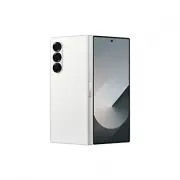
Samsung SM-F956B/DS – Repair Manual, read for free online in PDF format. We hope this helps you resolve any issues you may have. If you have further questions, please contact us through the contact form.


Table of Contents:
- Page 2 – Table of Contents; Usage Notices; Software Update
- Page 5 – Precautions for Repair
- Page 6 – ESD (Electrostatic Discharge) Precautions
- Page 7 – Warning; Caution
- Page 8 – Updating Software through FOTA
- Page 10 – Performing a Factory Data Reset
- Page 11 – Reset
- Page 12 – Quality Test; Quality Test Using the Samsung Members App; Samsung Members
- Page 13 – Test all; Test Items; NFC
- Page 18 – Camera
- Page 23 – S Pen
- Page 26 – Calibrations
- Page 27 – Using the Self Repair Assistant App
- Page 28 – Continue
- Page 30 – Start
- Page 31 – Completed; Failed; Close
- Page 32 – Optical Fingerprint Sensor Calibration; Self Repair Assistant
- Page 35 – Resetting the Battery Cycle Count
- Page 38 – Range Sensor Calibration; Next
- Page 40 – Touch Screen Panel Calibration
- Page 42 – Speaker Calibration
- Page 46 – Digital Hall Sensor Calibration (Fold and Flip Models Only)
- Page 49 – Exploded View and Parts List; Exploded View
- Page 50 – Parts List; Number
- Page 52 – Disassembly and Assembly; Image
- Page 55 – Fasteners (Adhesives and Materials) for Assembly; Item
- Page 59 – Disassembly and Reassembly for replacement; Before disassembling:
- Page 61 – SIM Card Tray; Disassembly
- Page 62 – Reassembly
- Page 63 – Back Cover
- Page 74 – Cover Screen
- Page 87 – Main Microphone
- Page 95 – Charging Port
- Page 108 – Main Board
- Page 118 – Front Camera
- Page 122 – Rear Camera
- Page 124 – Top Speaker
- Page 128 – Bottom Speaker
- Page 134 – Sub PBA
- Page 140 – Cover Camera
- Page 142 – Side Button (Fingerprint Recognition Sensor)
- Page 154 – Volume Button
- Page 157 – Screen Module
- Page 179 – Battery
- Page 193 – After reassembling
- Page 195 – Axis; CAMERA; POWER; CLK; AP
"Loading the manual" means you need to wait until the file loads and becomes available for online reading. Some manuals are very large, and the time they take to appear depends on your internet speed.
Was this manual helpful?
Helpful for 5 of 5 readers
About this manual
- Brand
- Samsung
- Model
- SM-F956B/DS
- Document type
- Repair Manual
- Language(s)
- English
- Pages
- 195
- File size
- 38.7 MB
- Format
Other Manuals for Samsung SM-F956B/DS
Summary
2 Table of Contents Usage Notices 5 Precautions for Repair6 ESD (Electrostatic Discharge) Precautions7 Instructional Icons Software Update 8 Updating Software through FOTA8 Software Update Failure8 Updating Software through Smart Switch9 Recovering from a Software Update Failure9 Recovering on Anoth...
Usage Notices 5 Usage Notices All functionality, features, specifications, and other device information provided in this document, including but not limited to, benefits, design, pricing, components, performance, availability, and capabilities of the device are subject to change without notice. Sams...
Usage Notices 6 • Make sure to wear the appropriate safety equipment before carrying out repairs. Samsung is not responsible for injuries that may occur because of not wearing the proper safety equipment. Refer to Tools for Disassembly and Assembly for a list of tools that you will need for assembli...
Ask a question
Related manuals
Popular Samsung Other


More Samsung Other models
 Samsung SM-A266B/DS User Manual
 Samsung SM-A356B/DS Repair Manual
 Samsung SM-A500F Manual
 Samsung SM-A556B/DS Repair Manual
 Samsung SM-F741B Repair Manual
 Samsung SM-F946B User Manual
 Samsung SM-G386W Manual
 Samsung SM-G530H/DS Manual
 Samsung SM-G531F User Manual
 Samsung SM-G900H Manual
 Samsung SM-G920FQ Manual
- Samsung SM-G920I Manual