Page 2 - Safety information; Contents
2 English Contents Safety information 3 Important safety symbols and precautions: 5 Severe warning signs for transportation and site 6 Critical installation warnings 6 Installation cautions 10 Critical usage warnings 11 Usage cautions 16 Cleaning cautions 19 Critical disposal warnings 21 Additional ...
Page 3 - Safety Information
English 3 Safety Information Safety information • Before using your new Samsung Refrigerator, please read this manual thoroughly to ensure that you know how to operate the features and functions that your new appliance offers safely and efficiently. • This appliance is not intended for use by person...
Page 4 - a leak in the refrigerating circuit occurs, the size of the room in; Warning Risk of fire / flammable materials
4 English Safety Information safe disposal of this product. • In order to avoid the creation of a flammable gas-air mixture if a leak in the refrigerating circuit occurs, the size of the room in which the appliance may be sited depends on the amount of refrigerant used. • Never start up an appliance...
Page 5 - Important safety symbols and precautions:; Please follow all safety instructions in this manual. This manual; WARNING; CAUTION; Hazards or unsafe practices that may result in severe personal; NOTE
English 5 Safety Information Important safety symbols and precautions: Please follow all safety instructions in this manual. This manual uses the following safety symbols. WARNING Hazards or unsafe practices that may result in severe personal injury,property damage, and/or death. CAUTION Hazards or ...
Page 6 - Severe warning signs for transportation and site; Critical installation warnings
6 English Safety Information Severe warning signs for transportation and site WARNING • When transporting and installing the appliance,care should be taken to ensure that no parts of the refrigerating circuit are damaged. - Refrigerant leaking from the pipe work could ignite or cause an eye injury. ...
Page 10 - Installation cautions; Keep the ventilation space in the appliance enclosure or
10 English Safety Information Installation cautions CAUTION • Allow sufficient space around the refrigerator and install it on a flat surface. - If your refrigerator is not level, cooling efficiency and durability can be declined. - Keep the ventilation space in the appliance enclosure or mounting s...
Page 11 - Critical usage warnings; When you open or close the door, the articles may fall and
English 11 Safety Information Critical usage warnings WARNING • Do not insert the power plug into a wall socket with wet hands. - This may result in an electric shock. • Do not store articles on the top of the appliance. - When you open or close the door, the articles may fall and cause personal inj...
Page 15 - Do not use a damaged power plug, damaged power cord or
English 15 Safety Information - Otherwise, there is a risk of electric shock. • If you experience difficulty changing a non-LED light, contact a Samsung service center. • If the product is equipped with LED lamps, do not disassemble the Lamp Covers and LED lamps yourself. - Contact a Samsung service...
Page 16 - Usage cautions
16 English Safety Information Usage cautions CAUTION • Do not re-freeze frozen foods that have thawed completely. Do not place carbonated or fizzy drinks in the freezer compartment.Do not put bottles or glass containers in the freezer. - When the contents freeze, the glass may break and cause person...
Page 19 - Cleaning cautions
English 19 Safety Information Cleaning cautions CAUTION • Do not spray water directly on the inside or outside the refrigerator. - There is a risk of fire or electric shock. • Do not use a hair dryer to dry the inside of the refrigerator. • Do not place a lighted candle in the refrigerator to remove...
Page 20 - Do not use abrasive or harsh cleansers such as window
20 English Safety Information • Do not use abrasive or harsh cleansers such as window sprays,scouring cleansers, flammable fluids, muriatic acid, cleaning waxes,concentrated detergents, bleaches, or cleansers containing petroleum products on exterior surfaces (doors and cabinet), plastic parts, door...
Page 21 - Critical disposal warnings
English 21 Safety Information Critical disposal warnings CAUTION • Please dispose of the packaging material from this product in an environmentally friendly manner. • Ensure that none of the pipes on the back of the refrigerator are damaged prior to disposal. • R-600a or R-134a is used as a refriger...
Page 22 - Additional tips for proper usage
22 English Safety Information Additional tips for proper usage • In the event of a power failure, call the local office of your electric company and ask how long the failure is going to last. • Most power failures that are corrected in an hour or two will not affect your refrigerator temperatures. H...
Page 23 - Saving Energy Tips
English 23 Safety Information Saving Energy Tips • Install the appliance in a cool, dry room with adequate ventilation.Ensure that it is not exposed to direct sunlight and never put it near a direct source of heat (a radiator, for example). • Not to block any vents and grilles is recommended for ene...
Page 24 - Instructions about the WEEE; Correct Disposal of This Product; cable) should not be disposed of with other household waste at the; (For products sold in European countries only)
24 English Safety Information Instructions about the WEEE Correct Disposal of This Product (Waste Electrical & Electronic Equipment) (Applicable in countries with separate collection systems) This marking on the product, accessories or literature indicates that the product and its electronic acc...
Page 25 - Installation
Page 26 - Getting ready to install the refrigerator; this new appliance has to offer.; Selecting the best location for the refrigerator; ventilation; Effective temperature range; range specified by its class rating.; recommend adjusting the temperature settings as appropriate.
26 English Installation Getting ready to install the refrigerator Congratulations on the purchase of your Samsung Side-By-Side Refrigerator. We hope you will enjoy the many state-of-the-art features and efficiencies that this new appliance has to offer. Selecting the best location for the refrigerat...
Page 27 - Clearance; consumption and keep your energy bills lower.
English 27 Installation Installation Clearance Allow sufficient space to install the refrigerator on a flat surface.Overall space required in use. Refer to drawing and dimension as below. 25 mm al menos 50 mm al menos 50 mm 1546 mm 1163 mm 25mm NOTE • Allow clearance to the right, left, back and top...
Page 28 - Removing the refrigerator doors; Removing the Front Leg Cover; leg cover by turning the three screws counter-clockwise.; Separating the Water Supply Line from the Refrigerator; Remove the water line by pressing the coupler; Do not cut the water line. Gently separate it from the coupler.
28 English Installation Installation Removing the refrigerator doors If your entrance won’t allow the refrigerator to pass easily through it, you can remove the doors. The actual image of your refrigerator may differ, depending on the model and the country. 1.Removing the Front Leg Cover First, open...
Page 29 - With the Freezer door closed, remove the upper hinge cover; Be careful not to pinch the
English 29 Installation Installation 2. Removing the freezer doorA few things to mention first. • Make sure that you lift the door straight up so the hinges are not bent or broken. • Be careful not to pinch the water tubing and wire harness on the door. • Place doors on a protected surface to preven...
Page 30 - Removing the Fridge Door; and the ground screw
30 English Installation Installation Removing the Fridge Door 1. With the door closed, remove the upper hinge cover 1 using a screwdriver. 1 2.Remove hinge screws 2 and the ground screw 3 by turning counter- clockwise, and take off the upper hinge 4 . Be careful that the door may fall on you as you ...
Page 31 - Reattaching the refrigerator doors; time to put the doors back on.; Reattaching the Freezer Door; Insert the upper hinge shaft
English 31 Installation Installation Reattaching the refrigerator doors Once you have safely placed your refrigerator where you plan for it to stay, it is time to put the doors back on. Reattaching the Freezer Door 1.Insert the upper hinge shaft 3 into the hole on the corner of the freezer door 4 . ...
Page 32 - Fit the hole in the corner of the
32 English Installation Reattaching the Fridge Door 1.Fit the hole in the corner of the fridge door 3 over the lower 4 hinge . 3 4 2.Insert the upper hinge shaft 5 into the hole on the hinge 6 Make sure the hinge is level between the upper hinge hole 7 and the hole on the top of the cabinet 9 . Then...
Page 33 - Insert the water line; Reattaching the Front Leg Cover; Before attaching the cover, check water connector for leakage.
English 33 Installation Reattaching the Water Supply Line 1. Insert the water line 1 into the coupler 2 . 21 2.The Water Line must be fully Inserted to the center of transparent coupler to prevent water leakage from the dispenser. 3.Insert the clip in the install pack and check that it holds the lin...
Page 34 - Leveling the refrigerator; not level, it will not be possible to get the doors perfectly even.; The front of the refrigerator is also adjustable.; to touch the floor, and make the product level before using.
34 English Installation Leveling the refrigerator Now that the doors are back on the refrigerator, you will want to make sure the refrigerator is level so you can then make final adjustments. If the refrigerator is not level, it will not be possible to get the doors perfectly even. NOTE • The front ...
Page 35 - Making minor adjustments to the doors; In the case of the process to correct the imbalance is the same. Open; from the lower hinge until it reaches the upper end of; When you release the nut; When you turn clockwise , the door will move up.
English 35 Installation Making minor adjustments to the doors Remember, a leveling refrigerator is necessary for getting the doors perfectly even. If you need help, review the previous section on leveling the refrigerator. When the door of the freezer is higher than the fridge Adjustment part In the...
Page 36 - clockwise until it reaches; Checking the water dispenser line (optional); A water dispenser is just one of the helpful features on your new
36 English Installation 3.After adjusting the doors, turn the nut 1 clockwise until it reaches the lower end of the bolt, then tighten the bolt again with the wrench 3 to fix the nut in place 1 . 3 2 1 Wrench Bolt Nut NOTE If you do not secure the nut firmly, the bolt may release. Checking the water...
Page 37 - Installing the water dispenser line (optional); Parts for water line Installation; The water line must be connected to; COUPLER “A”; WARRANTY INFORMATION; service dealer and purchase the right couplers fittings.
English 37 Installation Installing the water dispenser line (optional) Parts for water line Installation Water line fixer and screws Pipe connector Water line Filter lock-clip Filter Connecting to the water supply line Connect the water pipe with coupler and tap. 1. Close the main water tap. 2. Conn...
Page 38 - Remove any residual matter inside the filter.
38 English Installation Select the location where the filter is to install. • If you wish to reassemble the water inlet and outlet sides of the filter during filter installation,see the reference illustration. • Cut the water line attached to the filter to the appropriate place after measuring the d...
Page 39 - Fix the filter in position, as shown; Connect the water line to the refrigerator.
English 39 Installation Secure the filter in position. • Fix the filter in position, as shown in the figure on the right. TIGHTENING BAND FILTER WATER TUBE FILTER LOCK STATIONS Connect the water line to the refrigerator. • Remove the compressor cover of the refrigerator. • Connect the water line to ...
Page 40 - Check the amount of water supplied to the ice tray. (Optional)
40 English Installation Removing any residual matter inside the water supply line after installing filter.(Optional) 1.Turn ON the main water supply & turn OFF the valve to the water supply line. 2.Run water through the dispenser until the water runs clear (approx. 1L). This will clean the water...
Page 41 - Setting up the refrigerator; set up and enjoy the full features and functions of the appliance.; Operations
English 41 Operations Setting up the refrigerator Now that you have your new refrigerator installed and in place, you are ready to set up and enjoy the full features and functions of the appliance. By completing the following steps, your refrigerator should be fully operational. If not, first check ...
Page 44 - Power Freeze; compartment at least 24 hours before.; Child Lock
44 English Operations Using the control panel (optional) “88” segment on Freezer part indicates the current Freezer temperature.“88” segment on Fridge part indicates the current Fridge temperature. Power Freeze This icon will light up when you activate the “Power Freeze” feature.When you don`t need ...
Page 45 - Filter Change letters will be off.; Cubed Ice, Crushed Ice and turnning the Ice maker off (Optional); Controlling the temperature; Controlling the Freezer temperature; Freezer adjusts to the new temperature.
English 45 Operations Filter Indicator (Optional) When the filter indicator light is on, it is time to change the filter. Typically this happens about every 6 months.After removing the old water filter and installing a new one, reset the indicator status light by pressing the Ice Type button for abo...
Page 46 - Controlling the Fridge temperature; temperature is shown in the temperature display.; normal set temperatures the blinking will stop.; Using the ice and cold water dispenser (freezer); Press the Ice Type button to select the type of ice you want
46 English Operations Controlling the Fridge temperature The refrigerator temperature can be set between 7ºC (45°F) and 1ºC (34°F) to suit your particular needs. Press the Fridge button repeatedly until the desired temperature is shown in the temperature display. The temperature control process for ...
Page 47 - push gently against the ice dispenser lever with; push gently against the water dispenser lever; Push; - It may result in personal injury or material damage.; Wipe excess moisture from the inside and leave the doors open.
English 47 Operations Dispensing icePlace your glass underneath the ice outlet and push gently against the ice dispenser lever with your glass. Make sure the glass is in line with the dispenser to prevent the ice from bouncing out. Push Using the Water DispenserPlace a glass underneath the water out...
Page 48 - Place a glass underneath the water outlet and
48 English Operations Using the cold water dispenser (fridge) Place a glass underneath the water outlet and push gently against the water dispenser lever with your glass. Make sure the glass is in line with the dispenser to prevent the water from splashing out. Push Operations
Page 51 - Storing food; Storing Food in the Freezer; be wrapped securely and as airtight as possible.
English 51 Operations Operations Storing food Storing Food in the Freezer The Samsung Side-By-Side Refrigerator has been designed to provide you with maximum spacesaving features and functions. Here are some of the customized compartments we have created to keep your food fresher, longer. Remember, ...
Page 53 - out when the refrigerator door is opened.; odor and mold from developing.; be moved out of the drawer.
English 53 Operations Operations NOTE Bottles should be stored tightly together so that they do not tip and fall out when the refrigerator door is opened. WARNING • If you plan to go away for a significant time, empty the refrigerator and turn it off. Wipe the excess moisture from the inside of the ...
Page 54 - Removing the freezer accessories; Cleaning and rearranging the interior of the freezer is a snap.; In case it does not have hooks itself in the back side; both the freezer and refrigerator doors, and; Do not use excessive force when removing the cover.
54 English Operations Operations Removing the freezer accessories Cleaning and rearranging the interior of the freezer is a snap. 1.Remove the Glass Shelf by pulling the shelf out as far as it will go. Then, gently lift it up and remove it. CAUTION • In case it does not have hooks itself in the back...
Page 55 - pressing on the indentations found on the; remove the food altogether to reduce the risk of accidents.
English 55 Operations Operations Removing the freezer accessories 1.Remove the Glass Shelf by pulling the shelf out as far as it will go. Then, gently lift it up and gently remove it. CAUTION • In case it does not have hooks itself in the back side for not being tilted,a shelf should be placed deepl...
Page 56 - Cleaning the refrigerator; Cleaning the Interior; Do not use Benzene, Thinner or CloroxTM for cleaning.
56 English Operations Cleaning the refrigerator Caring for your Samsung Side-By-Side Refrigerator prolongs the life of your appliance and helps keep it odor and germ-free. Cleaning the Interior Clean the inside walls and accessories with a mild detergent and then wipe dry with a soft cloth. You can ...
Page 57 - Cleaning the Home Bar; Use a damp cloth to clean the ice and water; Changing the interior lights; Using the doors
English 57 Operations Operations Cleaning the Home Bar Use a damp cloth to clean the ice and water dispenser.Then wipe dry with a clean, soft cloth. Changing the interior lights WARNING • Do not replace LED lamp privately and please contact the specialized repair staff if necessary. • And make it su...
Page 58 - Troubleshooting; Symptom; Ice is not dispensing.
58 English Troubleshooting Troubleshooting Symptom Action The refrigerator does not work at all or it does not chill sufficiently. • Check that the power plug is properly connected. • Is the temperature control on the display panel set to the correct temperature? Try setting it to a lower temperatur...
Page 59 - There is a bad smell in
English 59 Troubleshooting Troubleshooting Symptom Action There is a bad smell in the refrigerator. • Has a food item spoiled? • Make sure that strong smelling food (for example, fish) is wrapped so that it is airtight. • Clean out your freezer periodically and throw away any spoiled or suspect food...
Page 60 - Contact SAMSUNG WORLD WIDE; contact the SAMSUNG customer care center.
Contact SAMSUNG WORLD WIDE If you have any questions or comments relating to Samsung products, please contact the SAMSUNG customer care center. Country Contact Center Web Site NEW ZEALAND 0800 726 786 www.samsung.com/nz/support INDIA 1800 40 SAMSUNG (1800 40 7267864) (Toll-Free) www.samsung.com/in/s...
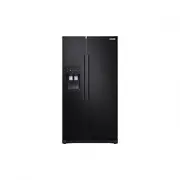




 Samsung RS50N3403BC User Manual
 Samsung RS50N3413BC User Manual
 Samsung RS50N3513S8 User Manual
 Samsung RS50N3513SL User Manual
 Samsung RS50N3513WW User Manual