Page 2 - Contents
English 2 C ontents Contents Safety information 4 What you need to know about the safety instructions 4 Important safety symbols and precautions: 6 Important safety precautions 7 Severe warning signs for transportation and site 10 Critical installation warnings 11 Installation cautions 15 Critical u...
Page 4 - Safety information; • Warnings and Important Safety Instructions in this manual
English 4 Safety information Before using your new Samsung Refrigerator, please read this manual thoroughly to ensure that you know how to operate the features and functions that your new appliance offers safely and efficiently. What you need to know about the safety instructions • Warnings and Impo...
Page 6 - - If the refrigerating appliance is left empty for long; Important safety symbols and precautions:; CAUTION; Hazards or unsafe practices that may result in; NOTE
Safety information English 6 Safety inf ormation - If the refrigerating appliance is left empty for long periods, switch off, defrost, clean, dry, and leave the door open to prevent mould developing within the appliance. Important safety symbols and precautions: Please follow all safety instructions...
Page 7 - Important safety precautions; WARNING Risk of fire / flammable materials; WARNING
English 7 Safety inf ormation Important safety precautions WARNING; Risk of fire / flammable materials WARNING • When positioning the appliance, ensure the supply cord is not trapped or damaged. • Do not locate multiple portable socket-outlets or portable power supplies at the rear of the appliance....
Page 9 - How to minimize the energy consumption
English 9 Safety inf ormation • For the most efficient use of energy, please keep the all inner fittings such as baskets, drawers, shelves on the position supplied by manufacturer. • To get the best energy efficiency of this product, please leave all shelves, drawers and baskets on their original po...
Page 10 - - staff kitchen areas in shops, offices and other working; Severe warning signs for transportation and site; • When transporting and installing the appliance, care should
Safety information English 10 Safety inf ormation - Allow clearance to the right, left, back and top when installing. This will help reduce power consumption and keep your energy bills lower. This appliance is intended to be used in household and similar applications such as - staff kitchen areas in...
Page 11 - Critical installation warnings
English 11 Safety inf ormation - This appliance contains a small amount of isobutane refrigerant (R-600a), a natural gas with high environmental compatibility that is, however, also combustible. When transporting and installing the appliance, care should be taken to ensure that no parts of the refri...
Page 15 - Installation cautions
English 15 Safety inf ormation Installation cautions CAUTION • Allow sufficient space around the refrigerator and install it on a flat surface.- If your refrigerator is not level, cooling efficiency and durability can be declined. • Allow the appliance to stand for 2-3 hours before loading foods aft...
Page 20 - Usage cautions
Safety information English 20 Safety inf ormation • Plug the power plug into the wall socket firmly.• Do not use a damaged power plug, damaged power cord or loose wall socket.- This may result in an electric shock or fire. Usage cautions CAUTION • Do not refreeze thawed food. - Frozen and thawed foo...
Page 23 - Cleaning cautions
English 23 Safety inf ormation • Do not keep vegetable oil in your refrigerator’s door bins. The oil can solidify, making it foul-tasting and difficult to use. In addition, the open container can leak and the leaked oil can cause the door bin to crack. After opening an oil container, it is best to k...
Page 25 - Critical disposal warnings
English 25 Safety inf ormation Critical disposal warnings WARNING • Please dispose of the packaging material from this product in an environmentally friendly manner. • Ensure that none of the pipes on the back of the refrigerator are damaged prior to disposal. • R-600a or R-134a is used as a refrige...
Page 26 - Additional tips for proper usage
Safety information English 26 Safety inf ormation Additional tips for proper usage • In the event of a power failure, call the local office of your electric company and ask how long the failure is going to last.- Most power failures that are corrected in an hour or two will not affect your refrigera...
Page 27 - • The temperature of two star section (sections) or
English 27 Safety inf ormation • The temperature of two star section (sections) or compartment (compartments) which have two star symbol ( ) is slightly higher than other freezer compartment (compartments).The two star section (sections) or compartment (compartments) is (are) based on the instructio...
Page 28 - Instructions about the WEEE
Safety information English 28 Safety inf ormation Instructions about the WEEE Correct Disposal of This Product (Waste Electrical & Electronic Equipment)(Applicable in countries with separate collection systems) This marking on the product, accessories or literature indicates that the product and...
Page 29 - Installation; Refrigerator at a glance
English 29 Installation Follow these instructions carefully to ensure a proper installation of this refrigerator and to prevent accidents before using it. WARNING • Use the refrigerator only for its intended purpose as described in this manual.• Any servicing must be performed by a qualified technic...
Page 31 - STEP 1
English 31 Installation Step-by-step installation STEP 1 Select a site Select a site that: • Has a solid, level surface without carpeting or flooring that may obstruct ventilation• Is away from direct sunlight• Has adequate room for opening and closing the door• Is away from any heat sources• Provid...
Page 33 - STEP 2
English 33 Installation STEP 2 Flooring If the refrigerator cannot pass through the entrance due to its size, see Door removal for entrance . NOTE To prevent floor damage, make sure the front leveling legs are in the upright position.• The surface you install the refrigerator on must support a fully...
Page 34 - STEP 3
Installation English 34 Installation STEP 3 Door removal for entrance If the refrigerator cannot pass through the entrance to your home or kitchen due to its size, follow these instructions to remove and then re-install the refrigerator's doors. If you do not need to remove the doors, go to page 40 ...
Page 40 - STEP 4
Installation English 40 Installation STEP 4 Leveling the refrigerator CAUTION • When installed, the refrigerator must be leveled on a flat, solid floor. Not leveling the refrigerator can cause damage to the refrigerator or physical injury. • Leveling must be performed with the refrigerator empty. Ma...
Page 41 - STEP 5
English 41 Installation STEP 5 Align the fridge doors • Before aligning the fridge doors, make sure the refrigerator is level. Refer to the “ Leveling the refrigerator ” section for detailed instruction. • You can use the adjustment parts (*) at the bottom of both fridge doors to raise or lower the ...
Page 42 - STEP 6
Installation English 42 Installation STEP 6 Connect the water dispenser line (applicable models only) CAUTION • The new hose-sets supplied with the appliance are to be used and that old hose-sets should not be reused. • The water line must be connected by a qualified technician.• The warranty for yo...
Page 44 - STEP 7; STEP 8
Installation English 44 Installation STEP 7 Initial settings By completing the following steps, the refrigerator should be fully functioning. 1. Plug the power cord into the wall socket to turn the refrigerator on. 2. Open the door, and check if the interior light lights up. 3. Set the temperature t...
Page 45 - Operations; Main panel
English 45 Operations Main panel Type A Type B 01 02 03 06 05 04 01 02 03 06 04 01 Fridge indicator • Displays the current or desired temperature of the fridge.• indicates that the Power Cool function is on. • indicates that the AI Energy Mode is operating. (applicable models only) 02 Freezer indica...
Page 47 - Setting the desired temperature or function
English 47 Oper ations Setting the desired temperature or function Select the fridge or freezer and set the desired temperature or function of your choice. 1. Tap any button ( , , or ) to wake up the display. - This step may not apply to some models. 2. Tap until the fridge or freezer indicator blin...
Page 48 - Changing the temperature scale
Operations English 48 Oper ations • The temperature in the refrigerator may rise if you open the door frequently or put a large amount of food into the refrigerator. If this happens, the temperature display blinks until the refrigerator returns to the specified temperature settings. If the blinking ...
Page 49 - Turning on or off the Wi-Fi
English 49 Oper ations Turning on or off the Wi-Fi To turn the Wi-Fi on or off, tap and hold for 10 seconds. The display shows the status of Wi-Fi for 5 seconds (as shown in the figure). WI-Fi On Wi-Fi Off NOTE • You must turn on the Wi-Fi to connect the refrigerator to the SmartThings app.• For mor...
Page 50 - SmartThings
Operations English 50 Oper ations SmartThings Installation Visit the Google Play Store, Galaxy Store, or Apple App Store and search for “SmartThings”. Download and install the SmartThings app provided by Samsung Electronics to your smart device. NOTE • The supporting software version of the SmartThi...
Page 53 - Special features
English 53 Oper ations Special features The actual image and special functions of your refrigerator may differ, depending on the model and the country. Ice maker The refrigerator has a built-in ice maker that automatically dispenses ice so that you can enjoy filtered water with cubed or crushed ice....
Page 56 - Maintenance; Handling and care
English 56 Maintenance Handling and care Shelves CAUTION • The shelf must be inserted correctly. Do not insert upside down.• Glass containers may scratch the surface of glass shelves. Fridge shelves To remove a shelf, fully open the fridge door. Hold the front of the shelf and gently lift up and sli...
Page 60 - Cleaning
Maintenance English 60 Maint enanc e Cleaning Interior and exterior WARNING • Do not use benzene, thinner, home/car detergent, or Clorox™ to clean the refrigerator. They may damage the surface of the refrigerator and cause a fire. • Do not spray water onto the refrigerator. This may cause electric s...
Page 61 - Replacement
English 61 Maint enanc e Replacement LED Lamps To replace the lamps of the refrigerator, contact a local Samsung service center. WARNING • The lamps are not user-serviceable. Do not attempt to replace a lamp yourself. This can cause electric shock. Lamp (Light Source) This product contains a light s...
Page 62 - Troubleshooting; General
English 62 Troubleshooting Before calling for service, review the checkpoints below. Any service calls regarding normal situations (No Defect Cases) will be charged to users. General Temperature Symptom Possible causes Solution Fridge/freezer does not operate.Fridge/freezer temperature is warm. • Po...
Page 65 - Do you hear abnormal sounds from the refrigerator?
English 65 Tr ouble shoo ting Do you hear abnormal sounds from the refrigerator? Before calling for service, review the checkpoints below. Any service calls related to normal sounds will be charged to the user. These sounds are normal. • When starting or ending an operation, the refrigerator may mak...
Page 68 - Appendix; Safety Instruction
English 68 Appendix Safety Instruction • For the most efficient use of energy, please keep the all inner fittings such as baskets, drawers, shelves and ice cube tray on the position supplied by manufacturer. • This refrigerating appliance is not intended to be used as a built-in appliance. Install I...
Page 69 - Temperature Instruction
English 69 Temperature Instruction Recommended Temperature The optimal temperature setting for food storage:• Fridge: 3 °C• Freezer: -19 °C NOTE The optimal temperature setting of each compartment depends on the ambient temperature. Above optimal temperature is based on the ambient temperature of 25...
Page 72 - Information for model and ordering spare parts
Appendix English 72 Information for model and ordering spare parts Model information To access the EPREL registration of the model : 1. Go to https://eprel.ec.europa.eu 2. Get the model identifier from the energy label of the product and type it in the search box 3. Energy Labelling information of t...
Page 74 - Memo
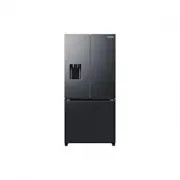




 Samsung RF48A401EB4 User Manual
 Samsung RF48A401EM9 User Manual
 Samsung RF50A5002B1 User Manual
 Samsung RF50A5002S9 User Manual
 Samsung RF50A5202B1 User Manual
 Samsung RF50A5202S9 User Manual
 Samsung RF50K5920S8 User Manual
 Samsung RF50K5960S8 User Manual
 Samsung RF54T62E3S9 User Manual
 Samsung RF56J9040SR User Manual