Page 2 - Contents; Safety information
English 2 C ontents Contents Safety information 3 Important safety symbols and precautions: 5 Severe warning signs for transportation and site 6 Critical installation warnings 7 Installation cautions 10 Critical usage warnings 11 Usage cautions 16 Cleaning cautions 18 Critical disposal warnings 19 A...
Page 3 - • Before using your new Samsung Refrigerator, please read
English 3 Safety information • Before using your new Samsung Refrigerator, please read this manual thoroughly to ensure that you know how to operate the features and functions that your new appliance offers safely and efficiently. • This appliance is not intended for use by persons (including childr...
Page 4 - Warning Risk of fire / flammable materials
Safety information English 4 Safety inf ormation • Because these following operating instructions cover various models, the characteristics of your refrigerator may differ slightly from those described in this manual and not all warning signs may be applicable. If you have any questions or concerns,...
Page 5 - Important safety symbols and precautions:; CAUTION; Hazards or unsafe practices that may result in; NOTE
English 5 Safety inf ormation Important safety symbols and precautions: Please follow all safety instructions in this manual. This manual uses the following safety symbols. WARNING Hazards or unsafe practices that may result in severe personal injury, property damage, and/or death . CAUTION Hazards ...
Page 6 - Severe warning signs for transportation and site; • When transporting and installing the appliance, care should
Safety information English 6 Safety inf ormation Severe warning signs for transportation and site WARNING • When transporting and installing the appliance, care should be taken to ensure that no parts of the refrigerating circuit are damaged.- Refrigerant leaking from the pipe work could ignite or c...
Page 7 - Critical installation warnings
English 7 Safety inf ormation Critical installation warnings WARNING • Do not install the refrigerator in a damp location or place where it may come in contact with water.- Deteriorated insulation on electrical parts may cause an electric shock or fire. • Do not place this refrigerator in direct sun...
Page 10 - Installation cautions
Safety information English 10 Safety inf ormation - This may result in an electric shock, fire, explosion, or problems with the product. • Plug the power plug into the wall socket firmly. Do not use a damaged power plug, damaged power cord, or loose wall socket.- This may result in an electric shock...
Page 11 - Critical usage warnings
English 11 Safety inf ormation • We strongly recommend you have a qualified technician or service company install the refrigerator.- Failing to do so may result in an electric shock, fire, explosion, problems with the product, or injury. • Overload on any one door may fell the refrigerator, causing ...
Page 16 - Usage cautions
Safety information English 16 Safety inf ormation • Do not use a damaged power plug, damaged power cord or loose wall socket.- This may result in an electric shock or fire. Usage cautions CAUTION • Do not re-freeze frozen foods that have thawed completely. Do not place carbonated or fizzy drinks in ...
Page 18 - Cleaning cautions
Safety information English 18 Safety inf ormation Cleaning cautions CAUTION • Do not spray water directly on the inside or outside the refrigerator.- There is a risk of fire or electric shock. • Do not use a hair dryer to dry the inside of the refrigerator. • Do not place a lighted candle in the ref...
Page 19 - Critical disposal warnings
English 19 Safety inf ormation Critical disposal warnings WARNING • Please dispose of the packaging material from this product in an environmentally friendly manner. • Ensure that none of the pipes on the back of the refrigerator are damaged prior to disposal. • R-600a or R-134a is used as a refrige...
Page 20 - Additional tips for proper usage
Safety information English 20 Safety inf ormation Additional tips for proper usage • In the event of a power failure, call the local office of your electric company and ask how long the failure is going to last.- Most power failures that are corrected in an hour or two will not affect your refrigera...
Page 21 - Saving Energy Tips
English 21 Safety inf ormation • The temperature of two star section (sections) or compartment (compartments) which have two star symbol ( ) is slightly higher than other freezer compartment (compartments).The two star section (sections) or compartment (compartments) is (are) based on the instructio...
Page 22 - • For the most efficient use of energy, please keep the all
Safety information English 22 Safety inf ormation • For the most efficient use of energy, please keep the all inner fittings such as baskets, drawers, shelves on the position supplied by manufacturer. This appliance is intended to be used in household and similar applications such as • staff kitchen...
Page 23 - Instructions about the WEEE
English 23 Safety inf ormation Instructions about the WEEE Correct Disposal of This Product (Waste Electrical & Electronic Equipment)(Applicable in countries with separate collection systems) This marking on the product, accessories or literature indicates that the product and its electronic acc...
Page 24 - Installation; Refrigerator at a glance
English 24 Installation Follow these instructions carefully to ensure a proper installation of this refrigerator and to prevent accidents before using it. WARNING • Use the refrigerator only for its intended purpose as described in this manual.• Any servicing must be performed by a qualified technic...
Page 25 - STEP 1; Select a site
English 25 Installation Step-by-step installation STEP 1 Select a site Site requirements: • Solid, level surface without carpeting or flooring that may obstruct ventilation• Away from direct sunlight• Adequate room for opening and closing the door• Away from a heat source• Room for maintenance and s...
Page 28 - STEP 2; STEP 3; Flooring
Installation English 28 Installation STEP 2 Spacing (applicable models only) 1. Open the door and locate the provided spacer. 2. Unpack the spacer and attach it to the rear of the refrigerator as shown. This helps ventilate air to the rear wall and save power consumption. NOTE If you install the ref...
Page 29 - STEP 4; Adjust the levelling legs; STEP 5; Open the speaker cover
English 29 Installation STEP 4 Adjust the levelling legs CAUTION • The refrigerator must be levelled on a flat, solid floor. Failing to do so can cause damage to the refrigerator or physical injury. • Levelling must be performed with an empty refrigerator. Make sure no food items remain inside the r...
Page 30 - STEP 6; Initial settings; STEP 7; Final check
Installation English 30 Installation STEP 6 Initial settings By completing the following steps, the refrigerator should be fully functioning. 1. Remove the PE foam sheet on each shelf corner, which is attached to protect the refrigerator during transportation. 2. Plug the power cord into the wall so...
Page 31 - Operations; User interface
English 31 Operations User interface NOTE • For more information about other menus and apps available on the Refrigerator app, see the Online manual of your refrigerator. • The content of apps and widgets, or their design is subject to change or support may be discontinued without notice, depending ...
Page 34 - Fridge Manager
Operations English 34 Oper ations Fridge Manager To access Fridge Manager, swipe the Home screen to the left, and then tap the Fridge Manager widget. • You can check the current temperatures or modes of each compartment as well as active special functions. • Tap the widget to open the Fridge Manager...
Page 37 - Settings
English 37 Oper ations Settings Display • You can set the screen brightness, wallpapers, auto wake-up, motion detector, theme, screen timeout, and duration of the screen saver. Sound • Set the volume and equalizer and turn on or turn off the touch sound. Wi-Fi • Turn on or turn off a Wi-Fi connectio...
Page 39 - Display reset
English 39 Oper ations Display reset If you encounter an abnormal symptom on the display, try resetting the display. This may solve the symptom. 1. Pull up to open the display switch cover at the top of the fridge door. 2. Press the display switch to turn the display off. Then, press again to reset ...
Page 40 - SmartThings
Operations English 40 Oper ations SmartThings Installation Visit the Google Play Store, Galaxy Apps, or Apple App Store and search for “SmartThings”. Download and install the SmartThings app provided by Samsung Electronics to your smart device. NOTE • The SmartThings app is designed for Android 6.0 ...
Page 41 - Refrigerator app
English 41 Oper ations Samsung account You are required to register your Samsung account to use the app. If you don’t have a Samsung account, follow the app’s onscreen instructions to create a free Samsung account. Getting started Turn on the device you want to connect, open the SmartThings app on y...
Page 43 - Recommendations for voice recognition; Samsung Family Hub
English 43 Oper ations Recommendations for voice recognition For the voice recognition function, there is a built-in microphone at the top of the refrigerator’s display. To use the voice recognition function:• Stand no more than 1 meter from the refrigerator and speak loudly and clearly towards the ...
Page 44 - Samsung account
Operations English 44 Oper ations Samsung account You are required to register your Samsung account to use the Samsung Family Hub app. If you don’t have a Samsung account, follow the app’s onscreen instructions to create a free Samsung account. NOTE To connect your smartphone and the refrigerator, r...
Page 45 - Storage information; To freeze food; Wrapping materials
English 45 Oper ations Storage information The numbers marked in the bottom section of this figure indicate the storage period for the immediately above food item. For example, 4-6 months for fish. To freeze food 1. Wrap the food airtight with suitable wrapping materials. 2. Seal the wrapping. 3. La...
Page 46 - Storage period of frozen food; Thawing
Operations English 46 Oper ations Storage period of frozen food The storage period differs with food types and storing temperatures. The following specification is based on a temperature of -18 °C:• Fresh poultry (whole chickens), fresh meat (steaks, roasts): up to 12 months• Fish (lean fish, cooked...
Page 47 - Maintenance; Accessories
English 47 Maintenance Door reversal (applicable models only) Reversing the door must be performed by Samsung-approved servicing personnel at your own expense because this kind of servicing is not covered by the Warranty. WARNING • Reversing failure or property damage that may occur by unapproved ag...
Page 48 - Remove the fridge door
Maintenance English 48 Maint enanc e Step-by-step instructions STEP 1 Remove the fridge door 1. Open the fridge door, and pull up to open the display switch cover. 1 2 2. Lift up the wire cover (1) and remove the space cover (2) . Turn the wire cover to the front by 90 degrees, and then push up to r...
Page 51 - Remove the freezer door
English 51 Maint enanc e STEP 2 Remove the freezer door 6 1. Open the freezer door, and remove the middle hinge (6) by loosening the screws. • Use the 5 mm Allen wrench for removing the bolts. 2. Gently lift up to remove the freezer door. Untitled-5 51 2018-05-25 5:13:59
Page 52 - Reverse the auto closers
Maintenance English 52 Maint enanc e STEP 3 Reverse the auto closers On the freezer door 7 1. From the freezer door, remove the auto closer lever (7) by loosening the screws on the lever and the screws in the opposite side. 2. Insert the auto closer lever (7) in the opposite side, and tighten the sc...
Page 53 - Reattach the freezer door
English 53 Maint enanc e STEP 4 Reattach the freezer door 1. Use a flat-head screwdriver to remove the screw cap . Then, insert the screw cap in the opposite side. CAUTION To prevent physical damage, use caution when removing the screw cap . 9 10 2. Lay down the refrigerator with care. Then, remove ...
Page 55 - Reattach the fridge door
English 55 Maint enanc e STEP 5 Reattach the fridge door 1. Loosen and remove the top screws of the fridge. Then, remove the control cover . 2. Move the connectors and wires to the opposite side. Insert the control cover , and then tighten the screws on the opposite side. • Use a flat-head screwdriv...
Page 60 - Handle and care; Door guard
Maintenance English 60 Maint enanc e Handle and care Shelves (fridge/freezer) 1. To remove the shelf, hold it with both hands and lift to release from the rear hooks. Then, pull it halfway to the front. 2. In an area between the hooks, tilt the shelf on the front side by more than 45° as shown. Door...
Page 62 - Freezer drawer
Maintenance English 62 Maint enanc e CAUTION • Do not put food or objects on the chef box. The door will not close properly. Chef pan (applicable models only) The chef pan can be positioned on chef box, or used with an oven if you want. When using the chef pan with an oven, remove the tray cover. CA...
Page 63 - USB memory
English 63 Maint enanc e USB memory If you fail to insert a USB memory (not provided), follow these steps to remove the USB memory, and then try again. 1. Open the fridge door, and pull up to open the display switch cover. 1 2 2. Lift up the wire cover (1) and remove the space cover (2) . 3. Remove ...
Page 65 - Cleaning; Interior and exterior; Replacement; LED Lamps
English 65 Maint enanc e Cleaning Interior and exterior WARNING • Do not use benzene, thinner, or home/car detergent such as Clorox™ for cleaning purposes. They may damage the surface of the refrigerator and cause a fire. • Do not spray water onto the refrigerator. This may cause electric shock.• Do...
Page 66 - Troubleshooting; General; Temperature
English 66 Troubleshooting Before calling for service, review the checkpoints below. Any service calls regarding normal situations (No Defect Cases) will be charged to users. General Temperature Symptom Possible causes Solution Fridge/freezer does not operate.Fridge/freezer temperature is warm. • Po...
Page 67 - Odors
English 67 Tr ouble shoo ting Odors Symptom Possible causes Solution Refrigerator has odors. • Spoiled food. • Clean the refrigerator and remove any spoiled food. • Food with strong odors. • Make sure strong smelling food is wrapped airtight. Frost Symptom Possible causes Solution Frost around the v...
Page 68 - Do you hear abnormal sounds from the refrigerator?; These sounds are normal.
Troubleshooting English 68 Tr ouble shoo ting Do you hear abnormal sounds from the refrigerator? Before calling for service, review the checkpoints below. Any service calls related to normal sounds will be charged to the user. These sounds are normal. • When starting or ending an operation, the refr...
Page 72 - LCD
Troubleshooting English 72 Tr ouble shoo ting LCD Symptom Action Cannot connect to my TV. • This refrigerator can connect only with Samsung Smart TV 6400 series or higher models released since 2015. Please check the model name of your TV first. • Network connections may suffer temporarily. Turn your...
Page 73 - Memo
Page 77 - Benutzerhandbuch
Kühl-/Gefrierkombination Benutzerhandbuch RB38M* SEUK, SEF, SEG, SEI Standgerät Untitled-6 1 2018-05-25 5:15:32
Page 78 - Inhalt; Sicherheitsinformationen
Deutsch 2 Inhalt Inhalt Sicherheitsinformationen 3 Wichtige Symbole für Sicherheits- und Gefahrenhinweise: 5 Wichtige Warnhinweise für Transport und Aufstellungsort 6 Wichtige Warnhinweise für das Aufstellen 7 Vorsichtshinweise für die Aufstellung 11 Wichtige Warnhinweise für die Verwendung 12 Vorsi...
Page 79 - • Um sicherzustellen, dass Sie über die Eigenschaften und
Deutsch 3 Sicherheitsinformationen • Um sicherzustellen, dass Sie über die Eigenschaften und Funktionen Ihres neuen Geräts Bescheid wissen, müssen Sie diese Anleitung sorgfältig durchlesen, ehe Sie Ihre neue Kühl-/Gefrierkombination von Samsung in Betrieb nehmen. • Dieses Gerät ist nicht zur Verwend...
Page 81 - • Bewahren Sie in diesem Gerät keine explosiven Stoffe wie; Wichtige Symbole für Sicherheits- und Gefahrenhinweise:; VORSICHT; Gefährliche bzw. unsichere Verhaltensweisen, die zu; HINWEIS
Deutsch 5 Sicherheit sinformationen • Bewahren Sie in diesem Gerät keine explosiven Stoffe wie zum Beispiel Sprühdosen mit brennbarem Treibgas auf. Warnung: Feuergefahr / brennbare Materialien Wichtige Symbole für Sicherheits- und Gefahrenhinweise: Bitte beachten Sie alle Sicherheitshinweise in dies...
Page 82 - Wichtige Warnhinweise für Transport und Aufstellungsort; • Achten Sie darauf, dass keine Teile des Kühlkreislaufs
Sicherheitsinformationen Deutsch 6 Sicherheit sinformationen Lesen Sie diesen Abschnitt aufmerksam durch, und bewahren Sie das Handbuch zum späteren Nachschlagen an einem sicheren Ort auf. Wichtige Warnhinweise für Transport und Aufstellungsort WARNUNG • Achten Sie darauf, dass keine Teile des Kühlk...
Page 83 - Wichtige Warnhinweise für das Aufstellen
Deutsch 7 Sicherheit sinformationen Wichtige Warnhinweise für das Aufstellen WARNUNG • Stellen Sie das Gerät nicht in feuchten Räumen oder an einem Ort auf, wo es mit Wasser in Kontakt kommen kann.- Beschädigte Isolierungen von elektrischen Teilen können zu einem Stromschlag oder Brand führen. • Set...
Page 87 - Vorsichtshinweise für die Aufstellung
Deutsch 11 Sicherheit sinformationen • Wenn das Netzkabel beschädigt ist, lassen Sie es umgehend vom Hersteller oder vom Kundendienst austauschen. • Die Gerätesicherung darf nur von einem qualifizierten Techniker oder einem dazu befugten Dienstleister ausgetauscht werden.- Andernfalls besteht die Ge...
Page 88 - Wichtige Warnhinweise für die Verwendung
Sicherheitsinformationen Deutsch 12 Sicherheit sinformationen • Wenn die Gerätetüren übermäßig beladen werden, kann das Gerät kippen und Verletzungen verursachen. Wichtige Warnhinweise für die Verwendung WARNUNG • Stecken Sie den Netzstecker nicht mit nassen Händen in die Steckdose.- Andernfalls bes...
Page 94 - • Wenn das Gerät mit LED-Lampen ausgestattet ist,; Vorsichtshinweise für die Verwendung; • Frieren Sie bereits vollständig aufgetaute Lebensmittel
Sicherheitsinformationen Deutsch 18 Sicherheit sinformationen • Wenn das Gerät mit LED-Lampen ausgestattet ist, entfernen Sie nicht selbst die Lampenabdeckungen und die Lampen.- Wenden Sie sich an das nächstgelegene Samsung- Kundendienstzentrum. • Stecken Sie den Netzstecker fest in die Steckdose.• ...
Page 96 - • Wischen Sie überschüssige Feuchtigkeit im Innern des
Sicherheitsinformationen Deutsch 20 Sicherheit sinformationen • Wischen Sie überschüssige Feuchtigkeit im Innern des Geräts ab und lassen Sie die Gerätetür geöffnet.- Andernfalls können sich schlechte Gerüche und Ablagerungen bilden. • Wenn der Kühlschrank von der Stromversorgung getrennt war, müsse...
Page 97 - Vorsichtshinweise für die Reinigung
Deutsch 21 Sicherheit sinformationen Vorsichtshinweise für die Reinigung VORSICHT • Sprühen Sie kein Wasser direkt in oder auf die Kühl-/ Gefrierkombination.- Es besteht die Gefahr von Stromschlägen oder Bränden. • Verwenden Sie keine Haartrockner, um das Innere des Geräts zu trocknen. • Stellen Sie...
Page 98 - Wichtige Hinweise für die Entsorgung
Sicherheitsinformationen Deutsch 22 Sicherheit sinformationen • Reinigen Sie das Gerät niemals mit Waschbenzin, Verdünner, Bleichmittel oder Chlor.- Andernfalls können Schäden an der Oberfläche des Geräts oder ein Brand die Folge sein. • Ziehen Sie den Netzstecker aus der Steckdose, bevor Sie das Ge...
Page 99 - • Entfernen Sie für eine ordnungsgemäße Entsorgung
Deutsch 23 Sicherheit sinformationen • Entfernen Sie für eine ordnungsgemäße Entsorgung dieser Kühl-/Gefrierkombination die Gerätetür sowie die Dichtungen und die Verriegelung der Gerätetür, damit Kinder oder Tiere nicht versehentlich im Gerät eingeschlossen werden können. Kinder müssen beaufsichtig...
Page 100 - Weitere Tipps zur ordnungsgemäßen Verwendung
Sicherheitsinformationen Deutsch 24 Sicherheit sinformationen Weitere Tipps zur ordnungsgemäßen Verwendung • Wenden Sie sich im Falle eines Stromausfalls an das örtliche Büro Ihres Stromversorgungsunternehmens und fragen Sie, wie lange der Ausfall voraussichtlich dauern wird.- Die meisten Stromausfä...
Page 101 - Energiespartipps
Deutsch 25 Sicherheit sinformationen • Der Temperaturanstieg beim Abtauen erfüllt die ISO- Anforderungen. Wenn Sie jedoch bei Gefriergut einen übermäßigen Temperaturanstieg verhindern möchten, wickeln Sie beim Abtauen des Geräts das Gefriergut in mehrere Lagen Zeitungspapier. • Frieren Sie bereits v...
Page 103 - Hinweise zur WEEE-Kennzeichnung
Deutsch 27 Sicherheit sinformationen Hinweise zur WEEE-Kennzeichnung Korrekte Entsorgung von Altgeräten (Elektroschrott)(Gilt für Länder mit Abfalltrennsystemen) Die Kennzeichnung auf dem Produkt, Zubehörteilen bzw. auf der dazugehörigen Dokumentation gibt an, dass das Produkt und Zubehörteile (z. B...
Page 104 - Aufstellung; Ihre Kühl-/Gefrierkombination auf einen Blick
Deutsch 28 Aufstellung Befolgen Sie diese Anweisungen sorgfältig, um eine ordnungsgemäße Aufstellung dieser Kühl-/Gefrierkombination vor seiner Inbetriebnahme zu gewährleisten und Unfälle zu verhindern. WARNUNG • Verwenden Sie die Kühl-/Gefrierkombination nur zu den in diesem Benutzerhandbuch beschr...
Page 105 - Aufstellungshinweise in Verfahrensschritten; SCHRITT 1; Standortauswahl
Deutsch 29 A uf stellung Aufstellungshinweise in Verfahrensschritten SCHRITT 1 Standortauswahl Anforderungen an den Standort: • Ebener, fester Untergrund ohne Teppich oder Bodenbelag, der die Entlüftung behindern könnte• Nicht im direkten Sonnenlicht• Ausreichend Platz zum Öffnen und Schließen der T...
Page 108 - SCHRITT 2; SCHRITT 3; Bodenbelag
Aufstellung Deutsch 32 A uf stellung SCHRITT 2 Abstand (nur bestimmte Modelle) 1. Öffnen Sie die Tür und suchen Sie den mitgelieferten Abstandshalter. 2. Packen Sie den Abstandshalter aus und bringen Sie ihn an der Rückseite der Kühl-/Gefrierkombination an (siehe Abbildung). So tragen Sie dazu bei, ...
Page 109 - SCHRITT 4; Einstellen der Nivellierfüße; SCHRITT 5; Öffnen Sie die Abdeckung des Lautsprechers
Deutsch 33 A uf stellung SCHRITT 4 Einstellen der Nivellierfüße VORSICHT • Die Kühl-/Gefrierkombination muss auf ebenem, festem Untergrund stehen. Anderenfalls kann es zu Schäden an der Kühl-/Gefrierkombination oder zu Verletzungen kommen. • Führen Sie die Nivellierung mit der leeren Kühl-/Gefrierko...
Page 110 - SCHRITT 6; Ersteinstellungen; SCHRITT 7; Letzte Kontrolle
Aufstellung Deutsch 34 A uf stellung SCHRITT 6 Ersteinstellungen Nachdem Sie die folgenden Schritte ausgeführt haben, sollte die Kühl-/Gefrierkombination vollständig einsatzfähig sein. 1. Entfernen Sie von jeder Fachecke die PE-Schaumfolie, die die Kühl-/Gefrierkombination während des Transports sch...
Page 111 - Bedienung; Benutzerschnittstelle
Deutsch 35 Bedienung Benutzerschnittstelle HINWEIS • Weitere Informationen zu anderen Menüs und Apps die Kühl-/Gefrierkombination-App finden Sie in der Online-Anleitung Ihres Geräts. • Der Inhalt von Apps und Widgets oder deren Design unterliegt Änderungen und die Unterstützung kann je nach Verfahre...
Page 117 - Einstellungen
Deutsch 41 Bedienung Einstellungen Display • Sie können die Bildschirmhelligkeit, das Hintergrundbild, das automatische Einschalten, den Bewegungsmelder, das Design, die Startzeit und die Dauer des Bildschirmschoners einstellen. Ton • Hiermit können Sie die Lautstärke und den Equalizer einstellen un...
Page 119 - Anzeige zurücksetzen
Deutsch 43 Bedienung Anzeige zurücksetzen Wenn Sie auf dem Display ein ungewöhnliches Phänomen bemerken, versuchen Sie, das Display zurückzusetzen. Das könnte das Problem lösen. 1. Ziehen Sie die Abdeckung des Display- Schalters (sie befindet sich oben an der Tür des Kühlabteils) zum Öffnen nach obe...
Page 123 - Empfehlungen für die Spracherkennung
Deutsch 47 Bedienung Empfehlungen für die Spracherkennung Zur Spracherkennung befindet sich oben im Display des Kühlschranks ein eingebautes Mikrofon. So verwenden Sie die Spracherkennungsfunktion:• Stehen Sie nicht weiter als 1 Meter vom Kühlschrank entfernt und sprechen Sie laut und deutlich in Ri...
Page 125 - Lagerungshinweise; Einfrieren von Lebensmitteln; Verpackungsmaterialien; Verschlussmaterialien
Deutsch 49 Bedienung Lagerungshinweise Die Zahlen im unteren Teil dieser Abbildung geben die Lagerzeit für die darüber gezeigten Lebensmittel an. Beispielsweise 4 bis 6 Monate für Fischprodukte. Einfrieren von Lebensmitteln 1. Packen Sie die Lebensmittel mit geeigneten Verpackungsmaterialien luftdic...
Page 126 - Lagerzeiten für eingefrorene Lebensmittel; Auftauen
Bedienung Deutsch 50 Bedienung Lagerzeiten für eingefrorene Lebensmittel Die Lagerzeiten unterscheiden sich je nach Lebensmitteltyp und Lagertemperatur. Die folgende Auflistung basiert auf einer Temperatur von -18 °C:• Frisches Geflügel (ganze Hühnchen), Frischfleisch (Steaks, Braten): bis zu 12 Mon...
Page 127 - Wartung und Pflege; Zubehör
Deutsch 51 Wartung und Pflege Ändern der Anschlagseite für die Gerätetür (nur bestimmte Modelle) Ein Türumbau muss von Samsung-zugelassenem Servicepersonal auf Ihre Kosten durchgeführt werden, weil diese Art von Service nicht durch die Garantie abgedeckt ist. WARNUNG • Umbaufehler oder Sachschäden, ...
Page 128 - Beschreibung der Verfahrensschritte; Ausbauen der Tür des Kühlabteils
Wartung und Pflege Deutsch 52 W ar tung und P flege Beschreibung der Verfahrensschritte SCHRITT 1 Ausbauen der Tür des Kühlabteils 1. Öffnen Sie die Tür des Kühlabteils, und ziehen Sie die Abdeckung des Display-Schalters zum Öffnen nach oben. 1 2 2. Ziehen Sie die Kabelabdeckung (1) nach oben und en...
Page 131 - Ausbauen der Tür des Gefrierabteils
Deutsch 55 W ar tung und P flege SCHRITT 2 Ausbauen der Tür des Gefrierabteils 6 1. Öffnen Sie die Gefrierabteiltür und entfernen Sie das mittlere Scharnier (6) durch Lösen der Schrauben. • Verwenden Sie für das Lösen der Schrauben einen 5 mm-Inbusschlüssel. 2. Heben Sie die Gefrierabteiltür vorsich...
Page 132 - Umdrehen der Türschließautomatik
Wartung und Pflege Deutsch 56 W ar tung und P flege SCHRITT 3 Umdrehen der Türschließautomatik An der Gefrierabteiltür 7 1. Entfernen Sie den Hebel der Türschließautomatik (7) von der Gefrierabteiltür, indem Sie die Schrauben am Hebel und die Schrauben in der gegenüberliegenden Seite lösen. 2. Setze...
Page 133 - Wiedereinbau der Gefrierabteiltür
Deutsch 57 W ar tung und P flege SCHRITT 4 Wiedereinbau der Gefrierabteiltür 1. Entfernen Sie mit einem Schlitzschraubendreher die Abdeckkappe der Schraube . Setzen Sie dann die Abdeckkappe der Schraube auf der gegenüberliegenden Seite wieder auf. VORSICHT Seien Sie bei der Entfernung der Abdeckkapp...
Page 135 - Einbauen der Tür des Kühlabteils
Deutsch 59 W ar tung und P flege SCHRITT 5 Einbauen der Tür des Kühlabteils 1. Lösen und entfernen Sie die oberen Schrauben des Kühlabteils. Entfernen Sie dann die Abdeckleiste . 2. Verlegen Sie die Anschlüsse und Leitungen an die gegenüberliegende Seite. Setzen Sie die Abdeckleiste an und ziehen Si...
Page 140 - Handhabung und Pflege; Türfächer
Wartung und Pflege Deutsch 64 W ar tung und P flege Handhabung und Pflege Einlegeböden (Kühl-/Gefrierabteil) 1. Heben Sie den Fachboden zum Herausnehmen mit beiden Händen an. Heben Sie ihn dann über die Haken an der Rückseite hinweg. Ziehen Sie ihn anschließend halb aus dem Gerät heraus. 2. Kippen S...
Page 142 - Schubfach im Gefrierabteil
Wartung und Pflege Deutsch 66 W ar tung und P flege VORSICHT • Stellen Sie keine Lebensmittel oder Gegenstände auf das Frischhaltefach. Die Tür wird dann nicht korrekt schließen. Frischhalteeinsatz/Chef Pan (nur bestimmte Modelle) Der Frischhalteeinsatz kann nach Belieben auf dem Frischhaltefach abg...
Page 145 - Reinigung; Innen und außen; Innenkamera; Ersetzen von Teilen
Deutsch 69 W ar tung und P flege Reinigung Innen und außen WARNUNG • Verwenden Sie Benzin, Verdünner oder Haushalts-/Autoreiniger wie Clorox™ nicht zu Reinigungszwecken. Andernfalls können Schäden an der Oberfläche des Geräts oder ein Brand die Folge sein. • Sprühen Sie kein Wasser auf die Kühl-/Gef...
Page 146 - Problembehebung; Allgemein; Temperatur
Deutsch 70 Problembehebung Überprüfen Sie Folgendes, ehe Sie den Kundendienst anrufen. Alle Serviceanrufe, die sich nicht auf Fehlfunktionen beziehen, werden dem Benutzer in Rechnung gestellt. Allgemein Temperatur Symptom Mögliche Ursachen Lösung Kühlabteil/Gefrierabteil funktionieren nicht.Die Temp...
Page 147 - Gerüche
Deutsch 71 Pr oblembehebung Symptom Mögliche Ursachen Lösung Innenwand ist heiß. • Die Kühl-/Gefrierkombination hat hitzebeständige Rohrleitungen in der Innenwand. • Um Kondensation zu verhindern, wurde die Kühl-/Gefrierkombination an den vorderen Ecken mit wärmeisolierten Rohren ausgestattet. Diese...
Page 148 - Kondensation
Problembehebung Deutsch 72 Pr oblembehebung Kondensation Symptom Mögliche Ursachen Lösung Kondenswasser auf den Innenwänden. • Wenn die Tür offen steht, dringt Feuchtigkeit in die Kühl-/Gefrierkombination ein. • Entfernen Sie die Feuchtigkeit und lassen Sie die Tür nicht längere Zeit offen stehen. •...
Page 149 - Hören Sie ungewöhnliche Geräusche aus dem Kühlschrank?; Diese Geräusche sind normal.
Deutsch 73 Pr oblembehebung Hören Sie ungewöhnliche Geräusche aus dem Kühlschrank? Überprüfen Sie Folgendes, ehe Sie den Kundendienst anrufen. Anrufe beim Service wegen normaler Geräusche werden dem Nutzer in Rechnung gestellt. Diese Geräusche sind normal. • Beim Ein- oder Ausschalten der Kühl-/Gefr...
Page 153 - LED
Deutsch 77 Pr oblembehebung LED Problem Abhilfemaßnahme Verbindung zum Fernseher nicht möglich. • Dieser Kühlschrank kann sich nur mit Samsung Smart-Fernsehern der 6400-Serie oder anderen nach 2015 hergestellten Modellen verbinden. Bitte überprüfen Sie zunächst den Modellbezeichnung Ihres Fernsehers...
Page 154 - Notizen
Page 157 - Frigorifero
Frigorifero Manuale dell'utente RB38M* SEUK, SEF, SEG, SEI Apparecchio a libera installazione Untitled-7 1 2018-05-25 5:17:09
Page 158 - Indice; Informazioni di sicurezza
Italiano 2 Indic e Indice Informazioni di sicurezza 3 Simboli di sicurezza e precauzioni importanti: 5 Simboli relativi a importanti avvertenze per il trasporto e il luogo di installazione 6 Avvertenze per installazioni critiche 7 Avvertenze per l'istallazione 11 Importanti avvertenze per l'uso 11 P...
Page 159 - • Prima di utilizzare il nuovo frigorifero Samsung, leggere
Italiano 3 Informazioni di sicurezza • Prima di utilizzare il nuovo frigorifero Samsung, leggere completamente questo manuale in modo da conoscerne le caratteristiche e le funzioni così da utilizzare l'apparecchio in modo sicuro ed efficiente. • Questo apparecchio non è inteso per l’uso da parte di ...
Page 161 - • Non conservare sostanze potenzialmente esplosive, come; Simboli di sicurezza e precauzioni importanti:; ATTENZIONE; Pericoli o pratiche non sicure che possono causare; NOTA
Italiano 5 Informazioni di sicur ez za • Non conservare sostanze potenzialmente esplosive, come bombolette spray contenenti gas infiammabili, all'interno di questo apparecchio. Attenzione: Rischio di incendio / materiali infiammabili Simboli di sicurezza e precauzioni importanti: Seguire le istruzio...
Page 162 - AVVERTENZA; • Durante il trasporto e l’installazione dell’apparecchio,
Informazioni di sicurezza Italiano 6 Informazioni di sicur ez za Una volta letto, si raccomanda di conservare il manuale in un luogo sicuro per future consultazioni. Simboli relativi a importanti avvertenze per il trasporto e il luogo di installazione AVVERTENZA • Durante il trasporto e l’installazi...
Page 163 - Avvertenze per installazioni critiche
Italiano 7 Informazioni di sicur ez za Avvertenze per installazioni critiche AVVERTENZA • Non installare il frigorifero in un luogo umido o dove possa entrare a contatto con acqua.- L'usura del rivestimento isolante delle parti elettriche può causare scariche elettriche o un incendio. • Non collocar...
Page 167 - Avvertenze per l'istallazione
Italiano 11 Informazioni di sicur ez za Avvertenze per l'istallazione ATTENZIONE • Lasciare sufficiente spazio intorno al frigorifero ed installarlo su una superficie livellata e stabile.- Mantenere le aperture di ventilazione dell'apparecchio o della struttura a incasso libere da ostruzioni. • Lasc...
Page 175 - Avvertenze per la pulizia
Italiano 19 Informazioni di sicur ez za • Se sull'apparecchio è stata versata dell'acqua, contattare il più vicino Centro di assistenza autorizzato.- Sussiste il rischio di incendio o di scariche elettriche. Avvertenze per la pulizia ATTENZIONE • Non spruzzare acqua direttamente sull'interno o l'est...
Page 176 - Importanti avvertenze per la pulizia
Informazioni di sicurezza Italiano 20 Informazioni di sicur ez za • Usare un panno morbido e pulito per rimuovere eventuali sostanze estranee o polvere dai contatti della spina del cavo di alimentazione. Non utilizzare un panno bagnato o umido durante la pulizia della presa.- In caso contrario, suss...
Page 177 - • Come refrigerante vengono utilizzati i gas R-600a
Italiano 21 Informazioni di sicur ez za • Come refrigerante vengono utilizzati i gas R-600a o R-134a. Controllare l’etichetta del compressore sul retro dell’apparecchio e l’etichetta della potenza nominale all’interno del frigorifero per individuare il tipo di refrigerante utilizzato. Se il prodotto...
Page 178 - Ulteriori suggerimenti per un uso corretto
Informazioni di sicurezza Italiano 22 Informazioni di sicur ez za Ulteriori suggerimenti per un uso corretto • In caso di interruzione di corrente, chiamare la società elettrica locale e chiedere il tempo previsto per il ripristino dell’elettricità.- La maggior parte delle interruzioni elettriche ri...
Page 179 - Consigli per risparmiare energia
Italiano 23 Informazioni di sicur ez za • Non congelare nuovamente cibi già scongelati.• La temperatura di comparti o sezioni a due stelle, contrassegnati dal simbolo con le due stelle ( ), è lievemente superiore rispetto a quella di altri comparti freezer.La posizione delle sezioni e dei comparti a...
Page 180 - • Per i migliori risultati in termini di efficienza energetica,
Informazioni di sicurezza Italiano 24 Informazioni di sicur ez za • Per i migliori risultati in termini di efficienza energetica, tenere tutti gli accessori interni quali cestelli, cassetti e ripiani nella posizione indicata dal costruttore. Questo apparecchio è progettato per un uso domestico o app...
Page 181 - Istruzioni su WEEE
Italiano 25 Informazioni di sicur ez za Istruzioni su WEEE Corretto smaltimento del prodotto (rifiuti elettrici ed elettronici)(Applicabile nei Paesi con sistemi di raccolta differenziata) Il simbolo riportato sul prodotto, sugli accessori o sulla documentazione indica che il prodotto e i relativi a...
Page 182 - Installazione; Il frigorifero in breve
Italiano 26 Installazione Seguire queste istruzioni con cura per garantire una corretta installazione del frigorifero ed in modo da evitare incidenti prima dell'uso. AVVERTENZA • Utilizzare l'apparecchio solo per lo scopo per il quale è stato prodotto, come descritto in questo manuale. • Una eventua...
Page 183 - Passaggi di installazione; PASSAGGIO 1; Selezionare una posizione
Italiano 27 Installazione Passaggi di installazione PASSAGGIO 1 Selezionare una posizione Requisiti della posizione: • La superficie di appoggio deve essere solida, piana e priva di moquette o tappeti in grado di ostruire la ventilazione • Lontano dalla luce solare diretta.• Spazio adeguato per l'ap...
Page 186 - PASSAGGIO 2; Spaziatura (solo modelli che lo prevedono); PASSAGGIO 3; Superficie di appoggio
Installazione Italiano 30 Installazione PASSAGGIO 2 Spaziatura (solo modelli che lo prevedono) 1. Aprire la porta e individuare i distanziali in dotazione. 2. Disimballare entrambi i distanziali e fissarli sul retro del frigorifero come indicato. Essi facilitano la ventilazione dell'aria sulla paret...
Page 187 - PASSAGGIO 4; Regolare i piedini di appoggio; PASSAGGIO 5; Rimuovere il coperchio dell'altoparlante
Italiano 31 Installazione PASSAGGIO 4 Regolare i piedini di appoggio ATTENZIONE • Il frigorifero deve essere livellato, su una superficie stabile e solida. La mancata osservanza di tale indicazione può danneggiare il frigorifero o provocare lesioni personali. • Il ivellamento del frigorifero deve es...
Page 188 - PASSAGGIO 6; Impostazioni iniziali; PASSAGGIO 7; Controllo finale
Installazione Italiano 32 Installazione PASSAGGIO 6 Impostazioni iniziali Completando i seguenti passaggi, il frigorifero sarà pienamente operativo. 1. Rimuovere il foglio di poliestere posto su ogni lato del ripiano, posizionato per proteggere il frigorifero durante il trasporto. 2. Inserire la spi...
Page 189 - Operazioni; Interfaccia utente
Italiano 33 Operazioni Interfaccia utente NOTA • Per maggiori informazioni sugli altri menu e app disponibili nella app Refrigerator, vedere il Manuale online del frigorifero. • Il contenuto di app e widget, oppure la loro struttura sono soggetti a modifiche o un termine di assistenza senza preavvis...
Page 195 - Impostazioni
Italiano 39 Oper azioni Impostazioni Display • Per impostare la luminosità dello schermo, gli sfondi, il risveglio automatico, il rilevatore di movimento, il tema, il timeout dello schermo e la durata dello screen saver. Audio • Per impostare il volume e l'equalizzatore ed attivare o disattivare l'a...
Page 197 - Reset Display
Italiano 41 Oper azioni Reset Display In caso di una anomalia di funzionamento del display, provare a ripristinarlo. Ciò potrebbe risolvere il malfunzionamento. 1. Tirare per aprire il coperchio dell'interruttore del display posto sopra la porta del frigorifero. 2. Premere l'interruttore del display...
Page 199 - App Frigorifero
Italiano 43 Oper azioni Account Samsung Per utilizzare la app è necessario registrare un proprio account Samsung. Qualora non si disponga di un account Samsung, seguire le istruzioni visualizzate sullo schermo per crearne uno gratuito. Introduzione Accendere il dispositivo che si desidera connettere...
Page 201 - Avvertenza per il riconoscimento vocale
Italiano 45 Oper azioni Avvertenza per il riconoscimento vocale Per la funzione di riconoscimento vocale, esiste un microfono incorporato in alto nel display del frigorifero. Per utilizzare la funzione di riconoscimento vocale:• Restare a non più di 1 metro dal frigorifero e parlare chiaramente e ad...
Page 202 - Account Samsung
Operazioni Italiano 46 Oper azioni Account Samsung Per utilizzare la app Samsung Family Hub è necessario registrare un proprio account Samsung. Qualora non si disponga di un account Samsung, seguire le istruzioni visualizzate sullo schermo per crearne uno gratuito. NOTA Per collegare il proprio smar...
Page 203 - Informazioni sulla conservazione; Per congelare il cibo; Materiali per avvolgere il cibo; Materiali per sigillare
Italiano 47 Oper azioni Informazioni sulla conservazione I numeri riportati nella parte bassa della figura indicano il periodo di conservazione per il cibo riportato appena sopra. Ad esempio, 4-6 mesi per il pesce. Per congelare il cibo 1. Avvolgere con cura il cibo con della pellicola. 2. Sigillare...
Page 204 - Periodo di conservazione del cibo congelato; Scongelamento
Operazioni Italiano 48 Oper azioni Periodo di conservazione del cibo congelato Il periodo di conservazione dipende dal tipo di cibo e dalla temperatura di conservazione. La specifica che segue si basa su una temperatura di conservazione di -18 °C:• Pollame fresco (pollo intero), carne fresca (bistec...
Page 205 - Manutenzione; Inversione della porta (solo modelli che lo prevedono); Accessori
Italiano 49 Manutenzione Inversione della porta (solo modelli che lo prevedono) L'inversione della porta deve essere eseguita da un tecnico autorizzato Samsung a spese dell'utente poiché questo genere di servizio non è coperto dalla Garanzia. AVVERTENZA • Eventuali malfunzionamenti o danni verificat...
Page 206 - Rimozione della porta del frigorifero
Manutenzione Italiano 50 Manu tenzione Istruzioni passo-dopo-passo PASSAGGIO 1 Rimozione della porta del frigorifero 1. Aprire la porta del frigorifero e tirare il coperchio dell'interruttore del display verso l'alto per aprirlo. 1 2 2. Sollevare il coprifilo (1) e rimuovere il coperchio distanziale...
Page 209 - Rimozione della porta del freezer
Italiano 53 Manu tenzione PASSAGGIO 2 Rimozione della porta del freezer 6 1. Aprire la porta del freezer e rimuovere la cerniera centrale (6) allentandone le viti. • Usare la chiave a brugola da 5 mm per rimuovere i bulloni. 2. Sollevare delicatamente la porta del freezer. Untitled-7 53 2018-05-25 5...
Page 210 - Inversione delle chiusure automatiche
Manutenzione Italiano 54 Manu tenzione PASSAGGIO 3 Inversione delle chiusure automatiche Sulla porta del freezer 7 1. Dalla porta del freezer rimuovere la leva di chiusura automatica (7) allentando le viti poste sulla leva e sul lato opposto. 2. Inserire la leva di chiusura automatica (7) sul lato o...
Page 211 - Rimontaggio della porta del freezer.
Italiano 55 Manu tenzione PASSAGGIO 4 Rimontaggio della porta del freezer. 1. Per rimuovere il coperchio delle viti usare un cacciavite a lama piatta. Quindi montare il coperchio delle viti sul lato opposto. ATTENZIONE Al fine di prevenire eventuali danni fisici, prestare attenzione durante la rimoz...
Page 213 - Rimontaggio della porta del frigorifero
Italiano 57 Manu tenzione PASSAGGIO 5 Rimontaggio della porta del frigorifero 1. Allentare e rimuovere le viti superiori del frigorifero. Quindi, rimuovere il coperchio di controllo . 2. Spostare i connettori ed i cavi sul lato opposto. Inserire il coperchio di controllo , quindi serrare le viti sul...
Page 218 - Pulizia e manutenzione; Balconcini porta
Manutenzione Italiano 62 Manu tenzione Pulizia e manutenzione Ripiani (frigo/freezer) 1. Per estrarre il ripiano, sollevarlo con entrambe le mani e sganciarlo dai supporti posteriori. Quindi estrarlo per metà dal davanti. 2. In un punto tra i supporti, inclinare il ripiano sul lato anteriore di oltr...
Page 219 - Griglia per i vini (solo modelli che ne sono dotati); Cassetto Chef (solo modelli che ne sono dotati)
Italiano 63 Manu tenzione Griglia per i vini (solo modelli che ne sono dotati) ATTENZIONE Per far scorrere la griglia per i vini, afferrarla con entrambe le mani. In caso contrario, la griglia potrebbe cedere sul retro provocando la caduta del cibo sottostante. Cassetto Chef (solo modelli che ne son...
Page 220 - Cassettino chef (solo modelli che ne sono dotati); Cassetto freezer
Manutenzione Italiano 64 Manu tenzione ATTENZIONE • Non collocare cibo sopra il cassetto chef. La porta potrebbe non chiudersi più correttamente. Cassettino chef (solo modelli che ne sono dotati) Il cassettino chef può essere posizionato sul cassetto chef o usato in un forno se lo si desidera. Per u...
Page 221 - Memoria USB
Italiano 65 Manu tenzione Memoria USB Qualora non si riesca a inserire la memoria USB (non in dotazione), seguire questi passaggi per rimuovere la memoria USB e riprovare. 1. Aprire la porta del frigorifero e tirare il coperchio dell'interruttore del display verso l'alto per aprirlo. 1 2 2. Sollevar...
Page 223 - Pulizia; Interno ed esterno; Videocamera con vista interna; Sostituzione; Lampadine a LED
Italiano 67 Manu tenzione Pulizia Interno ed esterno AVVERTENZA • Per pulire non utilizzare benzene, diluenti, o detergenti per casa/auto quali Clorox™. L'uso di questi prodotti potrebbe danneggiare la superficie dell'apparecchio e causare un incendio. • Non spruzzare acqua sul frigorifero. In caso ...
Page 224 - Risoluzione dei problemi; Generale; Temperatura
Italiano 68 Risoluzione dei problemi Prima di chiamare l'assistenza rivedere i punti di controllo sotto. Eventuali interventi di assistenza riguardanti situazioni normali (nessun difetto riscontrato) comporteranno un addebito per il cliente. Generale Temperatura Sintomo Possibili cause Soluzione Il ...
Page 225 - Odori
Italiano 69 Risolu zione dei pr oblemi Sintomo Possibili cause Soluzione La parete interna è bollente. • Il frigorifero è dotato di tubazioni isolate termicamente nella parete interna. • Al fine di prevenire la formazione di condensa, il frigorifero è dotato di tubazioni isolate sugli angoli anterio...
Page 226 - Condensa
Risoluzione dei problemi Italiano 70 Risolu zione dei pr oblemi Condensa Sintomo Possibili cause Soluzione Sulle pareti interne si forma della condensa. • Se la porta viene lasciata aperta, l'umidità penetra nel frigorifero. • Rimuovere l'umidità e non aprire la porta per un lungo periodo di tempo. ...
Page 227 - Si avvertono rumori anomali provenire dal frigorifero?; Questi rumori sono normali.
Italiano 71 Risolu zione dei pr oblemi Si avvertono rumori anomali provenire dal frigorifero? Prima di chiamare l'assistenza rivedere i punti di controllo sotto. Eventuali richieste di assistenza relative a rumori normali saranno a carico dell'utente. Questi rumori sono normali. • Durante l'inizio o...
Page 233 - Réfrigérateur
Réfrigérateur Manuel d'utilisation RB38M* SEUK, SEF, SEG, SEI Appareil non encastrable Untitled-8 1 2018-05-25 5:19:27
Page 234 - Sommaire; Consignes de sécurité
Français 2 Sommair e Sommaire Consignes de sécurité 3 Consignes et symboles de sécurité importants : 5 Symboles d'avertissement importants concernant le transport et le lieu d'installation de l'appareil 6 Avertissements importants concernant l'installation 7 Consignes d'installation 11 Avertissement...
Page 235 - • Avant d'utiliser votre nouveau réfrigérateur Samsung,
Français 3 Consignes de sécurité • Avant d'utiliser votre nouveau réfrigérateur Samsung, veuillez lire attentivement ce manuel afin de vous assurer que vous savez comment utiliser de manière sûre et efficace ses différentes fonctions et fonctionnalités. • Cet appareil n’est pas conçu pour être utili...
Page 237 - Consignes et symboles de sécurité importants :; ATTENTION; Pratiques inadaptées ou dangereuses susceptibles de causer; REMARQUE
Français 5 Consigne s de sécurit é Avertissement ; risque d'incendie / matières inflammables Consignes et symboles de sécurité importants : Veuillez suivre toutes les consignes de sécurité indiquées dans ce manuel. Ce manuel utilise les symboles de sécurité suivants. AVERTISSEMENT Pratiques inadapté...
Page 238 - AVERTISSEMENT; • Veillez à ce qu'aucune pièce du circuit frigorifique ne soit
Consignes de sécurité Français 6 Consigne s de sécurit é Symboles d'avertissement importants concernant le transport et le lieu d'installation de l'appareil AVERTISSEMENT • Veillez à ce qu'aucune pièce du circuit frigorifique ne soit endommagée pendant le transport ou l'installation de l'appareil.- ...
Page 239 - Avertissements importants concernant l'installation
Français 7 Consigne s de sécurit é Avertissements importants concernant l'installation AVERTISSEMENT • N'installez pas le réfrigérateur dans un lieu humide ou dans un lieu où il est susceptible d'être en contact avec de l'eau.- Une détérioration de l'isolation sur des composants électriques est susc...
Page 242 - • Vous devez retirer toutes les pellicules protectrices en
Consignes de sécurité Français 10 Consigne s de sécurit é • Vous devez retirer toutes les pellicules protectrices en plastique avant de brancher l'appareil pour la première fois. • Le réfrigérateur doit être correctement mis à la terre. - Assurez-vous toujours d'avoir raccordé le réfrigérateur à la ...
Page 243 - Consignes d'installation
Français 11 Consigne s de sécurit é • Le fusible du réfrigérateur doit être changé par un technicien qualifié ou une société de services.- Le non-respect de cette consigne risquerait de provoquer une électrocution ou des blessures corporelles. • Lorsque vous positionnez l'appareil, assurez-vous que ...
Page 244 - Avertissements importants concernant l'utilisation
Consignes de sécurité Français 12 Consigne s de sécurit é Avertissements importants concernant l'utilisation AVERTISSEMENT • Ne branchez pas la prise d'alimentation dans une prise murale si vous avez les mains mouillées.- Cela pourrait causer une électrocution. • N'entreposez pas d'objets sur le des...
Page 249 - • Débranchez la fiche d'alimentation de la prise avant de
Français 17 Consigne s de sécurit é • Débranchez la fiche d'alimentation de la prise avant de remplacer les lampes intérieures du réfrigérateur.- Sinon, il pourrait y avoir un risque d'électrocution. • Prenez contact avec votre centre d'assistance Samsung si vous rencontrez des difficultés à remplac...
Page 250 - Consignes d'utilisation
Consignes de sécurité Français 18 Consigne s de sécurit é Consignes d'utilisation ATTENTION • Ne recongelez pas des aliments surgelés qui ont complètement décongelé. Ne placez pas de boissons gazeuses dans la partie congélateur. Ne mettez pas de bouteilles ou de récipients en verre dans le congélate...
Page 252 - Consignes de nettoyage
Consignes de sécurité Français 20 Consigne s de sécurit é • Ne frappez pas et n'exercez pas de force excessive sur une surface en verre.- Du verre brisé pourrait entraîner des blessures corporelles et/ou des dégâts matériels. • Veillez à ne pas vous pincer les doigts.• En cas d'inondation, si votre ...
Page 253 - Avertissements importants concernant la mise au rebut
Français 21 Consigne s de sécurit é • Utilisez un chiffon propre et sec pour enlever les corps étrangers ou la poussière au niveau des broches de la fiche d'alimentation. Pour nettoyer la fiche, n'utilisez pas un chiffon mouillé ou humide.- Sinon, il pourrait y avoir un risque d'incendie ou d'électr...
Page 254 - • Du gaz R-600a ou R-134a est utilisé comme gaz
Consignes de sécurité Français 22 Consigne s de sécurit é • Du gaz R-600a ou R-134a est utilisé comme gaz réfrigérant. Vérifiez l'étiquette du compresseur située à l'arrière de l'appareil ou l'étiquette signalétique à l'intérieur du réfrigérateur pour savoir quel réfrigérant est utilisé pour votre r...
Page 255 - Conseils complémentaires pour une utilisation appropriée
Français 23 Consigne s de sécurit é Conseils complémentaires pour une utilisation appropriée • En cas de coupure de courant, appelez le bureau local de votre fournisseur d'électricité afin de connaître la durée prévue de la coupure.- La plupart des coupures de courant corrigées dans l'heure ou dans ...
Page 258 - Instructions concernant la règlementation DEEE
Consignes de sécurité Français 26 Consigne s de sécurit é Instructions concernant la règlementation DEEE Les bons gestes de mise au rebut de ce produit (Déchets d’équipements électriques et électroniques)(Applicable aux pays disposant de systèmes de collecte séparés) Ce symbole sur le produit, ses a...
Page 259 - Présentation rapide du réfrigérateur
Français 27 Installation Avant toute utilisation, respectez scrupuleusement ces consignes pour assurer une installation adéquate du réfrigérateur et éviter les accidents. AVERTISSEMENT • N'utilisez ce réfrigérateur que conformément à l'usage auquel il est destiné, tel que décrit dans ce manuel. • To...
Page 260 - Installation étape par étape; ÉTAPE 1; Choisir un site d'installation
Installation Français 28 Installation Installation étape par étape ÉTAPE 1 Choisir un site d'installation Exigences relatives au site : • surface solide et plane sans moquette et sans revêtement de sol pouvant obstruer la ventilation ;• emplacement éloigné de la lumière directe du soleil ;• espace a...
Page 263 - ÉTAPE 2; Espacement (modèles applicables uniquement); ÉTAPE 3; Sol
Français 31 Installation ÉTAPE 2 Espacement (modèles applicables uniquement) 1. Ouvrez la porte et repérez l'entretoise fournie. 2. Déballez l'entretoise et fixez-la à l'arrière du réfrigérateur, comme indiqué. Cela aide à faire circuler l'air vers la paroi arrière et à économiser de l'énergie. REMA...
Page 264 - ÉTAPE 4; Régler les pieds de mise à niveau; ÉTAPE 5; Ouvrir le cache de l'enceinte
Installation Français 32 Installation ÉTAPE 4 Régler les pieds de mise à niveau ATTENTION • Le réfrigérateur doit être mis de niveau sur un sol solide et plat. Le non-respect de cette consigne risque d'endommager le réfrigérateur ou de provoquer des blessures physiques. • La mise à niveau doit être ...
Page 265 - ÉTAPE 6; Réglages initiaux; ÉTAPE 7; Vérification finale
Français 33 Installation ÉTAPE 6 Réglages initiaux En effectuant les étapes suivantes, le réfrigérateur doit fonctionner entièrement. 1. Retirez la feuille de mousse PE à chaque coin de la clayette, qui est attachée pour protéger le réfrigérateur pendant le transport. 2. Branchez le cordon d'aliment...
Page 266 - Opérations; Interface utilisateur
Français 34 Opérations Interface utilisateur REMARQUE • Pour en savoir plus sur les autres menus et fonctions disponibles sur l'application Refrigerator (Réfrigérateur), reportez-vous au manuel en ligne de votre réfrigérateur. • Le contenu des applications et widgets, ou leur conception, sont soumis...
Page 272 - Paramètres
Opérations Français 40 Opér ations Paramètres Affichage • Vous pouvez régler la luminosité de l'écran, les fonds d'écran, le réveil automatique, le détecteur de mouvements, le thème, la temporisation de l'écran et l'économiseur d'écran. Son • Réglez le volume et l'égalisateur et activez ou désactive...
Page 274 - Réinitialisation de l'écran
Opérations Français 42 Opér ations Réinitialisation de l'écran Si vous observez un symptôme anormal sur l'écran, essayez de réinitialiser l'affichage. Cette opération peut permettre de résoudre le symptôme. 1. Tirez vers le haut pour ouvrir le cache du commutateur de l'écran, situé en haut de la por...
Page 278 - Recommandations pour la reconnaissance vocale
Opérations Français 46 Opér ations Recommandations pour la reconnaissance vocale Pour la fonction de reconnaissance vocale, un microphone intégré se trouve dans la partie supérieure de l'écran du réfrigérateur. Pour utiliser la fonction de reconnaissance vocale :• Tenez-vous à une distance maximale ...
Page 279 - Compte Samsung
Français 47 Opér ations Compte Samsung Vous devez créer votre compte Samsung pour pouvoir utiliser l'application Samsung Family Hub. Si vous n'avez pas de compte Samsung, suivez les instructions affichées sur l'écran de l'application pour créer un compte Samsung gratuit. REMARQUE Pour connecter votr...
Page 280 - Informations relatives au stockage; Pour congeler des aliments; Matériaux d'emballage; Matériaux d'hermétisation
Opérations Français 48 Opér ations Informations relatives au stockage Les chiffres marqués dans la partie inférieure de cette illustration indiquent la période de stockage pour les aliments représentés juste au-dessus. Par exemple, entre 4 et 6 mois pour du poisson. Pour congeler des aliments 1. Env...
Page 281 - Période de stockage des aliments surgelés; Décongélation
Français 49 Opér ations Période de stockage des aliments surgelés La période de stockage diffère selon le type d'aliments et la température de stockage. Les spécifications suivantes sont basées sur une température de -18 °C.• Volaille fraîche (poulets entiers), viande fraîche (steaks, rôtis) : jusqu...
Page 282 - Inversion de la porte (modèles applicables uniquement); Accessoires
Français 50 Maintenance Inversion de la porte (modèles applicables uniquement) L'inversion de la porte doit être effectuée par du personnel d'entretien agréé Samsung, à vos propres frais, car ce type d'entretien n'est pas couvert par la Garantie. AVERTISSEMENT • Une mauvaise inversion ou les dommage...
Page 283 - Instructions étape par étape; Retirer la porte du réfrigérateur
Français 51 Maint enanc e Instructions étape par étape ÉTAPE 1 Retirer la porte du réfrigérateur 1. Ouvrez la porte du réfrigérateur et tirez vers le haut pour ouvrir le cache du commutateur de l'écran. 1 2 2. Soulevez le cache des câbles (1) et retirez le cache d'interstice (2) . Tournez le cache d...
Page 286 - Retirez la porte du congélateur
Maintenance Français 54 Maint enanc e ÉTAPE 2 Retirez la porte du congélateur 6 1. Ouvrez la porte du congélateur et retirez la charnière centrale (6) en desserrant les vis. • Utilisez la clé hexagonale de 5 mm pour retirer les boulons. 2. Soulevez légèrement pour retirer la porte du congélateur. Un...
Page 287 - Inverser les systèmes de fermeture automatique
Français 55 Maint enanc e ÉTAPE 3 Inverser les systèmes de fermeture automatique Sur la porte du congélateur 7 1. Sur la porte du congélateur, retirez le levier du système de fermeture automatique (7) en desserrant les vis sur le levier et les vis sur le côté opposé. 2. Insérez le levier du système ...
Page 288 - Remettre en place la porte du congélateur
Maintenance Français 56 Maint enanc e ÉTAPE 4 Remettre en place la porte du congélateur 1. Utilisez un tournevis à tête plate pour retirer l' obturateur de la vis . Ensuite, placez l' obturateur de la vis sur le côté opposé. ATTENTION Afin d'éviter tout dommage physique, faites preuve de prudence lo...
Page 290 - Remettre en place la porte du réfrigérateur
Maintenance Français 58 Maint enanc e ÉTAPE 5 Remettre en place la porte du réfrigérateur 1. Desserrez et retirez les vis supérieures du réfrigérateur. Ensuite, retirez le cache des commandes . 2. Déplacez les connecteurs et les câbles sur le côté opposé. Insérez le cache des commandes , puis serrez...
Page 295 - Utilisation et entretien; Barre de retenue de la porte
Français 63 Maint enanc e Utilisation et entretien Clayettes (réfrigérateur/congélateur) 1. Pour retirer la clayette, tenez-la à deux mains et soulevez-la pour la retirer des crochets arrière. Puis, tirez-la à moitié vers l'avant. 2. Une fois la clayette située entre les crochets, inclinez-la vers l...
Page 296 - Casier à bouteilles de vin (modèles applicables uniquement); Boîte à température réglable (modèles applicables uniquement)
Maintenance Français 64 Maint enanc e Casier à bouteilles de vin (modèles applicables uniquement) ATTENTION Pour ouvrir le casier à bouteilles de vin en le faisant glisser, assurez-vous de le tenir à deux mains. Sinon, il va s'affaisser vers l'arrière et vous risquez de faire tomber les aliments pré...
Page 297 - Tiroir du congélateur
Français 65 Maint enanc e ATTENTION • Ne placez pas d'aliments ou d'objets sur la boîte à température réglable. La porte ne fermerait pas correctement. Compartiment à température réglable (modèles applicables uniquement) Le compartiment à température réglable peut être positionné sur la boîte à temp...
Page 298 - Clé USB
Maintenance Français 66 Maint enanc e Clé USB Si vous ne parvenez pas à insérer une clé USB (non fournie), suivez les étapes ci-après pour retirer la clé USB puis réessayez. 1. Ouvrez la porte du réfrigérateur et tirez vers le haut pour ouvrir le cache du commutateur de l'écran. 1 2 2. Soulevez le c...
Page 300 - Nettoyage; Intérieur et extérieur; Caméra d'aperçu intérieur; Remplacement; Ampoules LED
Maintenance Français 68 Maint enanc e Nettoyage Intérieur et extérieur AVERTISSEMENT • N'utilisez pas de benzène, de diluant ou nettoyant domestique/pour voiture, comme du Clorox™, pour le nettoyage. Ces produits risquent d'endommager la surface du réfrigérateur et de provoquer un incendie. • Évitez...
Page 301 - Dépannage; Généralités; Température
Français 69 Dépannage Avant d'appeler pour obtenir de l'aide, parcourez les points de vérification ci-dessous. Tous les appels d'assistance concernant des situations normales (autres que des cas de défauts) seront facturés à l'utilisateur. Généralités Température Symptôme Causes possibles Solution L...
Page 302 - Odeurs
Dépannage Français 70 Dépannag e Symptôme Causes possibles Solution La paroi intérieure est chaude. • Le réfrigérateur dispose de tuyaux résistants à la chaleur dans la paroi intérieure. • Pour prévenir la formation de condensation, le réfrigérateur est équipé de tuyaux résistants à la chaleur sur l...
Page 303 - Condensation
Français 71 Dépannag e Condensation Symptôme Causes possibles Solution De la condensation se forme sur les parois intérieures. • Si la porte est laissée ouverte, de l'humidité pénètre dans le réfrigérateur. • Éliminez l'humidité et ne laissez pas la porte ouverte pendant une période prolongée. • Ali...
Page 304 - Entendez-vous des sons anormaux provenant du réfrigérateur ?; Ces sons sont tout à fait normaux.
Dépannage Français 72 Dépannag e Entendez-vous des sons anormaux provenant du réfrigérateur ? Avant d'appeler pour obtenir de l'aide, parcourez les points de vérification ci-dessous. Tous les appels d'assistance concernant des bruits normaux seront facturés à l'utilisateur. Ces sons sont tout à fait...
Page 308 - Écran LCD
Dépannage Français 76 Dépannag e Écran LCD Symptôme Action Impossible de le connecter à ma TV. • Ce réfrigérateur peut uniquement être connecté à des TV intelligentes Samsung de la série 6400 ou à des modèles supérieurs commercialisés à partir de 2015. Veuillez d'abord vérifier le nom du modèle de v...
Page 309 - Mémo
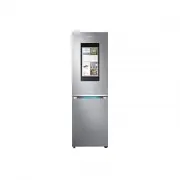




 Samsung RB38C776ASR User Manual
 Samsung RB38J7215SA User Manual
 Samsung RB38J7535SR User Manual
 Samsung RB38J7635SA User Manual
 Samsung RB38R7837S9 User Manual
 Samsung RB38T600ESA User Manual