Samsung NC221 - Quick Guide
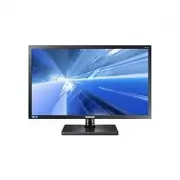
Samsung NC221 Professional Display – Quick Guide, read for free online in PDF format. We hope this helps you resolve any issues you may have. If you have further questions, please contact us through the contact form.


BN68-03899E-04
Checking the Components
Verification des composants
See the User’s Manual for further instructions for installation and adjustment.
Reportez-vous au manuel de l’utilisateur pour obtenir des instructions supplémentaires sur l’installation et le réglage.
[English]
Contact the dealer from whom you purchased the product
if any item is missing.
The appearance of the components may differ from the
images shown.
Components may vary depending on the country.
[Français]
En cas d’élément manquant, contactez le vendeur
auprès duquel vous avez acheté le produit.
Les composants peuvent être différents de ceux illustrés
ici.
Les composants peuvent être différents suivant la
région.
[Deutsch]
Kontaktieren Sie den Händler, bei dem Sie das Produkt
gekauft haben, wenn etwas fehlt.
Das Aussehen der Komponenten kann von den
dargestellten Bildern abweichen.
Der Inhalt der Lieferkiste kann sich je nach Standort
unterscheiden.
[Italiano]
Se uno o più elementi dovessero mancare, contattare il
rivenditore da cui si è acquistato il prodotto.
L’aspetto dei componenti può variare rispetto alle immagini
fornite.
I componenti possono variare in base alla località.
[Español]
Póngase en contacto con el distribuidor que le vendió el
producto en caso de que falte algún elemento.
El aspecto de los componentes puede ser diferente del de
las ilustraciones.
Los componentes pueden variar según las localidades.
[Svenska]
Kontakta återförsäljaren som du köpte produkten av om
något saknas.
Komponenterna kan se något annorlunda ut än på
bilderna.
Komponenterna kan variera på olika platser.
[Magyar]
Ha bármely tétel hiányzik, lépjen kapcsolatba a kereskedővel,
akitől a készüléket vásárolta.
Az alkatrészek megjelenése különbözhet a képen
láthatótól.
Az alkatrészek térségenként eltérhetnek.
[Polski]
W przypadku braku jakiegokolwiek elementu skontaktować
się z przedstawicielem handlowym.
Rzeczywisty wygląd elementów może się różnić od
elementów pokazanych na ilustracjach.
Zawartość opakowania może się różnić w zależności od
miejsca zakupu.
[Português]
Contacte o revendedor onde comprou o produto, se
algum dos itens estiver em falta.
O aspecto dos componentes pode ser diferente das imagens
apresentadas.
Os componentes podem variar em locais diferentes.
[Türkçe]
Eksik öğe varsa, ürünü satın aldığınız satıcıya başvurun.
Parçaların görünümü sunulan görüntülerden farklı
olabilir.
Parçalar farklı bölgelerde farklılık gösterebilir.
[한국어]
빠진 품목이 있으면 구매한 판매점에 문의하세요.
구성품의 그림은 실물과 다를 수 있습니다.
구성품은 지역별로 다를 수 있습니다.
]ةيبرعلا[
.نوكم يأ نادقف ةلاح يف هنم جتنملا ءارشب تمق يذلا رجاتلاب لصتا
.ةضورعملا روصلا فلاتخاب تانوكملا لكش فلتخي دق
.عقاوملا فلاتخاب تانوكملا فلتخت دق
Quick Setup Guide
Guide d’installation rapide
Warranty card
(Not available in some locations)
Carte de garantie
(Non disponible dans certains pays)
Regulatory guide
Guide réglementaire
User manual
Manuel d’utilisation
Power cable
Câble d’alimentation
Stand base
Support de base
NC221 NC221-S NC221-TS NC221-TW NC221W
NC241 NC241-TS NC241-TW NC241W
Quick Setup Guide
Guide d’installation rapide
Connection to Use “PCoIP”
Branchement requis pour utiliser “PCoIP”
LAN Connection
Connexion LAN
Connecting to a Secondary Monitor
Connexion à un moniteur secondaire
Connecting to Headphones or Speakers
Connexion à un casque ou à des enceintes
Connecting a Microphone
Connexion d’un microphone
Connecting USB Devices
Connexion de périphériques USB
Connecting and Using a Source Device
Connexion et utilisation d’un peripherique source
Connecting the Power
Branchement de l’alimentation
Connecting to a PC
Connexion à un PC
Frontal Buttons
Boutons frontaux
[English]
1
Open or close the onscreen display (OSD) menu, or return to the parent menu.
2
Connect to a server.
3
Move to the upper or lower menu or adjust the value for an option on the OSD menu.
4
Adjust the
Volume
.
When the OSD guide is displayed, the [ ] button activates the function assigned to
Volume
.
5
Confirm a menu selection. Pressing the [
] button when the OSD menu is not displayed will change the
input source (
Client
/
Analog
).
6
Analog
mode: Automatically adjust the screen settings.
Client
mode: Disconnect from the server.
7
Power on or off the product.
8
When a control button on the product is pressed, the OSD guide will be displayed before the onscreen menu
opens.
[Français]
1
Ouvrez ou fermez le menu d'affichage à l'écran (OSD), ou revenez au dernier menu.
2
Connectez-vous à un serveur.
3
Passez au menu supérieur ou inférieur ou réglez la valeur d'une option sur le menu OSD.
4
Réglez le
Volume
.
Quand le Guide OSD est affiché, le bouton [ ] active la fonction attribuée au
Volume
.
5
Permet de confirmer une sélection de menu. Si vous appuyez sur le bouton [
] quand le menu OSD n'est
pas affiché, la source d'entrée sera modifiée (
Client
/
Analogique
).
6
Mode
Analogique
: réglez automatiquement les paramètres de l’écran.
Mode
Client
: déconnectez-vous du serveur.
7
Met l'appareil sous ou hors tension.
8
Quand vous appuyez sur un bouton de contrôle sur le produit, le guide OSD s'affiche avant que le menu à l'écran
s'ouvre.
[Deutsch]
1
Öffnen oder Schließen des On Screen-Display (OSD)-Menüs oder Rückkehr zum letzten Menü.
2
Zur Verbindung mit einem Server.
3
Navigieren zum oberen oder unteren Menü oder Ändern des Wertes einer Option im OSD-Menü.
4
Zum Einstellen der
Lautstärke
.
Wenn das OSD-Menü angezeigt wird, aktiviert die Taste [
] die
Lautstärke
zugewiesene Funktion.
5
Bestätigen einer Menüauswahl. Durch Drücken der Taste [
] können Sie die Eingangsquelle (
Client
/
Analog
) ändern, wenn das OSD-Menü nicht angezeigt wird.
6
Analog
-Modus: Passt die Bildschirmeinstellungen automatisch an.
Client
-Modus: Trennt die Verbindung zum Server.
7
Schalten Sie das Gerät ein oder aus.
8
Wenn eine Steuerungstaste am Produkt gedrückt wird, wird die OSD-Hilfe angezeigt, bevor das Bildschirmmenü
geöffnet wird.
[Italiano]
1
Consente di aprire o chiudere il menu OSD (onscreen display) o di tornare all'ultimo menu.
2
Consente di collegarsi a un server.
3
Consente di passare al menu superiore o inferiore o di regolare il valore di un'opzione del menu OSD.
4
Consente di regolare il
Volume
.
Quando la guida OSD è visualizzata, il pulsante [ ] attiva la funzione assegnata a
Volume
.
5
Conferma la selezione di un menu. Se si preme il tasto [
] quando il menu OSD non è visualizzato, viene
modificata la sorgente di ingresso (
Client
/
Analogico
).
6
Modalità
Analogico
: consente di regolare automaticamente le impostazioni dello schermo.
Modalità
Client
: consente di scollegarsi dal server.
7
Accensione o spegnimento del prodotto.
8
Quando viene premuto un tasto del telecomando sul prodotto, verrà visualizzata la guida OSD prima dell'apertura
del menu a schermo.
[Español]
1
Abrir o cerrar el menú en pantalla (OSD), o bien volver al último menú.
2
Conectar con un servidor.
3
Moverse al menú superior o inferior, o bien ajustar el valor de una opción en el menú OSD.
4
Ajustar el
Volumen
.
Cuando se muestre la guía OSD, el botón [ ] activará la función asignada a
Volumen
.
5
Confirmar una selección de menú. Si pulsa el botón [
] cuando el menú OSD no está visible, cambiará la
fuente de entrada (
Client
/
Analógico
).
6
Modo
Analógico
: Permite el ajuste automático de la configuración de la pantalla.
Modo
Client
: Permite desconectar del servidor.
7
Encender o apagar el producto.
8
Si se pulsa un botón de control del producto, la guía de OSD se mostrará antes de que se abra el menú en
pantalla.
[Svenska]
1
Öppna eller stäng menyn på skärmen eller gå tillbaka till den föregående menyn.
2
Anslut till en server.
3
Flytta till den övre eller nedre menyn eller ändra värdet för ett alternativ på menyn på skärmen.
4
Justera
Volym
.
När skärmmenyguiden visas aktiverar knappen [ ] funktionen som är kopplad till
Volym
.
5
Bekräfta ett menyval. Om du trycker på knappen [
] när menyn på skärmen inte visas ändras
inmatningsskällan (
Client
/
Analog
).
6
Läget
Analog
: Justera skärminställningarna automatiskt.
Läget
Client
: Koppla från servern.
7
Slå av eller på produkten.
8
När en kontrollknapp på produkten trycks ned visas först skärmguiden innan skärmmenyn öppnas.
[Magyar]
1
Nyissa meg vagy zárja be a képernyős megjelenítő (OSD) menüt, vagy lépjen vissza az előző menübe.
2
Csatlakoztatás egy szerverhez.
3
Lépjen át a felső vagy az alsó menübe vagy állítsa be az OSD menü valamely opciójának értékét.
4
A
Hangerő
beállítása.
Látható képernyőmenü esetén a [
] gomb aktiválja a
Hangerő
elemhez rendelt funkciót.
5
A kijelölt menübeállítás megerősítése. Ha megnyomja a [
] nyomógombot, amikor az OSD menü nem
látható, akkor a bemeneti jelforrás a következő sorrendben változik:
Client
/
Analóg
.
6
Analóg
mód: A képernyő automatikus beállítása.
Client
mód: Kapcsolat bontása a szerverrel.
7
A termék ki- és bekapcsolása.
8
A készülék valamely beállítógombjának megnyomásakor mielőtt a képernyőmenü megjelenne, megjelenik az OSD
útmutató.
[Polski]
1
Otwarcie lub zamknięcie menu wyświetlanego na ekranie (OSD) albo powrót do poprzedniego menu.
2
Nawiązywanie połączenia z serwerem.
3
Przejście do menu górnego bądź dolnego albo ustawienie wartości opcji w menu OSD.
4
Regulacja ustawień opcji
Głośność
.
Gdy wyświetlony jest Przewodnik po menu OSD, przycisk [ ] uaktywnia funkcję przypisaną do przycisku
Głośność
.
5
Potwierdzanie wyboru menu. Naciśnięcie przycisku [
], gdy menu OSD nie jest wyświetlone spowoduje
zmianę źródła wejściowego (
Client
/
Analogowe
).
6
Tryb
Analogowe
: Automatyczna regulacja ustawień ekranu.
Tryb
Client
: Zakończenie połączenia z serwerem.
7
Włączanie/wyłączanie zasilania produktu.
8
Gdy naciśnięty zostanie przycisk na produkcie, przed wyświetleniem menu ekranowego wyświetli się przewodnik menu
ekranowego OSD.
[Português]
1
Para abrir ou fechar o menu no ecrã (OSD) ou voltar para o menu anterior.
2
Para ligar a um servidor.
3
Avança para o menu superior ou inferior ou ajusta o valor de uma opção no menu OSD.
4
Para ajustar o
Volume
.
Quando o guia OSD é apresentado, o botão [ ] activa a função atribuída a
Volume
.
5
Confirma uma selecção do menu. Carregar no botão [
] quando o menu OSD não está a ser apresentado,
altera a fonte de entrada (
Client
/
Analógico
).
6
Modo
Analógico
: para ajustar automaticamente as definições do ecrã.
Modo
Client
: para desligar do servidor.
7
Ligar ou desligar o equipamento.
8
Quando um botão de controlo do produto é premido, o guia OSD é apresentado antes de o menu no ecrã abrir.
[Türkçe]
1
Ekran (OSD) menüsünü açın veya kapatın ya da son menüye dönün.
2
Sunucuya bağlanır.
3
Yukarıdaki veya alttaki menüye geçin veya OSD menüsündeki bir seçeneğin değerini ayarlayın.
4
Ses
ayarını yapar.
Ekran Menüsü kılavuzu görüntülendiğinde [ ] düğmesi
Ses
öğesine atanmış işlevi etkinleştirir.
5
Bir menü seçimini onaylayın. OSD menüsü görüntülenmediği sırada [
] düğmesine basıldığında giriş kaynağı
değişir (
Client
/
Analog
).
6
Analog
mod: Ekran ayarlarını otomatik olarak yapar.
Client
modu: Sunucu bağlantısını keser.
7
Ürünü açın veya kapatın.
8
Üründeki bir kontrol düğmesine basıldığında, ekran menüsü açılmadan önce OSD kılavuzu görüntülenir.
[한국어]
1
화면 메뉴를 열거나 빠져나올 때, 상위 메뉴로 되돌아갈 때 사용합니다.
2
서버와 연결 시 사용합니다.
3
OSD 메뉴 화면에서 상하로 메뉴 이동을 하거나 값을 조정할 때 사용합니다.
4
음량
을 조정할 때에 사용합니다.
OSD guide가 표시 된 상태에서 [
] 버튼을 누르면
음량
설정을 할 수 있습니다.
5
기능을 선택할 때 누릅니다. 메뉴화면이 없는 상태에서 [
] 버튼을 누르면 입력신호 (
클라이언트
/
아날로그
)가
전환됩니다.
6
아날로그
모드: 자동 조정됩니다.
클라이언트
모드: 서버와의 연결이 종료됩니다.
7
제품을 켜고 끌때 누르세요.
8
제품 조작 버튼을 누르면 화면 메뉴로 진입하기 전, OSD Guide가 표시됩니다.
]ةيبرعلا[
.ةريخلأا ةمئاقلا ىلإ ةدوعلا وأ اهقلاغإ وأ )
OSD
( ةشاشلا ىلع ضرعلا ةمئاق حتف
1
.مداخب لاصتلاا
2
.ةشاشلا ىلع ضرعلا ةمئاق تارايخ دحأ ةميق طبض وأ ةيلفسلا وأ ةيولعلا ةمئاقلا ىلإ لاقتنلاا
3
.
Volume
طبض
.
Volume
ىلإ اهنييعت مت يتلا ةفيظولا طيشنتب ] [ رزلا موقي ،ةشاشلا ىلع ضرعلا ليلد ضرع دنع
4
.)
Analog
/
Client
( لاخدلإا ردصم رييغت ىلإ ”ةشاشلا ىلع ضرعلا“ ةمئاق ضرع مدع دنع ]
[ رزلا ىلع طغضلا يدؤيس .ةمئاق ديدحت ديكأت
5
.اًيئاقلت ةشاشلا تادادعإ طبض :عضولا
Analog
.مداخلاب لاصتلاا عطق :عضولا
Client
6
.هليغشت فاقيإ وأ جتنملا ليغشت
7
.ةشاشلا ىلع ضرعلا ةمئاق حتف لبق ةشاشلا ىلع ضرعلا ليلد رهظي ،جتنملاب دوجوملا مكحتلا رز ىلع طغضلا دنع
8
The functions available may vary depending on the product model.
The color and shape of parts may differ from what is shown. Specifications are subject to change without notice to improve quality.
Les fonctions disponibles peuvent varier selon le modèle de produit.
La couleur et la forme des pièces peuvent différer de ce qui est illustré. Les spécifications sont communiquées sous réserve de modifications sans préavis dans le but d’améliorer la qualité.
The color and the appearance may differ depending on the product, and the specifications are subject to
change without prior notice to improve the performance.
Download the user manual from the website for further details.
- http://www.samsung.com/displaysolutions
La couleur et l’aspect du produit peuvent varier en fonction du modèle, et ses spécifications peuvent être modifiées
sans préavis pour des raisons d’amélioration des performances.
Téléchargez le manuel utilisateur du site Web pour obtenir plus de détails.
Neptune2_WW_QSG_BN68-03899E-04.indb 1
2016-09-20 오후 3:09:44
"Loading the manual" means you need to wait until the file loads and becomes available for online reading. Some manuals are very large, and the time they take to appear depends on your internet speed.
Was this manual helpful?
About this manual
- Brand
- Samsung
- Model
- NC221
- Document type
- Quick Guide
- Category
- Professional Display
- Language(s)
- German, English, Spanish, French, Italian, Dutch, Polish, Russian, Swedish
- Pages
- 2
- File size
- 2.7 MB
- Format
Ask a question
Related manuals
Popular Samsung Professional Displays


More Samsung Professional Displays models
 Samsung ED75E Quick Guide
 Samsung IE015R Quick Guide
 Samsung IE020R User Manual
 Samsung IE025R Quick Guide
 Samsung IF015R User Manual
 Samsung IF020R Quick Guide
 Samsung NC241 Quick Guide
 Samsung OH24E Quick Guide
 Samsung OH46D User Manual
 Samsung OH46F Quick Guide
 Samsung OH55D Quick Guide
 Samsung OH55F Quick Guide