Page 2 - SAFETY INFORMATION; SAFETY WARNINGS; WARNING; To reduce the risk of fire or electric shock, do; CAUTION; • Do not expose this apparatus to dripping or; Wiring the Main Power Supply; IMPORTANT NOTICE; bared flexible cord. Never attempt to insert bare
ENG - ii SAFETY INFORMATION SAFETY WARNINGS TO REDUCE THE RISK OF ELECTRIC SHOCK, DO NOT REMOVE THE COVER (OR BACK). NO USER-SERVICEABLE PARTS ARE INSIDE. REFER SERVICING TO QUALIFIED SERVICE PERSONNEL.Refer to the table below for an explanation of symbols which may be on your Samsung product. CAUTI...
Page 3 - To avoid deterioration of water resistant
ENG - iii wires directly into a mains socket. A plug and fuse must be used at all times. IMPORTANT The wires in the mains lead are coloured in accordance with the following code:– BLUE = NEUTRAL BROWN = LIVE As these colours may not correspond to the coloured markings identifying the terminals in yo...
Page 4 - PRECAUTIONS; requirements listed on the identification; ABOUT THIS MANUAL; USER MANUAL
ENG - iv PRECAUTIONS 1. Ensure that the AC power supply in your house complies with the power requirements listed on the identification sticker located on the rear of your product. Install your product horizontally, on a suitable base (furniture), with enough space around it for ventilation (7~10 cm...
Page 5 - CONTENTS
ENG - v CONTENTS 01 Checking the Components 2 Inserting Batteries before using the Remote Control (AAA batteries X 2) ------------------------- 4 02 Product Overview 5 Top Panel of the Sound Tower ------------------------- 5 Rear Panel of the Sound Tower ------------------------- 6 03 Connecting the...
Page 6 - Using the Samsung Sound Tower App; Install Samsung Sound Tower App; Trouble shooting; Specifications
ENG - vi 07 Using the Samsung Sound Tower App 30 Install Samsung Sound Tower App ------------------------- 30 Using the Samsung Sound Tower App ------------------------- 30 What you can do with Samsung Sound Tower App: ------------------------- 31 08 Trouble shooting 32 09 LICENCE 35 10 Open Source ...
Page 7 - 1 CHECKING THE COMPONENTS; Samsung Customer Care.; Carry the system; Do not lift the set to prevent the set from injuring your feet.
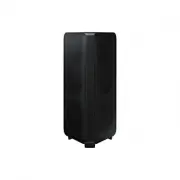
ENG - 2 01 CHECKING THE COMPONENTS Sound Tower Main Unit Remote Control / Batteries (AAA batteries x 2) Power Cord (AH81-15587A) • For more information about the power supply and power consumption, refer to the label attached to the product. (Label: Rear of the Sound Tower Main Unit) • To purchase a...
Page 8 - To move the set, perform the following steps.; below
ENG - 3 3. To move the set, perform the following steps. • Press the self-locking switch of the wheels respectively to rotate the two wheels out of the bottom of the set. When it clicks, it means that the wheels are adjusted in place. POWER Press the self-locking switch Rotate the wheels 180 degrees...
Page 9 - Inserting Batteries before using the Remote Control
ENG - 4 • After the set is moved, press the self-locking switch of the two wheels respectively to rotate the wheels to the bottom of the set. When it clicks, it means that the wheels are adjusted in place. POWER Press the self-locking switch Rotate the wheels 180 degrees The wheel was rotated back t...
Page 10 - 2 PRODUCT OVERVIEW; Top Panel of the Sound Tower
ENG - 5 02 PRODUCT OVERVIEW Top Panel of the Sound Tower BASS Remote Sensor When operating the Sound Tower system, please aim the front of the remote control at the remote sensor. LED indicator Displays operating messages or current status of the Sound Tower system. The information sources represent...
Page 11 - Rear Panel of the Sound Tower
ENG - 6 Rear Panel of the Sound Tower ECHO 2 VOL 2 ECHO 1 VOL 1 MIC 2 USB1 (5V 2.1A) USB2 (5V 0.5A) AUX 1 MIC 1 POWER ECHO 2 VOL 2 ECHO 1 VOL 1 MIC 2 USB1 (5V 2.1A) USB2 (5V 0.5A) AUX 1 MIC 1 Bluetooth PAIRING Press the PAIRING button to enter pairing mode, "PAIRING" LED on the rear plane wi...
Page 13 - 3 CONNECTING THE SOUND TOWER; Connecting Electrical Power
ENG - 8 03 CONNECTING THE SOUND TOWER Connecting Electrical Power Use the power cord to connect the Sound Tower to an electrical outlet in the following order: Connect the power cord to the Sound Tower and then to a wall socket.See the illustrations below. • For more information about the required e...
Page 14 - Connecting Group Play Mode; Connecting the wired Group Play mode; ※ Sound Tower HOST can play music from any source.; NOTES
ENG - 9 Connecting Group Play Mode You can connect multiple audio systems in a wired group play mode to create a more interesting party environment and to produce higher sound output. Connecting the wired Group Play mode 1st Sound Tower HOST 2nd Sound Tower Last Sound Tower AUX2 white LED on AUX2 wh...
Page 15 - Connecting wireless Group Play mode; Precondition; GROUP PLAY
ENG - 10 – Make sure that the HOST is turned on, and has a music source connected to it, and the volume is not muted. • Wired Group Play function does not work properly: – Turn off the system. Then, turn it back on again to activate the function. • When a microphone is connected to the HOST and bein...
Page 16 - LED
ENG - 11 NOTES • All the Sound Tower models can connect in Group Play mode. • When “ HOST ” Sound Tower connects to a Samsung TV, the Group play mode will automatically disconnect. • Environmental conditions or other factors with connected devices may have an effect on playback quality. • If the lig...
Page 17 - Connecting Stereo Mode; Description; The initial connection; ADD STEREO; Sound Tower is identified by the Bluetooth PAIRING LED blinking.
ENG - 12 Connecting Stereo Mode Connect two Sound Tower and use them with a mobile device to enjoy stereo mode, to make a larger listening area or to hear greater left and right audio separation. Precondition • To use the Stereo mode, both Sound Tower systems must be the same model. • When connectin...
Page 18 - Disconnecting the wireless Stereo mode
ENG - 13 NOTES • Environmental conditions or other factors with connected devices may have an effect on playback quality. • If the ADD STEREO LED is solid red an error has occurred in the Stereo Group connection. Try steps 1 and 2 again. • Remote Controller, BT PAIRING, GROUP PLAY and Source buttons...
Page 19 - Using Stereo Mode with a Samsung TV; BT
ENG - 14 Using Stereo Mode with a Samsung TV Connect two Sound Towers and use them with a Samsung TV to enjoy stereo mode, to cover a larger listening area or to hear greater left and right audio separation. Precondition • To use the Stereo mode, both Sound Tower systems must be the same model. • Wh...
Page 20 - • Analogue audio cables are not supplied.; Disconnecting Stereo mode connection; • Press the; button (MAIN or SUB) for at least 5 seconds after the Stereo Group is
ENG - 15 NOTES • Analogue audio cables are not supplied. • If the light bar blinks pink and the speakers beep, an error has occurred in the Stereo mode connection. Repeat steps 1 through 3. • In Stereo Group mode, the remote control, BT PAIRING, GROUP PLAY, and Source buttons on the SUB Sound Tower ...
Page 21 - 4 CONNECTING AN EXTERNAL DEVICE; Connecting an External Device via Analogue Audio Cable; AUX
ENG - 16 04 CONNECTING AN EXTERNAL DEVICE Connect to an external device via a wired or wireless network to play the external device’s sound through the Sound Tower. Connecting an External Device via Analogue Audio Cable A phone jack or RCA cable is a physical connection that transfers analogue audio...
Page 22 - Connecting a mobile device via Bluetooth; PAIRING; If the device fails to connect
ENG - 17 NOTES • Analogue audio cables are not supplied. • Depending on the length or characteristics of the cable, there may be a difference in operating distance. • AUX1 and AUX2 does not support wireless Stereo and Group Play mode. Connecting a mobile device via Bluetooth When a mobile device is ...
Page 23 - If there is a strong electrical field around the Sound Tower.; What is the difference between BT READY and BT PAIRING?; BT READY; Using Bluetooth Multi connection
ENG - 18 • The Sound Tower automatically turns off after 20 minutes in the Ready state. • The Sound Tower may not perform Bluetooth search or connection correctly under the following circumstances: – If there is a strong electrical field around the Sound Tower. – If several Bluetooth devices are sim...
Page 24 - How to operate Bluetooth Multi Connection Function; device, the devices currently connected may be disconnected.; Disconnecting the Sound tower from the Bluetooth device
ENG - 19 1. Put the Sound Tower into “BT PAIRING” mode and connect each mobile device. 2. On your device, select “ [AV]MX-ST9B Series ” from the list that appears. 3. When the Sound Tower is connected to two mobile devices, The light bar will be fully lit in cyan, and the Bluetooth light on the rear...
Page 25 - Using Bluetooth Power On; Connecting a Samsung TV via Bluetooth
ENG - 20 Using Bluetooth Power On When the Sound Tower is turned off, you can connect your smart device via a Bluetooth connection to turn it on. 1. Press and hold the BASS button on the remote control or on the top panel to enable the Bluetooth Power On function. Lighting bar will blink white once....
Page 27 - 5 CONNECTING A USB STORAGE DEVICE; A maximum of 999 files can be played via USB storage device.
ENG - 22 05 CONNECTING A USB STORAGE DEVICE You can play music files located on USB storage devices through the Sound Tower. LIGHT PAIRING TEMPO USB AUX EFFECT EFFECT DJ SOUND MODE ECHO 2 VOL 2 ECHO 1 VOL 1 MIC 2 USB1 (5V 2.1A) USB2 (5V 0.5A) AUX 1 MIC 1 POWER USB1 (5V 2.1A) USB2 (5V 0.5A) USB stora...
Page 28 - Supported Audio Formats; File Extension; AAC; • This product does not support WMA Professional codec.; Software Update; update stored on it to the; NOTE
ENG - 23 Supported Audio Formats File Extension Audio Codec Sampling Rate Bit Rate *.mp3 MPEG 1 Layer3 32 kHz ~ 48 kHz 32 kbps ~ 320 kbps MPEG 2 Layer3 16 kHz ~ 24 kHz 8 kbps ~ 160 kbps MPEG 2.5 Layer3 8 kHz ~ 12 kHz 8 kbps ~ 160 kbps *.wma WMA7/8/9 8 kHz ~ 48 kHz 32 kbps ~ 320 kbps *.aac AAC 8 kHz ...
Page 29 - Connecting an Optional Microphone
ENG - 24 Connecting an Optional Microphone You can output your voice from the system by connecting a dynamic microphone with a normal plug. ECHO 2 VOL 2 ECHO 1 VOL 1 MIC 2 USB1 (5V 2.1A) USB2 (5V 0.5A) AUX 1 MIC 1 POWER MAX MIN MAX MIN ECHO 2 VOL 2 ECHO 1 VOL 1 MIC 2 USB1 (5V 2.1A) USB2 (5V 0.5A) AU...
Page 30 - 6 USING THE REMOTE CONTROL; How to Use the Remote Control; more than
ENG - 25 06 USING THE REMOTE CONTROL How to Use the Remote Control LIGHT PAIRING TEMPO USB AUX EFFECT DOWN UP BASS EFFECT DJ SOUND MODE Power DOWN UP BASS EFFECT EFFECT DJ LIGHT PAIRING TEMPO USB AUX SOUND MODE Turn the Sound Tower on and off. LIGHT DOWN UP BASS EFFECT EFFECT DJ LIGHT PAIRING TEMPO ...
Page 33 - How to use Sound Mode
ENG - 28 BASS DOWN UP BASS EFFECT EFFECT DJ LIGHT PAIRING TEMPO USB AUX SOUND MODE Press the BASS button to use the bass boost. Press it again to return to the normal sound.Press and hold the BASS button for more than 5 seconds to turn on or off the BLUETOOTH POWER function. Lighting LED white blink...
Page 34 - How to use DJ Effect
ENG - 29 How to use DJ Effect The DJ Effect function lets you add DJ sound effects to your music. The level of each effect is adjustable. 1. Press the DJ button on the Remote control. 2. Each time you press the DJ button, the Sound Tower cycles through the available DJ Effects: • NOISE : Create whit...
Page 35 - • This function may not be supported, depending on the mobile device.; Turn on the Sound Tower app on your mobile device.
ENG - 30 07 USING THE SAMSUNG SOUND TOWER APP Install Samsung Sound Tower App To control this product with your Smart Device and the Samsung Sound Tower app, download the Samsung Sound Tower App from the Google Play Store or Apple App Store, and install it on your Smart Device. Using the Samsung Sou...
Page 36 - What you can do with Samsung Sound Tower App:; • Balance the sound using preset EQs or custom EQs.; placed at a sufficient distance away from the Sound tower.
ENG - 31 What you can do with Samsung Sound Tower App: • Balance the sound using preset EQs or custom EQs. • Change the sound effect using DJ EFFECT. • Configure the various settings for the system. • Change the light effect by preset or custom. • Adjust the Volume. • Switch source NOTES • To use th...
Page 37 - 8 TROUBLE SHOOTING; Sound Tower does not turn on.; Sound Tower works erratically.; device, disconnect that device first to
ENG - 32 08 TROUBLE SHOOTING Refer to the table below if this product does not function properly. Sound Tower does not turn on. ; Power cannot be turned on via remote control or mobile Party Audio App, Remove the power plug, after a while plug it in again, Press the POWER button to turn on the Sound...
Page 38 - The file format may not supported. Sound
ENG - 33 ; If there are obstacles between the Sound Tower and your Bluetooth device, remove or avoid the obstacles. ; There may be sound drop when connected to Samsung TV, please refer to page15 “Using Stereo Mode of Samsung TV” steps to reconnect the Samsung TV. ; The recommended operating distance...
Page 40 - qualified in its factory default setting.; ENERGY STAR qualified model only; for energy efficiency.
ENG - 35 09 LICENCE The Bluetooth® word mark and logos are registered trademarks owned by the Bluetooth SIG, Inc. and any use of such marks by Samsung Electronics Co., Ltd. is under license. Other trademarks and trade names are those of their respective owners. Qualcomm aptX is a product of Qualcomm...
Page 41 - • Figures and illustrations in this User Manual
ENG - 36 10 OPEN SOURCE LICENCE NOTICE To send inquiries and requests regarding open sources, contact Samsung via Email ([email protected]). 11 IMPORTANT NOTES ABOUT SERVICE • Figures and illustrations in this User Manual are provided for reference only and may differ from actual product appea...
Page 42 - 2 SPECIFICATIONS AND GUIDE
ENG - 37 12 SPECIFICATIONS AND GUIDE Specifications Model Name MX-ST90B USB1/USB2 USB1: 5V/2.1A USB2: 5V/0.5A Weight 24.5kg Dimensions (W x H x D) 424 x 861 x 383mm Operating Temperature Range +5°C to +35°C Operating Humidity Range 10 % ~ 75 % AMPLIFIERRated Output power 1700 W Overall Power Consump...
Page 44 - United Kingdom
This Samsung product is warranted for the period of twelve (12) months from the original date of purchase, against defective materials and workmanship. In the event that warranty service is required, you should return the product to the retailer from whom it was purchased. However, Samsung Authorise...