Samsung HW-S800D - User Manual
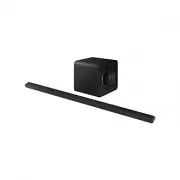
A user manual for the Samsung HW-S80D, HW-S81D, HW-S81GD, HW-S70D, HW-S71D, and HW-S71GD soundbar systems covers essential topics like setup, connectivity, controls, and troubleshooting. This guide details how to use remote controls, connect devices via HDMI ARC/eARC, Bluetooth, Wi-Fi, or Apple AirPlay, adjust audio settings (such as SpaceFit Sound, Dolby Atmos compatibility, and Q-Symphony), and manage subwoofer connections. It also includes installation instructions for wall mounts, software updates, and maintenance best practices to ensure optimal performance across TVs, mobile devices, and smart home integration.


Table of Contents:
- Page 1 – Product Identification and Registration Information
- Page 2 – Table of Contents
- Page 3 – Included Components
- Page 4 – Top Panel Control Functions
- Page 5 – Rear Panel Connections and Power
- Page 6 – Remote Control Operation
- Page 7 – Soundbar Control Functions
- Page 8 – Sound Control Settings
- Page 9 – Private Rear Sound and Output Modes
- Page 10 – Volume Control via TV Remote
- Page 11 – System Power Connection
- Page 12 – Subwoofer Manual Connection Procedure
- Page 13 – Subwoofer Indicator Status and Wireless Setup
- Page 14 – HDMI ARC Connection Setup
- Page 15 – Bluetooth Connection to TV
- Page 16 – Bluetooth and Wi-Fi Connectivity
- Page 17 – Dolby Atmos Connection Methods
- Page 18 – Q-Symphony Function Setup
- Page 19 – SpaceFit Sound Feature Usage
- Page 20 – Mobile Device Bluetooth Pairing
- Page 21 – Bluetooth Interference Management
- Page 22 – Wi-Fi Connection and Group Play
- Page 23 – Apple AirPlay and Tap Sound Features
- Page 24 – Wall Mount Installation Guide
- Page 25 – Soundbar Physical Mounting
- Page 26 – Software Updates and Reset Procedures
- Page 27 – Troubleshooting Guide
- Page 28 – Advanced Troubleshooting and Compatibility
- Page 29 – Certification and Licensing Notices
© 2024 Samsung Electronics Co., Ltd. All rights reserved.
User Guide
HW-S80*D / HW-S81*D / HW-S81*GD
HW-S70*D / HW-S71*D / HW-S71*GD
Thank you for purchasing this Samsung product.
To receive more complete service, please register your product at
www.samsung.com
Figures and illustrations in this User Guide are provided for reference
only and may differ from actual product appearance.
"Loading the manual" means you need to wait until the file loads and becomes available for online reading. Some manuals are very large, and the time they take to appear depends on your internet speed.
Was this manual helpful?
About this manual
- Brand
- Samsung
- Model
- HW-S800D
- Document type
- User Manual
- Language(s)
- English
- Pages
- 29
- File size
- 8.2 MB
- Format
Summary
Cover information including specific model numbers for the soundbar systems, user guide title, and instructions for product registration and service.
Listing of manual sections covering component checks, remote control use, TV/mobile device connections, wall mount installation, software updates, troubleshooting, and licensing details.
Identification and listing of all physical components included with the Samsung soundbar system, such as the main unit, remote controls, cables, mounting hardware, and screws.
Ask a question
Related manuals
Popular Samsung Other


More Samsung Other models
 Samsung HW-S700D User Manual
 Samsung HW-S701D User Manual
- Samsung HW-S710D User Manual
 Samsung HW-S710GD User Manual
- Samsung HW-S711D User Manual
 Samsung HW-S711GD User Manual
 Samsung HW-S801D User Manual
- Samsung HW-S810D User Manual
 Samsung HW-S810GD User Manual
- Samsung HW-S811D User Manual
 Samsung HW-S811GD User Manual
 Samsung HW-T440 User Manual