Samsung HW-Q990D - User Manual
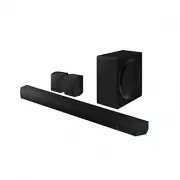
Samsung HW-Q990D – User Manual, read for free online in PDF format. We hope this helps you resolve any issues you may have. If you have further questions, please contact us through the contact form.


Table of Contents:
- Page 2 – CONTENTS
- Page 3 – 1 CHECKING THE COMPONENTS
- Page 4 – 2 PRODUCT OVERVIEW; Top Panel of the Soundbar
- Page 5 – 3 USING THE SOUNDBAR REMOTE CONTROL; How to Use the Remote Control
- Page 8 – Adjusting the Soundbar volume with a TV remote control
- Page 9 – 4 CONNECTING THE SOUNDBAR; Connecting the power and units
- Page 10 – Recommended Speaker Layout; Surround speaker mode
- Page 11 – Manually connecting the Subwoofer or Surround Speakers; ID SET
- Page 13 – 5 CONNECTING TO A TV; Connecting the TV that supports HDMI ARC (Audio Return Channel); TV ARC
- Page 14 – Connecting using an Optical Cable
- Page 15 – Connecting via Bluetooth; BT READY; Disconnecting the Soundbar from the Samsung TV
- Page 17 – Using the Q-Symphony Function
- Page 18 – Using the SpaceFit Sound; Method 1. Connecting via Soundbar
- Page 19 – 6 CONNECTING AN EXTERNAL DEVICE
- Page 20 – Method 2. Connecting using an Optical Cable
- Page 21 – 7 CONNECTING A MOBILE DEVICE; Method 1. Connecting via Bluetooth; What is the difference between BT READY and BT PAIRING?
- Page 22 – Disconnecting the Soundbar from the Bluetooth device
- Page 23 – Using Group Play
- Page 24 – Using the SmartThings Hub; Connecting via Apple AirPlay
- Page 25 – Using the Tap Sound; Setting the Tap Sound function
- Page 26 – Installation Precautions; Wallmount Components
- Page 27 – Notes for Wall Mounting the Surround Speakers; 9 INSTALLING THE; Component
- Page 28 – 0 SOFTWARE UPDATE; Auto Update; Security updates information
- Page 29 – Initialization; INIT; 1 TROUBLESHOOTING
- Page 31 – 2 LICENCES & OTHER
© 2024 Samsung Electronics Co., Ltd. All rights reserved.
User Guide
HW-Q990D
To receive more complete service, please register your product at
www.samsung.com/register
Figures and illustrations in this User Manual are provided for reference
only and may differ from actual product appearance.
"Loading the manual" means you need to wait until the file loads and becomes available for online reading. Some manuals are very large, and the time they take to appear depends on your internet speed.
Was this manual helpful?
About this manual
- Brand
- Samsung
- Model
- HW-Q990D
- Document type
- User Manual
- Language(s)
- English
- Pages
- 32
- File size
- 9.2 MB
- Format
Summary
English - 2 CONTENTS 01 Checking the Components 3 02 Product Overview 4 Top Panel of the Soundbar. . . . . . . . . . . . . . . . . . . . . . . . . . . . . . . . . . 4 Bottom Panel of the Soundbar . . . . . . . . . . . . . . . . . . . . . . . . . . . . . . 4 03 Using the Soundbar Remote Control 5 Ins...
English - 3 01 CHECKING THE COMPONENTS SOUNDBAR Soundbar Main Unit Soundbar Remote Control / Batteries Subwoofer POWER x 2 x 4 A TYPE : 450mm Surround Speaker (Left / Right) Power Cord (Soundbar, Subwoofer, Surround speaker) Wall Mount Guide x 2 x 2 (M4 x L10) x 2 Holder-Screw Screw Bracket-Wall Mou...
English - 4 02 PRODUCT OVERVIEW Top Panel of the Soundbar 2 1 3 4 1 (Multi Function) Button • In standby mode, press the (Multi Function) button to turn on the Soundbar. • Press the (Multi Function) button to change the input source. 2 (Volume) Button Adjusts the volume. 3 (Mic On/Off) Button Press ...
Ask a question
Related manuals
Popular Samsung Other


More Samsung Other models
 Samsung HW-Q810GC User Manual
 Samsung HW-Q810GD User Manual
 Samsung HW-Q930D User Manual
- Samsung HW-Q935D User Manual
 Samsung HW-Q935GC User Manual
 Samsung HW-Q935GD User Manual
- Samsung HW-Q995D User Manual
 Samsung HW-Q995GC User Manual
 Samsung HW-Q995GD User Manual
 Samsung HW-S60D User Manual
 Samsung HW-S61D User Manual
 Samsung HW-S66D User Manual