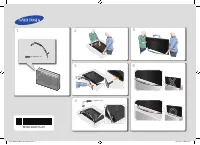
Page 2 - Instruction; Operational Modes; Still image warning; Securing the Installation Space; English
Figures and illustrations in this Install Guide are provided for reference only and may differ from actual product appearance. Product design and specifications may be changed without notice. Instruction This TV is provided with interactive functionality through a set-back box (SBB/STB) connected to...
Page 3 - ENGLISH; Contents
3 ENGLISH English Contents • Accessories .................................................................................................................................................................... 4 • Assembling the swivel (32 inch TVs or larger) ...............................................
Page 4 - Accessories
4 English Accessories ¸ Please make sure the following items are included with your LED TV. If any items are missing, contact your dealer. ¸ The items’ colour and shapes may vary depending on the model. • Remote Control & Batteries (AAA x 2) • Samsung Smart Control (sold separately) • Quick Setu...
Page 5 - Assembling the swivel (32 inch TVs or larger); described in the installation instructions.
5 English Assembling the swivel (32 inch TVs or larger) [ WARNING: If you configure the TV to swivel, you must attach it securely to the floor, a desk, a dresser top, etc. as described in the installation instructions. The 32” and larger LED TVs have swivel stands. You can configure these stands so ...
Page 6 - Installing the LED TV Stand; 0 degrees left and right.; Stand components; When installing the stand, use the provided components and parts.
6 English Installing the LED TV Stand The 32” and larger LED TVs have swivel stands. You can set these stands so that the TVs swivel 20 degrees left and right or 90 degrees left and right. Stand components When installing the stand, use the provided components and parts. 32" 40" ~ 49" 32...
Page 7 - NOTE; Hotel Mount Kit; Affix the stand to a flat surface; WARNING
7 English 4 When the declination happened, try reassemble it category. ¸ Make sure to assembling stand guide attached on the TV. ¸ NOTE • Make sure to distinguish between the front and back of each component when assembling them. • Make sure that at least two persons lift and move the TV. ¦ Hotel Mo...
Page 8 - Viewing the Connection Panel; VARIABLE AUDIO OUT
8 English Viewing the Connection Panel ¸ Whenever you connect an external device to your TV, make sure that power on the unit is turned off. ¸ When connecting an external device, match the colour of the connection terminal to the cable. 1 VARIABLE AUDIO OUT Used for the audio output to the Bathroom ...
Page 9 - HEADPHONE JACK
9 English 5 HDMI IN 1(DVI) , 2(ARC) Connects to the HDMI jack of a device with an HDMI output. ¸ No sound connection is needed for an HDMI-HDMI connection. HDMI connections carry both audio and video. ¸ Use the HDMI IN 1(DVI) jack for a DVI connection to an external device. Use a DVI to HDMI cable o...
Page 10 - Display Modes; When using an HDMI/DVI cable connection, you must use the
10 English Display Modes You can also select one of the standard resolutions listed in the Resolution column. The TV will automatically adjust to the resolution you choose.After connecting a computer to the TV, set the screen resolution for the TV on the computer. The optimal resolution is 1920 x 10...
Page 11 - TV Controller; Standby mode
11 English TV Controller TV Controller is a multi directional button that helps navigate without using the remote control. ¸ Some functions which require a PIN code may not be available. ¸ The product colour and shape may vary, depending on the model. ¸ Exits the menu when pressing the controller fo...
Page 12 - Viewing the Remote Control
12 English Viewing the Remote Control ¸ This remote control has Braille points on the Power, Channel, and Volume buttons and can be used by visually impaired persons. CONTENT HOME MENU TOOLS ALARM SUBT. Turns the TV on and off. Have direct access to channels. Alternately selects Teletext, Double or ...
Page 15 - Inserting Batteries into Samsung Smart Control; Using the Samsung Smart Control; KEYPAD; Pairing the Samsung Smart Control; TV; Reconnecting Samsung Smart Control; RETURN
15 English Inserting Batteries into Samsung Smart Control To use Samsung Smart Control, first refer to the figure below and insert batteries into the unit. Gently pull on the battery cover's notch and then remove the cover completely once it comes loose.Insert 2 AA alkaline batteries, making sure to...
Page 17 - Connecting the Coaxial Network; Turn on the Cable Modem; Check the Network Connection - Coaxial; MUTE
17 English Connecting the Coaxial Network ‒ This function is only supported for the HG***E694 model. TV Rear Panel ‒ When using Widget Solution through Cable Modem, Virtual Standby mode gets set to be On . ‒ The HE694 model is embedded in the cable modem. If the plug is removed and connected again, ...
Page 18 - Connecting the Bathroom Speakers
18 English Connecting the Bathroom Speakers You can connect the Bathroom Speakers using the following method. ¦ Connecting through the Variable Output (available without an external amplifier) VOL+ VOL- TV Rear Panel Volume Control Box Speaker 2 1 1. Connect the VARIABLE AUDIO OUT port of the TV to ...
Page 19 - Audio Loop In; procedures are given below.; HEADPHON BOX; TV Headphones jack
19 English ¦ Audio Loop In An additional Headphone Box can be installed on a bed or business desk for added convenience. The installation procedures are given below. • Detailed Drawing of the Headphone Box. HEADPHON BOX TV Rear Panel Headphone Box TV Headphones jack Whitewire (Audio-L) Shield Wire T...
Page 20 - Connecting the MediaHub HD; RJP
20 English Connecting the MediaHub HD Output to any external source connected to MediaHub HD on the hotel desk. HDMI USB RS/232 TV Rear Panel MediaHub HD Rear 2 HDMI cable 1 RS-232 Data Cable 1. Connect the RJP port of the TV and the RS/232 port of the MediaHub HD. 2. Connect the HDMI IN 1(DVI) , 2(...
Page 21 - DVI AUDIO IN
21 English Connecting the RJP (Remote Jack Pack) Output to any external source connected to RJP on the hotel desk. USB HDMI VIDEO AUDIO AUDIO/PC RS/232 TV Rear Panel RJP Rear 1 PC Audio cable 2 Audio Cable 3 Video Cable 5 RS-232 Data Cable 4 HDMI cable 1. Connect the DVI AUDIO IN port of the TV to t...
Page 22 - Scenario 1: When no inputs are connected.
22 English • The RJP can be returned to the factory default settings by pressing the A/V and HDMI buttons simultaneously for 10 seconds. All LEDs blink 5 times to acknowledge that this has been finished. • The RJP will automatically turn off any LEDs after 5 minutes to avoid unnecessary light pollut...
Page 23 - Connecting to a COMMON INTERFACE slot (Your TV viewing Card Slot); Attaching the CI Card Adapter; COMMON; Using the “CI or CI+ CARD”
23 English Connecting to a COMMON INTERFACE slot (Your TV viewing Card Slot) • Depending on the country and model. • Turn the TV off to connect or disconnect a CI or CI+ card. Attaching the CI Card Adapter Attach the adapter as shown side. ¸ To install the CI CARD Adapter, please remove the sticker ...
Page 24 - Setting the Hotel Option Data
24 English Setting the Hotel Option Data To Enter: Press the MUTE → 1 → 1 → 9 → ENTER E buttons in order. (From the Hospitality mode, the Standalone mode is set.)To Exit from this menu : power off and turn on again. ¸ Depending on Model and Region, some menus do not exist on the TV set. Hotel TV Fun...
Page 32 - Welcome Message; Welcome message can be edited by using the navigation,
32 English ¦ Welcome Message The welcome message is used to display custom messages on the TV every time TV is turned on by a Guest in Hotel room. ‒ Welcome message settings are found in the Logo/Message section of the Hotel Option menus. ‒ Welcome message should be ON in order to display the messag...
Page 33 - Hotel Logo; Hospitality Logo
33 English ¦ Hotel Logo The Hospitality Logo function displays the Hotel's picture image when the TV is initially powered on. ‒ Hospitality Logo settings are the Logo/Message section of the Hotel Option menus. ‒ The Logo Download and Logo Display Menu items are enabled when you turn the Hospitality ...
Page 34 - USB Cloning; Press the ▲ or ▼ button to select “
34 English ¦ USB Cloning USB Cloning is used to download user-configured settings (Picture, Sound, Input, Channel, Setup, and Hotel Setup) from one TV set and upload them to other TV sets.All the user-defined settings from the TV (Master Set) can be copied to the USB device. ¸ After cloning, certain...
Page 35 - Settings Cloned in the Hotel Menu; The menu item does not support depending on the models.
35 English ¦ Settings Cloned in the Hotel Menu ¸ The menu item does not support depending on the models. Menu Item Sub Item Cloned or not Hospitality Mode Standalone / InteractiveDefault : Standalone Yes SI Vendor Interactive mode :Samsung / 2M / Locatel / VDA / VDA-S / Acentic / Sustinere / Quadrig...
Page 38 - Setting Auto Initialize
38 English ¦ Setting Auto Initialize When you clone settings from one TV to another, you clone both the guest side menu and hotel side menu settings: Picture, Sound, Input, Channel, Setup, and Hotel Setup). This lets you set nearly all of the menu values on your hospitality TVs to the same, standard...
Page 42 - Multi Code Remocon
42 English ¦ Multi Code Remocon Multi Code Remocon is a special transmitter which is designed to control each TV with one remote.This is useful where there is more than one TV in a location, such as in a hospital. The set ID number is displayed in the source osd. It is possible to support up to 9 di...
Page 43 - Setting the CH Bank Editor under Stand-alone Mode
43 English ¦ CH Bank Editor (Smoovie TV Only) Channel Bank Editor edits channels, with 3 different Bank Options.Depending on the Bank card, there are specific channels Hotel customers can enjoy. Setting the CH Bank Editor under Stand-alone Mode 1. Enter the Hotel Standalone menu by “ MUTE → 1 → 1 → ...
Page 44 - References of using SMOOVIE Remote Controller; If you select
44 English 5. Edit the channel bank like below example. a. BANK1 (Free channel): Select the channel that will be used when remote doesn’t have any card. b. BANK2 (Family Card - Green): Select the channel that will be used when remote has a GREEN CARD . c. BANK3 (Adult Card - Red): Select the channel...
Page 45 - ; Simple Steps for Editor under Stand-alone Mode
45 English ¦ Channel Editor Channel Editor edits channel number a and name.Use Channel Editor to sort the channels as user-desired channel numbers. Hospitality Mode Standalone Widget Solution Cable Modem SI Vendor OFF Vitual Standby Security Mode DRM System Power On Channel Menu OSD Clock Music Mode...
Page 48 - Using Option Menu; TOOLS
48 English Using Option Menu t Set each channel using the menu options ( Edit Favourites , Lock/Unlock , Delete , Deselect , Select All ). 1. Press the TOOLS button in Channel List screen, then select the Edit Mode . A check box appears to the left of the channel. 2. Press the ▲ / ▼ buttons to selec...
Page 49 - My Channel
49 English ¦ My Channel Determines the language and genre for the channels provided by the hotel, and if the user selects a language and genre, shows the corresponding channels. • You must select the language first, or you can not set a genre. • If you select the genre without adding any channels, t...
Page 50 - Key Guide; Elements
50 English Key Guide Button Action Nav. Help BLUE Returns to the screen. (Genre setup: Last Language & Genre) Keep Previous ENTER Selects an item. Select Ch. Up/Down Move the highlight by page. (No Guide) UP/DOWN Navigates the each language, genre list. (in a circular manner.) Move RIGHT Selects...
Page 52 - The current selection of the language is; Default Highlight : All
52 English Highlight Interaction [Genre Items] • This page is only to indicate possible interactions. It may not be exactly identical to actual screens. Select / RIGHT LEFT My Channel Language Genre ▲ All All Afrikaans News Albanian Radio Arabic Entertainment Bosnia Sports Bulgarian Hotel Cambodia ▼...
Page 53 - If the language is selected, highlight moves to
53 English Mode Change Interaction (1/3) • This page is only to indicate possible interactions. It may not be exactly identical to actual screens. Enter / Down / Enter My Channel Language Genre ▲ All All Afrikaans News Albanian Radio Arabic Entertainment Bosnia Sports Bulgarian Hotel Cambodia ▼ Navi...
Page 54 - The genre mode change complete message is
54 English Model Change Interaction (2/3) • This page is only to indicate possible interactions. It may not be exactly identical to actual screens. Save 1 Saved successfully. You can watch the channels in languages and genres you have selected. Language : AfrikaansGenre : News OK • The genre mode ch...
Page 55 - Pressing the left key from the genre to language,
55 English Mode Change Interaction (3/3) • This page is only to indicate possible interactions. It may not be exactly identical to actual screens. Enter / Down x 5 / Enter My Channel Language Genre ▲ All All Afrikaans News Albanian Radio Arabic Entertainment Bosnia Sports Bulgarian Hotel Cambodia ▼ ...
Page 57 - Left Frame Layout
57 English Genre Editor: This configures the genres of each of the hotel TV channels. • This can be used through the Hotel Menu (Factory). • Supported genres include News, Radio, Entertainment, Sports and Hotel. • More than one genre can be selected for each channel at the same time. Channel Editor ...
Page 60 - Error Cases
60 English Error Cases The current channel list is empty. All ¸ NOTE • This is the message for when there are no saved channels in the Registered Channels list. Elements No Name Description 1 Message • When entering the browser, if the Registered channels item is empty, a popup message is displayed ...
Page 63 - Channel list icon representation rules
63 English Channel Common Elements [+ Icon-method] Channel list representation rules Standard Item Construction ATSC Digital channels • Check Box + Status Icon + Digital Channel Number + Channel Name • Channel number representation format: ###-### (The channel number is represented by ‘-’.) Analog c...
Page 64 - Language Edit
64 English Language Edit • Hotel Option Menu > Channel > Channel Editor > Tool > Language Edit Key Guide Button Action Nav. Help ENTER Selects the highlighted item. Enter RETURN Cancels and returns to the previous screen (Tools). Return UP/DOWN Moves the highlight over language items. Mo...
Page 70 - CH Banner [when a channel number is allocated to an external input]; Mixed Channel Map
70 English CH Banner [when a channel number is allocated to an external input] ¸ NOTE • The TV channel banner specifications are applied. • When there is an unsupported item or there is no corresponding information, the item values are not displayed. • The channel name is represented as the ‘externa...
Page 71 - Sound Bar; Samsung Sound-Bars and Hospitality TV; Sound Bar Hotel mode functional characteristics:
71 English ¦ Sound Bar • Samsung Sound-Bars and Hospitality TV ‒ Use Samsung Sound-Bars and Hospitality TV that support the ARC feature with HDMI. If you connect a compatible Samsung Sound-Bar to a compatible Samsung hospitality TV using a single HDMI cable, guests can listen to theTV’s sound throug...
Page 72 - Security mode
72 English ¦ Security mode Design Specifications • This is to restrict some functions such as TTX and external source ( HDMI , USB ) input in specific facilities such as a correctional facility. • The Security menu is password-protected. Access to the Security menu is denied without the password. • ...
Page 73 - Installing the Wall Mount; The Wall mount kit is not supplied but sold separately.
73 English Installing the Wall Mount The wall mount kit (sold separately) allows you to mount the TV on the wall. For detailed information on installing the wall mount, see the instructions provided with the wall mount. Contact a technician for assistance when installing the wall mount bracket. We d...
Page 74 - Securing the TV to the Wall; To avoid the TV from falling; Anti-theft Kensington Lock
74 English Securing the TV to the Wall [ Caution : Pulling, pushing, or climbing onto the TV may cause the TV to fall. In particular, ensure that your children do not hang over or destabilize the TV; doing so may cause the TV to tip over, resulting in serious injuries or death. Follow all safety pre...
Page 75 - Specifications; To access the EPREL registration of the model :
75 English Specifications Environmental ConsiderationsOperating TemperatureOperating HumidityStorage TemperatureStorage Humidity 10°C to 40°C (50°F to 104°F) 10% to 80%, non-condensing -20°C to 45°C (-4°F to 113°F)5% to 95%, non-condensing Model Name HG32EE694 HG40EE694 Display Resolution 1920 x 108...
Page 76 - HE694 Cable Modem Specifications; Flexible DSxUS channel bonding configuration support (up to 8x4)
76 English HE694 Cable Modem Specifications ‒ DOCSIS® 3.0 (Annex A) Compliant ‒ Flexible DSxUS channel bonding configuration support (up to 8x4) Interface RF Interface DIN type connector 75Ω DATA Interface 10/100 Ethernet RJ-45 RF Downstream Frequency Range 108-1002 Mhz Bonded Channels Up to 8 chann...
Page 77 - Dimensions; Front view / Side view
77 English Dimensions Front view / Side view 1 2 5 3 6 7 8 1 2 4 5 3 6 7 8 4 (Unit: mm) 1 2 3 4 5 6 7 8 HG32EE694 730.4 701.4 395.7 449.2 433.8 482.8 54.6 192.6 HG40EE694 917.6 888.6 501.1 559.6 539.2 591.1 54.2 226.5 HG43EE694 972.9 943.9 532.1 559.6 570.1 623.0 54.0 226.5 HG49EE694 1105.8 1076.8 6...
Page 78 - Base Stand detail
78 English Base Stand detail • 32" (Unit: mm) 449.2 5.9 152 R3.75 R9.5 135 192.6 157.0 • 40" ~ 49" (Unit: mm) 559.6 5.9 152 R3.75 R9.5 135 226.5 168.7 ¸ NOTE : All drawings are not necessarily to scale. Some dimensions are subject to change without prior notice. Refer to the dimensions p...
Page 79 - Licence; the double-D symbol are trademarks of Dolby Laboratories.
79 English Licence Manufactured under license from Dolby Laboratories. Dolby, Dolby Audio, Pro Logic, and the double-D symbol are trademarks of Dolby Laboratories. For DTS patents, see http://patents.dts.com. Manufactured under license from DTS, Inc. DTS, the Symbol, DTS in combination with the Symb...