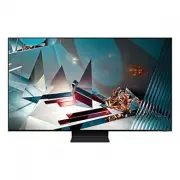
Page 2 - Before Reading This User Manual; Learning the e-Manual's assistance functions
English - 2 Before Reading This User Manual This TV comes with this user manual and an embedded e-Manual.Before reading this user manual, review the following: User Manual Read this provided user manual to see information about product safety, installation, accessories, initial configuration, and pr...
Page 3 - Warning! Important Safety Instructions
English - 3 Engl ish Warning! Important Safety Instructions Please read the Safety Instructions before using your TV.Refer to the table below for an explanation of symbols which may be on your Samsung product. CAUTION Class II product: This symbol indicates that a safety connection to electrical ear...
Page 5 - Contents
English - 5 Engl ish Before Reading This User Manual ---------------------------------------------------------------------------- 2 Warning! Important Safety Instructions ---------------------------------------------------------------------------- 3 01 What's in the Box? 02 TV Installation Mounting ...
Page 7 - 2 TV Installation; Mounting the TV on a wall
English - 7 Engl ish 02 TV Installation Mounting the TV on a wall If you mount this TV on a wall, follow the instructions exactly as set out by the manufacturer. Unless it is correctly mounted, the TV may slide or fall and cause serious injury to a child or adult and serious damage to the TV. • Refe...
Page 8 - Providing proper ventilation for your TV
English - 8 TV size in inches VESA screw hole specs (A * B) in millimetres C (mm) Standard Screw Quantity 65 400 x 300 11-13 M8 4 75 400 x 400 82 600 x 400 Do not install your wall mount kit while your TV is turned on. This may result in personal injury from electric shock. • Do not use screws that ...
Page 9 - Safety Precaution: Securing the TV to the wall to prevent falling
English - 9 Engl ish Safety Precaution: Securing the TV to the wall to prevent falling Caution : Pulling, pushing, or climbing on the TV may cause the TV to fall. In particular, ensure your children do not hang on or destabilise the TV. This action may cause the TV to tip over, causing serious injur...
Page 11 - 3 The Samsung Smart Remote; About the Buttons on the Samsung Smart Remote
English - 11 Engl ish 03 The Samsung Smart Remote About the Buttons on the Samsung Smart Remote • The images, buttons, and functions of the Samsung Smart Remote may differ depending on the model. • The Universal Remote function operates normally only when you use the Samsung Smart Remote that comes ...
Page 13 - 4 Running the Initial Setup
English - 13 Engl ish 04 Running the Initial Setup When you turn on your TV for the first time, it immediately starts the Initial Setup. The Initial Setup allows you to configure the basic settings for the TV to operate, such as broadcast reception, channel search, and network connection, at one tim...
Page 14 - Using the TV Controller
English - 14 Using the TV Controller You can turn on the TV with the TV Controller button at the bottom of the TV, and then use the Control menu . The Control menu appears when the TV Controller button is pressed while the TV is On. For more information about its usage, refer to the figure below. • ...
Page 16 - 5 Connecting to a Network; Network Connection - Wireless; Network Connection - Wired
English - 16 05 Connecting to a Network Connecting the TV to a network gives you access to online services, such as Smart Hub, as well as software updates. Network Connection - Wireless Connect the TV to the Internet using a wireless access point or modem. Wireless IP access point or modem with a DH...
Page 17 - 6 Troubleshooting and Maintenance; Troubleshooting
English - 17 Engl ish 06 Troubleshooting and Maintenance Troubleshooting If the TV seems to have a problem, first review this list of possible problems and solutions. Alternatively, review the Troubleshooting or FAQ Section in the e-Manual. If none of these troubleshooting tips apply, please visit “...
Page 19 - What is Remote Support?; Eco Sensor and screen brightness
English - 19 Engl ish Video Apps problems (Youtube etc) • Change the DNS to 8.8.8.8. Select > Settings > General > Network > Network Status > IP Settings > DNS setting > Enter manually > DNS Server > enter 8.8.8.8 > OK . • Reset by selecting > Settings > Support &...
Page 20 - Caring for the TV
English - 20 Caring for the TV • If a sticker was attached to the TV screen, some debris can remain after you remove the sticker. Please clean the debris off before watching TV. • The exterior and screen of the TV can get scratched during cleaning. Be sure to wipe the exterior and screen carefully u...
Page 21 - 7 Specifications and Other Information; Specifications
English - 21 Engl ish 07 Specifications and Other Information Specifications Model Name GQ65Q800T / QE65Q800T GQ75Q800T / QE75Q800T Display Resolution 7680 x 4320 7680 x 4320 Screen SizeMeasured Diagonally 65 inches 163 cm 75 inches 189 cm Sound (Output) 70 W 70 W Dimensions (W x H x D)BodyWith Stan...
Page 22 - Environmental Considerations; Decreasing power consumption
English - 22 Environmental Considerations Operating TemperatureOperating HumidityStorage TemperatureStorage Humidity 10°C to 40°C (50°F to 104°F) 10% to 80%, non-condensing -20°C to 45°C (-4°F to 113°F) 5% to 95%, non-condensing • The design and specifications are subject to change without prior not...
Page 24 - Vor dem Lesen der Bedienungsanleitung; Lernen der Assistenzfunktionen des e-Manual; Lernen der Funktionen für die auf den Themenseiten des e-Manuals
Deutsch - 2 Vor dem Lesen der Bedienungsanleitung Dieser Fernseher wurde mit dieser Bedienungsanleitung und einem eingebetteten e-Manual geliefert.Überprüfen Sie die Folgendes, ehe Sie die Bedienungsanleitung lesen: Benutzerhandbuch Lesen Sie dieses Handbuch, um Informationen zu Fragen der Sicherhei...
Page 25 - Achtung! Wichtige Sicherheitshinweise
Deutsch - 3 D eutsch Achtung! Wichtige Sicherheitshinweise Lesen Sie die Sicherheitshinweise sorgfältig, bevor Sie das Fernsehgerät verwenden.In der folgenden Tabelle finden Sie eine Erklärung für die Symbole, die Sie möglicherweise auf Ihrem Samsung-Produkt sehen. ACHTUNG Produkt der Klasse II: Die...
Page 27 - Inhalt
Deutsch - 5 D eutsch Vor dem Lesen der Bedienungsanleitung ---------------------------------------------------------------------------- 2 Achtung! Wichtige Sicherheitshinweise ---------------------------------------------------------------------------- 3 01 Lieferumfang 02 Installation des Fernsehge...
Page 28 - 1 Lieferumfang
Deutsch - 6 01 Lieferumfang Vergewissern Sie sich, dass die folgenden Teile im Lieferumfang des Geräts enthalten sind. Falls Komponenten fehlen sollten, setzen Sie sich bitte mit Ihrem Händler in Verbindung. • Samsung Smart Remote & 2 Batterien (Typ AAA) • Benutzerhandbuch • Garantiekarte/Rechts...
Page 29 - 2 Installation des Fernsehgeräts; Montieren des Geräts an der Wand
Deutsch - 7 D eutsch 02 Installation des Fernsehgeräts Montieren des Geräts an der Wand Wenn das Fernsehgerät an einer Wand montiert werden soll, müssen die Anweisungen des Herstellers unbedingt eingehalten werden. Wenn das Fernsehgerät nicht ordnungsgemäß montiert ist, könnte es herunterfallen, ein...
Page 30 - Ausreichende Belüftung Ihres Geräts
Deutsch - 8 Bildschirmdiagonale in Zoll Daten der VESA- Gewindebohrung (A * B) in mm C (mm) Standardschraube Menge 65 400 x 300 11-13 M8 4 75 400 x 400 82 600 x 400 Befestigen Sie die Wandhalterung nicht, während das Fernsehgerät eingeschaltet ist.Sie könnten dabei einen Stromschlag erhalten und sic...
Page 31 - kippt
Deutsch - 9 D eutsch Sicherheitshinweis: Befestigen des Geräts an der Wand, damit es nicht kippt Achtung : Das Fernsehgerät kann umkippen, wenn Sie daran ziehen, es schieben oder sich daran festhalten. Stellen Sie insbesondere sicher, dass sich keine Kinder an das Fernsehgerät hängen oder es in sons...
Page 33 - 3 Die Samsung Smart Remote; Über die Buttons auf der Samsung Smart Remote
Deutsch - 11 D eutsch 03 Die Samsung Smart Remote Über die Buttons auf der Samsung Smart Remote • Das Aussehen, die Tasten und die Funktionen der Samsung Smart Remote können sich je nach Modell unterscheiden. • Die Funktion als Universalfernbedienung - Einrichten steht nur dann normal zur Verfügung,...
Page 34 - Koppeln des Fernsehgeräts mit der Samsung Smart Remote; Einsetzen der Batterien in die Samsung Smart Remote
Deutsch - 12 Koppeln des Fernsehgeräts mit der Samsung Smart Remote Wenn Sie das Fernsehgerät erstmalig einschalten, führt das Fernsehgerät automatisch das Kopplungsverfahren mit der Samsung Smart Remote durch. Wenn die Samsung Smart Remote nicht automatisch mit dem Fernsehgerät gekoppelt wird, zeig...
Page 35 - 4 Ausführen der Ersteinrichtung
Deutsch - 13 D eutsch 04 Ausführen der Ersteinrichtung Wenn Sie das Fernsehgerät zum ersten Mal einschalten, wird sofort die Ersteinrichtung gestartet. Mit der Ersteinrichtung können Sie die Grundeinstellungen für den Betrieb des Fernsehgeräts konfigurieren, z. B. Senderempfang, Kanalsuche und Netzw...
Page 36 - Verwenden des TV-Steuerungs
Deutsch - 14 Verwenden des TV-Steuerungs Sie können das Fernsehgerät mit dem TV-Steuerung unten am Gerät einschalten und dann das Steuerungsmenü verwenden. Das Steuerungsmenü wird angezeigt, wenn Sie den TV-Steuerung -Knopf bei laufendem Fernseher drücken. Weitere Informationen über die Verwendung e...
Page 38 - 5 Verbinden mit einem Netzwerk; Netzwerkverbindung – Drahtlos; Netzwerkverbindung – Kabel
Deutsch - 16 05 Verbinden mit einem Netzwerk Durch Verbinden des Geräts mit einem Netzwerk erhalten Sie Zugriff auf Software-Updates und Online-Dienste wie Smart Hub. Netzwerkverbindung – Drahtlos Verbinden Sie das Gerät über einen drahtlosen Zugangspunkt oder ein Modem mit dem Internet. IP-Drahtlos...
Page 39 - 6 Fehlerbehebung und Wartung; Fehlerbehebung
Deutsch - 17 D eutsch 06 Fehlerbehebung und Wartung Fehlerbehebung Wenn das Fernsehgerät scheinbar ein Problem aufweist, schlagen Sie zunächst in dieser Liste der möglichen Probleme und Lösungen nach. Schlagen Sie alternativ im e-Manual unter „Fehlerbehebung“ oder bei den „Häufig gestellten Fragen (...
Page 41 - Was ist Fernunterstützung?; Öko-Sensor und Bildschirmhelligkeit
Deutsch - 19 D eutsch Probleme mit Video-Apps (Youtube usw.) • Ändern Sie die DNS in 8.8.8.8. Wählen Sie > Einstellungen > Allgemein > Netzwerk > Netzwerkstatus > IP-Einst. > DNS-Einst. > Manuell eingeben > DNS-Server > und geben Sie 8.8.8.8 > OK ein. • Zurücksetzen dur...
Page 42 - Pflegen des Fernsehgeräts
Deutsch - 20 Pflegen des Fernsehgeräts • Wenn am Fernsehbildschirm ein Aufkleber angebracht wurde, können beim Entfernen des Aufklebers einige wenige Rückstände zurückbleiben. Bitte entfernen Sie diese Rückstände, ehe Sie das Gerät verwenden. • Beim Reinigen können Kratzer auf dem Gehäuse und dem Bi...
Page 43 - 7 Technische Daten und weitere; Technische Daten
Deutsch - 21 D eutsch 07 Technische Daten und weitere Informationen Technische Daten Modell GQ65Q800T / QE65Q800T GQ75Q800T / QE75Q800T Anzeigeauflösung 7680 x 4320 7680 x 4320 BildschirmgrößeDiagonal gemessen 65 Zoll 163 cm 75 Zoll 189 cm Ton (Ausgang) 70 W 70 W Abmessungen (B × H × T)GehäuseMit St...
Page 44 - Umgebungsbedingungen; Verringern des Stromverbrauchs
Deutsch - 22 Umgebungsbedingungen Temperatur (im Betrieb)Luftfeuchtigkeit (im Betrieb)Temperatur (bei Lagerung)Luftfeuchtigkeit (bei Lagerung) 10°C bis 40°C (50°F bis 104°F) 10% bis 80%, nicht kondensierend -20°C bis 45°C (-4°F bis 113°F) 5% bis 95%, nicht kondensierend • Änderung der technischen Da...
Page 46 - Avant de lire le présent manuel de l'utilisateur; manuel électronique
Français - 2 Avant de lire le présent manuel de l'utilisateur Ce téléviseur est fourni avec le présent manuel de l'utilisateur et un manuel électronique intégré. Avant de lire le présent manuel de l'utilisateur, lisez les informations suivantes : Guide d'utilisation Lisez le manuel de l'utilisateur ...
Page 49 - Sommaire
Français - 5 Français Avant de lire le présent manuel de l'utilisateur ---------------------------------------------------------------------------- 2 Avertissement ! Consignes de sécurité importantes ---------------------------------------------------------------------------- 3 01 Contenu de la boît...
Page 50 - 1 Contenu de la boîte
Français - 6 01 Contenu de la boîte Vérifiez que vous avez bien reçu les éléments suivants avec votre téléviseur. S'il manque des éléments, contactez votre revendeur. • Samsung Smart Remote & piles (AAA x 2) • Guide d'utilisation • Carte de garantie / Guide réglementaire (non disponible dans tou...
Page 51 - 2 Installation du téléviseur; Fixation du téléviseur à un mur
Français - 7 Français 02 Installation du téléviseur Fixation du téléviseur à un mur Si vous fixez ce téléviseur sur un mur, suivez exactement les instructions du fabricant. S'il n'est pas fixé correctement, le téléviseur peut glisser ou tomber et provoquer des blessures graves à des enfants ou des a...
Page 52 - Ventilation adaptée de votre téléviseur
Français - 8 Taille du téléviseur en pouces Spécifications VESA pour trou de vis (A * B) en millimètres C (mm) Vis standard Quantité 65 400 x 300 11-13 M8 4 75 400 x 400 82 600 x 400 N'installez pas le kit de montage mural lorsque le téléviseur est allumé.Vous risqueriez de vous électrocuter. • N'ut...
Page 53 - chute
Français - 9 Français Précautions de sécurité : Fixer le téléviseur au mur pour éviter toute chute Attention : si vous tirez ou poussez le téléviseur ou si vous grimpez dessus, il risque de tomber. Veillez notamment à ce que vos enfants ne se suspendent pas au téléviseur ni le déséquilibrent. Cela ...
Page 55 - 3 Les Samsung Smart Remote; À propos des boutons de la Samsung Smart Remote
Français - 11 Français 03 Les Samsung Smart Remote À propos des boutons de la Samsung Smart Remote • Les images, les boutons et les fonctions de la Samsung Smart Remote peuvent varier en fonction du modèle. • La fonction Config téléc universelle ne fonctionne correctement que si vous utilisez la Sam...
Page 56 - Pairage du téléviseur au Samsung Smart Remote; Insertion des piles dans le Samsung Smart Remote
Français - 12 Pairage du téléviseur au Samsung Smart Remote Quand vous allumez votre téléviseur pour la première fois, le Samsung Smart Remote se paire automatiquement au téléviseur. Si la Samsung Smart Remote ne se paire pas automatiquement au téléviseur, dirigez-la vers le capteur de télécommande ...
Page 57 - 4 Exécution de la configuration initiale
Français - 13 Français 04 Exécution de la configuration initiale Lorsque vous allumez votre téléviseur pour la première fois, la configuration initiale démarre automatiquement. La configuration initiale vous permet de définir simultanément les paramètres de fonctionnement de base du téléviseur, comm...
Page 58 - Utilisation de contrôleur TV
Français - 14 Utilisation de contrôleur TV Vous pouvez allumer le téléviseur avec le bouton contrôleur TV situé en bas du téléviseur, puis utiliser le Menu de contrôle . Le Menu de contrôle s'affiche lorsque le bouton contrôleur TV est actionné pendant que le téléviseur est allumé. Pour plus d'infor...
Page 60 - 5 Connexion à un réseau; Connexion réseau - Sans fil; Connexion réseau - Câble
Français - 16 05 Connexion à un réseau La connexion du téléviseur à un réseau vous permet d'accéder à des services en ligne comme Smart Hub ainsi qu'à des mises à jour logicielles. Connexion réseau - Sans fil Connectez le téléviseur à Internet à l'aide d'un point d'accès ou modem sans fil. Point d'a...
Page 61 - 6 Résolution des problèmes et entretien; Résolution des problèmes
Français - 17 Français 06 Résolution des problèmes et entretien Résolution des problèmes En cas de problème, commencez par consulter la liste des problèmes potentiels et de leurs solutions. Vous pouvez également vous référer aux sections Résolution des problèmes ou FAQ du manuel électronique. Si auc...
Page 63 - Capteur Eco et luminosité de l'écran
Français - 19 Français Problèmes concernant les applications de vidéos (YouTube, etc) • Remplacez le DNS par 8.8.8.8. Sélectionnez > Paramètres > Général > Réseau > État du réseau > Param. IP > Config. DNS > Entrer manuellement > Serveur DNS > entrez 8.8.8.8 > OK . • Ré...
Page 64 - Entretien du téléviseur
Français - 20 Entretien du téléviseur • Si un autocollant était appliqué sur l'écran, son retrait peut laisser quelques traces. Nettoyez-les avant d'utiliser le téléviseur. • Le nettoyage peut rayer l'écran et l'extérieur du téléviseur. Veillez à effectuer le nettoyage avec précaution à l'aide d'un ...
Page 65 - Caractéristiques techniques
Français - 21 Français 07 Spécifications et informations supplémentaires Caractéristiques techniques Nom du modèle GQ65Q800T / QE65Q800T GQ75Q800T / QE75Q800T Résolution de l'affichage 7680 x 4320 7680 x 4320 Taille de l'écranMesuré en diagonale 65 pouces 163 cm 75 pouces 189 cm Son (Sortie) 70 W 70...
Page 68 - Prima di leggere questo manuale dell'utente; Conoscere le funzioni di assistenza dell'e-Manual
Italiano - 2 Prima di leggere questo manuale dell'utente Questo TV viene venduto con un manuale dell'utente ed un manuale elettronico.Prima di leggere questo manuale, vedere: Manuale dell'utente Leggere questo manuale in dotazione per visualizzare le informazioni sulla sicurezza dei prodotti, instal...
Page 69 - Avvertenza! Istruzioni importanti di sicurezza
Italiano - 3 Italiano Avvertenza! Istruzioni importanti di sicurezza Leggere le Istruzioni di sicurezza prima di usare il televisore.Per una spiegazione sui simboli che possono comparire sui prodotti Samsung vedere la tabella sotto. ATTENZIONE Prodotto di Classe II: Questo simbolo indica che non è n...
Page 71 - Indice
Italiano - 5 Italiano Prima di leggere questo manuale dell'utente ---------------------------------------------------------------------------- 2 Avvertenza! Istruzioni importanti di sicurezza ---------------------------------------------------------------------------- 3 01 Contenuto della confezione...
Page 72 - 1 Contenuto della confezione
Italiano - 6 01 Contenuto della confezione Controllare che nell'imballaggio del televisore siano contenuti i seguenti componenti. Se eventuali componenti risultano mancanti, contattare il rivenditore. • Samsung Smart Remote & Pile (2 tipo AAA) • Manuale dell'utente • Scheda di garanzia / Guida a...
Page 73 - 2 Installazione TV; Montaggio del televisore a parete
Italiano - 7 Italiano 02 Installazione TV Montaggio del televisore a parete Il montaggio a parete di questo TV deve seguire le specifiche stabilite dal produttore. In caso di installazione non corretta, il TV potrebbe scivolare dalla struttura o cadere, causando gravi lesioni a bambini e adulti even...
Page 74 - Garantire un'adeguata ventilazione al televisore
Italiano - 8 Dimensione del televisore in pollici Specifiche alloggiamento viti VESA (A * B) in millimetri C (mm) Vite standard Quantità 65 400 x 300 11-13 M8 4 75 400 x 400 82 600 x 400 Non installare il kit di montaggio a parete mentre il televisore è acceso.La mancata osservanza di questa precauz...
Page 75 - impedirne la caduta
Italiano - 9 Italiano Precauzioni di sicurezza: Fissaggio del televisore alla parete per impedirne la caduta Attenzione : Tirare, spingere o arrampicarsi sul televisore sono azioni che possono provocarne la caduta. In particolare, si raccomanda di non far giocare i bambini con il televisore poiché p...
Page 77 - 3 Samsung Smart Remote; Conoscere i tasti del Samsung Smart Remote.
Italiano - 11 Italiano 03 Samsung Smart Remote Conoscere i tasti del Samsung Smart Remote. • Le immagini, i tasti e le funzioni del Samsung Smart Remote possono differire in base al modello. • La funzione Configurazione telecomando universale viene eseguita regolarmente solo se si usa il Samsung Sma...
Page 78 - Abbinamento del televisore al telecomando Samsung Smart Remote
Italiano - 12 Abbinamento del televisore al telecomando Samsung Smart Remote Quando si accende il televisore per la prima volta, il telecomando Samsung Smart Remote si abbina al televisore automaticamente. Se l'abbinamento automatico tra Samsung Smart Remote e TV non riesce, puntare il dispositivo v...
Page 79 - 4 Eseguire la funzione Initial Setup
Italiano - 13 Italiano 04 Eseguire la funzione Initial Setup (Impostazione iniziale) Quando si accende il televisore per la prima volta, il televisore esegue automaticamente la funzione Initial Setup (Impostazione iniziale). Initial Setup (Impostazione iniziale) permette di configurare le impostazio...
Page 80 - Uso di Controller TV
Italiano - 14 Uso di Controller TV Per accendere il TV premere il tasto Controller TV posto sul fondo del TV quindi usare il Menu di controllo . Il Menu di controllo compare alla pressione del tasto Controller TV mentre il TV è acceso. Per maggiori informazioni sul suo uso, vedere la figura sotto. •...
Page 82 - 5 Connessione alla rete; Connessione di rete - Wireless; Connessione di rete - Cablata
Italiano - 16 05 Connessione alla rete La connessione a Internet del televisore consente di accedere a servizi online quali Smart Hub, così come di scaricare gli aggiornamenti software non appena disponibili. Connessione di rete - Wireless Collegare il televisore a Internet usando un access point o ...
Page 83 - 6 Risoluzione dei problemi e manutenzione; Risoluzione dei problemi
Italiano - 17 Italiano 06 Risoluzione dei problemi e manutenzione Risoluzione dei problemi Se il televisore funziona in modo anomalo, controllare per prima cosa l'elenco dei possibili problemi e soluzioni. In alternativa, consultare la sezione Risoluzione dei problemi o FAQ nell'e-Manual. Se nessuna...
Page 85 - Sensore Eco e luminosità dello schermo
Italiano - 19 Italiano Problemi con applicazioni video (Youtube ecc) • Cambiare il DNS in 8.8.8.8. Selezionare > Impostazioni > Generali > Rete > Stato rete > Impost. IP > Impostaz. DNS > Immetti manualmente > Server DNS > digitare 8.8.8.8 > OK . • Reimpostare seleziona...
Page 86 - Manutenzione del televisore
Italiano - 20 Manutenzione del televisore • Se allo schermo del televisore è stato apposto un adesivo, rimuovendolo possono rimanere dei residui. Eliminare i residui prima di usare il televisore. • Il telaio e lo schermo del televisore possono graffiarsi durante la pulizia. Usare un panno morbido pe...
Page 87 - 7 Specifiche e altre informazioni; Specifiche
Italiano - 21 Italiano 07 Specifiche e altre informazioni Specifiche Modello GQ65Q800T / QE65Q800T GQ75Q800T / QE75Q800T Risoluzione del display 7680 x 4320 7680 x 4320 Dimensione schermoMisurato diagonalmente 65 pollici 163 cm 75 pollici 189 cm Audio (Uscita) 70 W 70 W Dimensioni (L x A x P)CorpoCo...
Page 88 - Caratteristiche ambientali; Riduzione del consumo energetico
Italiano - 22 Caratteristiche ambientali Temperatura di esercizioUmidità di esercizioTemperatura di stoccaggioUmidità di stoccaggio Da 10 a 40°C (Da 50 a 104 °F) Dal 10% al 80%, senza condensa Da -20 a 45°C (Da -4 a 113 °F) Dal 5% al 95%, senza condensa • Design e specifiche sono soggetti a modifich...