Samsung GP-U999SJVLGDA - User Manual
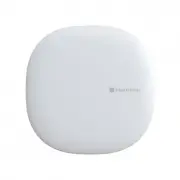
Samsung GP-U999SJVLGDA Smart Speaker – User Manual, read for free online in PDF format. We hope this helps you resolve any issues you may have. If you have further questions, please contact us through the contact form.


Table of Contents:
- Page 2 – Setup
- Page 4 – Using your; Hub
- Page 5 – Suggestions
- Page 6 – Works with SmartThings
Welcome to your
Hub
"Loading the manual" means you need to wait until the file loads and becomes available for online reading. Some manuals are very large, and the time they take to appear depends on your internet speed.
Summary
Setup 1. Connect the SmartThings Hub to the wall power using the supplied power cable. Tip: The SmartThings Hub works best when placed in a central location in your home. It should not be placed on top of or immediately next to other wireless devices. USB Power Reset Network (Ethernet)
Suggestions There are many ways that you can use a SmartThings Hub as the brain of your smart home: Automate your lights, control your home’s temperature, and help save money. Teach your home a few new tricks and make life a little bit easier. Monitor, control, and help secure your home. Visit Smart...