Samsung AX90R7080WD/EU - User Manual

Samsung AX90R7080WD/EU Air Conditioner – User Manual, read for free online in PDF format. We hope this helps you resolve any issues you may have. If you have further questions, please contact us through the contact form.


Table of Contents:
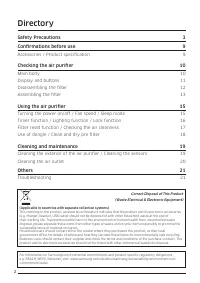
- Page 2 – Contents; Correct Disposal of This Product
- Page 3 – WARNING; socket with other products. Do not extend the power cord.; Safety Information
- Page 4 – CAUTION; Install the product on a solid flat ground.; FOR POWER SUPPLY; from dust, water and other undesirable substances.
- Page 5 – and during a thunderstorm.; FOR USING; source and contact your local Samsung Service Centre.
- Page 6 – Do not pull out the power plug while operating the air purifier.
- Page 7 – Samsung Service Centre.; Secure enough space around the air purifier when operating.
- Page 8 – Do not handle the product with wet hands.; FOR CLEANING; directly on the product.
- Page 9 – Package Content; Accessories; User manual 1 EA; Product specifications; Model name
- Page 10 – At a Glanc; General; At a Glance
- Page 11 – Display and buttons; NOTE; human hair
- Page 12 – Removing the filters; STEP 1
- Page 13 – Assembling the filters
- Page 14 – STEP 4
- Page 16 – Oper; Turning the power on/off; Sensor loading display; Controlling the fan speed; Use the button to select the intensity of air flow to purify; Operation Features
- Page 17 – Sleep mode; Sleep mode provides a clean, quiet and comfortable room; Timed on/off function; The product automatically turns off after a specified; Display lighting; The air quality is displayed in pleasantly dimmed colour
- Page 18 – You can turn the Wi-Fi feature on or off.; Clearing the filter replacement reminder; This feature notifies when to replace the 2-in-1 filters; Use this feature to lock all buttons and prevent
- Page 19 – Checking the air quality; Pollution level
- Page 20 – high humidity, smoke or infestation
- Page 21 – Cl; Cleaning the air purifier exterior; Cleaning the sensors; Cleaning and Maintenance
- Page 22 – Cleaning and drying the filters; Cleaning the pre-filters; Drying the filters
- Page 23 – Smar; Checking the power connections; To connect the product to a Wi-Fi network,; Turning off “Switch to mobile data” at; Checking the Internet connectivity; Downloading the SmartThings app and; Downloading the SmartThings app; SmartThings app; SmartThings
- Page 24 – Registering your Samsung account; Connecting the SmartThings app; Selecting the product to connect to
- Page 25 – Connecting the SmartThings app to your; Open Source Announcement
- Page 26 – Controlling your air purifier with SmartThings app; Check the indoor air cleanliness.
- Page 28 – Operation; The air purifier does not operate.; Sound; The air purifier makes strange noises.; Odours; The air purifier smells strange.; Before Requesting Service; Appendix
- Page 29 – Cleanliness; The cleanliness colour indicator continuously lights up in red.
- Page 30 – Display; The filter replacement indicator is always turned on.; or; Air circulation; The fan does not seem to circulate the air evenly.
- Page 31 – Reference; Dutch
- Page 34 – QUESTIONS OR COMMENTS?
Air Purifier
User manual
AX90R7080WD
ꞏ Thank you for purchasing this Samsung air purifier.
ꞏ Before operating this unit, please read this manual carefully and retain it for future reference.
"Loading the manual" means you need to wait until the file loads and becomes available for online reading. Some manuals are very large, and the time they take to appear depends on your internet speed.
Was this manual helpful?
About this manual
- Brand
- Samsung
- Model
- AX90R7080WD/EU
- Document type
- User Manual
- Category
- Air Conditioner
- Language(s)
- English
- Pages
- 34
- File size
- 3.7 MB
- Format
Summary
2 English Safety Information 3 Safety Information 3 Package Content 9 Accessories / Product specifications 9 At a Glance 10 General 10 Display and buttons 11 Removing the filters 12 Assembling the filters 13 Operation Features 16 Turning the power on/off / Controlling the fan speed 16 Sleep mode / T...
3 English Safety Information These safety precautions are for owner’s safety and preventions of property damage.Therefore, please read this manual thoroughly before using your product. WARNING Hazards or unsafe practices that may result in severe personal injury or death. CAUTION Hazards or unsafe p...
4 English Safety Information Safety Information CAUTION When installing the product, make sure that the power plug can be easily removed when needed. • Follow instructions to avoid electric shock or fire due to electrical leakage. Install the product on a solid flat ground. • Follow instructions to ...
Ask a question
Related manuals
Popular Samsung Air Conditioners
 Samsung AM060BXMDER/EU User Manual
 Samsung AR12MSPXBWKNEU Installation Manual
 Samsung AM022TNVDKH/EU User Manual
 Samsung AM160AXVGGH/EU Installation Manual
 Samsung AC071RN4DKG/EU Installation Manual
- Samsung AM080BXMWGH/EU Installation Manual
 Samsung AC035RN1DKG/EU User Manual
 Samsung AC100BXAPKG/EU Installation Manual
More Samsung Air Conditioners models
 Samsung AR5500 User Manual
 Samsung AR7000 User Manual
 Samsung AR9500 User Manual
 Samsung AX34R3020WW/EU User Manual
 Samsung AX40R3030WM/EU User Manual
 Samsung AX60R5080WD/EU User Manual
 Samsung MCM-A300BN User Manual
 Samsung MCU-S6NEK2N User Manual
 Samsung MIM-A00N User Manual
 Samsung MIM-B19N User Manual
 Samsung MIM-E03BN Installation Manual
 Samsung MIM-E03CN User Manual