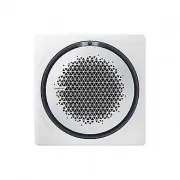
Page 2 - At a Glance; Cleaning and Maintenance; Contents
2 English Safety Information 3 Safety Information 3 At a Glance 11 Fan Coil Unit Overview 11 Operation Features 14 Operating temperature and humidity 14 Cleaning and Maintenance 15 Cleaning and Maintaining 15 Cleaning the fan coil unit 15 Cleaning the air filter 16 Periodical maintenance 26 Troubles...
Page 3 - mation; FOR INSTALLATION; WARNING; • Extending the power line may result in electric shock or fire.
Safety Infor mation 3 English Before using your new fan coil unit, please read this manual thoroughly to ensure that you know how to safely and efficiently operate the extensive features and functions of your new appliance.Because the following operating instructions cover various models, the charac...
Page 4 - technician or service company.; • Failing to do so may result in electric shock or fire.; appliance in a location where gas may leak.; • This may result in electric shock or fire.; CAUTION
Safety Information Safety Infor mation 4 English The installation of this appliance must be performed by a qualified technician or service company. • Failing to do so may result in electric shock, fire, explosion, problems with the product, or injury and may also void warranty on the installed produ...

Page 5 - make sure to open the air vent valve to release air.; freezing and bursting. After drainage, lock the valve securely.; first and then stop the fan coil unit.; or grille, and affect the lifespan of the product.; pump to circulate water.; • The product may freeze and burst, resulting in property loss.
Safety Infor mation 5 English If using the product after being left idle for an extended period of time, make sure to open the air vent valve to release air. • Running water noises may occur inside, or cooling/heating performance may degrade. • Use a bucket or hose to catch water. If using Cool mode...
Page 6 - FOR POWER SUPPLY; the power line into the space behind the appliance.; When not using the fan coil unit for a long period of time or during a
Safety Information Safety Infor mation 6 English FOR POWER SUPPLY WARNING When the circuit breaker is damaged, contact your nearest service centre. Do not pull or excessively bend the power line. Do not twist or tie the power line. Do not hook the power line over a metal object, place a heavy object...
Page 7 - FOR USING; Do not touch the circuit breaker with wet hands.
Safety Infor mation 7 English FOR USING WARNING If the appliance is flooded, please contact your nearest service centre. • Failing to do so may result in electric shock or fire. If the appliance generates a strange noise, a burning smell or smoke, cut off the power supply immediately and contact the...
Page 8 - fan coil unit is operating or the front panel is closing.
Safety Information Safety Infor mation 8 English After unpacking the fan coil unit, keep all packaging materials well out of the reach of children, as packaging materials can be dangerous to children. • If a child places a bag over its head, it may result in suffocation. Do not touch the front panel...
Page 10 - be supervised to ensure that they do not play with the appliance.; FOR CLEANING; wait until the fan stops.; Do not clean the inside of the fan coil unit by yourself.; and maintaining’ section.
Safety Information Safety Infor mation 10 English This appliance is not intended for use by persons (including children) with reduced physical, sensory or mental capabilities, or lack of experience and knowledge, unless they have been given supervision or instruction concerning use of the appliance ...
Page 11 - Indication; NOTE
At a Glance 11 English Fan Coil Unit Overview At a Glance 1WAY (PC1NUSMAN / PC1BWSMAN) 02 03 04 01 01 Display Indication Function Remote control sensor Operation indicator Timer indicator Model not equipped with S-Plasma ion: Fan indicatorModel equipped with S-Plasma ion: Purity indicator Filter res...
Page 14 - Operation Features; Mode; extended period of time.
At a Glance 14 English Operation Features Operating temperature and humidity Mode Indoor temperature Indoor humidity Cool 18°C to 32°C 80% or less Heat 30°C or less - NOTE • Condensation may form on the product, if using Cool mode under high humidity conditions for an extended period of time. • If o...
Page 16 - Cleaning the air filter; PC1NUSMAN; Push
Cl eaning and Maint enanc e 16 English Cleaning and Maintaining Cl eaning and Maint enanc e Cleaning the air filter CAUTION • Before cleaning, be sure to turn off the fan coil unit and the auxiliary power switch (MCCB, ELB).• Be sure to hold the grille with a hand to prevent dropping from the openin...
Page 17 - PC1BWSMAN; Press the
Cl eaning and Maint enanc e 17 English Cl eaning and Maint enanc e PC1BWSMAN Insert your hand into the front grille and pullout the front grille to open it. Press the Push signs on the air filter. Grab the handle of the air filter with your hand. Pull out the air filter from the fan coil unit. DB68-...
Page 19 - Filter Reset
Cl eaning and Maint enanc e 19 English Cl eaning and Maint enanc e 3 Reassembling the air filter CAUTION • If the fan coil unit is used without the air filter, it may be damaged due to dust. 4 Resetting the air filter After cleaning and reassembling the air filter, be sure to reset the filter-cleani...
Page 26 - Periodical maintenance; Maintenance item
Cl eaning and Maint enanc e 26 English Cleaning and Maintaining Cl eaning and Maint enanc e Periodical maintenance Maintenance item Interval Requires qualified technicians Clean the air filter. At least once a month Clean the condensate drain pan. Once a year Required Clean up the heat exchange. Onc...
Page 27 - Troubleshooting; Problem
Cl eaning and Maint enanc e 27 English Cl eaning and Maint enanc e Troubleshooting Refer to the following chart if the fan coil unit operates abnormally. This may save time and unnecessary expense. Problem Solution The fan coil unit does not operate at all. • Check whether the power is turned on, an...
Page 30 - Technical specifications; Model
Cl eaning and Maint enanc e 30 English Cleaning and Maintaining Cl eaning and Maint enanc e Technical specifications Model New weight Net dimension(W x D x H) AG026MN1DEH/EU 10.5kg 970*135*410 AG032MN1DEH/EU 10.5kg 970*135*410 AG042MN1DEH/EU 14.0kg 1,200*138*450 AG060MN4DKH/EU 15.5kg 840*204*840 AG0...
Page 31 - MEMO
Cl eaning and Maint enanc e 31 English Cl eaning and Maint enanc e MEMO DB68-07323A-04_IB_FCU 1,4way_EU_EN.indd 31 DB68-07323A-04_IB_FCU 1,4way_EU_EN.indd 31 2024-01-10 오후 1:44:23 2024-01-10 오후 1:44:23
Page 32 - QUESTIONS OR COMMENTS?
QUESTIONS OR COMMENTS? Samsung, PO Box 12987, Blackrock, Co. Dublin. IEor Euro QA Lab. Saxony Way, Yateley, Hampshire GU46 6GG, UK COUNTRY CALL OR VISIT US ONLINE AT UK 0333 000 0333 www.samsung.com/uk/support IRELAND (EIRE) 0818 717100 www.samsung.com/ie/support GERMANY 06196 77 555 77 www.samsung....