Page 3 - GENERAL SAFETY RULES; ELECTRICAL SAFETY
2 3 GENERAL SAFETY RULES WARNING! READ AND UNDERSTAND ALL INSTRUCTIONS. Fail- ure to follow all instructions listed below, may result in electric shock, fire and/or serious personal injury. SAVE THESE INSTRUCTIONSWORK AREA n Keep your work area clean and well lit. Cluttered benches and dark areas in...
Page 5 - SPECIFIC SAFETY RULES; Laser Guide Warnings:
4 5 n Support large panels to minimize the risk of blade pinching and KICKBACK. Large panels tend to sag under their own weight. Supports must be placed under the panel on both sides, near the line of cut and near the edge of the panel. n Do not use dull or damaged blade. Unsharpened or improperly s...
Page 6 - SAFETY RULES FOR CHARGER
6 7 n An extension cord should not be used unlessabsolutely necessary. Use of improper extension cord could result in a risk of fire and electric shock. Ifextension cord must be used, make sure: a . T h a t p i n s o n p l u g o f e x t e n s i o n c o r d a r e t h e s a m e n u m b e r , s i z e a...
Page 7 - SYMBOLS
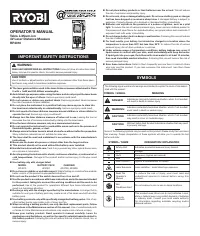
6 7 SYMBOLS Some of the following symbols may be used on this tool. Please study them and learn their meaning. Proper interpreta-tion of these symbols will allow you to operate the tool better and safer. Read The Operator’s Manual Safety Alert No Hands Symbol No Hands Symbol No Hands Symbol No Hands...
Page 8 - SERVICE; SAVE THESE INSTRUCTIONS
8 9 SYMBOLS SERVICE Servicing requires extreme care and knowledge and should be performed only by a qualified service technician. For service we suggest you return the product to your nearest AUTHORIZED SERVICE CENTER for repair. When servic- ing, use only identical replacement parts. WARNING: SAVE ...
Page 9 - FEATURES; PRODUCT SPECIFICATIONS
8 9 LOCK-OFF BUTTON FEATURES Fig. 1 PRODUCT SPECIFICATIONS Motor ..................................................................18 Volt DCBlade Diameter...................................................... 5-1/2 in. Blade Arbor ...............................................................3/8 i...
Page 11 - ASSEMBLY; ATTACHING THE BLADE
10 11 4 5 4 5 5 0 5 0 30 30 22 22 1 1 2 3 0 45 4 5 4 5 5 0 5 0 30 30 22 22 1 1 2 3 0 45 ASSEMBLY ATTACHING THE BLADE See Figure 2. WARNING: A 5-1/2 in. blade is the maximum blade capacity of the saw. Never use a blade that is too thick to allow outer blade washer to engage with the flats on the spin...
Page 12 - OPERATION; CHARGING A COOL BATTERY PACK; APPLICATIONS
12 13 OPERATION CHARGING A COOL BATTERY PACK If battery pack is within normal temperature range, the red LED on charger will come on. NOTE: If the charger does not charge the battery pack under normal circumstances, return both the battery pack and charger to your nearest Ryobi Authorized Service Ce...
Page 13 - CHARGING A HOT BATTERY PACK; INSTALLING THE BATTERY PACK; REMOVING THE BATTERY PACK
12 13 13 OPERATION CHARGING A HOT BATTERY PACK When using the tool continuously, the batteries in the battery pack will become hot. You should let a hot battery pack cool down for approximately 30 minutes before attempting to recharge. When the battery pack becomes discharged and is hot, this will c...
Page 14 - KICKBACK
14 15 OPERATION Fig. 6 Fig. 7 Fig. 8 Fig. 9 INCORRECT SUPPORT CORRECT SUPPORT KICKBACK - BLADE SET TOO DEEP CORRECT BLADE DEPTH SETTING = BLADE EXPOSED 1/4 in. (6.35 mm) OR LESS ON UNDERSIDE OF WORKPIECE WARNING: Battery tools are always in operating condition. There-fore, switch should always be lo...
Page 15 - SAW BLADES; LOCK-OFF BUTTON
14 15 OPERATION SAW BLADES The best of saw blades will not cut efficiently if they are not kept clean, sharp, and properly set. Using a dull blade will place a heavy load on the saw and increase the danger of kickback. Keep extra blades on hand, so that sharp blades are always available.Gum and wood...
Page 16 - ADJUSTING BLADE DEPTH
16 17 OPERATION ADJUSTING BLADE DEPTH See Figure 12. Always keep correct blade depth setting. The correct blade depth setting for all cuts should not exceed 1/4 in. below the material being cut. More blade depth will increase the chance of kickback and cause the cut to be rough. For more depth of cu...
Page 17 - OPERATING THE SAW
16 17 4 5 4 5 5 0 5 0 3 0 3 0 2 2 2 2 OPERATION OPERATING THE SAW See Figures 14 - 16. It is important to understand the correct method for operat-ing the saw. Refer to the figures in this section to learn the correct and incorrect ways for handling the saw. WARNING: To make sawing easier and safer,...
Page 19 - BEVEL CUTTING
18 19 Fig. 22 2 3 1 45 0 15 4 5 5 0 30 2 3 1 45 0 15 4 5 5 0 30 0 4 1 45 1 2 3 OPERATION BEVEL CUTTING See Figures 20 - 22. n Align the line of cut with the inner blade guide notch on the base when making 45° bevel cuts. n Make a trial cut in scrap material along a guideline to determine how much yo...
Page 20 - POCKET CUTTING
20 21 4 5 4 5 5 0 5 0 3 0 3 0 2 2 2 2 OPERATION n Release the trigger and allow the blade to come to a complete stop. n Lift the saw from the workpiece. n Clear corners out with a hand saw or sabre saw. WARNING: Never tie the lower blade guard in a raised position. Leav-ing the blade exposed could l...
Page 21 - ADJUSTMENTS; POSITIVE 0° BEVEL STOP
20 21 1 2 45 0 0 15 22 30 45 50 Fig. 24 BEVEL ADJUSTMENT KNOB BLADE CARPENTER'S SQUARE ADJUSTMENT SCREW HEX NUT POSITIVE 0° BEVEL STOP ADJUSTMENTS WARNING: Before performing any adjustment, make sure the bat-tery pack is removed from tool and the switch is in the OFF position. Failure to heed this w...
Page 22 - MAINTENANCE; GENERAL MAINTENANCE
22 23 MAINTENANCE WARNING: When servicing, use only identical Ryobi replacement parts. Use of any other parts may create a hazard or cause product damage. WARNING: Always wear safety goggles or safety glasses with side shields during power tool operation or when blowing dust. If operation is dusty, ...
Page 23 - BATTERIES
22 23 MAINTENANCE ACCESSORIES The following recommended accessories are currently available at retail stores: n 5-1/2 in. Thin Kerf Blade WARNING: Current attachments and accessories available for use with this tool are listed above. Do not use any attachments or ac-cessories not recommended by the ...
Page 24 - • MODEL NUMBER; OPERATOR’S MANUAL
24 RYOBI TECHNOLOGIES, INC. 1428 Pearman Dairy Road, Anderson, SC 29625 Post Office Box 1207, Anderson, SC 29622-1207 Phone 1-800-525-2579 www.ryobitools.com 983000-496 7-05 • SERVICE Now that you have purchased your tool, should a need ever exist for repair parts or service, simply contact your nea...