Ryobi ES1000- User Manual
Ryobi ES1000– User Manual, read for free online in PDF format. We hope this helps you resolve any issues you may have. If you have further questions, please contact us through the contact form.
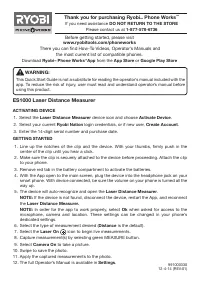
ES1000 Laser Distance Measurer
ACTIVATING DEVICE
1. Select the
Laser Distance Measurer
device icon and choose
Activate Device
.
2. Select your current
Ryobi Nation
login credentials, or if new user,
Create Account
.
3. Enter the 14-digit serial number and purchase date.
GETTING STARTED
1. Line up the notches of the clip and the device. With your thumbs, firmly push in the
center of the clip until you hear a click.
2. Make sure the clip is securely attached to the device before proceeding. Attach the clip
to your phone.
3. Remove red tab in the battery compartment to activate the batteries.
4. With the App open to the main screen, plug the device into the headphone jack on your
smart phone. With device connected, be sure the volume on your phone is turned all the
way up.
5. The device will auto-recognize and open the
Laser Distance Measurer
.
NOTE:
If the device is not found, disconnect the device, restart the App, and reconnect
the
Laser Distance Measurer.
NOTE:
In order for the app to work properly, select
Ok
when asked for access to the
microphone, camera and location. These settings can be changed in your phone’s
dedicated settings.
6. Select the type of measurement desired (
Distance
is the default).
7. Select the
Laser On
icon to begin live measurements.
8. Capture measurement(s) by selecting green MEASURE button.
9. Select
Camera On
to take a picture.
10. Swipe to save the photo.
11. Apply the captured measurements to the photo.
12. The full Operator’s Manual is available in
Settings
.
991000330
12-4-14 (REV:01)
WARNING:
This Quick Start Guide is not a substitute for reading the operator’s manual included with the
app. To reduce the risk of injury, user must read and understand operator’s manual before
using this product.
Thank you for purchasing Ryobi
™
Phone Works
™
If you need assistance
DO NOT RETURN TO THE STORE
Please contact us at
1-877-578-6736
TM
TM
Before getting started, please visit
www.ryobitools.com/phoneworks
There you can find How-To Videos, Operator’s Manuals and
the most current list of compatible phones.
Download
Ryobi
™
Phone Works
™
App
from the
App Store
or
Google Play Store
"Loading the manual" means you need to wait until the file loads and becomes available for online reading. Some manuals are very large, and the time they take to appear depends on your internet speed.


