Rinnai V65IN - User Manual
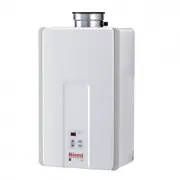
A user manual for a gas pressure and temperature control system covers its operational principles, safety configurations, and diagnostic capabilities. The guide addresses critical functions such as setting gas pressure levels, configuring controller settings via dip switches, and troubleshooting common issues like flame rod malfunctions or heat exchanger failures. It also includes wiring diagrams and fault codes to aid maintenance and commissioning of the system’s mechanical, electrical, and thermal components.


Table 1
Gas Pressure Setting
APPLIANCE OPERATING PRESSURES
Controller
Thermostat
ON/OFF Button
In Use Indicator
Indicates that hot water
is being supplied.
Temperature Display
Indicates temperature
setting or flashes error
code.
Priority Indicator
Indicates that this
controller is setting the
water temperature.
Priority Button
When no water is
being supplied,
pressing this button
allows this controller to
set the water
temperature.
Diagnostic Use of the Controller
1. To display the most recent diagnostic codes press and hold the
“On/Off” button for 2 seconds on the MC-91 controller.
To Change the Temperature Scale (ºF / ºC)
With the water heater turned off, press and hold the ON/OFF
button until the display changes to the other temperature scale
(about 5 seconds).
To Turn Off the Controller Sound (Mute)
To turn the sound off (mute), press and hold both the ▲ and ▼
thermostat buttons until a “beep” is heard (about 5 seconds).
NOTE: For additional installation and commissioning information refer
to the Operation and Installation Manual.
This appliance must be installed,
serviced and removed by a trained
and qualified person. During pressure testing of the consumer piping,
ensure gas valve is turned off before unit is shut off. Failure to do so
may result in serious injury to yourself or damage to the unit.
Commissioning
With all gas appliances in operation at maximum gas rate, the
flowing inlet pressure at the incoming test point on the Rinnai
water heater should read 4” W.C. - 10.5” W.C. on natural gas
and 8” W.C. - 13.5 W.C. on propane gas. If the pressure is
lower, the gas supply is inadequate and the unit will not operate
correct operation/sizing and correct as required.
Gas Pressure Setting
Ensure gas pressure check under Commissioning has been
completed first! The regulator is electronically controlled and
factory pre-set. Under normal circumstances it does not require
adjustment during installation. Make adjustments only if the unit is
not operating correctly and all other possible causes for incorrect
operation have been eliminated.
WARNING
Wire Diagram
to specification. Check the gas meter regulator and pipework for
1. Turn OFF the gas supply.
2. Turn OFF the water supply.
3. Remove the front panel (four screws).
4. Check the gas type using the data plate on the side of the unit.
Confirm that the gas type switch is in the correct position
(SW1 in DIPSW2 is ON for natural gas, NG, and OFF for
propane gas, LPG.) Figure 1.
5. Remove the screw and attach the manometer to the burner test
point located on the gas control. Figure 2.
6. Turn on the gas supply and the power supply.
7. Flow water through the water heater at the maximum flow rate
obtainable. (At least 3 gallons per minute is recommended. If
there is not enough water flowing, the water heater could shut
off or sustain damage due to overheating.)
8. Move SW8 in DIPSW1 to ON. Figure 3.
9. Push the PC board switch A for one second. Figure 4.
10. Calibrate “Forced Low” combustion using switch A (up) and
switch B (down).
11. Move SW8 in DIPSW1 to OFF and then back to ON.
Figure 6.
12. Push the PC board switch B for one second. Figure 4.
13. Calibrate “Forced High” combustion using switch A (up) and
switch B (down).
14. Move SW8 in DIPSW1 to OFF. Figure 5.
15. Close hot water taps.
16. Turn off gas supply and 120 V power supply.
17. Remove manometer and re-install screws.
18. Turn on the gas supply and 120 V power supply.
19. Operate the unit and check for gas leaks.
20. Install the front panel using four screws.
The MC-91-2 controller can be locked or unlocked by pressing the
Priority button and the up button together for 5 seconds. A beep will
sound confirming that the controller is locked. The display will
alternately show “LOC”, the temperature setting, and a diagnostic
code if one has been activated. All of the controllers in the system
are also locked.
To unlock the controller press the Priority button and the up button
together for 5 seconds.
Locking the Controller
V65i
V75i
Water
Inlet Max.
Gas Inlet Min./Max
Forced Low
Forced High
NAT.G
LPG
NAT.G
LPG
NAT.G
LPG
V75i
V94i /
* V94Xi
4"W.C.
/10.5"W.C.
8"W.C.
/13.5"W.C.
I
S
P
0
5
1
I
S
P
0
5
1
Short flue length
Long flue length
Short flue length
Long flue length
0.61”W.C.
0.87”W.C.
2.5”W.C.
3.9”W.C.
0.61”W.C.
0.95”W.C.
2.3”W.C.
3.7”W.C.
V65i
4"W.C.
/10.5"W.C.
8"W.C.
/13.5"W.C.
I
S
P
0
5
1
Short flue length
Long flue length
0.61”W.C.
0.87”W.C. 1.97”W.C. 2.74”W.C.
0.61”W.C.
0.95”W.C. 2.04”W.C. 2.93”W.C.
4"W.C.
/10.5"W.C.
8"W.C.
/13.5"W.C.
0.61”W.C.
0.87”W.C.
3.0”W.C.
/*2.96”W.C.
4.8”W.C.
0.61”W.C.
0.95”W.C.
2.3”W.C.
3.7”W.C.
2. To enter or exit the maintenance monitor information mode press
and hold the down button for 2 seconds and without releasing it
press the ON/OFF button.
Fig. 2
Fig. 1
Fig. 4
Fig. 3
Fig. 5
Fig. 6
No.
Data
Unit
Water flow rate
0.1 gal/min
Outgoing water temperature
Degrees Fahrenheit
01
02
Outgoing Water Thermistor:
White - White
N / A
See example above E5
2 - 3
(SV1, SV2, SV3 , SV4 and POV) Gas valve and Modulating solenoids: (Set meter above 2K)
(Main) Black - Grey
Wire color
Voltage
Resistance
Connector #
Pin #'s
11 ~ 13 VDC
24 ~ 28 ohms
D1
B3 - B4
(SV1) Black - Blue
(SV2) Black - Yellow 11 ~ 13 VDC
36 ~ 42 ohms
B2
4 - 7
(M) Water Flow Control Device Servo or Geared Motor:
NOTE: The grey wire listed above turns to black at G connector on the PCB.
Set your meter to the hertz scale. Reading across the white and black wires at terminals 3 and 5
you should read between 60 and 420 hertz.
White - Blue
N / A
44 ~ 52 ohms
G2
1 - 2
Red - Pink
N / A
44 ~ 52 ohms
G2
3 - 4
(QS) Water Flow Sensor:
Black - Red
11 ~ 13 VDC
N / A
L3
E10 - G7
(IG) Ignition System:
Grey - Grey
110 ~ 130 VAC
N / A
C1
1 - 3
Yellow - Black
4 ~ 7 VDC
N / A
L3
E1 - G7
Thermal Fuse / Overheat Switch:
White - White
11 ~ 13 VDC
Below 1 ohms
B8
B1 - E10
B7
Grey - Orange
N / A
N / A
G2
6 - 7
Grey - Brown
N / A
N / A
G2
5 - 7
(FM) Combustion Fan Motor:
White - Black
5 ~ 10 VDC
N / A
L2
3 - 5
Red - Black
6 ~ 45 VDC
N / A
L2
5 - 6
Yellow - Black
11 ~ 13 VDC
N / A
L2
4 - 5
By-pass Flow Control:
White - Blue
44 ~ 52 ohms
G1
10 - 11
12 - 13
1
G
Red - Pink
(POV) Pink - Pink
2 ~ 15 VDC
67 ~ 81 ohms
D1
1 - 2
Troubleshooting
Important Safety Notes
There are a number of (live) tests that are required when fault
finding this product. Extreme care should be used at all times to
avoid contact with energized components inside the water heater.
Only trained and qualified service technicians should attempt to
repair this product. Before checking for resistance readings,
disconnect the power source to the unit and isolate the item from
the circuit (unplug it).
Heat Exchanger, Outgoing Water Temperature and
Inlet Thermistors:
Check all thermistors by inserting meter leads into each end of the
thermistor plug. Set your meter to the 20 K scale and read
resistance. Applying heat to the thermistor bulb should decrease
the resistance. Applying ice to the thermistor bulb should increase
the resistance. See below for examples of typical temperatures and
resistance readings.
140
°
F = 2.2 ~ 2.7K
Ω
221
°
F = 0.6 ~ 0.8K
Ω
59
°
F = 11.4 ~ 14K
Ω
86
°
F = 6.4 ~ 7.8K
Ω
113
°
F = 3.6 ~ 4.5K
Ω
Example:
Amp Fuses:
This unit has one inline (10) amp glass fuse. Remove the fuse and
check continuity through it. If you have continuity through the fuse
then it is good. Otherwise the fuse is blown and must be replaced.
Flame Rod:
Place one lead of your meter to the flame rod and the other to ground.
With the unit running you should read between 5-150 VAC. Set your
meter to the μ amp scale and series your meter in line with the flame
rod. You should read 1 μ amp or greater for proper flame circuit. In
the event of low flame circuit remove the flame rod and check for
carbon or damage.
11 ~ 13 VDC
36 ~ 42 ohms
B4
4 - 5
(SV3) Black - Red
11 ~ 13 VDC
35 ~ 41 ohms
B1
4 - 8
(SV4) Black - Orange
11 ~ 13 VDC
36 ~ 42 ohms
B3
4 - 6
Blue - Blue
N / A
See example above E5
4 - 5
Heat Exchanger Temperature Thermistor:
Pink - Pink
Inlet Thermistor:
White - White
N / A
See example above E7
4 - 9
Remote Controls:
Terminals J
10 ~ 13 VDC
1.5 ~ 3.0 K ohms
J
1 - 2
Frost Protection:
This unit has frost protection heaters mounted at different points to
protect the water heater from freezing. All of them should show a
positive resistance reading.
N / A
See example above E4
4 - 7
•
Power interruption during Bath fill (Water will not flow when
power returns)
03
Diagnostic Codes
Air Supply or Exhaust Blockage
10
•
•
•
•
•
•
•
•
•
•
No Ignition
11
Thermal Fuse
14
Over Temperature Warning
16
Modulating Solenoid Valve Signal
52
Combustion Fan
61
Water Flow Servo
65
Solenoid Valve Circuit
71
Flame Sensing Device
72
(when checking
Scale Build-up in Heat Exchanger
maintenance code history “00” is substituted for “LC”)
LC#
No Code
(Nothing happens when water flow is activated.)
No Flame
12
SW No.
NOTES
2
3
Level 0
0-2000 ft
(0-610 m)
High Altitude
Level 1
2001-5200 ft
(610-1585 m)
Level 2
5201-7700 ft
(1585-2347 m)
Level 3
7701-10200 ft
(2347-3109 m)
Off
On
On
Off
On
On
Off
Off
High Altitude
WARNING
DO NOT adjust the other dip switches unless specifically instructed
to do so. Incorrect Dip Switch Settings can cause the Rinnai water
heater to operate in an unsafe condition and may damage the water
heater and void the warranty.
Water leakage detected
79
•
LC0~LC9 indicates that there is scale build up in the heat exchanger
and that the heat exchanger needs to be flushed to prevent damage.
Refer to the flushing instructions in the manual. Hard water must be
treated to prevent scale build up or damage to the heat exchanger.
To operate the water heater temporarily until the heat exchanger can
be flushed, push the On/Off button on the temperature controller 5
times. Repeated LC# codes will eventually lock out the water heater.
The water flow control valve has failed to close during the bath fill
function. Immediately turn off the water and discontinue the bath fill
function. Contact a licensed professional.
Electrical Grounding
19
If the display is blank and clicking is coming from the unit, disconnect
the water flow servo motor (GY, BR, O, W, P, BL, R). If the display
comes on then replace the water flow servo motor.
Turn off all hot water taps. Press ON/OFF twice.
Ensure approved venting materials are being used.
Check that nothing is blocking the flue inlet or exhaust.
Check all vent components for proper connections.
Ensure vent length is within limits.
Verify dip switches are set properly.
Check fan for blockage.
Check that the gas is turned on at the water heater, meter, or cylinder.
If the system is propane, make sure that gas is in the tank.
Ensure appliance is properly grounded.
Ensure gas type and pressure is correct.
Ensure gas line, meter, and/or regulator is sized properly.
Bleed all air from gas lines.
Verify dip switches are set properly.
Ensure igniter is operational.
Check igniter wiring harness for damage.
Check gas solenoid valves for open or short circuits.
Remove burner cover and ensure burners are properly seated.
Remove burner plate; inspect burner surface for condensation/debris.
•
•
•
•
•
•
Check that the gas is turned on at the water heater, meter, or cylinder.
Check for obstructions in the flue outlet.
If the system is propane, make sure that gas is in the tank.
Ensure gas line, meter, and/or regulator is sized properly.
Ensure gas type and pressure is correct.
Bleed all air from gas lines.
Ensure proper venting material was installed.
Ensure condensation collar was installed properly.
Ensure vent length is within limits.
Verify dip switches are set properly.
Check power supply for loose connections.
Check power supply for proper voltage and voltage drops.
Ensure flame rod wire is connected.
Check flame rod for carbon build-up.
Disconnect and reconnect all wiring harnesses on unit and
PC board.
Check for DC shorts at components.
Check gas solenoid valves for open or short circuits.
Remove burner plate; inspect burner surface for condensation/debris.
Check the ground wire for the PC board.
Check for restrictions in air flow around unit and vent terminal.
Check gas type of unit and ensure it matches gas type being used.
Check for low water flow in a circulating system causing short-cycling.
Ensure dip switches are set to the proper position.
Check for foreign materials in combustion chamber and exhaust piping.
Check heat exchanger for cracks or separations.
Check heat exchanger surface for hot spots which indicate
blockage due to scale build-up. Refer to instructions in manual
for flushing heat exchanger. Hard water must be treated to
prevent scale build up or damage to the heat exchanger.
Measure resistance of safety circuit.
Ensure high fire and low fire manifold pressure is correct.
Check for improper conversion of product.
Check for restrictions in air flow around unit and vent terminal.
Check for low water flow in a circulating system causing short-cycling.
Check for foreign materials in combustion chamber and exhaust piping.
Check for blockage in the heat exchanger.
Check all components for electrical short.
Check modulating gas solenoid valve wiring harness for
loose or damaged terminals.
Measure resistance of valve coil.
Ensure fan will turn freely.
Check wiring harness to motor for damaged and/or loose
connections.
Measure resistance of motor winding.
Replace the PC Board.
Verify flame rod is touching flame when unit fires.
Check all wiring to flame rod.
Remove flame rod;check for carbon build-up; clean with sand paper.
Check inside burner chamber for any foreign material blocking flame
at flame rod.
Measure micro amp output of sensor circuit with flame present.
Replace the PC Board.
Turn off water supply and contact licenced professional.
Maintenance Performed
FF
Indicates a service provider performed maintenance or repair. Enter
this code by pressing up, down, and ON/OFF simultaneously.
Clean inlet water supply filter.
On new installations ensure hot and cold water lines are not reversed.
Verify you have at least the minimum flow rate required to fire unit.
Check for cold to hot cross over. Isolate circulating system if present.
Turn off cold water to the unit, open pressure relief valve; if water
continues to flow, there is bleed over in your plumbing.
Verify turbine spins freely.
Measure the resistance of the water flow control sensor.
PC Board
70
Check PC board DIP switches for correct positons.
Check the connection harness at the connection on the PC board.
Replace PC board.
•
•
•
•
•
•
•
•
•
•
•
•
•
•
•
•
•
•
•
•
•
Ensure SW5 in DIPSW2(white) is in the off position.
•
•
•
•
•
•
•
•
•
•
•
•
•
•
•
Combustion Air Temperature Sensor Fault
34
Check for restrictions in air flow around unit and vent terminal.
Check sensor wiring for damage.
Measure resistance of sensor.
Clean sensor of scale build up.
Ensure fan blade is tight on motor shaft and is in good condition.
Replace sensor.
•
•
•
•
•
•
•
•
•
•
•
•
•
•
•
•
•
•
•
•
•
•
•
•
•
•
•
•
•
•
•
•
•
•
MC-91-2US-V
Outgoing Water Temperature Sensor
32
Heat Exchanger Outgoing Temperature Sensor
33
WARNING
Do not put SW2 and 3 in DIPSW2
(white switches) in on position.
These settings are only for commercial applications and are not
compatible with V94i,V94Xi,V75i and V65i.
Dip SW1
Dip SW2
Dip SW1
Dip SW1
Dip SW1
V94Xi (VC2737FFU-US)
V94i (VC2837FFU-US)
V65i (VC2025FFU-US)
V75i (VC2528FFU-US)
U307-1116X02(00)
070 00012 35700 3
Dip SW1
Dip SW2
Burner
Test Point
N / A
N / A
DIPSW1
DIPSW2
1
2
3
4
5
6
7
8
1
2
3
4
5
6
7
8
FF MODEL
ONLY
2837,2737
MODEL ONLY
RL MODEL
ONLY
NAT.G
LPG
1
O
F
F
2
3
4
5
6
7
8
ON
O
F
F
ON
O
F
F
3
4
5
6
7
8
ON
O
F
F
ON
1
2
8
5
4
3
2
1
2
3
4
5
8
7
7
6
6
NAT.G
LPG
1
O
F
F
2
3
4
5
6
7
8
ON
O
F
F
ON
O
F
F
3
4
5
6
7
8
ON
O
F
F
ON
1
2
6
5
4
3
2
1
1
1
2
3
4
5
6
7
7
8
8
V94i,V94Xi
V94i
NAT.G
LPG
1
O
F
F
2
3
4
5
6
7
8
ON
O
F
F
ON
O
F
F
3
4
5
6
7
8
ON
O
F
F
ON
1
2
8
5
4
3
2
1
2
3
4
5
8
7
7
6
6
1
E6
E7
E8
L3
L2
L1
D2
D1
B8
B7
B6
B4
B3
B2
B1
C2
C3
C4
C1
F1
H1
G1
G2
I1
E3
E5
A1
E4
E2
E1
Dip Switches Settings
Adjust SW2 and 3 in DIPSW1 (upper side) depending
on your altitude according to the table below.
※
※
Refer to
「
EXPLODED VIEW - ELECTRICAL
」
of technical data sheet
Inlet Water Temperature Sensor
51
Check sensor wiring for damage.
Measure resistance of sensor.
Clean sensor of scale build-up.
Replace sensor.
•
•
•
•
"Loading the manual" means you need to wait until the file loads and becomes available for online reading. Some manuals are very large, and the time they take to appear depends on your internet speed.
Was this manual helpful?
About this manual
- Brand
- Rinnai
- Model
- V65IN
- Document type
- User Manual
- Category
- Water Heater
- Language(s)
- English
- Pages
- 2
- File size
- 1.2 MB
- Format
Ask a question
Related manuals
Popular Rinnai Water Heaters
More Rinnai Water Heaters models
 Rinnai RUCS65IN User Manual
 Rinnai RUCS75IN User Manual
 Rinnai RUCS75IP User Manual
 Rinnai RUS75EN User Manual
 Rinnai V53DEN User Manual
 Rinnai V53DEP User Manual
 Rinnai V75IN User Manual
 Rinnai CU160IN User Manual
- Rinnai CU199EN User Manual
- Rinnai CU199IN User Manual
 Rinnai CU199IP User Manual
 Rinnai RE140EN User Manual
 Rinnai RE140EP User Manual
 Rinnai RE140IN User Manual
- Rinnai RE140IP User Manual
 Rinnai RE160EN User Manual
- Rinnai RE160EP User Manual
 Rinnai RE160IN User Manual
- Rinnai RE160IP User Manual