Ring B09PTJKC33 - User Manual
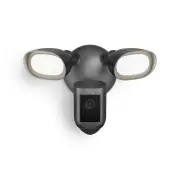
Ring B09PTJKC33 Security Camera – User Manual, read for free online in PDF format. We hope this helps you resolve any issues you may have. If you have further questions, please contact us through the contact form.


2
3
4
5
6
7
8
User Guide
Floodlight Cam Wired Pro
WARNING:
Risk of electrical shock.
Disconnect power at the fuse or
circuit breaker before installing.
Verify that the supply voltage is correct. Connect
fixture to a 100 VAC~240 VAC 50/60 Hz power source.
Properly ground fixture.
Always follow code standards when installing wired
connections.
CAUTION:
Risk of fire. Do not install near combustible
or flammable surfaces.
NOTICE:
Do not connect this light fixture to a dimmer
switch or timer.
Your Floodlight Cam must be installed on a 4” round
UL listed weatherproof electrical box.
This manual is for informational purposes only.
Working with electricity can be dangerous unless
proper safety precautions are taken. If you are not
comfortable or are inexperienced with the processes
and tools described in this manual, we recommend
that you hire a licensed electrician.
Shut off power at the breaker!
You’ll be working with electrical wires during the install
process. If you don’t know where your breaker is or
how to turn off power to your floodlight circuit, we
recommend you hire a licensed electrician.
Remove your existing floodlight.
With power off at the breaker,
remove your existing
floodlight from the junction box it’s attached to and
disconnect the wires.
If there is a metal bracket attached to your
junction box, remove that as well.
Choose your screws.
Select a set of screws from the bags marked “A”
through “F” that fit your junction box to secure the
metal mounting bracket. One size does not fit all here,
so we sent several.
Save a screw from either Bag B or C. You will use it
on the next page.
Attach the metal mounting bracket.
With the screws you selected in the previous step,
secure the metal mounting bracket to your junction
box using either pair of screw holes. Be sure to align
the bracket so that the “FRONT” text faces outwards.
Install the plastic mounting plate.
Pull gently from the opening of the plastic plate to free
it from the fixture, then feed your power wires though
the opening.
With your power wires fed through the mounting plate,
center it over the metal mounting bracket. If you’re
installing on a wall, the “UP” arrow should point up.
If you’re installing under an eave, it should point
towards the wall.
Then, insert one of the screws from Bag B or C into the
center hole, and tighten to secure.
Prep your Floodlight Cam for installation.
First, rotate the lights out of the way, like this…
If you’re mounting on an eave or overhang,
your
camera is already in position.
If you’re mounting to a wall,
rotate the camera
into position like this...
Bag A
Standard screws. These should fit most
junction boxes.
Bag B & C
Longer screws to reach the screw holes
in recessed junction boxes.
Bag D, E & F
Best for older boxes with smaller screw holes.
Quick Start
1. Open the Ring app and
select Set Up a Device.
Then follow the in-app instructions.
2. Scan this code.
This identifies your Ring device
to make setup fast and easy.
QR+FR
"Loading the manual" means you need to wait until the file loads and becomes available for online reading. Some manuals are very large, and the time they take to appear depends on your internet speed.


