Ring 5B21S8-WEN0 - User Manual
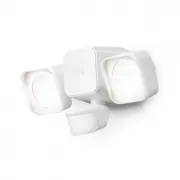
Ring 5B21S8-WEN0 Sensor – User Manual, read for free online in PDF format. We hope this helps you resolve any issues you may have. If you have further questions, please contact us through the contact form.


Table of Contents:
- Page 2 – Download the Ring app.
- Page 3 – Remove the back cover.; Twist your Floodlight counter-clockwise to unlock; Remove the battery lid.; Press the side buttons on the battery lid to remove
- Page 4 – Set up your Floodlight Battery; Smart; Insert the
- Page 5 – Remove the
- Page 6 – Mount your
Floodlight Battery
Smart Lighting
"Loading the manual" means you need to wait until the file loads and becomes available for online reading. Some manuals are very large, and the time they take to appear depends on your internet speed.
Summary
1. Set up your Floodlight. Download from Windows Store Download from Windows Store Download the Ring app. The app walks you through setting up and managing your Ring Floodlight Battery. Search for “Ring” in one of these app stores, or visit: ring.com/app Set up your Ring Bridge. The Bridge connects ...
Remove the back cover. Twist your Floodlight counter-clockwise to unlock and separate it from the back cover. Remove the battery lid. Press the side buttons on the battery lid to remove it and open the battery compartment. 5 4
Smart Lights Alarm Doorbells Security Cams Chimes Set up your Floodlight Battery in the Ring app. In the app, tap Set Up a Device. When prompted, select Smart Lights and follow the in-app instructions. After setup, replace the back cover (be sure to line up the arrows). Insert the batteries. Insert ...