Realme 4K - User Manual
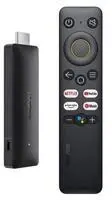
Realme 4K Media Player – User Manual, read for free online in PDF format. We hope this helps you resolve any issues you may have. If you have further questions, please contact us through the contact form.
1
2
3
4
5
6
7
8
9
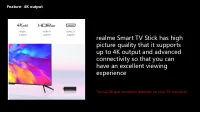
10
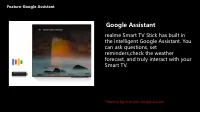
11
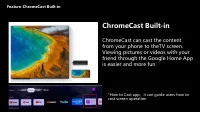
12
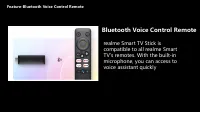
13
14
15
16
17
18
19

20
21
22
23
24
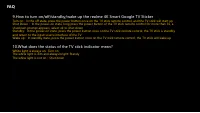
Table of Contents:
- Page 2 – Content; ID Design Parameter
- Page 3 – ID Design; HDMI Port
- Page 5 – Packing list
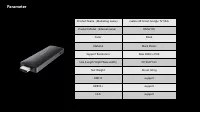
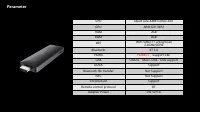
- Page 6 – Parameter
- Page 10 – Google Assistant; *Need to log in to your Google account; Feature-Google Assistant
- Page 11 – it can guide users how to
- Page 12 – Bluetooth Voice Control Remote; Feature-Bluetooth Voice Control Remote
- Page 13 – How to use realme 4K Smart Google TV Stick
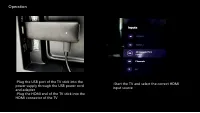
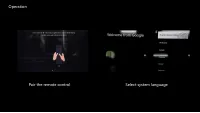
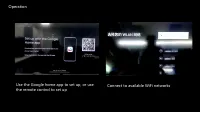
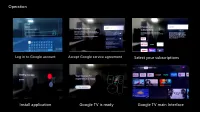
- Page 14 – Operation
- Page 17 – Select your subscriptions
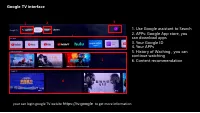
- Page 18 – Google TV interface; Use Google assistant to Search
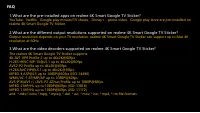
- Page 22 – FAQ
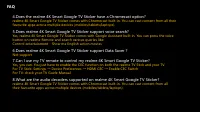
- Page 23 – Does realme 4K Smart Google TV Sticker support voice search?; Does realme 4K Smart Google TV Sticker support Data Saver
- Page 24 – What does the status of the TV stick indicator mean?
Loading the manual
realme 4K Smart Google TV Stick
Training Material
"Loading the manual" means you need to wait until the file loads and becomes available for online reading. Some manuals are very large, and the time they take to appear depends on your internet speed.
Was this manual helpful?
About this manual
- Brand
- Realme
- Model
- 4K
- Document type
- User Manual
- Category
- Media Player
- Language(s)
- English
- Pages
- 24
- File size
- 1.5 MB
- Format
Summary
Page 2 - Content; ID Design Parameter
Content ID Design Parameter Feature Service policy FAQ
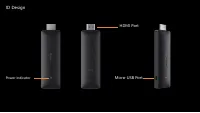
Page 3 - ID Design; HDMI Port
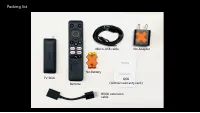
Page 5 - Packing list
Packing list TV Stick No Adapter Remote No Battery QSG ( without warranty card ) Micro-USB cable HDMI extension cable