Polo Cool C100 - User Manual
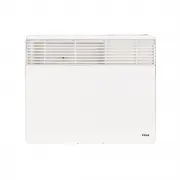
Polo Cool C100 Heater – User Manual, read for free online in PDF format. We hope this helps you resolve any issues you may have. If you have further questions, please contact us through the contact form.


Table of Contents:
- Page 3 – INSTRUCTIONS FOR WALL MOUNTING; looking installation.
- Page 5 – SETTING AND PROGRAMMING THE TIMER
- Page 7 – ) 24 Hour Countdown Timing
- Page 8 – ) To reset the timer; installed on the wall bracket or on the optional castors.
- Page 9 – Is power supply outlet operating?
DEC 2015
USER MANUAL
POLO ‘C’ SERIES CONVECTION
PANEL HEATERS
The POLO “C” Series range of convection panel heaters consists of eight models – four with a digital timer
and four without a digital timer:
POLO Model CT
(with digital timer)
POLO Model C
(without digital
timer)
Watts
Amps Length
(mm)
Height
(mm)
Thickness
(mm)
Weight
(kg –
approx)
CT100
C100
1000
4.2
545
452
75
6.5
CT150
C150
1500
6.3
700
452
75
8
CT200
C200
2000
8.3
890
452
75
10
CT240
C240
2400
10.0
1035
452
75
12
IMPORTANT SAFETY ADVICE
(1) The wall bracket supplied with the heater must be used to attach the heater to a wall.
(2) To locate the heater in a bathroom (ie containing a bath or shower) the heater must be located so
that the controls cannot be operated by a person in the bath or shower. The heater must be located
at least 600mm from a shower screen or bath surround. If in doubt, the services of a qualified
electrician or licensed electrical contractor must be used to determine a suitable location in a
bathroom.
(3) Do not use outdoors – indoor use only.
(4) Do not locate the heater immediately below a fixed socket outlet.
(5) The heater may be installed in front of a fixed socket outlet concealing the power lead and plug.
(6) Do not cover the heater or place material or garments on the heater.
(7) Do not obstruct the front finned air outlet of the heater or obstruct the air circulation around the
heater by curtains or pushing furniture up against it. This could cause overheating and a fire risk.
(8) The heater carries the warning “Do not cover” indicating that in order to avoid overheating, do
not cover the heater.
(9) If used with the included castors, do not use this heater in the immediate surroundings of a bath, a
shower or a swimming pool.
(10) If the supply cord is damaged, it MUST be replaced by the manufacturer’s service agent or
similarly qualified person to avoid a hazard.
(11) When using models CT240/C240 – 2400 watts, do not share the power supply with other
appliances. Do not connect to multiple power outlets on extension leads.
(12) If any abnormal noise ever comes from the heater or control panel, switch off and contact Polo
immediately for advice.
(13) WARNING – THE SURFACES OF THIS HEATER CAN BE HOT ESPECIALLY THE FRONT
GRILL AND THE TOP OF THE HEATER
Momentarily contact with any part of the heater should not cause injury.
This appliance is not intended for use by persons (including children) with reduced physical,
sensory or mental capabilities, or lack of experience and knowledge, unless they have been given
supervision or instruction concerning use of the appliance by a person responsible for their safety.
Children should be supervised to ensure that they don’t play with the appliance
Page 1
"Loading the manual" means you need to wait until the file loads and becomes available for online reading. Some manuals are very large, and the time they take to appear depends on your internet speed.
Summary
INSTRUCTIONS FOR WALL MOUNTING 1. This heater may be mounted in front of a standard 10 amp socket outlet with the plug inserted. See Fig 2. Ensure the heater fully covers the socket outlet and plug which results in a very clean looking installation. 2. Remove the wall bracket from the back of the he...
c) Locking of the top control panel This heater has a hinged clear perspex control panel cover which may be locked in position to prevent use of the controls by unauthorised people, children or infirmed people. The cover can be locked by opening and removing the screw on the right hand side with a s...
v) To finish programming the “OFF” time press TIME. c) How to set additional ON/OFF times i) To set other ON/OFF times scroll through the programs (PROG1 – PROG20) by pressing repeatedly. ii) Select an available program and follow steps in the above sections to set additional ON/ OFF times. Don’t fo...


