Page 2 - for future reference.; Contents
Thank you for purchasing this PIONEER product. Please read through this manual before using the product for the first time, to en-sure proper use. After reading, please keep the manual in a safe and accessible place for future reference. Before You Start About this unit 3 Visit our website 4 Protect...
Page 3 - About this unit; CAUTION; About WMA; English
If you want to dispose this product, do not mixit with general household waste. There is a se-parate collection system for used electronicproducts in accordance with legislation that re-quires proper treatment, recovery and recy-cling. Private households in the member states of theEU, in Switzerland...
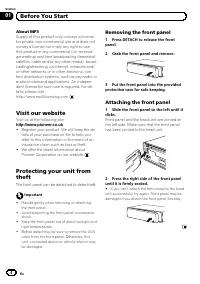
Page 4 - About MP3; Visit our website; Visit us at the following site:; Removing the front panel
About MP3 Supply of this product only conveys a licensefor private, non-commercial use and does notconvey a license nor imply any right to usethis product in any commercial (i.e. revenue-generating) real time broadcasting (terrestrial,satellite, cable and/or any other media), broad-casting/streaming...
Page 5 - Head unit; d c; Insert a disc to play.; Display indication; Shows the track number or preset number.; Operating this unit
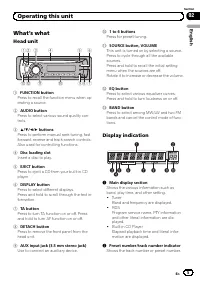
What ’ s what Head unit 1 2 4 5 6 d c a 8 9 7 3 b 1 FUNCTION button Press to recall the function menu when op-erating a source. 2 AUDIO button Press to select various sound quality con-trols. 3 a / b / c / d buttons Press to perform manual seek tuning, fastforward, reverse and track search controls....
Page 6 - Basic Operations; Turning the unit on; Selecting a source; Adjusting the volume; Tuner; Listening to the radio
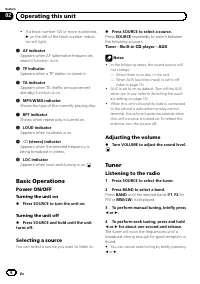
! If a track number 100 or more is selected, d on the left of the track number indica- tor will light. 3 AF indicator Appears when AF (alternative frequenciessearch) function is on. 4 TP indicator Appears when a TP station is tuned in. 5 TA indicator Appears when TA (traffic announcementstandby) fun...
Page 7 - PTY list
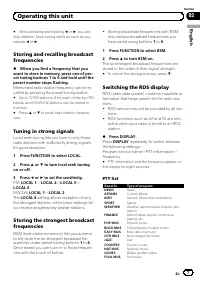
# While pressing and holding c or d , you can skip stations. Seek tuning starts as soon as yourelease c or d . Storing and recalling broadcastfrequencies % When you find a frequency that you want to store in memory, press one of pre-set tuning buttons 1 to 6 and hold until thepreset number stops fla...
Page 8 - Receiving PTY alarm broadcasts; or; Selecting alternative frequencies; Using PI Seek; is displayed and the output is muted.; Using Auto PI Seek for preset stations; Switching Auto PI Seek
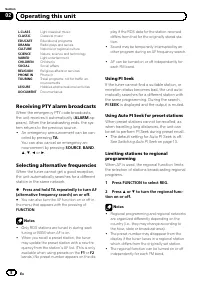
L.CLASS Light classical music CLASSIC Classical music EDUCATE Educational programs DRAMA Radio plays and serials CULTURE National or regional culture SCIENCE Nature, science and technology VARIED Light entertainment CHILDREN Children ’ s SOCIAL Social affairs RELIGION Religious affairs or services P...
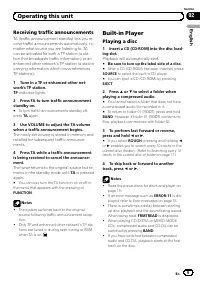
Page 9 - Receiving traffic announcements; s TP station (a station; Playing a disc; Playback will automatically start.
Receiving traffic announcements TA (traffic announcement standby) lets you re-ceive traffic announcements automatically, nomatter what source you are listening to. TAcan be activated for both a TP station (a sta-tion that broadcasts traffic information) or anenhanced other network ’ s TP station (a ...
Page 10 - Scanning tracks or folders; Repeating play; Pausing disc playback
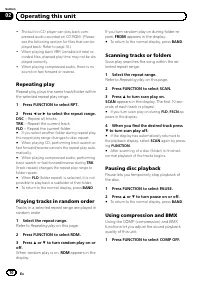
! The built-in CD player can play back com-pressed audio recorded on CD-ROM. (Pleasesee the following section for files that can beplayed back. Refer to page 16.) ! When playing back VBR (variable bit rate) re-corded files, elapsed play time may not be dis-played correctly. ! When playing compressed...
Page 11 - Audio Adjustments; Using balance adjustment
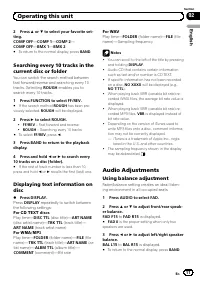
2 Press a or b to select your favorite set- ting.COMP OFF — COMP 1 — COMP 2 — COMP OFF — BMX 1 — BMX 2 # To return to the normal display, press BAND . Searching every 10 tracks in thecurrent disc or folder You can switch the search method betweenfast forward/reverse and searching every 10tracks. Sel...
Page 12 - Other Functions; Adjusting initial settings
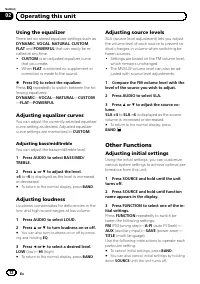
Using the equalizer There are six stored equalizer settings such as DYNAMIC , VOCAL , NATURAL , CUSTOM , FLAT and POWERFUL that can easily be re- called at any time. ! CUSTOM is an adjusted equalizer curve that you create. ! When FLAT is selected no supplement or correction is made to the sound. % P...
Page 13 - Setting the FM tuning step; Switching the auxiliary setting; Using the AUX source; Saving the battery consumption; Multi language display setting
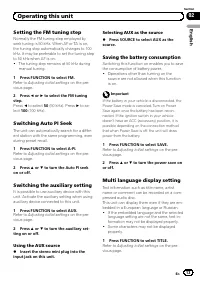
Setting the FM tuning step Normally the FM tuning step employed byseek tuning is 50 kHz. When AF or TA is on,the tuning step automatically changes to 100kHz. It may be preferable to set the tuning stepto 50 kHz when AF is on. ! The tuning step remains at 50 kHz duringmanual tuning. 1 Press FUNCTION ...
Page 14 - Sound muting; The sound is turned off,
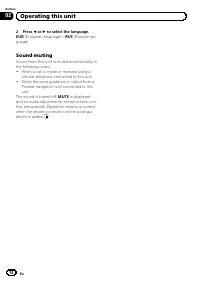
2 Press c or d to select the language. EUR (European language) — RUS (Russian lan- guage) Sound muting Sound from this unit is muted automatically inthe following cases: ! When a call is made or received using acellular telephone connected to this unit. ! When the voice guidance is output from aPion...
Page 15 - Error messages; Store discs in their cases when not in use.; Additional Information
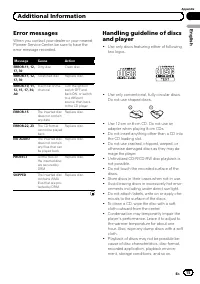
Error messages When you contact your dealer or your nearestPioneer Service Center, be sure to have theerror message recorded. Message Cause Action ERROR-11, 12,17, 30 Dirty disc Clean disc. ERROR-11, 12,17, 30 Scratched disc Replace disc. ERROR-10, 11,12, 15, 17, 30,A0 Electrical or me-chanical Turn...
Page 16 - Road shocks may interrupt disc playback.; Dual Discs; Player used to encode WMA files,; Example of a hierarchy; : Compressed audio file
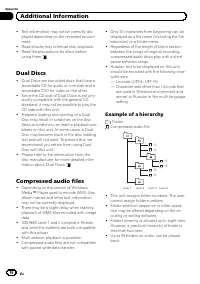
! Text information may not be correctly dis-played depending on the recorded environ-ment. ! Road shocks may interrupt disc playback. ! Read the precautions for discs beforeusing them. Dual Discs ! Dual Discs are two-sided discs that have arecordable CD for audio on one side and arecordable DVD for ...
Page 17 - Compressed audio compatibility; WMA; Russian character chart
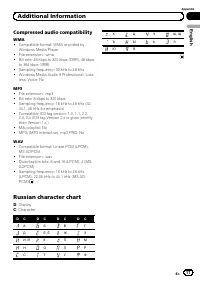
Compressed audio compatibility WMA ! Compatible format: WMA encoded byWindows Media Player ! File extension: .wma ! Bit rate: 48 kbps to 320 kbps (CBR), 48 kbpsto 384 kbps (VBR) ! Sampling frequency: 32 kHz to 48 kHz ! Windows Media Audio 9 Professional, Loss-less, Voice: No MP3 ! File extension: .m...
Page 18 - Specifications
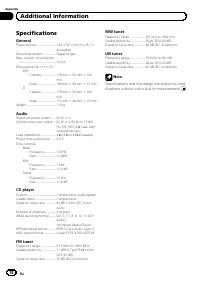
Specifications General Power source ............................. 14.4 V DC (10.8 V to 15.1 V allowable) Grounding system ................... Negative typeMax. current consumption ..................................................... 10.0 A Dimensions (W × H × D): DIN Chassis ..................... 1...
Page 19 - Una vez leído, guarde este manual en un; Español; Contenido
Gracias por haber comprado este producto PIONEER. Lea con detenimiento este manual antes de utilizar el producto por primera vez,para que pueda darle el mejor uso posible. Una vez leído, guarde este manual en un lugar seguro y a mano para consultarlo en el futuro. Antes de comenzar Acerca de esta un...
Page 20 - Acerca de esta unidad; PRECAUCIÓN; Acerca de WMA
Si desea deshacerse de este producto, no lomezcle con los residuos generales de su hogar.De conformidad con la legislación vigente,existe un sistema de recogida distinto para losproductos electrónicos que requieren un pro-cedimiento adecuado de tratamiento, recupe-ración y reciclado. Las viviendas p...
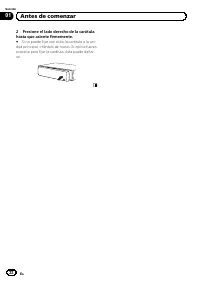
Page 21 - Acerca de MP3; Visite nuestro sitio Web; Visítenos en el siguiente sitio:; Extracción de la carátula; Presione DETACH para soltar la carátu-; Colocación de la carátula; Deslice la carátula hacia la izquierda
Windows Media y el logo de Windows sonmarcas comerciales o registradas deMicrosoft Corporation en los EE.UU. y/o enotros países. ! Esta unidad puede no funcionar correcta-mente, dependiendo de la aplicación utili-zada para codificar ficheros WMA. Acerca de MP3 La venta de este producto sólo otorga u...
Page 23 - Qué es cada cosa; Unidad principal; Introduzca el disco para reproducirlo.; Indicaciones de pantalla; RDS; Utilización de esta unidad
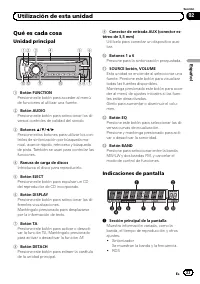
Qué es cada cosa Unidad principal 1 2 4 5 6 d c a 8 9 7 3 b 1 Botón FUNCTION Presione este botón para acceder al menúde funciones al utilizar una fuente. 2 Botón AUDIO Presione este botón para seleccionar los di-versos controles de calidad del sonido. 3 Botones a / b / c / d Presione estos botones p...
Page 24 - Funciones básicas; Encendido y apagado; Encendido de la unidad; Selección de una fuente; Sintonizador; Ajuste del volumen
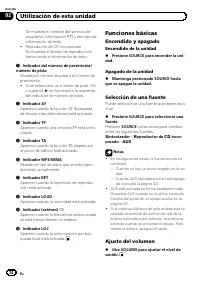
Se muestra el nombre del servicio delprograma, información PTY y otro tipo deinformación de texto. ! Reproductor de CD incorporadoSe muestra el tiempo de reproduccióntranscurrido e información de texto. 2 Indicador del número de presintonía/ número de pista Muestra el número de pista o el número dep...
Page 25 - Para escuchar la radio; Presione; Sintonización de señales fuertes; El ajuste
Sintonizador Para escuchar la radio 1 Presione SOURCE para seleccionar el sintonizador. 2 Presione BAND para seleccionar una banda. Presione BAND hasta que se visualice la banda deseada ( F1 , F2 para FM o MW/LW ). 3 Para utilizar la sintonización manual, presione brevemente c o d . 4 Para utilizar ...
Page 26 - Cambio de la visualización RDS; Lista PTY; ALARM
Cambio de la visualización RDS RDS (sistema de datos de radio) contiene in-formación inaudible que ayudan a buscar emi-soras de radio. ! Es posible que no todas las emisoras sumi-nistren el servicio RDS. ! Las funciones RDS como AF y TA sólo seactivan cuando la radio está sintonizada enuna emisora R...
Page 27 - Uso de la búsqueda PI; y la salida; Recepción de anuncios de tráfico; El indicador
! Otro programa puede interrumpir temporal-mente el sonido durante la búsqueda de unafrecuencia AF. ! La función AF se puede activar y desactivar in-dependientemente para cada banda FM. Uso de la búsqueda PI Si el sintonizador no puede encontrar unaemisora adecuada o el estado de la recepciónempeora...
Page 28 - Reproductor incorporado; Reproducción de un disco; Repetición de reproducción; Repite todas las pistas
! Sólo se sintonizan las emisoras TP y las emi-soras TP de otra red realzada durante la sinto-nización por búsqueda o BSM cuando lafunción TA está activada. Reproductor incorporado Reproducción de un disco 1 Introduzca un CD (CD-ROM) por la ranu- ra de carga de discos. La reproducción comenzará auto...
Page 29 - Exploración de pistas o carpetas; Consulte; Uso de la compresión y BMX
# Al reproducir audio comprimido, si se realiza una búsqueda de pista o el avance rápido/retro-ceso durante TRK (repetición de pista), se cambia la gama de repetición de reproducción a repeti-ción de carpeta. # Cuando se selecciona FLD (repetición de car- peta), no se puede reproducir una subcarpeta...
Page 30 - Ajustes de audio; Uso del ajuste del balance
Búsqueda cada 10 pistas en eldisco o carpeta actual Se puede cambiar el método de búsquedaentre las opciones de avance rápido/retrocesoy búsqueda cada 10 pistas. Seleccionar ROUGH le permite realizar la búsqueda cada 10 pistas. 1 Presione FUNCTION para seleccionar FF/REV. # Si se seleccionó anterior...
Page 31 - Uso del ecualizador; Ajuste de la sonoridad; Ajuste de los niveles de la fuente
3 Presione c o d para ajustar el balance entre los altavoces izquierdos/derechos. Aparece BAL L15 a BAL R15 . # Para volver a la visualización normal, presione BAND . Uso del ecualizador Hay seis ajustes de ecualización almacena-dos, a saber: DYNAMIC , VOCAL , NATURAL , CUSTOM , FLAT y POWERFUL , qu...
Page 32 - Otras funciones; Ajuste del paso de sintonía de FM; Configuración de los ajustes iniciales; Uso de la fuente AUX
Otras funciones Configuración de los ajustesiniciales Utilizando los ajustes iniciales, puede perso-nalizar varios ajustes del sistema para lograrun funcionamiento óptimo de esta unidad. 1 Mantenga presionado SOURCE hasta que se apague la unidad. 2 Mantenga presionado SOURCE hasta que el nombre de l...
Page 33 - Ahorro del consumo de la batería; Silenciamiento del sonido
Ahorro del consumo de la batería La activación de esta función le permite aho-rrar consumo de la batería. ! Cuando esta función está activada, no sepermiten operaciones que no sean sintoni-zar la fuente. Importante Si la batería del vehículo está desconectada, secancela el modo de Ahorro de Energía....
Page 34 - Mensajes de error; Información adicional
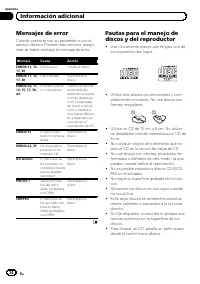
Mensajes de error Cuando contacte con su proveedor o con elservicio técnico Pioneer más cercano, asegú-rese de haber anotado el mensaje de error. Mensaje Causa Acción ERROR-11, 12,17, 30 Disco sucio Limpie el disco. ERROR-11, 12,17, 30 Disco rayado Reemplace eldisco. ERROR-10, 11,12, 15, 17, 30,A0 P...
Page 35 - Discos dobles; Según la versión del Windows Media
! La condensación puede afectar temporal-mente el rendimiento del reproductor. Dejeque se adapte a la temperatura más cálidadurante aproximadamente una hora. Ade-más, si los discos tienen humedad, séque-los con un paño suave. ! Quizás no pueda reproducir algunos discosdebido a sus características, f...
Page 36 - Ejemplo de una jerarquía; : Archivo de audio comprimido; Tabla de caracteres rusos
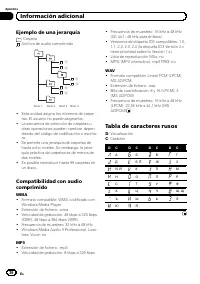
Ejemplo de una jerarquía : Carpeta : Archivo de audio comprimido 1 2 3 4 5 6 Nivel 1 Nivel 2 Nivel 3 Nivel 4 ! Esta unidad asigna los números de carpe-tas. El usuario no puede asignarlos. ! La secuencia de selección de carpetas uotras operaciones pueden cambiar, depen-diendo del código de codificaci...
Page 37 - Especificaciones
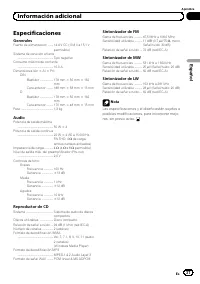
Especificaciones Generales Fuente de alimentación ........ 14,4 V CC (10,8 V a 15,1 V permisible) Sistema de conexión a tierra ..................................................... Tipo negativo Consumo máximo de corriente ..................................................... 10,0 A Dimensiones (An ...
Page 38 - Bewahren Sie; Inhalt
Vielen Dank , dass Sie sich für dieses PIONEER-Produkt entschieden haben. Bitte lesen Sie diese Bedienungsanleitung vor der erstmaligen Verwendung desProdukts, um seinen ordnungsgemäßen Betrieb zu gewährleisten. Bewahren Sie die Bedienungsanleitung nach dem Lesen zur zukünftigen Bezugnahme sicher au...
Page 39 - Zu diesem Gerät; VORSICHT; Deutsch
Mischen Sie dieses Produkt, wenn Sie es ent-sorgen wollen, nicht mit gewöhnlichen Haus-haltsabfällen. Es gibt ein getrenntesSammelsystem für gebrauchte elektronischeProdukte, über das die richtige Behandlung,Rückgewinnung und Wiederverwertunggemäß der bestehenden Gesetzgebung ge-währleistet wird. Pr...
Page 40 - Zu WMA; Unsere Website; Besuchen Sie uns auf folgender Website:; Diebstahlschutz; Abnehmen der Frontplatte; Nehmen Sie die Frontplatte ab.
Zu WMA Das auf der Verpackung ausgewiesene LogoWindows Media ™ verweist darauf, dass die- ses Gerät die Wiedergabe von WMA-Daten un-terstützt.Windows Media und das Windows-Logo sindMarken oder eingetragene Marken derMicrosoft Corporation in den USA und/oder inanderen Ländern. ! Je nach der Anwendung...
Page 41 - Anbringen der Frontplatte; Schieben Sie die Frontplatte nach links,
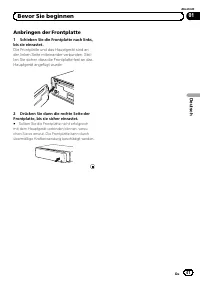
Anbringen der Frontplatte 1 Schieben Sie die Frontplatte nach links, bis sie einrastet. Die Frontplatte und das Hauptgerät sind ander linken Seite miteinander verbunden. Stel-len Sie sicher, dass die Frontplatte fest an dasHauptgerät angefügt wurde. 2 Drücken Sie dann die rechte Seite der Frontplatt...
Page 42 - Die einzelnen Teile; Hauptgerät; Bedienung des Geräts
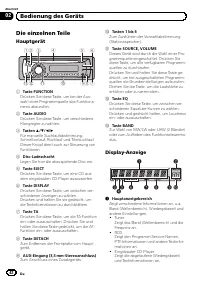
Die einzelnen Teile Hauptgerät 1 2 4 5 6 d c a 8 9 7 3 b 1 Taste FUNCTION Drücken Sie diese Taste, um bei der Aus- wahl einer Programmquelle das Funktions- menü abzurufen. 2 Taste AUDIO Drücken Sie diese Taste, um verschiedene Klangregler zu wählen. 3 Tasten a / b / c / d Für manuelle Suchlaufabstim...
Page 43 - Wählen einer Programmquelle; Regeln der Lautstärke; Rundfunkempfang
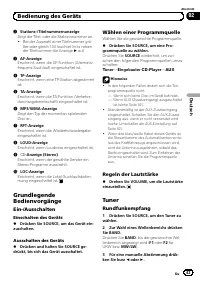
2 Stations-/Titelnummernanzeige Zeigt die Titel- oder die Stationsnummer an. ! Bei der Auswahl einer Titelnummer grö- ßer oder gleich 100 leuchtet links neben der Titelnummer die Anzeige d auf. 3 AF-Anzeige Erscheint, wenn die AF-Funktion (Alternativ- frequenz-Suchlauf) eingeschaltet ist. 4 TP-Anzei...
Page 44 - Umschalten der RDS-Anzeige
4 Für die Suchlaufabstimmung drücken Sie c oder d etwa eine Sekunde lang. Der Tuner durchläuft den Frequenzbereich, bis er einen Sender mit akzeptablem Empfang ge- funden hat. # Durch kurzes Drücken von c oder d kann die Suchlaufabstimmung aufgehoben werden. # Durch Drücken und Halten von c oder d k...
Page 45 - Wählen alternativer Frequenzen; Drücken und halten Sie TA wiederholt; Gebrauch des PI-Suchlaufs; PI SEEK
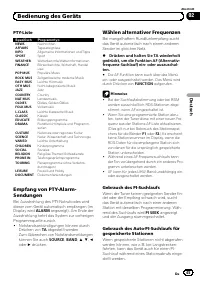
PTY-Liste Spezifisch Programmtyp NEWS Nachrichten AFFAIRS Tagesereignisse INFO Allgemeine Informationen und Tipps SPORT Sport WEATHER Wetterberichte/Wetterinformationen FINANCE Börsenberichte, Wirtschaft, Handelusw. POP MUS Populäre Musik ROCK MUS Zeitgenössische moderne Musik EASY MUS Leichte Hörmu...
Page 46 - Umschalten; Empfang von Verkehrsdurchsagen; Eingebauter Player; Abspielen einer Disc
! Standardmäßig ist der automatische PI- Suchlauf ausgeschaltet. Siehe Umschalten des Auto-PI-Suchlaufs auf Seite 52. Begrenzen von Stationen aufregionale Programme Bei Verwendung von AF beschränkt die Regi- onalfunktion die Auswahl auf Sender, die regi- onale Programme ausstrahlen. 1 Drücken Sie FU...
Page 48 - Wiederholwiedergabe; Anspielen von Titeln oder Ordnern; Wiederholwiedergabe
Wiederholwiedergabe Mithilfe der Wiederholwiedergabe kann einTitel/Ordner innerhalb des gewählten Wieder-holwiedergabebereichs mehrfach abgespieltwerden. 1 Drücken Sie FUNCTION, um RPT zu wählen. 2 Drücken Sie c oder d , um einen Wie- derholbereich zu wählen.DSC – Wiederholung aller Titel TRK – Wied...
Page 49 - Anhalten der Disc-Wiedergabe; Für WAV
Anhalten der Disc-Wiedergabe Die Disc-Wiedergabe kann vorübergehend ge-stoppt werden. 1 Drücken Sie FUNCTION, um PAUSE zu wählen. 2 Drücken Sie a oder b , um die Pause ein- oder auszuschalten. # Zum Zurückschalten zur normalen Anzeige drücken Sie BAND . Gebrauch von Kompressionund BMX Mit den Funkti...
Page 50 - Gebrauch der Balance-Einstellung; Gebrauch des Equalizers; Einstellen von Loudness
! Bei der Wiedergabe von im VBR-Modus (Va-riable Bitrate) aufgezeichneten WMA-Dateienwird die durchschnittliche Bitrate angezeigt. ! Bei der Wiedergabe von im VBR-Modus (va-riable Bitrate) aufgezeichneten MP3-Dateienerscheint an Stelle der Bitrate die Angabe VBR im Display. ! Je nach der für das Sch...
Page 51 - Andere Funktionen; Einstellen des UKW-Kanalrasters; Anpassen der Grundeinstellungen
2 Drücken Sie a oder b , um die Loud- ness-Funktion ein- oder auszuschalten. # Sie können auch EQ drücken und gedrückt halten, um Loudness ein- oder auszuschalten. 3 Drücken Sie c oder d , um den Pegel wunschgemäß einzustellen.LOW (Niedrig) — HI (Hoch) # Zum Zurückschalten zur normalen Anzeige drück...
Page 52 - Umschalten der AUX-Einstellung; Gebrauch der AUX-Programmquelle; Spracheinstellungs-Display
Umschalten des Auto-PI-Suchlaufs Das System kann automatisch nach einer an-deren Station mit derselben Programmierungsuchen, selbst bei einem Stationsabruf. 1 Drücken Sie FUNCTION, um A-PI zu wählen. Siehe Anpassen der Grundeinstellungen auf Seite 51. 2 Drücken Sie a oder b , um den Auto-PI- Suchlau...
Page 53 - Abschalten des Tons; MUTE
Abschalten des Tons In folgenden Fällen wird dieses Gerät automa-tisch stummgeschaltet: ! Wenn mit einem an dieses Gerät ange-schlossenen Mobiltelefon ein Telefonanrufempfangen oder getätigt wird. ! Wenn von einem an dieses Gerät ange-schlossenen Pioneer-Navigationsgerät dieSprachführung ausgegeben ...
Page 54 - Fehlermeldungen; Zusätzliche Informationen
Fehlermeldungen Vor der Kontaktaufnahme mit Ihrem Händleroder der nächstgelegenen Pioneer-Kunden-dienststelle sollten Sie sich die angezeigteFehlermeldung notieren. Meldung Ursache Abhilfemaßnah-me ERROR-11, 12,17, 30 Disc verschmutzt Reinigen Sie die Disc. ERROR-11, 12,17, 30 Disc verkratzt Wechsel...
Page 55 - Komprimierte Audio-Dateien; Player werden der Albumname
! Wischen Sie die Discs zum Reinigen miteinem weichen Tuch von der Mitte zumRand hin ab. ! Kondensation kann eine vorübergehendeStörung der Player-Leistung zur Folgehaben. Warten Sie in diesem Fall etwa eineStunde ab, bis sich der Player an die höhe-ren Temperaturen angepasst hat. FeuchteDiscs sollt...
Page 56 - Beispiel einer Disc-Struktur; Russischer Zeichensatz
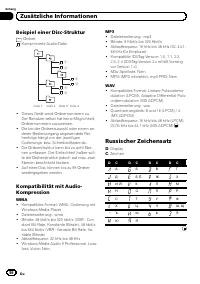
Beispiel einer Disc-Struktur : Ordner : Komprimierte Audio-Datei 1 2 3 4 5 6 Stufe 1 Stufe 2 Stufe 3 Stufe 4 ! Dieses Gerät weist Ordnernummern zu.Der Benutzer selbst hat keine Möglichkeit,Ordnernummern zuzuweisen. ! Die bei der Ordnerauswahl oder einem an-deren Bedienvorgang angewendete Rei-henfolg...
Page 57 - Technische Daten; Allgemein
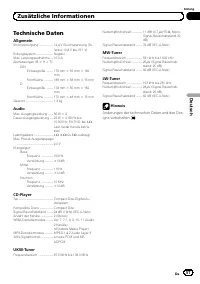
Technische Daten Allgemein Stromversorgung ..................... 14,4 V Gleichspannung (To- leranz 10,8 V bis 15,1 V) Erdungssystem ......................... NegativMax. Leistungsaufnahme .... 10,0 AAbmessungen (B × H × T): DIN Einbaugröße .......... 178 mm × 50 mm × 162 mm Frontfläche ................
Page 58 - Lisez bien ce manuel avant d; Table des matières
Nous vous remercions d ’ avoir acheté cet appareil Pioneer. Lisez bien ce manuel avant d ’ utiliser l ’ appareil pour la première fois, afin de garan- tir une utilisation correcte. Conser vez-le dans un endroit sûr et facilement accessible pour toute consultation ultérieure. Avant de commencer Quelq...
Page 59 - Quelques mots sur cet appareil; PRÉCAUTION; Quelques mots sur WMA; Français
Si vous souhaitez vous débarrasser de cet ap-pareil, ne le mettez pas à la poubelle avec vosordures ménagères. Il existe un système decollecte séparé pour les appareils électroni-ques usagés, qui doivent être récupérés, traitéset recyclés conformément à la législation. Dans les états membres de l ’ ...
Page 60 - Quelques mots sur MP3; Visitez notre site Web; Retrait de la face avant
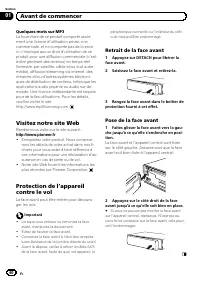
Quelques mots sur MP3 La fourniture de ce produit comporte seule-ment une licence d ’ utilisation privée, non commerciale, et ne comporte pas de licenceni n ’ implique aucun droit d ’ utilisation de ce produit pour une diffusion commerciale (c ’ est- à-dire générant des revenus) en temps réel(terres...
Page 61 - Appareil central; accord automatique, avance; Indications affichées; Utilisation de l
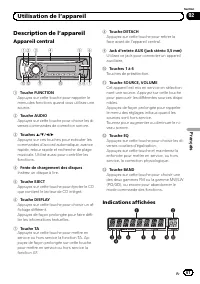
Description de l ’ appareil Appareil central 1 2 4 5 6 d c a 8 9 7 3 b 1 Touche FUNCTION Appuyez sur cette touche pour rappeler lemenu des fonctions quand vous utilisez unesource. 2 Touche AUDIO Appuyez sur cette touche pour choisir les di-verses commandes de correction sonore. 3 Touches a / b / c /...
Page 62 - Opérations de base; Mise en service, mise hors service; Mise en service de l; Choix d; Syntoniseur
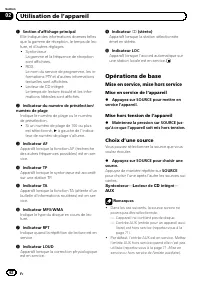
1 Section d ’ affichage principal Elle indique des informations diverses tellesque la gamme de réception, le temps de lec-ture, et d ’ autres réglages. ! SyntoniseurLa gamme et la fréquence de réceptionsont affichées. ! RDSLe nom du service de programme, les in-formations PTY et d ’ autres informati...
Page 63 - Réglage du volume; Écoute de la radio
! Si le fil bleu/blanc de l ’ appareil est relié à la prise de commande du relais de l ’ antenne motorisée du véhicule, celle-ci se déploielorsque la source est mise en service. Pour ré-tracter l ’ antenne, mettez la source hors ser- vice. Réglage du volume % Tournez VOLUME pour régler le niveau son...
Page 64 - Choix de l; DISPLAY; Liste des codes PTY; Réception d
Mise en mémoire desfréquences les plus puissantes La fonction BSM (Mémoire des meilleures sta-tions) vous permet d ’ utiliser les touches de présélection 1 à 6 pour mémoriser les six fré- quences d ’ émission les plus puissantes. Une fois qu ’ elles sont enregistrées, vous pouvez vous accorder sur c...
Page 65 - Utilisation de la recherche PI; Mise en ser vice ou hors ser vice de
Vous pouvez aussi abandonner la réceptiond ’ un bulletin d ’ informations d ’ urgence en appuyant sur SOURCE , BAND , a , b , c ou d . Choix d ’ une autre fréquence possible Quand le syntoniseur n ’ obtient pas une bonne réception, l ’ appareil recherche automatique- ment une autre station sur le mê...
Page 66 - informations routières; Lecteur intégré; Lecture d
Réception des bulletinsd ’ informations routières La fonction TA (attente de bulletins d ’ informa- tions routières) vous permet de recevoir desbulletins d ’ informations routières automati- quement, quelle que soit la source que vousécoutez. La fonction TA peut être activée aussibien pour une stati...
Page 67 - Répétition de la lecture; Répétition de la
! Si un message d ’ erreur tel que ERROR-11 s ’ affiche, reportez-vous à la page 73, Messa- ges d ’ erreur . ! Il y a parfois un délai entre la commande delecture d ’ un disque et le début de l ’ émission du son. Au moment de la lecture du format, FRMTREAD s ’ affiche. ! Quand vous lisez des disques...
Page 68 - Examen des plages ou des dossiers; Répétition; Pause de la lecture
Examen des plages ou des dossiers L ’ examen du disque recherche la plage à l ’ in- térieur de l ’ étendue de répétition sélectionnée. 1 Choisissez l ’ étendue de répétition. Reportez-vous à la page précédente, Répétition de la lecture . 2 Appuyez sur FUNCTION pour choisir SCAN. 3 Appuyez sur a pour...
Page 69 - Réglages sonores
Pour les disques CD TEXT Temps de lecture — DISC TTL (titre du disque) — ART NAME (interprète du disque) — TRK TTL (titre de la plage) — ART NAME (inter- prète de la plage) Pour les fichiers WMA/MP3 Temps de lecture — FOLDER (nom du dossier) — FILE (nom du fichier) — TRK TTL (titre de la plage) — AR...
Page 70 - Autres fonctions; Ajustement des réglages initiaux
Réglage des graves/des médiums/desaigus Vous pouvez régler le niveau des graves, desmédiums et des aigus. 1 Appuyez sur AUDIO pour choisir BASS/ MID/TREBLE. 2 Appuyez sur a ou b pour régler le ni- veau. Les valeurs +6 à – 6 s ’ affichent tandis que le ni- veau augmente ou diminue. # Appuyez sur BAND...
Page 71 - Sélection de l; entrée auxiliaire; ment des réglages initiaux; Utilisation de la source AUX
# Appuyez sur BAND pour annuler les réglages initiaux. # Vous pouvez également abandonner les régla- ges initiaux en maintenant la pression sur SOURCE jusqu ’ à ce que l ’ appareil se mette hors service. Sélection de l ’ incrément d ’ accord FM Normalement, l ’ incrément d ’ accord FM em- ployé par ...
Page 72 - Réglage de l; glages initiaux; Coupure du son
1 Appuyez sur FUNCTION pour choisir SAVE. Reportez-vous à la page 70, Ajustement des ré- glages initiaux . 2 Appuyez sur a ou b pour mettre l ’ éco- nomie d ’ énergie en service ou hors service. Réglage de l ’ affichage multilingue Des informations textuelles telles que le nomdu titre, le nom de l ’...
Page 73 - Informations complémentaires
Messages d ’ erreur Quand vous contactez votre distributeur ou leService d ’ entretien agréé par Pioneer le plus proche, n ’ oubliez pas de noter le message d ’ erreur. Message Causes possi-bles Action corrective ERROR-11, 12,17, 30 Disque sale Nettoyez le disque. ERROR-11, 12,17, 30 Disque rayé Uti...
Page 75 - Exemple de hiérarchie
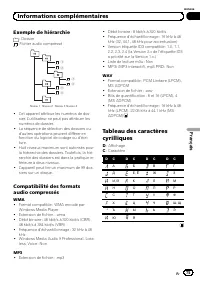
Exemple de hiérarchie : Dossier : Fichier audio compressé Niveau 1 Niveau 2 Niveau 3 Niveau 4 ! Cet appareil attribue les numéros de dos-sier. L ’ utilisateur ne peut pas attribuer les numéros de dossier. ! La séquence de sélection des dossiers oud ’ autres opérations peuvent différer en fonction du...
Page 76 - Caractéristiques techniques; Généralités
Caractéristiques techniques Généralités Tension d ’ alimentation ......... 14,4 V CC (10,8 V à 15,1 V acceptable) Mise à la masse ....................... Pôle négatifConsommation max. en courant ..................................................... 10,0 A Dimensions (L × H × P) : DIN Châssis ..........
Page 77 - Dopo aver terminato la lettura, conser vare; Italiano; Sommario
Grazie per aver acquistato questo prodotto PIONEER. Leggere attentamente questo manuale prima di utilizzare il prodotto per la primavolta, per assicurarne il corretto utilizzo. Dopo aver terminato la lettura, conser vare questo manuale in un luogo sicuro e accessibile, per consultazione futura. Prim...
Page 78 - uso in Europa occidentale,; ATTENZIONE; Informazioni sul formato WMA
Se si vuole eliminare questo prodotto, non get-tarlo insieme ai rifiuti domestici. Esiste un si-stema di raccolta differenziata in conformitàalle leggi che richiedono appositi trattamenti,recupero e riciclo. Gli utenti privati dei Paesi membri dell ’ Unione Eu- ropea, della Svizzera e della Norvegia...
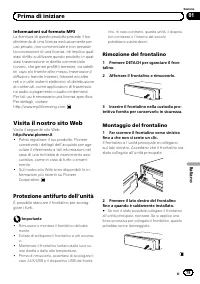
Page 79 - Informazioni sul formato MP3; Visita il nostro sito Web; Visita il seguente sito Web:; Protezione antifurto dell; Rimozione del frontalino; Il frontalino e l
Informazioni sul formato MP3 La fornitura di questo prodotto prevede il tra-sferimento di una licenza esclusivamente peruso privato, non-commerciale e non prevedela concessione di una licenza, né implica qual-siasi diritto a utilizzare questo prodotto in qual-siasi trasmissione in diretta commercial...
Page 80 - Nomenclatura; Unità principale; avanzamento rapido, la; Indicazioni sui display; Funzionamento dell
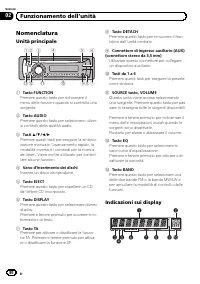
Nomenclatura Unità principale 1 2 4 5 6 d c a 8 9 7 3 b 1 Tasto FUNCTION Premere questo tasto per richiamare ilmenu delle funzioni quando si controlla unasorgente. 2 Tasto AUDIO Premere questo tasto per selezionare i diver-si controlli della qualità audio. 3 Tasti a / b / c / d Premere questi tasti ...
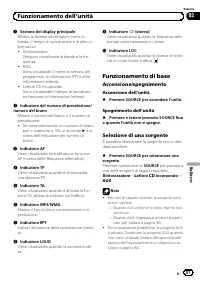
Page 81 - Funzionamento di base; Accensione/spegnimento; Accensione dell; Selezione di una sorgente; Sintonizzatore
1 Sezione del display principale Mostra le diverse informazioni come labanda, il tempo di riproduzione e le altre in-formazioni. ! SintonizzatoreVengono visualizzate la banda e la fre-quenza. ! RDSSono visualizzati il nome di servizio delprogramma, le informazioni PTY e altreinformazioni letterali. ...
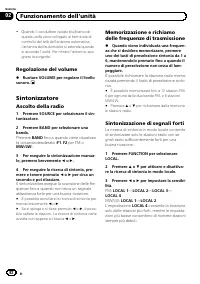
Page 82 - Regolazione del volume; Ascolto della radio
! Quando il conduttore isolato blu/bianco diquesta unità viene collegato al terminale dicontrollo del relè dell ’ antenna automatica, l ’ antenna dell ’ automobile si estende quando si accende l ’ unità. Per ritirare l ’ antenna, spe- gnere la sorgente. Regolazione del volume % Ruotare VOLUME per re...
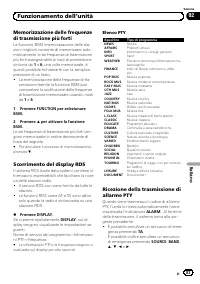
Page 83 - Scorrimento del display RDS; Elenco PTY
Memorizzazione delle frequenzedi trasmissione più forti La funzione BSM (memorizzazione delle sta-zioni migliori) consente di memorizzare auto-maticamente le sei frequenze di trasmissionepiù forti assegnandole ai tasti di preselezionesintonia da 1 a 6 ; una volta memorizzate, è quindi possibile rich...
Page 84 - Selezione di frequenze alternative; Uso della ricerca PI
Selezione di frequenze alternative Se il sintonizzatore riceve un segnale debole,l ’ unità ricerca automaticamente una stazione diversa della stessa rete. % Premere e tenere premuto TA per atti- vare o disattivare la funzione AF (ricercadelle frequenze alternative). # È inoltre possibile attivare o ...
Page 85 - Ricezione dei notiziari sul traffico; indicatore; Lettore incorporato; Riproduzione di un disco
Ricezione dei notiziari sul traffico La funzione TA (attesa di notiziari sul traffico)consente di ricevere automaticamente i noti-ziari sul traffico, indipendentemente dalla sor-gente che si sta ascoltando. È possibileattivare la funzione TA sia per una stazione TP(una stazione che trasmette informa...
Page 86 - Riproduzione ripetuta; Scansione dei brani o delle cartelle; Riproduzione ripetuta
! Quando si riproducono CD-EXTRA o CD MO-DALITÀ MISTA, è possibile alternare tra fileaudio compressi e CD-DA premendo BAND . ! Se si alternano file audio compressi e CD-DA,la riproduzione viene avviata dal primo branodel disco. ! Il lettore CD incorporato può riprodurre fileaudio compressi registrat...
Page 88 - Regolazione dell; Uso dell
Note ! È possibile scorrere a sinistra del titolo pre-mendo e tenendo premuto DISPLAY . ! I CD audio che contengono alcune informa-zioni, ad esempio testo e/o numeri, sono CDTEXT. ! Se su un disco non è stata registrata nessunainformazione specifica, viene visualizzata l ’ in- dicazione NO XXXX (ad ...
Page 89 - indicazione da; Regolazione della sonorità; dicazione da; Altre funzioni; Se si preme ripetutamente
Regolazione dei bassi, dei medi edegli alti È possibile regolare il livello dei bassi, deimedi e degli alti. 1 Premere AUDIO per selezionare BASS/ MID/TREBLE. 2 Premere a o b per regolare il livello. A seconda se il livello viene aumentato o dimi-nuito, viene visualizzata l ’ indicazione da +6 a – 6...
Page 90 - impostazione di un; Uso della sorgente AUX; Regolazione delle impostazioni iniziali
Impostazione del passo disintonizzazione FM Normalmente il passo per la sintonizzazione inFM impiegata dalla ricerca di sintonia è 50kHz. Quando sono attivate le funzioni AF o TAil passo di sintonizzazione cambia automatica-mente a 100 kHz. Quando è attivata la funzio-ne AF, è preferibile impostare ...
Page 91 - Silenziamento del suono
Impostazione del displaymultilingue È possibile registrare su un disco contenentefile audio compressi informazioni di testo, adesempio titoli, nomi degli artisti o commenti.Questa unità è in grado di visualizzare le infor-mazioni in una delle lingue europee o in russo. ! Se la lingua incorporata e l...
Page 92 - Messaggi di errore; Linee guida per l
Messaggi di errore Quando si contatta il rivenditore o il Centro as- sistenza Pioneer più vicino, accertarsi di ripor- tare il messaggio di errore. Messaggio Causa Azione ERROR-11, 12,17, 30 Disco sporco Pulire il disco. ERROR-11, 12,17, 30 Disco graffiato Sostituire il disco. ERROR-10, 11,12, 15, 1...
Page 93 - Esempio di gerarchia; Informazioni supplementari
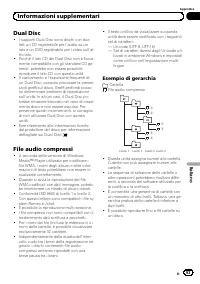
Dual Disc ! I supporti Dual Disc sono dischi con due lati: un CD registrabile per l ’ audio su un lato e un DVD registrabile per i video sull ’ al- tro lato. ! Poiché il lato CD dei Dual Disc non è fisica- mente compatibile con gli standard CD ge- nerali, potrebbe non essere possibile riprodurre il ...
Page 94 - Compatibilità audio compressa; Tabella dei caratteri cirillici
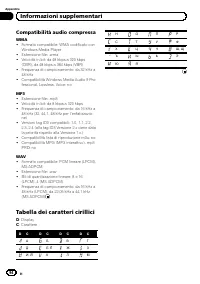
Compatibilità audio compressa WMA ! Formato compatibile: WMA codificato conWindows Media Player ! Estensione file: .wma ! Velocità in bit: da 48 kbps a 320 kbps(CBR), da 48 kbps a 384 kbps (VBR) ! Frequenza di campionamento: da 32 kHz a48 kHz ! Compatibilità Windows Media Audio 9 Pro-fessional, Loss...
Page 95 - Dati tecnici
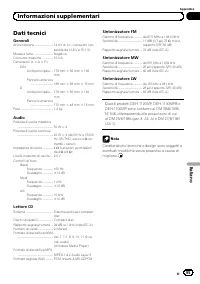
Dati tecnici Generali Alimentazione ........................... 14,4 V di c.c. (variazioni con- sentite da 10,8 V a 15,1 V) Messa a terra ............................. NegativaConsumo massimo ................ 10,0 ADimensioni (L × A × P): DIN Unità principale ... 178 mm × 50 mm × 162 mm Pannello ant...
Page 96 - Lees deze handleiding voordat u het product in gebruik neemt.; Inhoud
Hartelijk dank voor het aanschaffen van dit PIONEER product. Lees deze handleiding voordat u het product in gebruik neemt. Bewaar deze hand- leiding na het lezen op een veilige plaats zodat u hem altijd bij de hand hebt voor later. Vóór u begint Informatie over dit toestel 97 Bezoek onze website 98 ...
Page 97 - Informatie over dit toestel; LET OP; Informatie over WMA; Nederlands
Deponeer dit product niet bij het gewone huis-houdelijk afval wanneer u het wilt verwijderen.Er bestaat een speciaal wettelijk voorgeschre-ven verzamelsysteem voor de juiste behande-ling, het opnieuw bruikbaar maken en derecycling van gebruikte elektronische produc-ten. In de lidstaten van de EU en ...
Page 98 - Informatie over MP3; Bezoek onze website; Hier vindt u onze site:; Het voorpaneel verwijderen
Informatie over MP3 Dit product is uitsluitend bedoeld voor niet-commercieel privégebruik. Het mag niet ineen commerciële omgeving worden gebruiktvoor realtime-uitzendingen (over land, via sa-telliet, kabel en/of andere media), voor uitzen-dingen/streaming via internet, intranet en/ofandere netwerke...
Page 99 - Wat is wat; Hoofdtoestel; Laadsleuf voor de disc; Bediening van het toestel
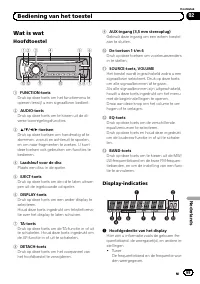
Wat is wat Hoofdtoestel 1 2 4 5 6 d c a 8 9 7 3 b 1 FUNCTION-toets Druk op deze toets om het functiemenu teopenen terwijl u een signaalbron bedient. 2 AUDIO-toets Druk op deze toets om te kiezen uit de di-verse toonregelingsfuncties. 3 a / b / c / d -toetsen Druk op deze toetsen om handmatig af test...
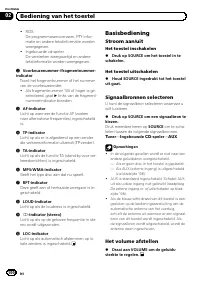
Page 100 - Basisbediening; Het toestel inschakelen; Signaalbronnen selecteren; Het volume afstellen
! RDSDe programmaservicenaam, PTY-infor-matie en andere tekstinformatie wordenweergegeven. ! Ingebouwde cd-spelerDe verstreken weergavetijd en anderetekstinformatie worden weergegeven. 2 Voorkeuzenummer-/fragmentnummer- indicator Toont het fragmentnummer of het nummervan de voorkeuzezender. ! Als fr...
Page 101 - Naar de radio luisteren; Druk op; Op sterke signalen afstemmen; Als u het niveau
Tuner Naar de radio luisteren 1 Druk op SOURCE om de tuner te selec- teren. 2 Druk op BAND en kies een frequentie- band. Druk op BAND totdat de gewenste frequentie- band ( F1 , F2 voor FM of MW/LW ) op het dis- play verschijnt. 3 Druk kort op c of d om handmatig af te stemmen. 4 Om automatisch af te...
Page 102 - Alternatieve frequenties kiezen; Houd TA ingedrukt om AF (zoeken naar
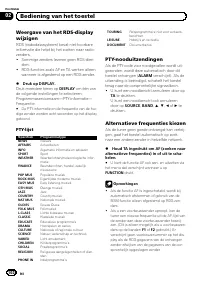
Weergave van het RDS-displaywijzigen RDS (radiodatasysteem) bevat niet-hoorbareinformatie die helpt bij het zoeken naar radio-zenders. ! Sommige zenders leveren geen RDS-dien-sten. ! RDS-functies zoals AF en TA werken alleenwanneer is afgestemd op een RDS-zender. % Druk op DISPLAY. Druk meerdere ker...
Page 103 - Verkeersberichten ontvangen
! Het is mogelijk dat de geluidsweergave tijde-lijk wordt onderbroken door een ander pro-gramma terwijl de AF-zoekfunctie actief is. ! De AF-functie kan voor elke FM-frequentie-band afzonderlijk worden in- of uitgeschakeld. PI-zoeken Als de tuner geen geschikte zender kan vindenof als de ontvangst v...
Page 104 - Ingebouwde speler; Een disc afspelen; Het afspelen begint automatisch.; Herhaalde weergave; Alle fragmenten herhalen
Opmerkingen ! Wanneer het verkeersbericht is afgelopen,keert het systeem terug naar de oorspronkelij-ke signaalbron. ! Als de functie TA is ingeschakeld, wordt er bijautomatisch afstemmen of gebruik van deBSM-functie alleen afgestemd op TP-zendersen uitgebreide TP-zenders van een ander net-werk. Ing...
Page 105 - Fragmenten of mappen scannen; Raadpleeg; Compressie en BMX gebruiken
# Als u een cd afspeelt, wordt de herhaalde weergave automatisch uitgeschakeld wanneer unaar fragmenten zoekt of vooruit- of achteruit-spoelt. # Als u gecomprimeerde audio afspeelt en tij- dens TRK (fragmenten herhalen) naar fragmen- ten zoekt of vooruit- of achteruitspoelt, wordt hetherhaalbereik g...
Page 106 - WAV; De balansinstelling
Elk 10e fragment op de huidigedisc of in de huidige map zoeken U kunt bij de zoekmethode kiezen tussen voor- uit- en achteruitspoelen en elk 10e fragment zoeken. Als u ROUGH selecteert, kunt u ieder 10e fragment zoeken. 1 Druk op FUNCTION en selecteer FF/REV. # Als u eerder de zoekmethode ROUGH had ...
Page 107 - Lage, hoge en middentonen aanpassen; De loudness aanpassen; Het bronniveau aanpassen
De equalizer Er zijn zes voorgeprogrammeerde equalizerin- stellingen, die u op ieder moment eenvoudig kunt oproepen: DYNAMIC , VOCAL , NATURAL , CUSTOM , FLAT en POWERFUL . ! CUSTOM is een aangepaste equalizercurve die u zelf maakt. ! Als FLAT is geselecteerd, wordt het geluid niet aangevuld of geco...
Page 108 - Overige functies; De FM-afstemstap instellen; De begininstellingen aanpassen; AUX als signaalbron selecteren
Overige functies De begininstellingen aanpassen Uitgaande van de begininstellingen van hetsysteem kunt u verschillende instellingen aanuw wensen aanpassen. 1 Houd SOURCE ingedrukt tot het toestel uit gaat. 2 Houd SOURCE ingedrukt tot de functie- naam op het display verschijnt. 3 Druk op FUNCTION en ...
Page 109 - Taalinstelling voor het display; Geluid uitschakelen; Het geluid wordt uitgeschakeld en
Belangrijk Als de accu van het voertuig wordt losgekoppeld,wordt de energiezuinige modus geannuleerd. Umoet de energiezuinige modus opnieuw aanzet-ten nadat u de accu weer heeft aangesloten. Alsde contactschakelaar van het voertuig niet is uit-gerust met een ACC-stand (accessoirestand), ishet mogeli...
Page 110 - Foutmeldingen; Gebruik cd; Aanvullende informatie
Foutmeldingen Schrijf een foutmelding altijd nauwkeurig open houd deze bij de hand als u contact op-neemt met uw leverancier of het dichtstbij-zijnde Pioneer-servicecentrum. Melding Oorzaak Maatregel ERROR-11, 12,17, 30 Vuile disc Maak de discschoon. ERROR-11, 12,17, 30 Bekraste disc Vervang de disc...
Page 111 - Dual discs; Player die is gebruikt om WMA-
! Condens en vochtvorming kunnen de werk-ing van de speler tijdelijk negatief beïnvloe-den. Laat de speler in een warmereomgeving ongeveer een uur op tempera-tuur komen. Veeg vochtige schijven meteen zachte doek schoon. ! Sommige discs kunnen niet worden afge-speeld afhankelijk van het type disc, de...
Page 112 - Voorbeeld van een boomstructuur; : Gecomprimeerd audiobestand; Lijst met Russische tekens
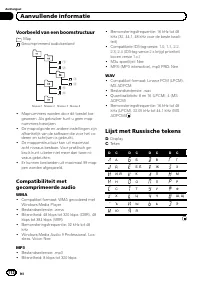
Voorbeeld van een boomstructuur : Map : Gecomprimeerd audiobestand 1 2 3 4 5 6 Niveau 1 Niveau 2 Niveau 3 Niveau 4 ! Mapnummers worden door dit toestel toe-gewezen. Als gebruiker kunt u geen map-nummers toewijzen. ! De mapvolgorde en andere instellingen zijnafhankelijk van de software die voor het c...
Page 113 - Technische gegevens; Algemeen
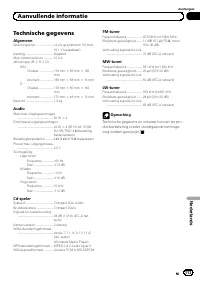
Technische gegevens Algemeen Spanningsbron ......................... 14,4 V gelijkstroom (10,8 tot 15,1 V toelaatbaar) Aarding ......................................... NegatiefMax. stroomverbruik .............. 10,0 AAfmetingen (B × H × D): DIN Chassis ..................... 178 mm × 50 mm × 162 mm ...
Page 114 - Благодарим Вас; за покупку этого изделия компании; ное руководство перед первым использованием изделия; Держите данное; Содержание
Благодарим Вас за покупку этого изделия компании PIONEER. Для обеспечения правильности эксплуатации внимательно прочитайте дан - ное руководство перед первым использованием изделия . Держите данное руководство под рукой для обращения к нему в будущем . Перед началом эксплуатации Сведения об этом уст...
Page 115 - Сведения об этом устройстве; ВНИМАНИЕ; О формате
Если вы желаете утилизировать данное из - делие , не выбрасывайте его вместе с обы - чным бытовым мусором . Существует отдельная система сбора использованныхэлектронных изделий в соответствии с за - конодательством , которая предполагает со - ответствующее обращение , возврат и переработку . Частные...
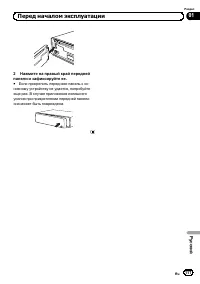
Page 116 - Посетите наш сайт; Снятие передней панели; DETACH; Установка передней панели
Логотип Windows Media ™ , напечатанный на коробке , указывает на возможность вос - произведения данных в формате WMA. Windows Media и логотип Windows являют - ся товарными знаками или зарегистриро - ванными товарными знаками Microsoft Corporation в Соединенных Штатах и / или других странах . ! Это у...
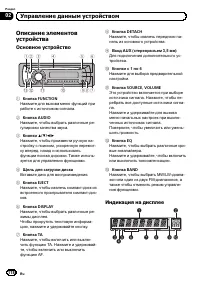
Page 118 - Основное устройство; Индикация на дисплее; Управление данным устройством
Описание элементовустройства Основное устройство 1 2 4 5 6 d c a 8 9 7 3 b 1 Кнопка FUNCTION Нажмите для вызова меню функций приработе с источником сигнала . 2 Кнопка AUDIO Нажмите , чтобы выбрать различные ре - гулировки качества звука . 3 Кнопки a / b / c / d Нажмите , чтобы произвести ручную на -...
Page 119 - Основные операции; Включение устройства; Выбор источника сигнала; AUX
1 Основной сектор дисплея Отображает различную информацию , такую как диапазон , время воспроизве - дения и другие настройки . ! ТюнерНа дисплее отображаются диапазон ичастота . ! RDS На дисплее отображается названиепрограммы , PTY- информация и тек - стовая информация . ! Встроенный проигрыватель к...
Page 120 - Регулировка громкости; Тюнер; Прослушивание радиоприемника; FM; Настройка на мощные сигналы
! Когда голубой / белый провод этого устрой - ства подключен к реле панели управленияавтомобильной антенной , антенна на авто - мобиле выдвигается при включении источ - ника сигнала этого устройства . Чтобы втянуть антенну , выключите источник сиг - нала . Регулировка громкости % Поверните VOLUME , ...
Page 121 - BSM; Переключение режима; AF; Список; PTY; PTY
Запоминание частот самыхмощных трансляций Функция BSM ( запоминание лучших стан - ций ) позволяет автоматически сохранять шесть самых мощных радиочастот , назна - чая их кнопкам предварительной настрой - ки с 1 по 6 . Сохранив частоты , можно настроить тюнер на эти частоты одним на - жатием кнопки ....
Page 122 - Выбор альтернативных частот; PI; Включение автоматического поиска
Выбор альтернативных частот Если качество приема низкое , устройство автоматически выполнит поиск другойстанции в той же сети . % Нажмите и удерживайте кнопку TA , чтобы включить или выключить функ - цию AF ( поиск альтернативных частот ). # Для включения и выключения функции AF можно также использо...
Page 123 - Прием дорожных сводок; TP; Встроенный проигрыватель; Воспроизведение диска
Прием дорожных сводок Функция TA ( ожидание дорожных сводок ) позволяет автоматически получать дорож - ные сводки вне зависимости от источникасигнала , который Вы прослушиваете . Функ - цию ТА можно активировать как для TP- станции ( станции , передающей информа - цию о дорожном движении ), так и дл...
Page 124 - Повторное воспроизведение; Сканирование дорожек и папок
! При воспроизведении дисков формата CD- EXTRA или MIXED-MODE переключение между режимами сжатого аудиофайла и CD-DA осуществляется нажатием кнопки BAND . ! При переключении между режимами сжа - того аудиофайла и CD-DA воспроизведе - ние начинается с первой дорожки диска . ! Встроенный проигрыватель...
Page 125 - Использование компрессии и; BMX; Поиск каждой
1 Выберите диапазон повторного вос - произведения . См . Повторное воспроизведение на стр . 124. 2 Нажмите кнопку FUNCTION , чтобы выбрать SCAN . 3 Нажмите a , чтобы включить скани - рующее воспроизведение . На дисплее появится надпись SCAN . Будут воспроизводиться первые 10 секунд ка - ждой дорожки...
Page 126 - Использование эквалайзера
Отображение текстовойинформации диска % Нажмите DISPLAY . Нажмите DISPLAY несколько раз для выбо - ра следующих настроек : Для дисков формата CD TEXT Время воспроизведения — DISC TTL ( назва - ние диска ) — ART NAME ( имя артиста на диске ) — TRK TTL ( название дорожки ) — ART NAME ( имя артиста на ...
Page 127 - Регулировка кривых эквалайзера; Регулировка нижних; Регулировка тонкомпенсации
! CUSTOM – это регулируемая кривая эквалайзера , которую Вы создаете сами . ! При выборе кривой FLAT звук не подвер - гается никаким дополнительным преоб - разованиям или коррекции . % Нажмите кнопку EQ , чтобы выбрать эквалайзер . Нажмите кнопку EQ несколько раз для вы - бора следующих настроек экв...
Page 128 - Другие функции; Установка шага настройки в; Изменение начальных настроек; Изменение начальных настроек
Другие функции Изменение начальных настроек С помощью начальных настроек можно на - строить разнообразные параметры систе - мы для максимально эффективной работыэтого устройства . 1 Нажмите и удерживайте кнопку SOURCE , пока устройство не выключит - ся . 2 Нажмите и удерживайте кнопку SOURCE , пока ...
Page 129 - Экономия энергии аккумулятора; Настройка языка; Приглушение звука
Использование дополнительногоисточника сигнала (AUX) % Вставьте мини - штекер стереокабеля в гнездо входа этого устройства . Выбор AUX в качестве источника сигнала % Нажмите кнопку SOURCE , чтобы вы - брать AUX в качестве источника сигна - ла . Экономия энергии аккумулятора Включение этой функции по...
Page 130 - Сообщения об ошибках; Дополнительная информация
Сообщения об ошибках Когда Вы обращаетесь к торговому пред - ставителю или в ближайший сервисныйцентр Pioneer, убедитесь , что Вы записали сообщение об ошибке . Сообщение Причина Действие ERROR-11, 12,17, 30 Грязный диск Очистите диск . ERROR-11, 12,17, 30 Поцарапанныйдиск Замените диск . ERROR-10, ...
Page 132 - Пример иерархии
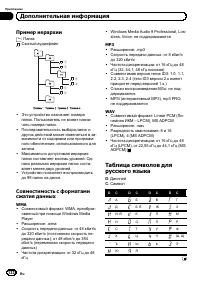
Пример иерархии : Папка : Сжатый аудиофайл 1 2 3 4 5 6 ! Это устройство назначает номерапапок . Пользователь не может назна - чать номера папок . ! Последовательность выбора папок идругих действий может изменяться в за - висимости от кодировки или программ - ного обеспечения , использованного для за...
Page 133 - Технические характеристики
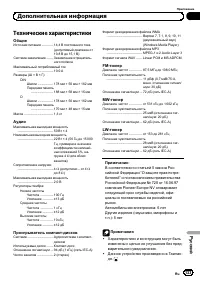
Технические характеристики Общие Источник питания ................. 14,4 В постоянного тока ( допустимый диапазон от 10,8 В до 15,1 В ) Система заземления .......... Заземление отрицатель - ного полюса Максимальный потребляемый ток ..................................................... 10,0 А Размеры...
Page 134 - PIONEER CORPORATION
PIONEER CORPORATION 4-1, MEGURO 1-CHOME, MEGURO-KUTOKYO 153-8654, JAPAN Корпорация Пайонир 4-1, Мегуро 1- Чоме , Мегуро - ку , Токио 153-8654, Япония . PIONEER ELECTRONICS (USA) INC. P.O. Box 1540, Long Beach, California 90801-1540, U.S.A.TEL: (800) 421-1404 PIONEER EUROPE NV Haven 1087, Keetberglaa...