Philips TAFS1/10 - User Manual
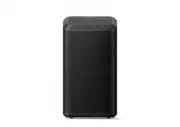
Philips TAFS1/10 – User Manual, read for free online in PDF format. We hope this helps you resolve any issues you may have. If you have further questions, please contact us through the contact form.


Table of Contents:
- Page 2 – Contents; ŏľĚġĚ1⁄2ĚÞġŻ
- Page 3 – Safety; Important; Important safety instructions; łĻâ1⁄2Đâľַâ֣ö֣ēÿĽŏÿÞžēēâÞġ×čâØŊł֤ēÿŊ; For 5G WiFi Device; Warning; Help and support; Follow the instructions on the website to
- Page 4 – What’s in the box; Your wireless; ġĚöľ1⁄2Ŋŏē1⁄2ŊÿġĚłġĚŮġŏľĻŏľØü1⁄2łâ֤1⁄2ĚÞ; Overview of the speaker; ŨâēØġęâŊġ~üÿēÿĻł֨ġõŏēēŮ×âĚâžŊõľġęŊüâ
- Page 6 – Get started; Plug in the power; LED State; Note; ŊġŊŏľĚġŻŊüâłĻâ1⁄2Đâľ֣
- Page 7 – Connect
- Page 8 – ġĚĚâØŊÿġĚ֤ŮġŏØ1⁄2ĚØü1⁄2Ěöâ
- Page 9 – WPS mode; AirPlay setup; Done; ġĚĚâØŊÿġĚ֤; Solid
- Page 10 – Power up your DTS Play-f; Surround sound Setup; to your home speakers wirelessly.
- Page 11 – Pairing with Ambilight TV; Lighting
- Page 12 – Follow Music; łŊŮēâł֣ġłâŊŊüâØġēġľ֤Ļľâłł1⁄2ĚÞ; Mood Light mode; Warm whi
- Page 13 – Mode
- Page 14 – Play from Bluetooth devices; Play; “Philips Fidelio FS1”; Control playback; LED indicator; Listen to an external device; What you need; AUDIO IN
- Page 15 – Factory reset; Reset; Upgrade Firmware; žľęŨ1⁄2
- Page 16 – ŧԟ֣Ԛ֤֤
- Page 17 – Troubleshooting; Adjust the volume on this speaker.
- Page 18 – Disposal of your old product; Notice; Care of the environment; ŨÿŊüüÿöüĽŏ1⁄2ēÿŊŮę1⁄2Ŋâľÿ1⁄2ēł1⁄2ĚÞØġęĻġĚâĚŊł֤; Environmental information; FCC Statement (USA and
- Page 19 – RF Warning Statement
- Page 20 – Trademark notice
User manual
Register your product and get support at
:
www.philips.com/support
Fidelio
Wireless Home Speaker FS1
"Loading the manual" means you need to wait until the file loads and becomes available for online reading. Some manuals are very large, and the time they take to appear depends on your internet speed.
Was this manual helpful?
Helpful for 3 of 3 readers
About this manual
- Brand
- Philips
- Model
- TAFS1/10
- Document type
- User Manual
- Language(s)
- English
- Pages
- 21
- File size
- 4.3 MB
- Format
Other Manuals for Philips TAFS1/10
Summary
Contents 1 3 SafetyHelp and support 3 Important 3 2 What’s in the box 4 Overview of the speaker 4 Your wireless speaker 4 3 Plug in the power 66 Get started 6 4 Connect to Wi-Fi (Wireless Operation) 7Connect the soundbar to Philips Play-f i enabled TV 10 Connect 7 5 Pairing with Ambilight TV 11 Foll...
Safety 1 Important Important safety instructions Make sure that the power supply voltage corresponds to the voltage on the back or the underside of the unit. The speaker shall not be exposed to dripping or splashing. Do not place any source of danger on the łĻâ½Đâľַâ֣ö֣ēÿĽŏÿÞžēēâÞġ×čâØŊł֤ēÿŊ candles...
What’s in the box 2 Your wireless speaker ġĚöľ½Ŋŏē½ŊÿġĚłġĚŮġŏľĻŏľØü½łâ֤½ĚÞ product at www.philips.com/support. Check and identify the contents of your package: Speaker Power adaptor Power cable Quick start guide Safety sheet Worldwide warranty Indicate the status. Wi-Fi LED indicator (White) LED Sta...
Ask a question
Related manuals
Popular Philips Other


More Philips Other models
 Philips TADR402/12 User Manual
 Philips TAE1105BK/00 Quick Guide
 Philips TAE1205BK/00 User Manual
 Philips TAE1209BK/00 Quick Guide
 Philips TAEP200/16 Quick Guide
 Philips TAFB1/10 User Manual
 Philips TAFW1/10 User Manual
 Philips TAH1108BK/00 User Manual
 Philips TAH3209BG/00 User Manual
 Philips TAH3209BK/00 User Manual
 Philips TAH3209WT/00 User Manual
 Philips TAH4205BK/00 User Manual