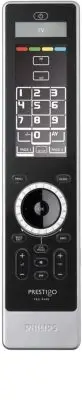
Page 3 - Contents; Please refer to the illustration on page 2.; Installing the Remote Control; Turn the; rotary wheel; clockwise or; Philips logo; The remote control then begins the; Installation; to guide you through the installation.; ENGLISH - Instructions for Use
3 ENGLISH Contents Introduction . . . . . . . . . . . . . . . . . . . . . . . . . . . . . . . . . . . . . . . . . . . . . . . 3Installing the Remote Control . . . . . . . . . . . . . . . . . . . . . . . . . . . . . . . . . 3Using Your Remote Control . . . . . . . . . . . . . . . . . . . . . . . . . ...
Page 4 - Using Your Remote Control; Tip
4 2 Turn the rotary wheel clockwise or anticlockwise to select your preferred language. 3 Press the OK key to confirm the selected language. The SRU9600 will guide you through the setupprocess via questions in the upper par t of thedisplay. 4 Follow the instructions on the remote control. Replacing ...
Page 5 - Note; Using Activities; The first item of the Setup menu appears.; Add a Device; Add a device
5 ENGLISH Note Some devices do not have any extra functions available in the onboard database. However, you can copy additional functions from your originalremote by learning keys. See “Add a Function” on page 6. Using Activities An activity is a sequence of key presses that you can program. For exa...
Page 6 - Delete a Device; Fix a Key; Extra functions can be selected by pressing the; Jog Mode; key, selecting the function with the; and pressing; OK; The key is learned and fixed.; Add a Function; You can add extra functions to your SRU9600.; functions by pressing; Add an Activity; between ever y key press
6 Delete a Device You can delete a programmed device from yourremote control. 1 Select the option Delete a device in the Setup menu and press . 2 Select the device you want to delete. 3 Confirm you want to delete the device. The device is deleted.The deleted device is available again in list of devi...
Page 7 - Delete an Activity; The language used in the Setup menu is changed.; Backlight Time Out; The time out is changed for your remote control.; Copy Volume; The Volume keys are copied.
7 ENGLISH 1 Turn the rotary wheel to select a device from the list, press OK and add a key press to the activity. 2 Turn the rotary wheel to select ‘ 3 seconds ’ delay and press OK . 3 Turn the rotary wheel to select ‘ no delay ’ and press OK . 4 Repeat step 3 to create the activity. The activity is...
Page 8 - Full reset; Support; Problem; Instructions for Use
8 Full reset You can reset the SRU9600 completely, deleting allprogrammed devices, activities, learned keys andother settings. After the reset, you will have to install your remote controlagain. 1 Select the option Full reset in the Setup menu and press . 2 Select Yes and press to confirm you want t...
Page 9 - Table des matières; Veuillez vous reporter à l’illustration en page 2.; FRANÇAIS - Mode d’emploi; Installation de la télécommande; Tournez la; molette; dans le sens des aiguilles; logo Philips; La télécommande affiche ensuite l’; , qui vous guidera tout au long de
9 FRANÇAIS Table des matières Introduction . . . . . . . . . . . . . . . . . . . . . . . . . . . . . . . . . . . . . . . . . . . . . . . 9Installation de la télécommande . . . . . . . . . . . . . . . . . . . . . . . . . . . . . . . . 9Utilisation de la télécommande . . . . . . . . . . . . . . . . . ...
Page 10 - Utilisation de la télécommande; Sélection de fonctions supplémentaires
2 Tournez la molette dans le sens des aiguilles d’une montre pour sélectionner la languesouhaitée. 3 Appuyez sur la touche OK pour confirmer. La SRU9600 vous guide dans le processus deconfiguration, par l’intermédiaire de questions quiapparaissent dans la par tie supérieure de l’écran. 4 Suivez les ...
Page 11 - Astuce; Utilisation des activités; Play; Configuration de la télécommande; Le premier élément du
11 FRANÇAIS Pour ajouter des fonctions supplémentaires, repor tez-vous au chapitre Ajoutd’une fonction à la page 13. Astuce Si vous ne trouvez pas la fonction supplémentaire que vous recherchez, appuyez à nouveau sur pour quitter Jog Mode. Remarque Pour certains appareils, aucune fonction supplément...
Page 12 - Ajout d’un appareil; Ajouter un appareil; . Les touches de l’écran tactile; Suppression d’un appareil; Supprimer un appareil; Réparation d’une touche; Réparer une touche; fonction avec la; puis appuyez sur; La touche est recopiée et réparée.; Remarque
Ajout d’un appareil Pour pouvoir faire fonctionner vos appareils avecla télécommande SRU9600, vous devez les yajouter. Vous pouvez sélectionner jusqu’à 8 appareils dans la liste disponible. Ilest impossible d’ajouter deux fois un même appareil. Dès que vous avezajouté un appareil à la télécommande, ...
Page 13 - Ajout d’une fonction; supplémentaires, appuyez sur; Ajout d’une activité; entre chaque pression afin; Suppression d’une activité; La langue du menu
13 FRANÇAIS Ajout d’une fonction Vous pouvez ajouter des fonctionssupplémentaires à la SRU9600. 1 Sélectionnez l’option Ajouter une fonction dans le menu Setup puis appuyez sur . 2 Sélectionnez l’appareil auquel vous souhaitez ajouter une fonction. 3 Sélectionnez la désignation que vous souhaitez do...
Page 14 - Le délai est modifié sur la télécommande.; Copie des touches Volume; Les touches de volumes sont copiées.; Réinitialisation totale
Délai d’extinction du rétro-éclairage Lorsque vous mettez la télécommande soustension, le rétro-éclairage, l’écran tactile et la par tie supérieure de l’écrans’allument. Ils s’éteignent 5 secondes après.Vous pouvez changer ce réglage d’extinction, comme suit : ■ 3 secondes; ■ 5 secondes; ■ 10 second...
Page 15 - Assistance technique; Mode
Problème Cause Solution Une ou plusieurstouches nefonctionne(nt) pasavec mon appareil. La fonction peut ne pas êtredisponible dans la base dedonnées de la SRU9600. La SRU9600 peut apprendre(recopier) la fonction correcte àpar tir de la télécommande d’origine.Accédez au menu Setup puissélectionnez Ré...
Page 16 - Siehe Abbildung auf Seite 2.; DEUTSCH - Bedienungsanleitung; Installation der Fernbedienung; Drehen Sie den; Drehknopf; nach rechts oder; programm Wizard; , das Sie durch die Installation
16 Inhalt Einleitung . . . . . . . . . . . . . . . . . . . . . . . . . . . . . . . . . . . . . . . . . . . . . . . . 16Installation der Fernbedienung . . . . . . . . . . . . . . . . . . . . . . . . . . . . . . . . 16Benutzung Ihrer Fernbedienung . . . . . . . . . . . . . . . . . . . . . . . . . . . ...
Page 17 - Benutzung Ihrer Fernbedienung; Drehknopfes; Auswählen zusätzlicher Funktionen; Tipp
17 DEUTSCH 2 Drehen Sie den Drehknopf nach rechts oder links und wählen Sie die gewünschte Sprache aus. 3 Drücken Sie OK , um die Sprache auszuwählen. Die SRU9600 führ t Sie mit Hilfe von Fragen imoberen Teil des Displays durch das Setup. 4 Folgen Sie den Anweisungen auf der Fernbedienung. Batterien...
Page 18 - Aktionsfolgen verwenden; das Fernsehgerät einschalten; Einrichten der Fernbedienung; Drücken und halten Sie die Taste; Gerät hinzufügen
18 Hinweis Für manche Geräte sind keine zusätzlichen Funktionen in der Datenbank der Fernbedienung vorhanden. Sie können jedoch weitereFunktionen von Ihrer Original-Fernbedienung über Lerntasten kopieren. Siehe“Funktion hinzufügen” auf Seite 19. Aktionsfolgen verwenden Eine Aktionsfolge ist eine Rei...
Page 19 - Touch Screen-Tasten des ausgewählten Gerätes erscheinen.; Gerät löschen; Gerät entfernen; Taste festlegen; Taste reparieren; drücken, die Funktion mit dem; wählen und; Die Taste wird gelernt und festgelegt.; Hinweis; Funktion hinzufügen
19 DEUTSCH 1 Wählen Sie die Option Gerät hinzufügen im Setup-Menü und drücken Sie . 2 Wählen Sie das Gerät, das Sie hinzufügen möchten. 3 Folgen Sie den Anweisungen auf der Fernbedienung. Das ausgewählte Gerät wird programmier t und Ihrer Fernbedienunghinzugefügt. Sie können nun das Gerät über den D...
Page 20 - die zusätzlichen Funktionen durch Drücken der Taste; Aktionsfolge hinzufügen; Zeitverzögerung von 300ms; Aktionsfolge löschen; Die Sprache des Setup-Menüs wird geänder t.
20 4 Lesen Sie die Funktion von Ihrer Originalfernbedienung ein. Die zusätzliche Funktion wird Ihrer Fernbedienung hinzugefügt. Sie erreichen die zusätzlichen Funktionen durch Drücken der Taste . Aktionsfolge hinzufügen Sie können Ihrer SRU9600 eine Aktionsfolgehinzufügen. Eine Aktionsfolge besteht ...
Page 21 - Beleuchtungszeit; Die Zeiteinstellung Ihrer Fernbedienung wird geänder t.; Lautstärke kopieren; Die Lautstärketasten werden kopier t.; Vollständiges Zurücksetzen
21 DEUTSCH Beleuchtungszeit Wenn Sie die Fernbedienung benutzen, schaltensich die Beleuchtung, der Touch Screen und derobere Teil des Displays ein. Nach 5 Sekunden werden diese Komponentenausgeschaltet.Sie können eine der folgenden Zeiteinstellungen wählen: ■ 3 Sekunden; ■ 5 Sekunden; ■ 10 Sekunden;...
Page 22 - Bedienungsanleitung
22 Support Störungen beheben Problem Ursache Lösung Ein oder mehrereTasten meinesGerätes funktionierennicht. Es kann sein, dass dieseFunktion nicht in derDatenbank der SRU9600verfügbar ist. Die SRU9600 kann die korrekteFunktion von der Originalfernbedie-nung lernen. Gehen Sie ins Setup-Menü und wähl...
Page 23 - Inhoud; Zie illustratie op pagina 2.; NEDERLANDS - Gebruiksaanwijzing; Installeren van de afstandsbediening; draaiwieltje; De afstandsbediening toont de
23 NEDERLANDS Inhoud Inleiding . . . . . . . . . . . . . . . . . . . . . . . . . . . . . . . . . . . . . . . . . . . . . . . . . 23Installeren van de afstandsbediening . . . . . . . . . . . . . . . . . . . . . . . . . . . . 23Gebruik van de afstandsbediening . . . . . . . . . . . . . . . . . . . . ....
Page 24 - Gebruik van de afstandsbediening; Gebruik van de zachte toetsen en de harde toetsen; aanraakscherm om meer functies te tonen.; Selecteren van extra functies
3 Druk op OK om je taalkeuze te bevestigen. De SRU9600 begeleidt je door de installatiefase(Setup) door middel van vragen bovenaan in dedisplay. 4 Volg de instructies op de afstandsbediening. Vervangen van de batterijen Bij een laag batterijniveau, knipper t het Batterij Laag -pictogram . Opmerking ...
Page 25 - Gebruik van Activities; Het eerste item van het; Toevoegen van een toestel
25 NEDERLANDS afstandsbediening leren en ze aan de toetsen koppelen. Zie “Toevoegen vaneen functie” op pagina 26. Gebruik van Activities Een Activity is een sequentie van toetsdrukken die je kunt programmeren.Bijvoorbeeld, voor het bekijken van een DVD dient u: ■ de TV aan te zetten; ■ de DVD-speler...
Page 26 - Verwijderen van een toestel; Delete a device; Herstellen van een toets; , de functie te selecteren; en op; De toets werd geleerd en hersteld.; Opmerking; Toevoegen van een functie; Je kunt extra functies toevoegen aan je SRU9600.; Toevoegen van een Activity; vertraging van 300 ms
Verwijderen van een toestel Je kunt een geprogrammeerd toestel verwijderenuit je afstandsbediening. 1 Selecteer de optie Delete a device in het Setup-menu en druk op . 2 Selecteer het toestel dat je wilt verwijderen. 3 Bevestig dat je het toestel wilt verwijderen. Het toestel is nu verwijderd.Het ge...
Page 27 - Verwijderen van een Activity; De taal van het Setup-menu is nu gewijzigd.; Duur instellen van de backlight; De duur van de backlight van de afstandsbediening is nu gewijzigd.; Kopiëren van de Volume-toetsen
27 NEDERLANDS ■ Indien een Activity geen vertraging vereist tussen de verschillende toetsdrukken, bv. bij het verhogen van het volume, kun je de optie “nodelay” toevoegen. 1 Selecteer de optie Add an activity in het Setup-menu en druk op . 2 Selecteer de naam die je voor de Activity wilt gebruiken. ...
Page 28 - Copy volume; De volumetoetsen zijn gekopieerd.; Resetten; Ondersteuning; Probleem; Gebruiksaanwijzing
Je kunt kiezen welke volumetoetsen worden gebruikt, bv. wanneer je devolumetoetsen van de versterker (amplifier) voor de DVD wilt gebruiken. 1 Selecteer de optie Copy volume in het Setup-menu en druk op . 2 Selecteer het toestel waarvan je de volumetoetsen wilt kopiëren (bv. TV ofAmp). 3 Selecteer h...
Page 29 - Índice de contenido; Consulte la ilustración de la página 2.; ESPAÑOL - Instrucciones de manejo; Instalación del mando a distancia; El mando a distancia iniciará el; Asistente de; durante el proceso de instalación.; rueda central
29 ESP AÑOL Índice de contenido Introducción . . . . . . . . . . . . . . . . . . . . . . . . . . . . . . . . . . . . . . . . . . . . . . 29Instalación del mando a distancia . . . . . . . . . . . . . . . . . . . . . . . . . . . . . . 29Uso del mando a distancia . . . . . . . . . . . . . . . . . . . ....
Page 30 - Pulse la tecla; para confirmar su elección.; Sustitución de las pilas; Uso del mando a distancia; Uso de las teclas táctiles y de las teclas fijas; en la par te inferior de la pantalla táctil.; Selección de funciones adicionales; Cuando tenga seleccionada la función que está buscando, pulse; Consejo práctico
3 Pulse la tecla OK para confirmar su elección. El asistente del SRU9600 le guiará durante elproceso de configuración mediante preguntas queirán apareciendo en la par te superior de lapantalla. 4 Siga las instrucciones que le indique el mando adistancia. Sustitución de las pilas Cuando las pilas est...
Page 31 - Nota; Uso de las actividades; Encender el televisor.; Configuración del mando a distancia; Mantenga pulsado; Cómo añadir un dispositivo
31 ESP AÑOL Nota Algunos dispositivos no incorporan funciones adicionales en la base de datos de su placa lógica. Sin embargo, puede copiar funciones adicionales desu mando a distancia original mediante el “aprendizaje” de teclas. Consulte“Cómo añadir una función” en la página 32. Uso de las activid...
Page 32 - teclas táctiles correspondientes al dispositivo seleccionado.; Cómo eliminar un dispositivo; Borrar un dispositivo; Cómo ajustar una tecla; Fijar una tecla; , elija la función mediante la; rueda; y pulse; La tecla se aprenderá y quedará ajustada.; Cómo añadir una función; Puede añadir funciones adicionales al SRU9600.
1 Seleccione la opción Agregar un dispositivo en el menú Setup y pulse . 2 Elija el dispositivo que desea añadir. 3 Siga las instrucciones que aparecen en el mando a distancia. El dispositivo seleccionado se programará y se añadirá al mando a distancia.Puede seleccionar el dispositivo girando la rue...
Page 33 - Cómo añadir una actividad; Cómo eliminar una actividad; El menú Setup utilizará el nuevo idioma.
Cómo añadir una actividad Puede añadir actividades al SRU9600 si lo desea.Una actividad consiste en varias pulsaciones deteclas que el mando a distancia enviará al dispositivo con sólo pulsar unatecla.De forma predeterminada, el SRU9600 introduce un retraso de 300 ms entre cada pulsación de tecla pa...
Page 34 - El mando a distancia utilizará el nuevo tiempo seleccionado.; Cómo copiar el volumen; Las teclas de volumen se copiarán.; Cómo reiniciar el mando
3 Confirme el nuevo ajuste. El mando a distancia utilizará el nuevo tiempo seleccionado. Nota El inter valo de tiempo definido para el apagado de la retroiluminación influye de manera significativa en la duración de las pilas: cuanto más tiempopermanezca encendida la retroiluminación, más pronto se ...
Page 35 - Problema; Instrucciones de manejo; Soporte
35 ESP AÑOL Problema Causa Solución Una o varias teclasdel mando nofuncionan con undispositivo. Es posible que la función dedichas teclas no estédisponible en la base dedatos del SRU9600. El SRU9600 puede aprender lafunción adecuada del mando adistancia original del dispositivo.Vaya al menú Setup y ...
Page 36 - Consulte a figura da página 2.; PORTUGUÊS - Manual de utilização; Instalar o Controlo Remoto; Rode o; disco de navegação; no sentido dos; logótipo Philips; O controlo remoto inicializa o; Assistente de
36 Índice Introdução . . . . . . . . . . . . . . . . . . . . . . . . . . . . . . . . . . . . . . . . . . . . . . . 36Instalar o Controlo Remoto . . . . . . . . . . . . . . . . . . . . . . . . . . . . . . . . . . 36Utilizar o Controlo Remoto . . . . . . . . . . . . . . . . . . . . . . . . . . . . . ....
Page 37 - Instalação; , que o irá guiar ao longo do processo; Utilizar o Controlo Remoto; Seleccionar Funções Extra
37 POR TUGUÊS Instalação , que o irá guiar ao longo do processo de instalação. 2 Rode o disco de navegação no sentido dos ponteiros do relógio ou no sentido inverso paraseleccionar o seu idioma preferido. 3 Prima a tecla OK para confirmar o idioma seleccionado. O SRU9600 irá conduzi-lo através dos p...
Page 38 - Utilizar Actividades; Ligar o leitor de DVD; Configurar o Controlo Remoto; Prima e mantenha a tecla
38 Para adicionar funções extra, consulte o capítulo “Adicionar uma Função” napágina 40. Sugestão Se não conseguir encontrar a função extra de que está à procura, pode sair do “modo Jog” (funções extra) premindo novamente a tecla . Nota Alguns dispositivos não possuem quaisquer funções extra disponí...
Page 39 - Adicionar um Dispositivo; Eliminar um Dispositivo; Corrigir uma Tecla; : seleccione a função; e prima; A tecla é memorizada e corrigida.
39 POR TUGUÊS Adicionar um Dispositivo Para poder controlar os seus dispositivos com oSRU9600, terá de os adicionar ao controloremoto. Pode adicionar até 8 dispositivos a par tir da lista disponível.Não pode adicionar um dispositivo duas vezes. Uma vez que um dispositivoé adicionado ao controlo remo...
Page 40 - Adicionar uma Função; Pode adicionar funções extra ao seu SRU9600.; Adicionar uma Actividade; tempo de espera de 300ms; Eliminar uma Actividade; O idioma utilizado no menu Setup é alterado.
40 Adicionar uma Função Pode adicionar funções extra ao seu SRU9600. 1 Seleccione a opção Add a function no menu Setup e prima . 2 Seleccione o dispositivo em relação ao qual pretende adicionar uma função. 3 Seleccione a designação pela qual quer conhecer esta função extra. 4 Memorize a função a par...
Page 41 - Copiar Volume de Som; As teclas de Volume são copiadas.
41 POR TUGUÊS Tempo de Manutenção da Luz de Fundo Quando utiliza o seu controlo remoto, a luz defundo, o ecrã sensível ao toque e a par te superior do ecrã acendem-se.Passados 5 segundos, estes componentes desligam-se de novo.Pode modificar o tempo em que estes permanecem visíveis definindo afunção ...
Page 42 - Manual de utilização
42 Ajuda Resolução de Problemas Problema Causa Solução Um ou mais botõesnão funcionam com omeu dispositivo. A função poderá nãoencontrar-se disponível nabase de dados do SRU9600. O SRU9600 pode memorizar afunção correcta a par tir do controloremoto original.Seleccione o menu Setup e escolha Fix a ke...
Page 43 - Sommario; Fare riferimento alla figura a pagina 2.; ITALIANO - Istruzioni per l’uso; Installazione del telecomando; Ruotare il; commutatore rotativo; in senso; che La assisterà in tutte le
43 IT ALIANO Sommario Introduzione . . . . . . . . . . . . . . . . . . . . . . . . . . . . . . . . . . . . . . . . . . . . . . 43Installazione del telecomando . . . . . . . . . . . . . . . . . . . . . . . . . . . . . . . . . 43Utilizzo del proprio telecomando . . . . . . . . . . . . . . . . . . . . ...
Page 44 - Utilizzo del proprio telecomando; Uso dei tasti touch screen e dei tasti rigidi
2 Ruotare il commutatore rotativo in senso orario o antiorario per selezionare la proprialingua preferita. 3 Premere il tasto OK per confermare la lingua selezionata. Il SRU9600 La assisterà in tutte le fasi delprocesso di impostazione visualizzando delle domande nella par te superioredel display. 4...
Page 45 - Consiglio; Utilizzo di attività; accendere il televisore,; Impostazione del telecomando; Premere e tenere premuto
45 IT ALIANO Per informazioni sull’aggiunta di funzioni supplementari si rimanda al capitolo“Aggiungere una funzione” a pagina 46. Consiglio Se non riesce a trovare la funzione supplementare cercata, può uscire dal Jog Mode premendo nuovamente . Nota Alcuni apparecchi non dispongono di funzioni supp...
Page 46 - Aggiungere un apparecchio; Cancellare un apparecchio; Aggiustare un tasto; selezionando la funzione con il
Aggiungere un apparecchio Per essere in grado di far funzionare i propriapparecchi con l’SRU9600, sarà necessarioaggiungere questi apparecchi al telecomando.È possibile aggiungere fino a 8 apparecchi dall’elenco a disposizione.Non è possibile aggiungere lo stesso apparecchio due volte. Una volta che...
Page 47 - Aggiungere una funzione; tra ogni pressione di; Cancellare un’attività; La lingua utilizzata nel menu Setup viene cambiata.
47 IT ALIANO Aggiungere una funzione È possibile aggiungere funzioni supplementari alproprio SRU9600. 1 Selezionare l’opzione Add a function nel menu Setup e premere . 2 Selezionare l’apparecchio al quale si intende aggiungere una funzione. 3 Selezionare il simbolo che si intende utilizzare per la f...
Page 48 - Time-out retroilluminazione; Il time-out per il proprio telecomando viene modificato.; Copiare i tasti Volume; I tasti Volume vengono copiati.; Ripristino completo
Time-out retroilluminazione Quando si usa il telecomando, vengono attivati laretroilluminazione, il touch screen e la par tesuperiore del display. Dopo 5 secondi questi componenti vengononuovamente disattivati.È possibile cambiare questa impostazione del time-out a una delle seguentiopzioni: ■ 3 sec...
Page 49 - Istruzioni per; Assistenza
49 IT ALIANO Problema Causa Soluzione Uno o più pulsantinon funzionano con ilmio apparecchio. La funzione potrebbe nonessere disponibile neldatabase dell’SRU9600. L’SRU9600 può apprendere lafunzione corretta dal propriotelecomando originale. Andare almenu Setup e selezionare Fix a key . Non riesco a...
Page 50 - Ελληνικά - Oδηγίες Χρήσεως; Εγκατάσταση Τηλεχειριστηρίου
50 Περιεχµενα Εισαγωγή. . . . . . . . . . . . . . . . . . . . . . . . . . . . . . . . . . . . . . . . . . . . . . . . . . . . . 50Εγκατάσταση Τηλεχειριστηρίου . . . . . . . . . . . . . . . . . . . . . . . . . . . . . . . . . . 50Χρήση του Τηλεχειριστηρίου . . . . . . . . . . . . . . . . . . . . . . ...
Page 51 - Αντικατάσταση Μπαταριών; Χαμηλή στάθμη μπαταρίας; Σημείωση; Χρήση του Τηλεχειριστηρίου; Επιλογή Συσκευής
51 EΛ ΛΗNIKA 3 Πατήστε το πλήκτρο OK για να επιβεβαιώσετε την επιλεγµένη γλώσσα.Το SRU9600 θα σας οδηγήσει σε λη τηδιαδικασία διαµρφωσης µέσω ερωτήσεωνστο επάνω µέρος της οθνης. 4 Ακολουθήστε τις οδηγίες στο τηλεχειριστήριο. Αντικατάσταση Μπαταριών 7ταν οι µπαταρίες είναι σχεδν άδειες, τοεικονίδιο Χ...
Page 52 - Συμβουλή; ∆ραστηριτητες Χρήσης; ∆ιαμρφωση του Τηλεχειριστηρίου
52 Συµβουλή Εάν δεν µπορείτε να βρείτε την επιπλέον λειτουργία που ψάχνετε, µπορείτε να βγείτε απ τη λειτουργία JOG MODE πατώντας ξανά. Σηµείωση Μερικές συσκευές δεν έχουν καµία επιπλέον λειτουργία διαθέσιµη στην φορτωµένη βάση δεδοµένων. Ωστσο, µπορείτε νααντιγράψετε επιπρσθετες λειτουργίες απ το π...
Page 53 - Προσθήκη μιας Συσκευής; ∆ιρθωση Πλήκτρου
53 EΛ ΛΗNIKA Προσθήκη µιας Συσκευής Για να µπορέσετε να χειριστείτε τις συσκευές σαςµε το SRU9600, θα πρέπει να τις προσθέσετε στοτηλεχειριστήριο. Μπορείτε να προσθέσετε µέχρι 8 συσκευές απ τηδιαθέσιµη λίστα.∆εν µπορείτε να προσθέσετε µια συσκευή δύο φορές. Αφού προσθέσατεµια συσκευή στο τηλεχειριστ...
Page 55 - Απενεργοποίηση οπίσθιου φωτισμού; Αντιγραφή Έντασης
55 EΛ ΛΗNIKA Απενεργοποίηση οπίσθιου φωτισµού 7ταν χρησιµοποιείτε το τηλεχειριστήριο, οοπίσθιος φωτισµς, η οθνη αφής και το άνωµέρος της οθνης είναι ενεργοποιηµένα. Μετά απ 5 δευτερλεπτααπενεργοποιούνται πάλι. Μπορείτε να αλλάξετε αυτή τη ρύθµισηαπενεργοποίησης σε µια απ τις ακλουθες επιλογές: ■ 3, ...
Page 56 - Υποστήριξη; Επίλυση Προβλημάτων
Χρειάζεστε βοήθεια ; Εάν έχετε οποιεσδήποτε ερωτήσεις σχετικά µε το SRU9600, µπορείτεπάντα να επικοινωνήσετε µαζί µας. Hα βρείτε τα στοιχεία επικοινωνίας µαςστη σελίδα 81 αυτών των Oδηγιών Χρήσεως . ∆ιαβάστε αυτές τις Oδηγίες Χρήσεως προσεκτικά πριν µας καλέσετε. 7ταν καλείτε τη γραµµή βοήθειάς, έχε...
Page 57 - Indhold; Se illustrationen på side 2.; DANSK - Brugsanvisning; Installation af fjernbetjeningen; Drej; drejeknappen; med eller imod uret, indtil; installationsguiden; for at føre dig igennem
57 D ANSK Indhold Introduktion . . . . . . . . . . . . . . . . . . . . . . . . . . . . . . . . . . . . . . . . . . . . . . 57Installation af fjernbetjeningen. . . . . . . . . . . . . . . . . . . . . . . . . . . . . . . . . 57Brug af fjernbetjeningen . . . . . . . . . . . . . . . . . . . . . . . . . ...
Page 58 - Brug af fjernbetjeningen; Valg af ekstrafunktioner
2 Drej drejeknappen med eller imod uret for at vælge dit foretrukne sprog. 3 Tryk på OK -knappen for at bekræfte det valgte sprog. SRU9600 fører dig igennem indstillingsprocessenved hjælp af spørgsmål i den øverste del afdisplayet. 4 Følg instruktionerne i fjernbetjeningen. Udskiftning af batterier ...
Page 59 - Brug af aktiviteter; Tryk på; Tilføj enhed
59 D ANSK Bemærk! Visse enheder har ikke ekstrafunktioner lagret i fjernbetjeningens indbyggede database. Du kan imidlertid kopiere yderligere funktioner fraapparatets oprindelige fjernbetjening ved hjælp af “lære”-knapperne.Se “Tilføj funktion” på side 60. Brug af aktiviteter En aktivitet er en sek...
Page 60 - . Den berøringsfølsomme skærm viser; Slet enhed; Reparer knap; Ekstrafunktioner kan vælges ved at tr ykke på; Reparation af en knap overskriver de data for knappen, der er gemt i; Tilføj funktion; Du kan føje ekstrafunktioner til din SRU9600.; Tilføj aktivitet; imellem
1 Vælg valgmuligheden Add a device i Setup-menuen, og tryk på . 2 Vælg den enhed, du vil tilføje. 3 Følg instruktionerne på fjernbetjeningen. Den valgte enhed programmeres og føjes til fjernbetjeningen. Du kan vælgeenheden ved at dreje på drejeknappen . Den berøringsfølsomme skærm viser knapperne ti...
Page 61 - Slet aktivitet; Du kan slette en aktivitet fra fjernbetjeningen.; Skift sprog; Tidsafbr ydelsen ændres for fjernbetjeningen.; Kopier lydstyrke
61 D ANSK ■ Hvis en af dine enheder kræver længere forsinkelse før modtagelse af det næste IR-signal, kan du tilføje en pause på 3 sekunder. ■ Hvis en aktivitet ikke kræver forsinkelse imellem de forskellige knaptryk, f.eks. når der skrues op for lyden, kan du tilføje valgmuligheden ‘no delay(ingen ...
Page 62 - Lydstyrkeknapperne kopieres.; Fuldstændig nulstilling; Brugsanvisning
Du kan bytte om på de anvendte lydstyrkeknapper, hvis du f.eks. vil brugeforstærkerens lydstyrkeknapper til DVD’en. 1 Vælg valgmuligheden Copy volume i Setup-menuen, og tryk på . 2 Vælg den enhed, lydstyrkeknapperne skal kopieres fra (f.eks. fjernsyn ellerforstærker). 3 Vælg den enhed, lydstyrkeknap...
Page 63 - Innehåll; SVENSKA - Bruksanvisning; Installera fjärrkontrollen; Rotera; vridreglaget; medurs eller moturs tills; (installationsguiden) som hjälper dig med
63 SVENSKA Innehåll Introduktion . . . . . . . . . . . . . . . . . . . . . . . . . . . . . . . . . . . . . . . . . . . . . . 63Installera fjärrkontrollen . . . . . . . . . . . . . . . . . . . . . . . . . . . . . . . . . . . . . 63Använda fjärrkontrollen . . . . . . . . . . . . . . . . . . . . . . . ...
Page 64 - Använda fjärrkontrollen; Använda pekskärmsknappar och fasta knappar; Tips
2 Rotera vridreglaget medurs eller moturs för att välja det språk du vill använda. 3 Tryck på knappen OK för att bekräfta språkvalet. SRU9600 guidar dig igenom konfigurations-processen via frågor i den övre delen avdisplayen. 4 Följ instruktionerna på fjärrkontrollens display. Byta batterier När bat...
Page 65 - Använda aktiviteter; Första alternativet på menyn; Lägga till en enhet
65 SVENSKA Obs! En del enheter har inga extrafunktioner tillgängliga i den interna databasen. Däremot kan du kopiera ytterligare funktioner frånoriginalfjärrkontrollen genom inlärning av knappar. Se “Lägga till en funktion”på sidan 66. Använda aktiviteter En aktivitet är en sekvens med knapptr yckni...
Page 66 - . Pekskärmsknapparna för den valda; Ta bort en enhet; Korrigera en knapp; , välja funktionen med; och tr ycka på; Inlärning utförs för knappen och den korrigeras.; Lägga till en funktion; Du kan lägga till extrafunktioner i SRU9600.; Lägga till en aktivitet; fördröjning på 300 ms
3 Följ instruktionerna på fjärrkontrollens display. Den valda enheten programmeras och läggs till i fjärrkontrollen. Du kan väljaenheten genom att rotera vridreglaget . Pekskärmsknapparna för den valda enheten visas. Ta bort en enhet Du kan ta bor t en programmerad enhet frånfjärrkontrollen. 1 Välj ...
Page 67 - Ta bort en aktivitet; Du kan ta bor t en aktivitet från fjärrkontrollen.; Ändra språk; Språket som används på menyn Setup ändras.; Tidsgräns för bakgrundsbelysning; Tidsgränsen för fjärrkontrollen ändras.; Kopiera volym
67 SVENSKA ■ Om någon av enheterna behöver en längre fördröjning innan nästa IR- signal tas emot, kan du infoga en fördröjning på 3 sekunder. ■ Om en aktivitet kräver ingen fördröjning mellan de olika knapptryckningarna, t ex när volymen ökas, kan du lägga till alternativet “nodelay”. 1 Välj alterna...
Page 68 - Volymknapparna kopieras.; Fullständig återställning; Bruksanvisningen
1 Välj alternativet Copy volume på menyn Setup och tryck på . 2 Välj den enhet som du vill kopiera volymknapparna från (t ex TV eller Amp). 3 Välj den enhet som du vill kopiera volymknapparna till (t ex DVD eller SATbox). 4 Bekräfta att du vill kopiera volymknapparna från en enhet till den andra. Vo...
Page 69 - Innhold; Se illustrasjonen på side 2.; NORSK - Bruksanvisning; Installere fjernkontrollen; Vri det; roterende hjulet; med eller mot; installasjonsveiviseren; som
69 NORSK Innhold Innledning . . . . . . . . . . . . . . . . . . . . . . . . . . . . . . . . . . . . . . . . . . . . . . . . 69Installere fjernkontrollen . . . . . . . . . . . . . . . . . . . . . . . . . . . . . . . . . . . . . 69Bruke fjernkontrollen . . . . . . . . . . . . . . . . . . . . . . . . ....
Page 70 - Bruke fjernkontrollen; Velge tilleggsfunksjoner
2 Vri det roterende hjulet med eller mot urviseren for å velge ønsket språk. 3 Trykk på OK -tasten for å bekrefte det valgte språket. SRU9600-fjernkontrollen veileder deg gjennominstallasjonsprosessen ved hjelp av spørsmål iøvre del av displayet. 4 Følg instruksjonene på fjernkontrollen. Skifte batt...
Page 71 - Merknad; Bruke aktiviteter; Det første elementet i; Legge til en enhet
71 NORSK Merknad Enkelte enheter har ingen tilgjengelige tilleggsfunksjoner i den innebygde databasen. Du kan imidlertid kopiere tilleggsfunksjoner fra denoriginale fjernkontrollen ved å lære taster. Se “Legge til en funksjon” på side 72. Bruke aktiviteter En aktivitet er en sekvens av tastetr ykk s...
Page 72 - . Berøringsskjermen for den valgte; Slette en enhet; Reparere en tast; Tilleggsfunksjoner kan velges ved å tr ykke på; Legge til en funksjon; Add a function; Legge til en aktivitet; mellom hver t
3 Følg instruksjonene på fjernkontrollen. Den valgte enheten programmeres og legges til i fjernkontrollen. Du kan velgeenheten ved å vri på det roterende hjulet . Berøringsskjermen for den valgte enheten vises. Slette en enhet Du kan slette en programmer t enhet frafjernkontrollen. 1 Velg alternativ...
Page 73 - Slette en aktivitet; Du kan slette en aktivitet fra fjernkontrollen.; Endre språk; Verdien for tidsavbrudd for fjernkontrollen endres.; Kopiere volum
73 NORSK ■ Hvis enhetene krever en lengre forsinkelse før de mottar neste infrarøde signal, kan du sette inn en forsinkelse på 3 sekunder. ■ Hvis en aktivitet ikke krever noen forsinkelse mellom de forskjellige tastetrykkene, for eksempel for å skru opp volumet, kan du legge tilalternativet “no dela...
Page 74 - Volumtastene kopieres.; Fullstendig nullstilling; Støtte; Bruksanvisning
Du kan endre hvilke volumtaster som brukes, hvis du for eksempel vil brukevolumtastene for forsterkeren til DVD-spilleren. 1 Velg alternativet Copy volume i Setup-menyen og trykk . 2 Velg den enheten du vil kopiere volumtastene fra (f.eks. TV eller forsterker) 3 Velg den enheten du vil kopiere volum...
Page 75 - Sisältö; Katso kuva sivulla 2.; Kaukosäätimen asentaminen; Hae; Philipsin logo; esiin kääntämällä; kääntyvää pyörää; Kaukosäädin aloittaa siten ohjatun; asennustoiminnon; , jonka avulla saat tehtyä
75 SUOMI Sisältö Johdanto . . . . . . . . . . . . . . . . . . . . . . . . . . . . . . . . . . . . . . . . . . . . . . . . . 75Kaukosäätimen asentaminen . . . . . . . . . . . . . . . . . . . . . . . . . . . . . . . . . . 75Kaukosäätimen käyttäminen . . . . . . . . . . . . . . . . . . . . . . . . . . ...
Page 76 - Valitse haluamasi kieli kääntämällä; kääntyvää; Vahvista kielivalinta painamalla; Noudata kaukosäätimessä näkyviä ohjeita.; Paristojen vaihtaminen; Kaukosäätimen käyttäminen; Lisätoimintojen valitseminen; Jos olet valinnut etsimäsi toiminnon, paina; Vinkki
2 Valitse haluamasi kieli kääntämällä kääntyvää pyörää myötä- tai vastapäivään. 3 Vahvista kielivalinta painamalla OK -näppäintä. SRU9600-kaukosäädin auttaa sinut asennuksenloppuun näytön yläosassa näkyvien kysymystenavulla. 4 Noudata kaukosäätimessä näkyviä ohjeita. Paristojen vaihtaminen Kun paris...
Page 77 - Huomautus; Käyttötoiminnot; Esiin tulee; Lisää laite
77 SUOMI Huomautus Joidenkin laitteiden onboard-tietokannassa ei ole lisätoimintoja. Voit kuitenkin kopioida lisätoiminnot alkuperäisestä kaukosäätimestä opetettavillanäppäimillä. Katso “Lisää lisätoiminto” sivulla 78. Käyttötoiminnot Toiminto tarkoittaa ohjelmoitavaa näppäinten painallusten sarjaa....
Page 78 - Poista laite; Voit poistaa kaukosäätimestä ohjelmoidun laitteen.; Opeta näppäin; Lisätoiminnot voi valita painamalla; näppäintä, valitsemalla toiminnon; kääntyvällä; ja painamalla; Nyt näppäin on opetettu ja korjattu.; Lisää lisätoiminto; Voit lisätä SRU9600-kaukosäätimeen lisätoimintoja.; Lisää toiminto; näppäimenpainallusten väliin
Poista laite Voit poistaa kaukosäätimestä ohjelmoidun laitteen. 1 Valitse Setup-valikosta Delete a device ja paina . 2 Valitse poistettava laite. 3 Vahvista, että haluat poistaa laitteen. Laite poistetaan.Poistettu laite on jälleen mukana luettelossa, joka sisältää laitteet, joita voitlisätä. Huomau...
Page 79 - Poista toiminto; Voit poistaa toiminnon kaukosäätimestäsi.; Muuta kieli; Setup-valikossa käytettävä kieli vaihtuu.; Taustavalon aikakatkaisuasetukset; Kaukosäätimesi aikakatkaisuasetus vaihtuu.
79 SUOMI 1 Valitse Setup-valikosta Add an activity ja paina . 2 Valitse nimitys, jota haluat käyttää toiminnosta. 3 Noudata kaukosäätimessä näkyviä ohjeita. 1 Valitse laite luettelosta kääntämällä kääntyvää pyörää, valitse OK ja lisää toimintoon näppäimen painallus. 2 Valitse viiveeksi “ 3 seconds ”...
Page 80 - Äänenvoimakkuuden näppäimet kopioidaan.; Kaukosäätimen tyhjentäminen; Valitse Setup-valikosta; ja paina; Yes; ja vahvista, että haluat tyhjentää kaukosäätimen painamalla; Tuki; Ongelma; näiden käyttöohjeiden
3 Valitse laite, johon haluat kopioida äänenvoimakkuuden näppäimet (esim.DVD tai SAT box). 4 Vahvista, että haluat kopioida äänenvoimakkuuden näppäimet laitteestatoiseen. Äänenvoimakkuuden näppäimet kopioidaan. Kaukosäätimen tyhjentäminen Voit tyhjentää SRU9600-kaukosäätimen kokonaanpoistaen kaikki ...
Page 84 - Εγγύηση
Guarantee certificate Certificat de garantie Garantiebewijs Garantieschein Certificado de garantía Certificato di garanzia Certificado de garantia Garantibevis Takuutodistus Εγγύηση Type: SRU9600 Serial nr.: Date of purchase - Date d’achat - Koopdatum - Kaufdatum - Fecha de compra - Data di acquisto...